
Bruksanvisning Kyocera FS-3830N Skrivare
Behöver du en bruksanvisning för din Kyocera FS-3830N Skrivare? Nedan kan du se och ladda ner PDF-bruksanvisningen gratis på svenska. Den här produkten har för närvarande 10 vanliga frågor, 0 kommentarer och har 0 röster. Om det här inte är bruksanvisningen du vill ha, vänligen kontakta oss.
Är produkten defekt och erbjuder bruksanvisningen ingen lösning? Gå till ett Repair Café för gratis reparationstjänster.
Bruksanvisning
Loading…


Loading…
Betyg
Berätta vad du tycker om Kyocera FS-3830N Skrivare genom att betygsätta den. Vill du dela med dig av dina åsikter om denna produkt eller ställa en fråga? Lämna en kommentar nederst på sidan.Mer om denna bruksanvisning
Vi förstår att det är trevligt att ha en pappersbruksanvisning för din Kyocera FS-3830N Skrivare. Du kan alltid ladda ner bruksanvisningen från vår hemsida och skriva ut den själv. Om du vill ha en originalbruksanvisning rekommenderar vi att du kontaktar Kyocera. De kanske kan tillhandahålla en originalbruksanvisning. Letar du efter bruksanvisningen för din Kyocera FS-3830N Skrivare på ett annat språk? Välj ditt föredragna språk på vår hemsida och sök efter modellnumret för att se om vi har det tillgängligt.
Specifikationer
| Märke | Kyocera |
| Modell | FS-3830N |
| Kategori | Skrivare |
| Filtyp | |
| Filstorlek | 5.13 MB |
Alla bruksanvisningar för Kyocera Skrivare
Fler bruksanvisningar för Skrivare
Vanliga frågor om Kyocera FS-3830N Skrivare
Vårt supportteam söker efter användbar produktinformation och svar på vanliga frågor. Om du hittar en felaktighet bland våra vanliga frågor uppskattar vi om du meddelar oss detta via vårt kontaktformulär.
Min bläckpatron är ny, men den kommer inte att skrivas ut, varför är det? Verifierad
Nya bläckpatroner kommer alltid med en klistermärke på skrivhuvudet, vilket förhindrar att de torkar inuti förpackningen. Ta bort denna klistermärke så att bläck kan komma ut ur kassetten.
Detta hjälpte (440) Läs merJag vill skriva ut en helsida, men hur jag än försöker så blir det alltid en vit kant på papperet. Hur kommer det sig? Verifierad
De flesta skrivare kan inte printa ända ut i kanten, eftersom den på något sätt måste kunna hålla i papperet. Därför blir det en vit kant på papperet.
Detta hjälpte (321) Läs merMin bläckpatron har torkat ut, vad kan jag göra? Verifierad
Det finns patroner med och utan skrivhuvud. Det är bara patronerna med skrivhuvud som du kan ta bort själv. Ta en bomullspinne och dopp den i ljummet vatten. Gnugga försiktigt över skrivhuvudet utan att göra det för vått. Upprepa vid behov.
Detta hjälpte (244) Läs merVad är det för skillnad mellan bläckstråleskrivare och laserskrivare? Verifierad
Den största skillnaden är tekniken. En bläckstråleskrivare lägger extremt små bläckdroppar på papperet. Eftersom bläcket är flytande kan skrivhuvudet torka efter en tid. Denna typ av skrivare bör därför användas regelbundet. En laserskrivare applicerar toner (svart eller färgat pulver) på papperet. Pulvret kan inte torka, så man behöver inte använda skrivaren regelbundet. En laserskrivare jobbar i allmänhet snabbare än bläckstråleskrivare.
Detta hjälpte (206) Läs merKan varje skrivare skriva ut på fotopapper? Verifierad
Nej, det här är en specialfunktion som vissa skrivare har. Detta delvis på grund av fotopappers tjocklek.
Detta hjälpte (169) Läs merVad är papperstjocklek? Verifierad
Papperstjocklek anges med vikten, till exempel 80 gram papper. Detta är papperets vikt på en kvadratmeter. Tyngre papper är tickare och robustare.
Detta hjälpte (102) Läs merDe utskrivna dokumenten är krokiga, vad kan jag göra? Verifierad
Det finns flera saker som kan orsaka detta. Papperet kan laddas felaktigt. Det är möjligt att papperet inte har rätt specifikationer som matchar den här skrivaren. Det kan vara så att den valda pappersstorleken inte matchar det faktiska papperet. Om inget av detta löser problemet, kontakta tillverkaren.
Detta hjälpte (98) Läs merVilken papperstjocklek kan jag bäst använda i min skrivare? Verifierad
En vanlig konsumentskrivare använder vanligtvis 80 gram papperstjocklek. Andra standardvikter som ofta används är 120 gram och 160 gram.
Detta hjälpte (83) Läs merVad står DPI för? Verifierad
DPI står för prickar per tum och anger hur skarpa utskrifterna kommer att vara. Fler DPI resulterar i skarpare utskrifter.
Detta hjälpte (82) Läs merVad står SD för? Verifierad
SD står för Secure Digital. SD-kort är standardlagringsmediet för många digitalkameror.
Detta hjälpte (62) Läs mer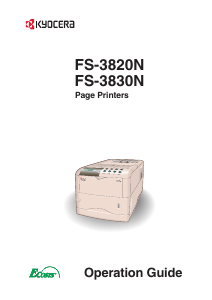
Delta i konversationen om denna produkt
Här kan du dela vad du tycker om Kyocera FS-3830N Skrivare. Om du har en fråga, läs först noggrant igenom manualen. Att begära en manual kan göras genom att använda vårt kontaktformulär.