Battery Installation
To help you get started quickly, the computer battery has been installed at the
factory. Under normal usage the battery should last approximately one year.
The F8 uses a 3V CR2032 button cell battery, which is available at most camera
and electronic shops.
NOTE: Most problems that occur with cyclocomputers are caused by a dead or
weak battery. Should you need to replace the battery, follow the steps below.
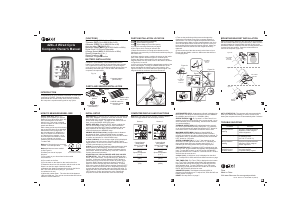
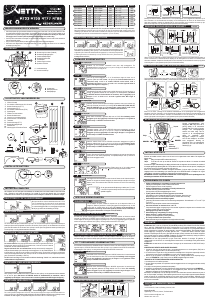
1. Remove the battery cap from the bottom of the computer using a small coin.
See Figure 1.
2. Install the battery in the battery compartment with the positive (+) side facing the battery cap.
3. Reinstall the battery cap and tighten securely. Note: During a battery change, all data will be cleared from memory. Make a note
of your current wheel size setting and cumulative odometer mileage before replacing the battery so you can reprogram these
values once the new battery is installed (see “Program Wheel Size” and “Set the Odometer”).
4. If for some reason the screen is blank or shows an irregular display after a battery change, press the reset button on the
underside of the computer head. See Figure 7.
Computer Functions
CURRENT SPEED (m/h or km/h)
Displays current speed, up to 105mph (168km/h). Accurate to 0.1m/h or km/h. Always displayed at the top of the screen.
SPEED DISPLAY BAR
Provides a graphic display of current speed. Additional segments of bar illuminate as current speed increases.
CLOCK (TIME)
Displays time of day in a 12 hour or 24 hour format.
AUTOMATIC RIDE TIMER (ATM)
Auto start/stop timer is activated by front wheel movement and records actual ride time up to 9:59:59.
TRIP DISTANCE (DST)
Displays distance traveled during current ride (or since last reset), up to 999.9 mi. or km.
ODOMETER (ODO)
Displays cumulative ride distance, up to 99,999 mi. or km.
SPEED COMPARISON (56)
Compares current speed to average speed. As you ride, a (5) or (6) will appear next to current speed to indicate whether
your current speed is above (5) or below (6) your average speed. This function is automatic, requires no programming
and cannot be disabled.
AVERAGE SPEED (AVG)
Calculates average speed based on ride time (ATM) and trip distance (DST).
MAXIMUM SPEED (MAX)
Displays highest speed attained during a ride (or since last reset), up to 105m/h (168km/h).
Tech Support 1(800)553-8324
0208_3
Made in China
F8 Cycle Computer
Thank you for your purchase of an E3™ cycle computer. With all the features that a professional rider needs to keep track of a ride,
the F8 is the perfect training tool for any cyclist. The addition of a heavy duty sensor cable makes the F8 an excellent choice o
road as well.
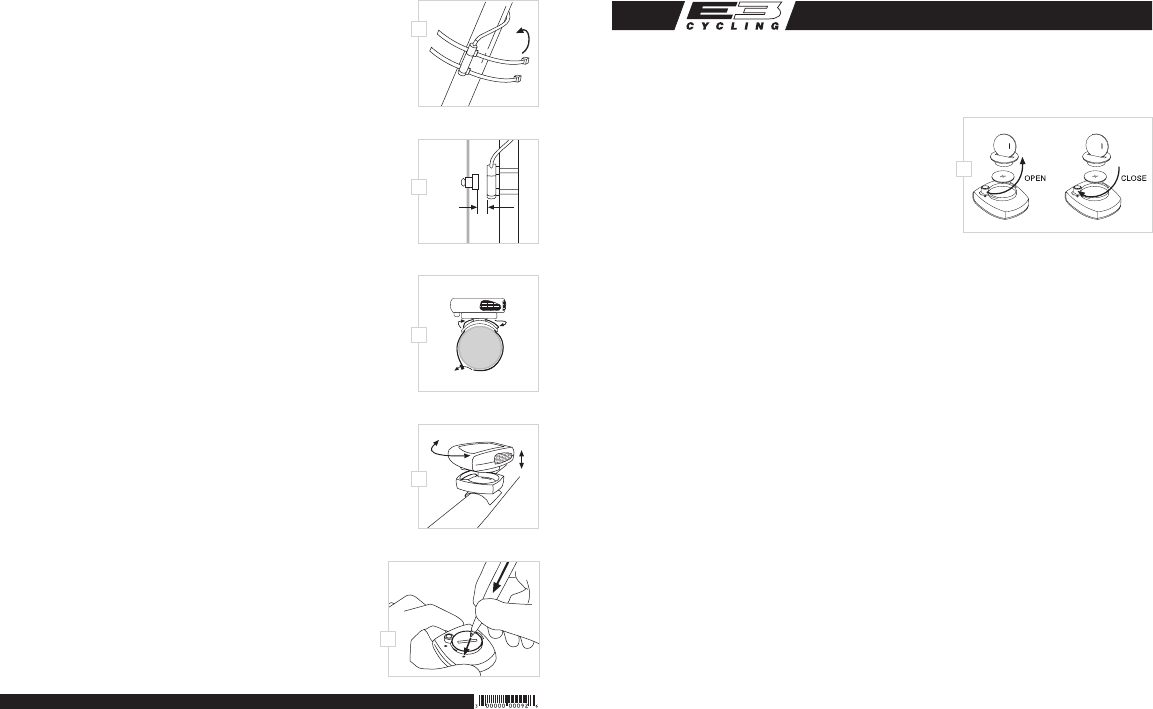
or readings will be inconsistent and erratic. Most problems that occur when installing a new
computer are related to magnet and sensor alignment and spacing.
STEP 4
Once the sensor and wheel magnet are aligned properly, securely tighten both in place and trim
the excess zip-tie ends with scissors.
STEP 5
Route the sensor cable up the back side of the fork blade and secure it with electrical tape or zip-
ties. Be sure to leave enough slack in the cable to allow for the movement of the handlebar while
steering, and the motion of the suspension fork if your bike is equipped with one.
NOTE: Make sure the cable cannot contact the wheel in any way.
STEP 6
Wrap the excess sensor cable around the front brake cable housing, securing with electrical
tape as necessary. When nished, enough cable slack should remain for the computer
mounting bracket to reach the handlebar. Check to make sure that all excess sensor cable is
either taped down or wrapped around the brake cable housing so that nothing can snag it
during a ride.
BRACKET INSTALLATION
Remove the backing from the small, adhesive rubber pad and apply the pad to the underside of the mounting bracket. Use the
included zip-ties to attach the bracket to the handlebar as shown in Figure 5. Once the bracket is
securely installed, trim the excess zip-tie ends with scissors.
COMPUTER HEAD INSTALLATION
Place the computer head in the bracket and twist the head clockwise until you hear a ‘CLICK’,
indicating that the unit is locked in the bracket. See Figure 6. To remove the computer head,
twist the head counterclockwise and then lift it out of the bracket.
TEST OF INSTALLATION
Once installation is complete, test the unit to make sure everything is adjusted and working
properly. Pick up the front end of the bicycle and spin the front wheel. The computer should
register a speed reading within 1-2 seconds. If not, check the alignment of the wheel magnet
and sensor, and make sure that the space between the magnet and sensor is 3mm or less.
Adjust as necessary and re-test.
Reset Display Screens
The ATM, DST, AVS and MAX display screens are reset simultaneously. In the Automatic Ride
Timer display screen (ATM), press and hold both the LEFT and RIGHT buttons for four seconds
to reset the data in all four screens.
Maximum Speed can also be reset independently. In the Maximum Speed display screen (MAX),
press and hold both the LEFT and RIGHT buttons for four seconds to reset Maximum Speed.
To reset ALL display screens and ALL programmed settings (including Clock, Odometer,
and wheel size setting), depress the reset button on the underside of the computer
head. See Figure 7.


Delta i konversationen om denna produkt
Här kan du dela vad du tycker om E3 F8 Cykeldator. Om du har en fråga, läs först noggrant igenom manualen. Att begära en manual kan göras genom att använda vårt kontaktformulär.