Bruksanvisning SilverCrest IAN 103115 Headset

Behöver du en bruksanvisning för din SilverCrest IAN 103115 Headset? Nedan kan du se och ladda ner PDF-bruksanvisningen gratis på svenska. Den här produkten har för närvarande 7 vanliga frågor, 0 kommentarer och har 0 röster. Om det här inte är bruksanvisningen du vill ha, vänligen kontakta oss.

Är produkten defekt och erbjuder bruksanvisningen ingen lösning? Gå till ett Repair Café för gratis reparationstjänster.

Bruksanvisning

Loading…
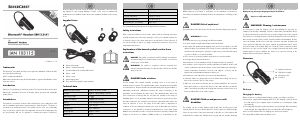
Switching the headset on/off
Switch on the headset by pressing the multifunction button (1) for approx. 3
seconds. The blue LED (2) flashes rapidly and thus indicates that it is searching for
the last Bluetooth
®
device that was connected. If the headset was switched on for
the first time and had never been connected to a mobile phone, pairing mode is
started automatically. The blue and orange LEDs (2) flash alternately in pairing
mode. Read the next section when connecting your mobile phone.
Press the multifunction button (1) for approx. 6 seconds to switch off the headset.
Connecting headset to a mobile phone
Proceed as follows to connect the headset to your mobile phone:
Turn off the headset.
Press the multifunction button (1) for approx. 7 seconds to start pairing mode.
The blue and orange LEDs (2) then flash alternately. The headset is then in search
mode for approx. 1 minute. During this time, you can connect a compatible
mobile phone to the headset via the Bluetooth
®
function.
Then connect your mobile phone to the headset via Bluetooth
®
. For further details,
please read the instructions of your mobile phone. Select the device "SBH 3.0
A1" from the list of devices which are found and establish the connection. If you
are asked for a PIN, enter "0000".
The headset confirms that the connection is being established by the simultaneous
flashing of the blue and orange LEDs (2).
When there is an established connection, the blue LED (2) flashes briefly twice
about every 3 seconds. Once the mobile phone is switched off or is out of range,
the headset searches for it (the blue LED (2) flashes rapidly) or the headset goes
into standby mode (not connected) and the blue LED (2) flashes once briefly every
3 seconds (depending on the mobile phone model).
Bring the mobile phone within the range of the headset again or switch on the
phone to automatically re-establish the connection to the headset. With some
mobile phone models, you have to initiate the new connection via your mobile
phone. Only one mobile phone can be actively connected at a time to the headset.
If you want to connect another mobile phone to the headset, you must repeat the
pairing process as described previously.
Using headset
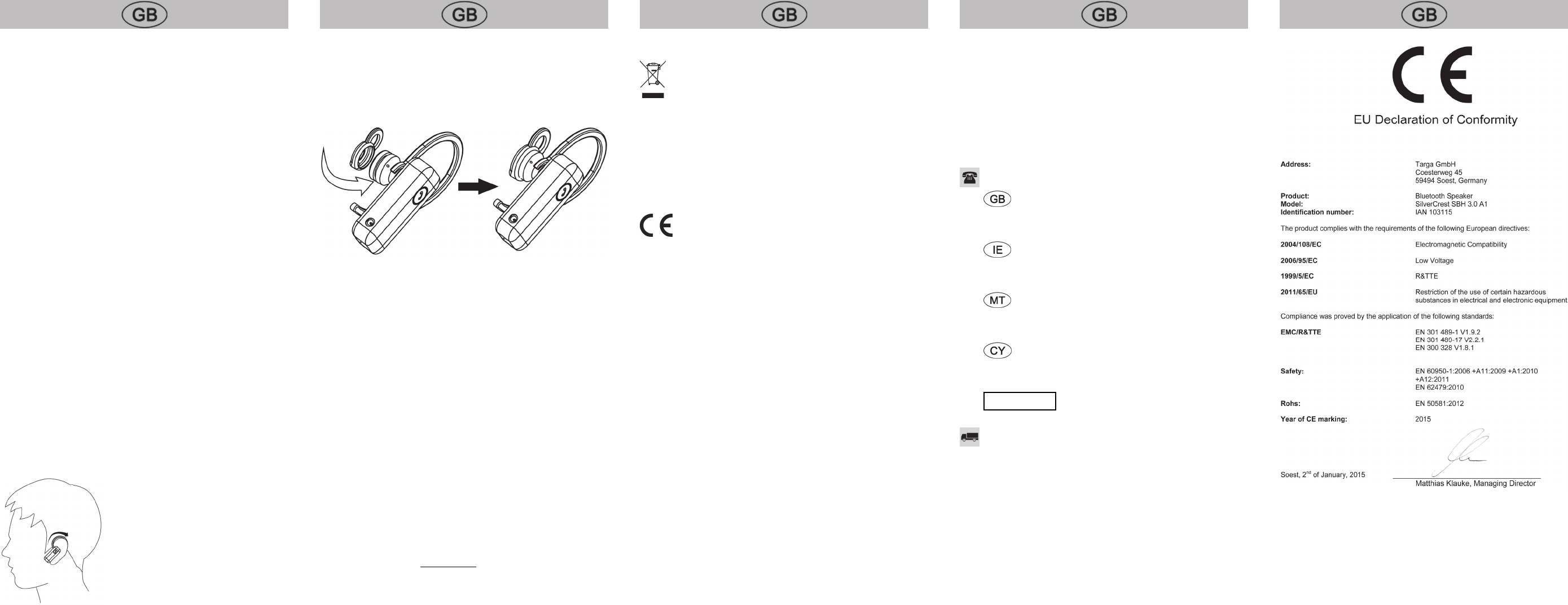
You can wear the headset very comfortably either on the left or right ear due to the
adjustable ear hook (A).
Replacing the ear tip
The ear tip - medium (B) is attached to the headset in its original condition. Replace
the ear tip if it does not fit your ear correctly. To do so, proceed as follows:
Carefully remove the ear tip from the ear piece (4) using your fingers.
Select the appropriate ear tip, small (D) or large (E), and push this onto the ear
piece (4) until it slides into the slot.
Answering / ending call
Briefly press the multifunction button (1) to answer a call. To end a phone call, press
the multifunction button (1) again briefly. This is confirmed by a brief beep.
Rejecting call
To reject an incoming call, press the multifunction button (1) for approx. two
seconds until a beep sounds. Release the multifunction button (1) immediately after
the beep because the call will not be rejected otherwise.
Redialling
Press the multifunction button (1) twice briefly to redial the number that was last
called from your mobile phone.
Adjusting the volume
You can adjust the volume of the headset via your mobile phone. For further details,
please read the instructions of your mobile phone.
Deleting list of connections
The headset notes in a list of connections the last devices that were connected. You
can delete this list of connections as follows:
Switch off the headset.
Press the multifunction button (1) for approx. 10 seconds until the orange and
blue LEDs (2) flash rapidly at the same time.
The list of connections is then deleted. If the headset is switched on again, pairing
mode is started automatically.
Environmental and disposal information
The product bears the symbol of a crossed-out wheelie bin. It is therefore
subject to the European Directive 2012/19/EU. All old electrical and
electronic devices must be separated from normal household waste and
disposed of at designated state facilities. For further information contact your local
authorities, waste disposal office or the shop where you bought the device.
The built-in battery cannot be removed for disposal.
Dispose of the packaging in an environmentally compatible manner. Cardboard
can be put out for municipal paper collections or brought to public collection points
for recycling. Films and plastic used for packaging the device are collected by your
local disposal services and disposed of in an environmentally compatible manner.
Conformity information
This device meets the basic requirements and other relevant regulations
of the EMC Directive 2004/108/EC, the Low Voltage Directive
2006/95/EC, the R&TTE Directive 1999/5/EC and the RoHS Directive
2011/65/EU. The Declaration of Conformity can be found at the end of this
manual.
Troubleshooting
The headset cannot be switched on
Charge the battery.
The headset cannot be charged
When using a charger (for example, USB power bank) with an automatic
power-off function when charging, the headset cannot be charged due to the
low charging current. Charge the headset via a USB socket of your computer
when it is switched on or a USB power supply.
No audio signal for Bluetooth
®
connection
Switch on the headset.
Try once again to connect the headset to your mobile phone.
The Bluetooth
®
connection is not established.
Check whether the Bluetooth
®
function of the mobile phone is switched on.
The distance between the headset and the mobile phone is too large, reduce it.
Not all aforementioned functions are working
All aforementioned functions depend on the functionality of the mobile phone
which is used.
Warranty and servicing advice
Warranty of TARGA GmbH
This device is sold with three years warranty from the date of purchase. Please keep
the original receipt in a safe place as proof of purchase. Before using your product
for the first time, please read the enclosed documentation. Should any problems
arise which cannot be solved in this way, please call our hotline. Please have the
article number and, if available, the serial number to hand for all enquiries. If it is
not possible to solve the problem on the phone, our hotline support staff will initiate
further servicing procedures depending on the fault. Within the warranty period the
product will be repaired or replaced free of charge as we deem appropriate. No
new warranty period commences if the product is repaired or replaced.
Consumables such as batteries, rechargeable batteries and lamps are not covered
by the warranty.
Your statutory rights towards the seller are not affected or restricted by this
warranty.
Service
Phone: 0207 – 36 50 744
Phone: 01 – 242 15 83
Phone: 800 – 62 175
Phone: 800 – 92 496
IAN: 103115
Manufacturer
TARGA GmbH
Coesterweg 45
59494 SOEST
GERMANY
Ladda ner bruksanvisning i Engelska (PDF, 1.49 MB)
(Tänk på miljön och skriv endast ut denna bruksanvisning om det verkligen är nödvändigt)

Loading…

Betyg

Berätta vad du tycker om SilverCrest IAN 103115 Headset genom att betygsätta den. Vill du dela med dig av dina åsikter om denna produkt eller ställa en fråga? Lämna en kommentar nederst på sidan.
Är du nöjd med SilverCrest IAN 103115 Headset?
Ja Nej
Bli den första personen som betygsätter denna produkt
0 röster

Delta i konversationen om denna produkt

Här kan du dela vad du tycker om SilverCrest IAN 103115 Headset. Om du har en fråga, läs först noggrant igenom manualen. Att begära en manual kan göras genom att använda vårt kontaktformulär.

Mer om denna bruksanvisning

Vi förstår att det är trevligt att ha en pappersbruksanvisning för din SilverCrest IAN 103115 Headset. Du kan alltid ladda ner bruksanvisningen från vår hemsida och skriva ut den själv. Om du vill ha en originalbruksanvisning rekommenderar vi att du kontaktar SilverCrest. De kanske kan tillhandahålla en originalbruksanvisning. Letar du efter bruksanvisningen för din SilverCrest IAN 103115 Headset på ett annat språk? Välj ditt föredragna språk på vår hemsida och sök efter modellnumret för att se om vi har det tillgängligt.

Specifikationer

Märke SilverCrest
Modell IAN 103115
Kategori Headsets
Filtyp PDF
Filstorlek 1.49 MB

Alla bruksanvisningar för SilverCrest Headsets
Fler bruksanvisningar för Headsets

Vanliga frågor om SilverCrest IAN 103115 Headset

Vårt supportteam söker efter användbar produktinformation och svar på vanliga frågor. Om du hittar en felaktighet bland våra vanliga frågor uppskattar vi om du meddelar oss detta via vårt kontaktformulär.

Vad är modellnumret på min SilverCrest-produkt? Verifierad

Även om vissa SilverCrest-produkter har ett alternativt modellnummer, har alla ett IAN-nummer som produkten kan identifieras med.

Detta hjälpte (3780) Läs mer

Fungerar Bluetooth genom väggar och tak? Verifierad

En Bluetooth-signal fungerar genom väggar och tak, såvida inte dessa är gjorda av metall. Beroende på tjockleken och väggens material kan signalen förlora i styrka.

Detta hjälpte (110) Läs mer

När jag ansluter ett headset till min enhet fungerar det inte korrekt, vad kan jag göra? Verifierad

Det är möjligt att smuts har samlats i öppningen där headsetet är anslutet, vilket hindrar det från att få ordentlig kontakt. Det bästa sättet att rengöra detta är med tryckluft. Om du är osäker, låt en professionell göra detta.

Detta hjälpte (28) Läs mer

Vad är brusreducering? Verifierad

Brusreducering är en teknik som främst används i hörlurar. Aktiv bruskontroll används för att sänka eller eliminera påverkan av omgivningsljud.

Detta hjälpte (10) Läs mer

Upp till vilken ljudnivå är det säkert för barn? Verifierad

Barn får sin hörsel skadad snabbare än vuxna. Därför är det viktigt att aldrig utsätta barn för ljud högre än 85dB. När det gäller hörlurar finns det speciella modeller för barn. I händelse av högtalare eller andra situationer måste du vara uppmärksam på att bruset inte överstiger den nivån.

Detta hjälpte (4) Läs mer

Kan jag vira sladden runt enheten efter användning? Verifierad

Det är bättre att inte göra detta, eftersom det kan skada sladden. Det bästa du kan göra är att linda in sladden som den var när produkten förpackades.

Detta hjälpte (4) Läs mer

När är min musik för hög? Verifierad

Ljud över 80 decibel (dB) kan börja skada hörseln. Ljud över 120 dB skadar omedelbart hörseln. Skadans svårighetsgrad beror på hur ofta och hur länge ljudet är närvarande.

Detta hjälpte (1) Läs mer
Bruksanvisning SilverCrest IAN 103115 Headset

Relaterade produkter

Relaterade kategorier

×
Download