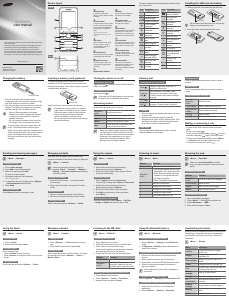
Bruksanvisning Samsung SGH-B200 Mobiltelefon

Behöver du en bruksanvisning för din Samsung SGH-B200 Mobiltelefon? Nedan kan du se och ladda ner PDF-bruksanvisningen gratis på svenska. Den här produkten har för närvarande 16 vanliga frågor, 0 kommentarer och har 0 röster. Om det här inte är bruksanvisningen du vill ha, vänligen kontakta oss.

Är produkten defekt och erbjuder bruksanvisningen ingen lösning? Gå till ett Repair Café för gratis reparationstjänster.

Bruksanvisning

Loading…
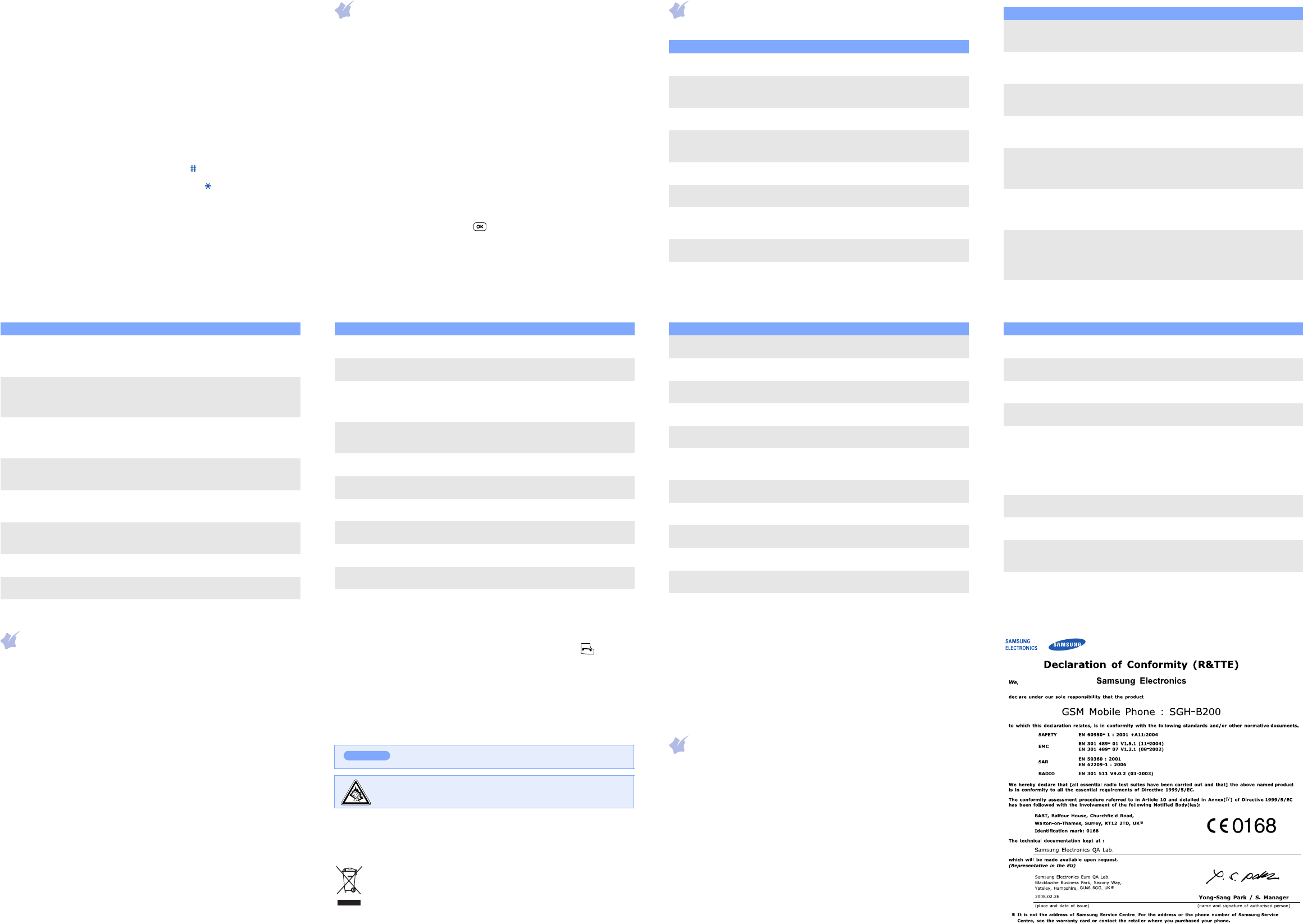
Number mode
Press the keys corresponding to the digits you want.
Symbol mode
Press the number keys corresponding to the symbol you want and press
the
OK
soft key. You can press
Up
or
Down
to display more symbols.
Tips for entering text
To move the cursor, press the Navigation keys.
To delete characters one by one, press
C
. To clear the display, press and
hold
C
.
To insert a space between characters, press .
To change case in T9 mode or ABC mode, press .
To enter punctuation marks in T9 mode or ABC mode, press
1
.
Sending an SMS message
1. In Idle mode, press the
Menu
soft key.
2. Select
Messages
Text messages
Write new
.
3. Enter the message text.
4. Press the
Options
soft key and add items using the following options:
Add objects
: add sounds, images, or animated images.
Add templates
: add text templates.
Add emoticon
: add emoticons.
Add phonebook
: add Phonebook contacts.
Add bookmark
: add bookmark items.
5. Press the
Options
soft key and select
Send only
or
Save and send
.
6. If you select
Save and send
, select a memory location.
7. Enter destination numbers.
8. Press the
Options
soft key or and select
Send message
to send
the message.
Quick feature reference
This section provides brief explanations of features on your phone.
Menu Description
Menu
> SIM AT
Use a variety of additional services offered by
your service provider.
Menu > Call records
> Missed calls, Received
calls, or Dialled calls
View the most recent calls you have dialled,
received, or missed.
Menu > Call records
> Delete all
Delete the call logs in each call type or all logs
at once.
Menu
> Call records
> Call time
View the duration of recent calls you have
dialled and received. Also reset the time
counter.
Menu > Call records
> Call cost
View the cost of your calls, if supported by your
SIM card.
Menu
> Network services
Access network services offered by your service
provider.
Menu
> Sound settings
> Ring tone or Ring volume
Select a ringtone for incoming calls or a volume
level.
Menu > Sound settings
> Alert type
Select an alert type for the call ringer.
Menu > Sound settings
> Keypad tone or Keypad
volume
Select a tone which the phone sounds when
you press a key or a volume level.
Menu
> Sound settings
> Message tone
Select the alert ringtone for incoming SMS,
MMS, and broadcast messages, or set how
often you are informed of a new message.
Menu
> Sound settings
> Alert on call
Set the phone to alert you when you receive a
new message or when the time for an alarm
comes during a call.
Menu
> Sound settings
> Power on/off
Select the melody that the phone sounds when
it is switched on or off.
Menu
> Sound settings
> Extra tones
Set additional tones for the phone.
Menu > Messages
> Text messages or
Multimedia messages
> Inbox, Outbox, or Draft
Read received, sent, or saved messages.
Menu > Messages
> Text messages or
Multimedia messages
> Write new
Create and send messages to other mobile
phones.
Menu > Messages
> Text messages or
Multimedia messages
> Templates or Emoticon
templates
Preset templates of frequently used messages
or emoticons.
Menu Description
Menu > Messages
> Text messages or
Multimedia messages
> Settings or Setup
Set options for using messaging services.
Menu > Messages
> Text messages or
Multimedia messages
> Delete all
Delete messages in each message box or all
messages at once.
Menu > Messages
> Text messages or
Multimedia messages
> Memory status
Check memory information for messages.
Menu > Messages
> Text messages
> Voice mail
Access your voice mail server and listen to
messages on the network.
Menu > Messages
> Text messages
> Broadcast
Change settings for the service and access
broadcast messages.
Menu > Messages
> Multimedia messages
> MMS profile
Select or configure a connection profile to be
used for MMS.
Menu > Messages
> Push messages
Change the settings for the service and access
or delete push messages.
Menu > Messages
> Configuration messages
Access or delete messages containing network
parameters from your service provider.
Menu Description
Menu > Messages
> SOS messages
Activate the SOS message feature. Enter
recipients and select the repeat mode.
Menu > Funbox
> WAP browser
Launch and configure the web browser.
Menu > Funbox
> FM Radio
Listen to music or news via the FM radio on
your phone. First, you must connect your
phone with the headset, which serves as a
radio antenna.
Menu > Funbox
> Games, Sounds,
or Images
Access games, sounds, or images in your
phone’s memory.
Menu > Funbox
> Delete all
Delete games, sounds, or images in each media
box, or all media files at once.
Menu > Funbox
> Memory status
Check the amount of memory in use for games,
sounds, and images.
Menu > Organiser
> Alarm
Set an alarm to sound at a specific time.
Menu > Organiser
> Calendar
Keep track of daily or monthly schedule.
Menu > Organiser
> Time & Date
Set the current time and date manually and set
your local time zone.
Menu > Organiser
> Calculator
Perform basic arithmetic functions.
Menu > Organiser
> To do list
Create a list of tasks and assign a deadline to
each task.
Menu Description
Menu > Organiser
> Voice memo
Record voice memos and listen to them.
Menu > Organiser
> Currency exchange
Do currency conversions.
Menu > Phonebook >
Search
Search for contacts in Phonebook.
Menu > Phonebook
> New entry
Add a new contact to Phonebook.
Menu > Phonebook
> Group search
Search for contacts in caller groups.
Menu > Phonebook
> Edit group
Select a ringtone and image for incoming calls
and messages from members of a group. Also
change the group name.
Menu > Phonebook
> Speed dial
Assign speed dial numbers (2 to 9) for eight of
your most frequently dialled numbers.
Menu > Phonebook
> Delete all
Delete all contacts stored in the phone’s
memory, on the SIM card, or both.
Menu > Phonebook
> Memory status
View the total number of contacts in the
phone’s memory or on the SIM card.
Menu > Phonebook
> SDN
Access the list of service numbers assigned by
your service provider.
Menu > Phone settings
> Display settings
Change settings for the display and backlight.
Menu Description
Menu > Phone settings
> Greeting message
Enter the greeting message to be displayed
when the phone is switched on.
Menu > Phone settings
> Own number
Check your phone numbers or assign a name to
them.
Menu > Phone settings
> Language
Select a language to be used for the display
text.
Menu > Phone settings
> Security
Protect the phone against unauthorised use.
Menu
> Phone settings
> Security
> Mobile Tracker
Track your phone when it is stolen or lost.
When someone tries to use your phone with
other SIM card, the phone will automatically
send the preset tracking message to your
family or friends. This feature may be
unavailable due to certain features supported
by your service provider.
Menu > Phone settings
> Extra settings
Set the automatic redialling feature or the
answering method.
Menu > Phone settings
> Shortcuts
Set the Navigation keys as shortcuts to access
your favourite menus directly.
Menu
> Phone settings
> Connection settings
Create and customise the profiles containing
the settings for connecting your phone to the
network.
Menu > Phone settings
> Reset settings
Reset the phone to the factory default settings.
Menu Description
Important safety precautions
Read these guidelines before using your wireless phone. Failure to comply with
them may be dangerous or illegal.
Drive safely at all times
Do not use a hand-held phone while driving; park your vehicle first.
Switching off when refuelling
Do not use the phone at a refuelling point (service station) or near fuels or
chemicals.
Switching off in an aircraft
Wireless phones can cause interference. Using them in an aircraft is both illegal
and dangerous.
Switching off near all medical equipment
Hospitals and health care facilities may be using equipment that could be sensitive
to external RF energy. Follow any regulations or rules in force.
Interference
All wireless phones may be subject to interference, which could affect their
performance.
Special regulations
Follow any special regulations in force in any area and always switch off your phone
whenever it is forbidden to use it.
Water resistance
Your phone is not water-resistant. Keep it dry.
Sensible use
Use only in the normal position (held to your ear). Avoid unnecessary contact with
the antenna when the phone is switched on.
Emergency calls
Key in the emergency number for your present location, then press . Do not
end the call until given permission to do so.
Small children and your phone
Keep the phone and all its parts including accessories out of reach of small
children.
Accessories and batteries
Use only Samsung-approved batteries and accessories, such as headsets and PC
data cables. Use of any unauthorised accessories could damage your phone and
may be dangerous.
Qualified service
Only qualified service personnel may repair your phone.
Correct disposal of this product
(Waste Electrical & Electronic Equipment)
(Applicable in the European Union and other European countries with
separate collection systems)
This marking shown on the product or its literature, indicates that it
should not be disposed with other household wastes at the end of its
working life.
Risk of explosion if a battery is replaced by an incorrect type.
Dispose of used batteries according to the instructions.
At very high volume, prolonged listening to a headset can damage
your hearing.
CAUTION
To prevent possible harm to the environment or human health from uncontrolled
waste disposal, please separate this from other types of wastes and recycle it
responsibly to promote the sustainable reuse of material resources.
Household users should contact either the retailer where they purchased this
product, or their local government office, for details of where and how they can
take this item for environmentally safe recycling.
Business users should contact their supplier and check the terms and conditions of
the purchase contract. This product should not be mixed with other commercial
wastes for disposal.
SAR information
Your wireless phone is a radio transmitter and receiver. It is designed and
manufactured not to exceed the emission limits for exposure to radio
frequency (RF) energy set by the European Union (EU) Council. These limits
are part of comprehensive guidelines and establish permitted levels of RF
energy for the general population. The guidelines are based on the safety
standards that were developed by independent scientific organisations
through periodic and thorough evaluation of scientific studies.
The standards include a substantial safety margin designed to assure the
safety of all persons, regardless of age and health.
The exposure standard for wireless phones employs a unit of measurement
known as Specific Absorption Rate (SAR). The SAR limit set by the EU
Council is 2.0W/kg. The highest SAR value for this model phone was
0.
666W/kg.
Ladda ner bruksanvisning i Engelska (PDF, 2.75 MB)
(Tänk på miljön och skriv endast ut denna bruksanvisning om det verkligen är nödvändigt)

Loading…

Betyg

Berätta vad du tycker om Samsung SGH-B200 Mobiltelefon genom att betygsätta den. Vill du dela med dig av dina åsikter om denna produkt eller ställa en fråga? Lämna en kommentar nederst på sidan.
Är du nöjd med Samsung SGH-B200 Mobiltelefon?
Ja Nej
Bli den första personen som betygsätter denna produkt
0 röster

Delta i konversationen om denna produkt

Här kan du dela vad du tycker om Samsung SGH-B200 Mobiltelefon. Om du har en fråga, läs först noggrant igenom manualen. Att begära en manual kan göras genom att använda vårt kontaktformulär.

Mer om denna bruksanvisning

Vi förstår att det är trevligt att ha en pappersbruksanvisning för din Samsung SGH-B200 Mobiltelefon. Du kan alltid ladda ner bruksanvisningen från vår hemsida och skriva ut den själv. Om du vill ha en originalbruksanvisning rekommenderar vi att du kontaktar Samsung. De kanske kan tillhandahålla en originalbruksanvisning. Letar du efter bruksanvisningen för din Samsung SGH-B200 Mobiltelefon på ett annat språk? Välj ditt föredragna språk på vår hemsida och sök efter modellnumret för att se om vi har det tillgängligt.

Specifikationer

Märke Samsung
Modell SGH-B200
Kategori Mobiltelefoner
Filtyp PDF
Filstorlek 2.75 MB

Alla bruksanvisningar för Samsung Mobiltelefoner
Fler bruksanvisningar för Mobiltelefoner

Vanliga frågor om Samsung SGH-B200 Mobiltelefon

Vårt supportteam söker efter användbar produktinformation och svar på vanliga frågor. Om du hittar en felaktighet bland våra vanliga frågor uppskattar vi om du meddelar oss detta via vårt kontaktformulär.

Mitt SIM-kort passar inte min mobiltelefon, varför är det? Verifierad

Det finns flera SIM-kortstorlekar, vanliga, mikro och nano. Det är möjligt att använda en adapter eller att göra SIM-kortet mindre.

Detta hjälpte (1533) Läs mer

Kan jag använda min mobiltelefon när jag laddar den? Verifierad

Ja, du kan använda din mobiltelefon medan du laddar den. Laddningsprocessen går långsammare när du gör det.

Detta hjälpte (1354) Läs mer

Vad är en PUK-kod? Verifierad

PUK står för Personal Unblocking Code och behövs för att avblockera din telefon efter att du har angett en felaktig PIN-kod tre gånger. Om PUK inte längre är tillgänglig kan det ofta begäras från leverantören.

Detta hjälpte (790) Läs mer

Min telefon är i gott skick, men när jag ringer till människor som har problem med att höra mig, varför är det så? Verifierad

Det är möjligt att smuts har samlats i mikrofonens rutnät och dämpar ljudet. Det bästa sättet att rengöra detta är med tryckluft. Om du är osäker, gör detta av en professionell.

Detta hjälpte (685) Läs mer

När jag ansluter min enhet till laddaren laddas den dåligt eller inte alls, varför är det så? Verifierad

Det är möjligt att smuts har samlats i öppningen där laddaren är ansluten, vilket förhindrar att den kommer i rätt kontakt. Det bästa sättet att rengöra detta är med tryckluft. Om du är osäker, gör detta av en professionell.

Detta hjälpte (376) Läs mer

Måste jag ladda ur litiumjonbatteriet helt innan jag laddar upp det igen? Verifierad

Nej, det behövs inte. Det rekommenderades förr i tiden, med gamla batterier. Litiumjonbatterier kan laddas efter användningen och när som helst kopplas loss från laddaren.

Detta hjälpte (370) Läs mer

Vad betyder IMEI? Verifierad

IMEI står för International Mobile Equipment Identity och är ett (ofta) unikt nummer som används för att identifiera mobila enheter som surfplattor och smartphones och skydda dem mot stöld.

Detta hjälpte (332) Läs mer

När jag ansluter en hörlur till min enhet fungerar den inte korrekt, vad kan jag göra? Verifierad

Det är möjligt att smuts har samlats i öppningen där hörlurarna är ansluten, vilket förhindrar att den kommer i rätt kontakt. Det bästa sättet att rengöra detta är med tryckluft. Om du är osäker, gör detta av en professionell.

Detta hjälpte (291) Läs mer

Fungerar Bluetooth genom väggar och tak? Verifierad

En Bluetooth-signal fungerar genom väggar och tak, såvida inte dessa är gjorda av metall. Beroende på tjockleken och väggens material kan signalen förlora i styrka.

Detta hjälpte (273) Läs mer

Batteriet i min telefon tar slut snabbt när jag är ute, varför är det? Verifierad

Litiumjonbatterier klarar inte låga temperaturer. Om utetemperaturerna är nära att frysa tappas batteriet snabbare än normalt, även utan att använda telefonen. När telefonen har återgått till rumstemperatur visar den antagligen en batteriprocentandel nära den som den var.

Detta hjälpte (263) Läs mer

Vad kan jag bäst använda för att rengöra skärmen på min mobila enhet? Verifierad

Det är bäst att använda en mikrofiberduk, eventuellt med ett specialtvättmedel. Använd aldrig kökshanddukar eller andra pappersdukar, de lämnar repor!

Detta hjälpte (246) Läs mer

Hur ska man förvara litiumjonbatterier som man inte använder under en längre period? Verifierad

Bästa sätt att förvara ett litiumjonbatteri är vid en temperatur mellan +5 °C och 45 °C. Det är också en god idé att se till att batteriet är laddat till cirka 67 % innan det läggs undan för förvaring.

Detta hjälpte (241) Läs mer

Vad betyder VoIP? Verifierad

VoIP betyder Voice over IP (Internet Protocol) och är alltså telefoni över internet.

Detta hjälpte (240) Läs mer

Under vilka förhållanden fungerar mitt litiumjonbatteri optimalt? Verifierad

Litiumjonbatterier fungerar bäst vid en temperatur mellan 5 °C och 45 °C. Vid mycket kallt eller varmt väder kan du märka att batteriet tar slut snabbare. Vi rekommenderar att inte ladda batteriet vid temperaturer under +5 °C eller över +45 °C.

Detta hjälpte (237) Läs mer

Måste jag rengöra skärmen på min enhet innan jag använder ett skärmskydd? Verifierad

Ja, ett skärmskydd fäster bäst på fett- och dammfria ytor.

Detta hjälpte (231) Läs mer

Hur kan jag göra en maskinvaruåterställning på en Samsung-mobiltelefon? Verifierad

För de flesta modellerna kan du använda följande kombination: Tryck samtidigt på på/av-knappen, volym upp-knappen och hemknappen medan du startar telefonen. VIKTIGT: Om du gör detta raderas alla uppgifter. De kan inte återställas.

Detta hjälpte (119) Läs mer
Bruksanvisning Samsung SGH-B200 Mobiltelefon

Relaterade produkter

Relaterade kategorier

×
Download