
INSTRUCTION MANUAL
MODEL # ET-8 DIGITAL ALERT
ROASTING THERMOMETER
Introduction
Congratulations on your purchase of the Digital Alert Roasting Thermometer, a
programmable food thermometer.
Unit Features
LCD (Liquid Crystal Display) – Displays all icons, temperature and timer.
The LCD color coded screen will change colors as per the following:
Blue – Will flash blue when the temperature has risen 10°F from the lowest
temperature.
Green – Will flash green then the temperature is within 15
° F of the set
temperature.
Red- Will flash red when the temperature reaches the set temperature.
The LCD will display temperatures from 16- 482
°F. (-9-250°C)
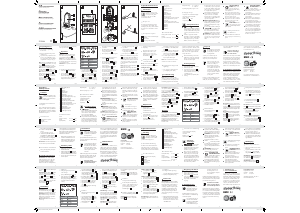
See LCD diagram for detailed information.
BATTERY COMPARTMENT – Holds 2 AAA batteries (Batteries are included).
Buttons
1. MODE – Press to select thermometer or timer mode.
2. HR – In timer mode, press to set hour. Press & hold for 2 seconds, the hours will
increase 10 hours per second. In thermometer mode, press to increase the temperature
value. Press & hold for 2 seconds, the temperature value will increase 10 degrees per
second.
3. °F/°C – In thermometer mode press to select temperature readings in Celsius or
Fahrenheit.
4. MIN – In timer mode, press to set minutes. Press & hold for 2 seconds, the minutes will
increase 10 minutes per second. In thermometer mode, press to decrease the temperature
value. Press & hold for 2 seconds, the temperature value will decrease 10 degrees per
second.
5. MEAT – In thermometer mode, press to select meat type, PROG (program), GBEEF
(ground beef), GPOUL (ground poultry) , BEEF, VEAL, CHCKE (chicken), PORK, POULT
(poultry) , LAMB & FISH. In Timer mode switches between hour/minute timer to a
minute/second timer and back.
6. START/STOP– In timer mode, press to start or stop the timer.
7. TASTE – In thermometer mode, select the meat taste level, RARE, MED RARE,
MEDIUM, MED WELL and WELL DONE.
LCD Diagram
Measure meat temperature to USDA doneness temperature range
1. Press MODE to select thermometer mode. The upper display will show a small MEAT
and a meat type such as BEEF.
2. Press MEAT to select meat type. PROG (program), GBEEF (ground beef), GPOUL
(ground poultry), BEEF, VEAL, CHCKE (chicken), PORK, POULT (poultry) , LAMB & FISH.
3. Press TASTE to select the level of doneness for the meat type selected. RARE, MED
RARE, MEDIUM, MED WELL and WELL DONE.
Note: The temperature displayed to the right of the actual meat temperature PROBE TEMP
will show the preset temperature TEMP SET according to USDA doneness levels. Example:
Beef will be Well Done at 165 °F.
4. Once the temperature of meat reaches the preset doneness level the Unit will beep and
the LCD backlight will turn red.
Measure meat temperature set to your specific taste
1. Press MODE to select thermometer mode. The upper display will show a small MEAT
and a meat type such as BEEF.
2. Press HR or MIN to raise or lower the set temperature. As you press HR or Min the
display changes to PROG (program). Holding the button will raise or lower the temperature
setting rapidly. Pressing MEAT will return you to the preset USDA ranges.
3. Once the temperature of meat reaches the preset doneness level the UNIT will beep and
the LCD backlight will turn red.
Using the Timer
Count down
1. Press MODE to select timer mode. The upper display will show a small TIMER and 0:00.


Delta i konversationen om denna produkt
Här kan du dela vad du tycker om Maverick HD-82 Mat termometer. Om du har en fråga, läs först noggrant igenom manualen. Att begära en manual kan göras genom att använda vårt kontaktformulär.