
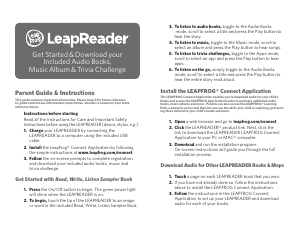
Parent Guide & Instructions
This guide contains important information. Please keep it for future reference.
Ce guide contient des informations importantes. Veuillez le conserver pour toute
référence future.
Instructions before starting
Read all the Instructions for Care and Important Safety
Instructions before using the LEAPREADER [device, stylus, e.g.].
1. Charge your LEAPREADER by connecting the
LEAPREADER to a computer using the included USB
cable.
2. Install the LeapFrog® Connect Application by following
the simple instructions at www.leapfrog.com/connect
3. Follow the on-screen prompts to complete registration
and download your included audio books, music and
trivia challenge.
Get Started with Read, Write, Listen Sampler Book
1. Press the On/Off button to begin. The green power light
will shine when the LEAPREADER is on.
2. To begin, touch the tip of the LEAPREADER to an image
or word in the included Read, Write, Listen Sampler Book.
3. To listen to audio books, toggle to the Audio Books
mode, scroll to select a title and press the Play button to
hear the story.
4. To listen to music, toggle to the Music mode, scroll to
select an album and press the Play button to hear songs.
5. To listen to trivia challenges, toggle to the Apps mode,
scroll to select an app and press the Play button to hear
apps.
6. To listen on the go, simply toggle to the Audio Books
mode, scroll to select a title and press the Play button to
hear the entire story read aloud.
Install the LEAPFROG® Connect Application
The LEAPFROG Connect Application enables you to download audio for your child’s
books and access the LEAPFROG App Center/Centre to purchase additional audio
books, music albums and more. Parents can also access the LEAPFROG® Learning
Path, a powerful online tool that lets you see the skills your child is exploring, get learn-
ing ideas tailored to your child’s books and more.
1. Open a web browser and go to leapfrog.com/connect
2. Click the LEAPREADER
™
product link. Next, click the
link to download the LEAPREADER LEAPFROG Connect
Application to your PC or MAC® computer.
3. Download and run the installation program.
On-screen instructions will guide you through the full
installation process.
Download Audio for Other LEAPREADER Books & Maps
1. Touch a page on each LEAPREADER book that you own.
2. If you have not already done so, follow the instructions
above to install the LEAPFROG Connect Application.
3. Follow the instructions in the LEAPFROG Connect
Application to set up your LEAPREADER and download
audio for each of your books.
4. Eject and disconnect the LEAPREADER™ from your
computer.
5. To begin playing, simply touch the tip of the
LEAPREADER to an image or word in your LEAPREADER
book or map.
Troubleshooting
Symptom
LEAPREADER does not turn on or does not respond.
Try this
Make sure the ON/OFF button has been pressed ON.
Symptom
LEAPREADER operates erratically or makes loud noises.
Try this
Make sure battery is fully charged.
Instructions for Care and Use
For Indoor, Dry-Location Use Only.
Do not use the product near a sink or other wet locations. Take care not to spill food or
any kind of liquid on this product as it may render it inoperable and not serviceable. In
case the unit does a gets wet, unplug all cables and turn it OFF. Allow to dry thoroughly
before reusing. Do not attempt to dry with a hair dryer or other heat source. Do not re-
connect to the AC outlet if wet or damaged.
Avoid prolonged exposure to extreme temperatures and direct sunlight. Operate in
places with temperatures ranging from 5°C (40°F) and 38°C (100°F). Do not leave the
product in your car as the temperatures in parked cars can exceed the acceptable storage
temperature. Exposure to extreme temperatures can result in shortened battery life or
cause the product to temporarily stop working.
Handle with Care.
Do not use the product near a sink or other wet locations. Take care not to spill food or
drinks. To avoid injury, damage to this product or other property, avoid dropping and
never disassemble, crush, puncture, microwave, incinerate, insert foreign objects or paint
the product. Clean your hands before handling the product if they have been exposed to
suntan lotions or other chemicals.
Cleaning.
Disconnect all cords before cleaning. Clean your hands before handling the product if they
have been exposed to suntan lotions or other chemicals. Clean the product with a slightly
damp cloth (cold water). Do not use soap, detergent or other chemicals. Never submerge
the unit in water. Allow to dry thoroughly before re-use. Do not connect to the AC outlet if
wet or damaged.
Repairing or Modifying the LEAPREADER™ Device.
Never attempt to repair or modify as the LEAPREADER device does not contain any user-
serviceable parts. Service should only be provided by LeapFrog Enterprises, Inc.
If the product has been in contact with liquids, punctured, or subjected to a severe impact
or fall, immediately remove this product from use and contact LeapFrog Consumer Services
for replacement if under warranty.
For service information, go to: www.leapfrog.com/suppor t/LeapReader/service
Instructions d’entretien
A utiliser uniquement en intérieur, dans un endroit sec.
Ne pas utiliser le produit près d’un lavabo ou autres sources d’eau. Faites attention à ne
pas renverser de nourriture ou tout autre sorte de liquide sur ce produit car cela pourrait
le rendre in opérationnel et inutilisable. Si vous renversez du liquide sur le produit,
débranchez tous les câbles et éteignez-le. Laissez le produit sécher complètement avant
de le réutiliser. N’essayez pas de le sécher avec un sèche-cheveux ou toutes autres sources
de chaleur. Ne pas rebrancher le produit à l’adaptateur si celui- ci est humide ou abimé.
Évitez d’exposer le produit à des températures extrêmes ou aux rayons du soleil. Utilisez le
produit quand la température se trouve entre 5ºC (40ºF) et 38ºC (100ºF). Ne pas laisser
le produit dans votre voiture car les voitures garées peuvent excéder les températures pour
assurer le bon fonctionnement de votre produit. Exposer ce produit à des températures
extrêmes peut diminuer la durée de vie des piles ou peut entrainer l’arrêt de votre produit.
A utiliser soigneusement.
Pour éviter toutes blessures, dommages ou autres, évitez de le faire tomber et ne jamais le
démonter, casser, trouer, mettre aux micro-ondes, brûler, incérer un objet ou peindre
le produit.
Pour nettoyer.
Débranchez le produit de tous ces câbles. Lavez vos mains avant de manipuler le produit
si celles-ci ont été en contact avec de la crème solaire ou autres produits chimiques.
Nettoyez le produit avec un chiffon légèrement humide (eau froide). N’utilisez pas de
savon, de lessive ou tout autre produits chimiques. Ne jamais immerger le produit dans
l’eau. Laisser sécher le produit avant de l’utiliser.
Réparer ou modifi er LeapReader.
N’essayez jamais de réparer ou modifi er the LEAPREADER device – car celui-ci ne
contient aucune pièce pouvant être réparée individuellement. Toutes réparations doivent
être faite par LeapFrog Enterprises, Inc. Si le produit a été en contact avec du liquide,
troué, ou victime d’un impact fort ou est tombé, arrêtez son utilisation immédiatement et
contactez le service client LeapFrog pour remplacer le produit si celui-ci est sous garantie.
Pour toute information, visitez www.leapfrog.com/support/LeapReader/service
Important Safety Instructions
Please read all the Important Safety Instructions prior to using the LEAPREADER
device. Failure to follow these safety instructions could result in fi re, electric shock, or
other injury or damage to LeapReader or other property.
CAUTION:
This product is not intended for children under 3 years old. Routinely
check this toy for proper and safe condition. If there is any damage or broken parts,
remove toy from use.
WARNING:
Cords could be a strangulation hazard. Keep out of reach of children
under 3 years of age. Children pulling on the cord could cause the computer monitor, TV
or other equipment to which the device is connected to fall with the possibility of property
damage, serious personal injury, or death.
PROTECT YOUR HEARING:
Long-term exposure to loud sounds, at high
volume, may result in permanent hearing loss. When using headphones or ear buds,
it is recommended that the product is listened to at lower volumes for shorter periods of
time. Set the volume while in a quiet environment; turn the volume down if you cannot
hear people speaking near you. Limit the listening time to 90 minutes, followed by a
quiet period. The louder the volume, the less time required before your hearing may be
affected. If you experience ringing in your ears or hear muffl ed speech, stop listening and
have your hearing checked.
Accessories
Read all safety instructions for any accessories or other products before using with
the LEAPREADER device. LeapFrog is not responsible for the operation of third-party
accessories or their compliance with safety and regulatory standards.
Battery Replacement
WARNING:
The lithium rechargeable battery cannot be removed from the
product and should only be replaced by LeapFrog. For your safety, never try to remove
the battery. For more information about battery replacement service, go to:
www.leapfrog.com/support/LeapReader/service/battery
Charging the Battery
The LEAPREADER device is equipped with a rechargeable lithium-polymer battery.
It should be connected to a computer via the USB cord for several hours prior to use.
The Charge Status LED is located near the USB jack on the back of the device. When
the battery is charging, the charge indicator will display a solid yellow light. When fully
charged and connected via the USB port, the charge indicator light will turn green. The
charge indicator will be OFF if not connected via USB and if not charging.
Battery Charging Instructions, Cautions & Warnings
WARNING:
The adapter or USB cords could be a strangulation hazard. Not for
children under 3 years.
WARNING:
Not suitable for children under 3 years. Misuse of transformer can
cause electric shock.
CAUTION:
The battery is only to be charged by adults or children 8+ years of age
under the full supervision of parents.
Optional AC Adapter Battery Charger
In order to achieve faster battery charging, an Optional Battery Charger is available
from Leapfrog.com or select retailers. The device is a custom AC Adapter equipped
with a USB jack, designed expressly for recharging specifi ed LeapFrog products. If this
Battery Charger is used, the following additional Battery Charging Instructions, Cautions
& Warnings apply. Please note that due to various compliance requirements, the word
“transformer” is sometimes substituted for “AC Adapter.”
AC Adapter (transformer) Battery Charger Safety
CAUTION:
Use only the recommended AC power adapter (transformer) for
charging the battery. The device is a custom AC Adapter equipped with a USB jack,
designed expressly for recharging specifi ed LeapFrog products. (Available at leapfrog.
com or select retailers) Attempted charging via your computer will require a much longer
period of time and may not be successful.
• Connection of the transformer to the wall outlet should be performed only by an adult
or child 8+ years of age.
• The transformer is not intended to be used as a toy, and the use of the transformer shall
be under the full supervision of parents.
Get Started & Download your
Included Audio Books,
Music Album & Trivia Challenge
™
Parent Guide & Instructions
This guide contains important information. Please keep it for future reference.
Ce guide contient des informations importantes. Veuillez le conserver pour toute
référence future.
Instructions before starting
Read all the Instructions for Care and Important Safety
Instructions before using the LEAPREADER [device, stylus, e.g.].
1. Charge your LEAPREADER by connecting the
LEAPREADER to a computer using the included USB
cable.
2. Install the LeapFrog® Connect Application by following
the simple instructions at www.leapfrog.com/connect
3. Follow the on-screen prompts to complete registration
and download your included audio books, music and
trivia challenge.
Get Started with Read, Write, Listen Sampler Book
1. Press the On/Off button to begin. The green power light
will shine when the LEAPREADER is on.
2. To begin, touch the tip of the LEAPREADER to an image
or word in the included Read, Write, Listen Sampler Book.
3. To listen to audio books, toggle to the Audio Books
mode, scroll to select a title and press the Play button to
hear the story.
4. To listen to music, toggle to the Music mode, scroll to
select an album and press the Play button to hear songs.
5. To listen to trivia challenges, toggle to the Apps mode,
scroll to select an app and press the Play button to hear
apps.
6. To listen on the go, simply toggle to the Audio Books
mode, scroll to select a title and press the Play button to
hear the entire story read aloud.
Install the LEAPFROG® Connect Application
The LEAPFROG Connect Application enables you to download audio for your child’s
books and access the LEAPFROG App Center/Centre to purchase additional audio
books, music albums and more. Parents can also access the LEAPFROG® Learning
Path, a powerful online tool that lets you see the skills your child is exploring, get learn-
ing ideas tailored to your child’s books and more.
1. Open a web browser and go to leapfrog.com/connect
2. Click the LEAPREADER
™
product link. Next, click the
link to download the LEAPREADER LEAPFROG Connect
Application to your PC or MAC® computer.
3. Download and run the installation program.
On-screen instructions will guide you through the full
installation process.
Download Audio for Other LEAPREADER Books & Maps
1. Touch a page on each LEAPREADER book that you own.
2. If you have not already done so, follow the instructions
above to install the LEAPFROG Connect Application.
3. Follow the instructions in the LEAPFROG Connect
Application to set up your LEAPREADER and download
audio for each of your books.
4. Eject and disconnect the LEAPREADER™ from your
computer.
5. To begin playing, simply touch the tip of the
LEAPREADER to an image or word in your LEAPREADER
book or map.
Troubleshooting
Symptom
LEAPREADER does not turn on or does not respond.
Try this
Make sure the ON/OFF button has been pressed ON.
Symptom
LEAPREADER operates erratically or makes loud noises.
Try this
Make sure battery is fully charged.
Instructions for Care and Use
For Indoor, Dry-Location Use Only.
Do not use the product near a sink or other wet locations. Take care not to spill food or
any kind of liquid on this product as it may render it inoperable and not serviceable. In
case the unit does a gets wet, unplug all cables and turn it OFF. Allow to dry thoroughly
before reusing. Do not attempt to dry with a hair dryer or other heat source. Do not re-
connect to the AC outlet if wet or damaged.
Avoid prolonged exposure to extreme temperatures and direct sunlight. Operate in
places with temperatures ranging from 5°C (40°F) and 38°C (100°F). Do not leave the
product in your car as the temperatures in parked cars can exceed the acceptable storage
temperature. Exposure to extreme temperatures can result in shortened battery life or
cause the product to temporarily stop working.
Handle with Care.
Do not use the product near a sink or other wet locations. Take care not to spill food or
drinks. To avoid injury, damage to this product or other property, avoid dropping and
never disassemble, crush, puncture, microwave, incinerate, insert foreign objects or paint
the product. Clean your hands before handling the product if they have been exposed to
suntan lotions or other chemicals.
Cleaning.
Disconnect all cords before cleaning. Clean your hands before handling the product if they
have been exposed to suntan lotions or other chemicals. Clean the product with a slightly
damp cloth (cold water). Do not use soap, detergent or other chemicals. Never submerge
the unit in water. Allow to dry thoroughly before re-use. Do not connect to the AC outlet if
wet or damaged.
Repairing or Modifying the LEAPREADER™ Device.
Never attempt to repair or modify as the LEAPREADER device does not contain any user-
serviceable parts. Service should only be provided by LeapFrog Enterprises, Inc.
If the product has been in contact with liquids, punctured, or subjected to a severe impact
or fall, immediately remove this product from use and contact LeapFrog Consumer Services
for replacement if under warranty.
For service information, go to: www.leapfrog.com/suppor t/LeapReader/service
Instructions d’entretien
A utiliser uniquement en intérieur, dans un endroit sec.
Ne pas utiliser le produit près d’un lavabo ou autres sources d’eau. Faites attention à ne
pas renverser de nourriture ou tout autre sorte de liquide sur ce produit car cela pourrait
le rendre in opérationnel et inutilisable. Si vous renversez du liquide sur le produit,
débranchez tous les câbles et éteignez-le. Laissez le produit sécher complètement avant
de le réutiliser. N’essayez pas de le sécher avec un sèche-cheveux ou toutes autres sources
de chaleur. Ne pas rebrancher le produit à l’adaptateur si celui- ci est humide ou abimé.
Évitez d’exposer le produit à des températures extrêmes ou aux rayons du soleil. Utilisez le
produit quand la température se trouve entre 5ºC (40ºF) et 38ºC (100ºF). Ne pas laisser
le produit dans votre voiture car les voitures garées peuvent excéder les températures pour
assurer le bon fonctionnement de votre produit. Exposer ce produit à des températures
extrêmes peut diminuer la durée de vie des piles ou peut entrainer l’arrêt de votre produit.
A utiliser soigneusement.
Pour éviter toutes blessures, dommages ou autres, évitez de le faire tomber et ne jamais le
démonter, casser, trouer, mettre aux micro-ondes, brûler, incérer un objet ou peindre
le produit.
Pour nettoyer.
Débranchez le produit de tous ces câbles. Lavez vos mains avant de manipuler le produit
si celles-ci ont été en contact avec de la crème solaire ou autres produits chimiques.
Nettoyez le produit avec un chiffon légèrement humide (eau froide). N’utilisez pas de
savon, de lessive ou tout autre produits chimiques. Ne jamais immerger le produit dans
l’eau. Laisser sécher le produit avant de l’utiliser.
Réparer ou modifi er LeapReader.
N’essayez jamais de réparer ou modifi er the LEAPREADER device – car celui-ci ne
contient aucune pièce pouvant être réparée individuellement. Toutes réparations doivent
être faite par LeapFrog Enterprises, Inc. Si le produit a été en contact avec du liquide,
troué, ou victime d’un impact fort ou est tombé, arrêtez son utilisation immédiatement et
contactez le service client LeapFrog pour remplacer le produit si celui-ci est sous garantie.
Pour toute information, visitez www.leapfrog.com/support/LeapReader/service
Important Safety Instructions
Please read all the Important Safety Instructions prior to using the LEAPREADER
device. Failure to follow these safety instructions could result in fi re, electric shock, or
other injury or damage to LeapReader or other property.
CAUTION:
This product is not intended for children under 3 years old. Routinely
check this toy for proper and safe condition. If there is any damage or broken parts,
remove toy from use.
WARNING:
Cords could be a strangulation hazard. Keep out of reach of children
under 3 years of age. Children pulling on the cord could cause the computer monitor, TV
or other equipment to which the device is connected to fall with the possibility of property
damage, serious personal injury, or death.
PROTECT YOUR HEARING:
Long-term exposure to loud sounds, at high
volume, may result in permanent hearing loss. When using headphones or ear buds,
it is recommended that the product is listened to at lower volumes for shorter periods of
time. Set the volume while in a quiet environment; turn the volume down if you cannot
hear people speaking near you. Limit the listening time to 90 minutes, followed by a
quiet period. The louder the volume, the less time required before your hearing may be
affected. If you experience ringing in your ears or hear muffl ed speech, stop listening and
have your hearing checked.
Accessories
Read all safety instructions for any accessories or other products before using with
the LEAPREADER device. LeapFrog is not responsible for the operation of third-party
accessories or their compliance with safety and regulatory standards.
Battery Replacement
WARNING:
The lithium rechargeable battery cannot be removed from the
product and should only be replaced by LeapFrog. For your safety, never try to remove
the battery. For more information about battery replacement service, go to:
www.leapfrog.com/support/LeapReader/service/battery
Charging the Battery
The LEAPREADER device is equipped with a rechargeable lithium-polymer battery.
It should be connected to a computer via the USB cord for several hours prior to use.
The Charge Status LED is located near the USB jack on the back of the device. When
the battery is charging, the charge indicator will display a solid yellow light. When fully
charged and connected via the USB port, the charge indicator light will turn green. The
charge indicator will be OFF if not connected via USB and if not charging.
Battery Charging Instructions, Cautions & Warnings
WARNING:
The adapter or USB cords could be a strangulation hazard. Not for
children under 3 years.
WARNING:
Not suitable for children under 3 years. Misuse of transformer can
cause electric shock.
CAUTION:
The battery is only to be charged by adults or children 8+ years of age
under the full supervision of parents.
Optional AC Adapter Battery Charger
In order to achieve faster battery charging, an Optional Battery Charger is available
from Leapfrog.com or select retailers. The device is a custom AC Adapter equipped
with a USB jack, designed expressly for recharging specifi ed LeapFrog products. If this
Battery Charger is used, the following additional Battery Charging Instructions, Cautions
& Warnings apply. Please note that due to various compliance requirements, the word
“transformer” is sometimes substituted for “AC Adapter.”
AC Adapter (transformer) Battery Charger Safety
CAUTION:
Use only the recommended AC power adapter (transformer) for
charging the battery. The device is a custom AC Adapter equipped with a USB jack,
designed expressly for recharging specifi ed LeapFrog products. (Available at leapfrog.
com or select retailers) Attempted charging via your computer will require a much longer
period of time and may not be successful.
• Connection of the transformer to the wall outlet should be performed only by an adult
or child 8+ years of age.
• The transformer is not intended to be used as a toy, and the use of the transformer shall
be under the full supervision of parents.
Get Started & Download your
Included Audio Books,
Music Album & Trivia Challenge
™






Delta i konversationen om denna produkt
Här kan du dela vad du tycker om Leapfrog LeapReader Läsplatta. Om du har en fråga, läs först noggrant igenom manualen. Att begära en manual kan göras genom att använda vårt kontaktformulär.