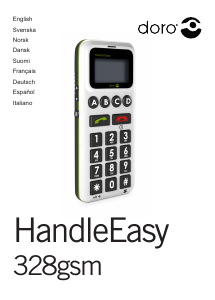
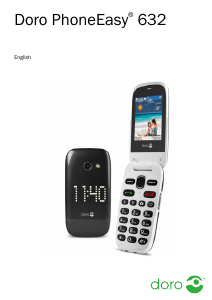
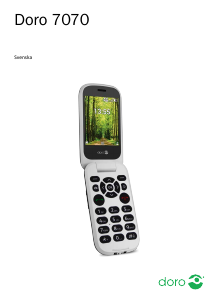
Bruksanvisning Doro Primo 366 Mobiltelefon

Behöver du en bruksanvisning för din Doro Primo 366 Mobiltelefon? Nedan kan du se och ladda ner PDF-bruksanvisningen gratis på svenska. Den här produkten har för närvarande 15 vanliga frågor, 2 kommentarer och har 1 röst med ett genomsnittligt produktbetyg på 100/100. Om det här inte är bruksanvisningen du vill ha, vänligen kontakta oss.

Är produkten defekt och erbjuder bruksanvisningen ingen lösning? Gå till ett Repair Café för gratis reparationstjänster.

Bruksanvisning

Loading…
SOS call settings
This is a private emergency call function.
Do not enter any local, national or interna-
tional emergency numbers such as 110 or
112, etc.!
Activate the emergency call function.
1. Press
Menu
â
Settings
â
SOS Setting
â
OK
.
2. Select
Emergency alert
â
OK.
3. Select
On
or
Off
â
OK.
IMPORTANT!
If you deactivate the emergency call
function the emergency call key on the
back of the telephone will not work.
SOS Alarm Tone
Alarm sound on or off.
1. Press
Menu
â
Settings
â
SOS Setting
â
OK
.
2. Select
SOS Alarm Tone
â
OK.
3. Select
On
or
Off
â
OK.
Emergency call contacts
The phone numbers to be called when
presseing the emergency call key.
1. Press
Menu
â
Settings
â
SOS Setting
â
OK
.
2. Select
Emergency numbers
â
OK.
3. Add maximum 5 desired numbers
Note! Always inform your contacts when
adding them.
4. Press
OK.
5. Conrm the question
Save?
with
Yes.
SOS-SMS
SMS transmission on or off.
1. Press
Menu
â
Settings
â
SOS Setting
â
OK
.
2. Select
SOS SMS
â
OK.
3. Select
On
or
Off
â
OK.
Emergency SMS text
You can change the default text of the
emergency text message through their own
substitute (max. 50 characters)
1. Press
Menu
â
Settings
â
SOS
settings
â
OK
.
2. Select
SOS SMS text
â
OK
.
3. Change or replace the text â
Done
.
FM radio
To listen to the radio, you should connect
a compatible headset which acts as an
antenna.
1. Press
Menu
â
Multimedia
â
OK
.
2. Select
FM radio
â
OK
.
3. Set the volume with the side keys
+/-
..
4. Select a Frequency by using the keys
/
.
5. Mute and unmute the radio with
Pause
6. Press
Options
â
Channel list
- list of the saved channels.
Manual input
– to select a frequency
manually via ne tuning.
Auto. search
– radio station scan and
saving of the stations found.
Manual search
– to select a frequency
manually via ne tuning.
Settings
Background playback
If you select
On
, the radio will still be
on after leaving leaving the menu. To
deactivate it, stop the
Background
playback
in the menu
FM radio
.
Loudspeaker
Choose whether the loudspeaker shall
be on or the playback will take place
via the headset only when a headset is
connected.
Safety instructions
WARNING
The unit and the accessories can contain small parts. Keep
all of the equipment out of the reach of small children.
The mains adapter is the disconnect device between the
product and mains power. The mains socket outlet must be
close to the equipment and easily accessible.
Network services and costs
Your device is approved for use on the
GSM 900/1800/1900 (Triband) MHz networks.
To use the device, you need a subscription with
a service provider.
Using network services may result in trafc
costs. Some product features require support
from the network, and you may need to
subscribe to them.
Operating environment
Follow the rules and laws that apply wherever
you are, and always turn off the unit whenever
its use is prohibited or can cause interference
or hazards. Only use the unit in its normal user
position.
This unit complies with guidelines for radiation
when it is used either in a normal position
against your ear, or when it is at least 1.5 cm
from your body.
If the unit is carried close to your body in a
case, belt holder or other holder, these holders
should not contain any metal, and the product
should be placed at the distance from your body
specied above. Make sure that the distance
instructions above are followed until the transfer
is complete.
Parts of the unit are magnetic. The unit can attract
metal objects. Do not keep credit cards or other
magnetic media near the unit. There is a risk that
information stored on them can be erased.
Medical units
The use of equipment that transmits radio signals,
for example, mobile phones, can interfere with
insufciently protected medical equipment. Consult
a doctor or the manufacturer of the equipment to
determine if it has adequate protection against
external radio signals, or if you have any questions.
If notices have been put up at health care facilities
instructing you to turn off the unit while you are there,
you should comply. Hospitals and other health care
facilities sometimes use equipment that can be
sensitive to external radio signals
Implanted medical devices
To avoid potential interference, manufactur-
ers of implanted medical devices recommend
a minimum separation of 15 cm between a
wireless device and the medical device. Persons
who have such devices should:
Always keep the wireless device more than 15 cm
from the medical device.
Not carry the wireless device in a breast pocket.
Hold the wireless device to the ear opposite the
medical device.
If you have any reason to suspect that interference
is taking place, turn the phone off immediately. If
you have any questions about using your wireless
device with an implanted medical device, consult
your health care provider.
Areas with explosion risk
Always turn off the unit when you are in an
area where there is a risk of explosion. Follow
all signs and instructions. There is a risk of
explosion in places that include areas where
you are normally requested to turn off your
car engine. In these areas, sparks can cause
explosion or re which can lead to personal
injury or even death.
Turn off the unit at lling stations, and any
other place that has fuel pumps and auto repair
facilities.
Follow the restrictions that apply to the use
of radio equipment near places where fuel is
stored and sold, chemical factories and places
where blasting is in progress. Areas with risk for
explosion are often – but not always – clearly
marked. This also applies to below decks on
ships; the transport or storage of chemicals;
vehicles that use liquid fuel (such as propane or
butane); areas where the air contains chemicals
or particles, such as grain, dust or metal powder.
Li-ion battery
This product contains a Li-ion battery. There
is a risk of re and burns if the battery pack is
handled improperly.
WARNING
Danger of explosion if battery is incorrectly replaced. To
reduce risk of re or burns, do not disassemble, crush,
puncture, short external contacts, expose to temperature
above 60° C (140° F), or dispose of in re or water.
Recycle or dispose of used batteries according to the local
regulations or reference guide supplied with your product.
Protect your hearing
WARNING
Excessive exposure to loud sounds can cause
hearing damage.
Exposure to loud sounds while driving may
distract your attention and cause an accident.
Listen to a headset at a moderate level, and do not hold the
device near your ear when the loudspeaker is in use.
Emergency calls
Important!
Mobile phones use radio signals, the mobile phone network,
the terrestrial network and user-programmed functions. This
means that connection cannot be guaranteed in all circum-
stances. Therefore, never rely only on a mobile phone for
very important calls such as medical emergencies.
Vehicles
Radio signals can affect electronic systems
in motor vehicles (for example, electronic fuel
injection, ABS brakes, automatic cruise control,
air bag systems) that have been incorrectly
installed or are inadequately protected. Contact
the manufacturer or its representative for more
information about your vehicle or any additional
equipment.
Do not keep or transport ammable liquids,
gases or explosives together with the unit or its
accessories.
For vehicles equipped with air bags: Remember
that air bags ll with air with considerable force.
Do not place objects, including xed or portable
radio equipment in the area above the airbag or
the area where it might expand.
Serious injuries may be caused if the mobile
phone equipment is incorrectly installed and the
airbag lls with air.
It is prohibited to use the unit in ight. Turn
off the unit before you board a plane. Using
wireless telecom units inside a plane can pose
risks to air safety and interfere with telecommu-
nications. It may also be illegal.
Care and maintenance
Your unit is a technically advanced product
and should be treated with the greatest care.
Negligence may void the warranty.
Protect the unit from moisture. Rain/snowfall,
moisture and all types of liquid can contain
substances that corrode the electronic circuits. If
the unit gets wet, you should remove the battery
and allow the unit to dry completely before you
replace it.
Do not use or keep the unit in dusty, dirty envi-
ronments. The unit’s moving parts and electronic
components can be damaged.
Do not keep the unit in warm places. High tem-
peratures can reduce the lifespan for electronic
equipment, damage batteries and distort or melt
certain plastics.
Do not keep the unit in cold places. When the
unit warms up to normal temperature, condensa-
tion can form on the inside which can damage
the electronic circuits.
Do not try to open the unit in any other way than
that which is indicated here.
Do not drop the unit. Do not knock or shake
it either. If it is treated roughly the circuits and
precision mechanics can be broken.
Do not use strong chemicals to clean the unit.
The advice above applies to the unit, battery,
mains adapter and other accessories. If the
phone is not working as it should, please contact
the place of purchase for service. Don’t forget
the receipt or a copy of the invoice.
Warranty
In case you need support during setup or usage of
your mobile phone you will nd the relevant contact
details on the following website:
www.primobydoro.com/support.
If you detect a defect resulting from manufactur-
ing and/or material faults within 24 months (for
batteries within 6 months) from purchase, please
contact your dealer. The warranty does not apply
for improper treatment or failure to comply with
information contained in this user guide, for inter-
ference on device executed by dealer or user
(e. g. installations, software downloads,…) and
for total loss. Furthermore it does not apply to
ingress of liquids, use of force, non-maintenance,
improper operation or other circumstances
caused by the user.
It also does not apply to failure caused by a thun-
derstorm or any other voltage uctuations.
The manufacturer reserves the right in this case
to charge the customer for replacement or repair.
For wear parts such as batteries, keyboard or
casing a restricted warranty period of 6 months
is valid. Manuals and possibly supplied software
are excluded from this warranty.
Further or other claims arising from the manufac-
turer’s warranty are excluded.
Thus, there is no liability claim for business inter-
ruption, loss of prots, loss of data, additionally
installed software by user or other information.
The receipt with purchase date forms the
warranty proof.
Specic Absorption Rate (SAR)
This device meets applicable international safety
requirements for exposure to radio waves. The
highest SAR value under the ICNIRP guidelines
for use of the device at the ear is 0,364 W/kg
measured over 10 g tissue.
The maximum limit according to ICNIRP is
2.0 W/kg measured over 10 g tissue.
Declaration of Conformity
We hereby declare that Primo™ 366 is conform
to the essential requirements and other relevant
regulations contained in the Directives
1999/5/EC (R&TTE) and 2011/65/EC (RoHS).
A copy of the Declaration of Conformity is
available at www.primobydoro.com/support.
Ladda ner bruksanvisning i Engelska (PDF, 2.26 MB)
(Tänk på miljön och skriv endast ut denna bruksanvisning om det verkligen är nödvändigt)

Loading…

Betyg

Berätta vad du tycker om Doro Primo 366 Mobiltelefon genom att betygsätta den. Vill du dela med dig av dina åsikter om denna produkt eller ställa en fråga? Lämna en kommentar nederst på sidan.
Är du nöjd med Doro Primo 366 Mobiltelefon?
Ja Nej
100%
0%
1 röst

Delta i konversationen om denna produkt

Här kan du dela vad du tycker om Doro Primo 366 Mobiltelefon. Om du har en fråga, läs först noggrant igenom manualen. Att begära en manual kan göras genom att använda vårt kontaktformulär.

Mer om denna bruksanvisning

Vi förstår att det är trevligt att ha en pappersbruksanvisning för din Doro Primo 366 Mobiltelefon. Du kan alltid ladda ner bruksanvisningen från vår hemsida och skriva ut den själv. Om du vill ha en originalbruksanvisning rekommenderar vi att du kontaktar Doro. De kanske kan tillhandahålla en originalbruksanvisning. Letar du efter bruksanvisningen för din Doro Primo 366 Mobiltelefon på ett annat språk? Välj ditt föredragna språk på vår hemsida och sök efter modellnumret för att se om vi har det tillgängligt.

Specifikationer

Märke Doro
Modell Primo 366
Kategori Mobiltelefoner
Filtyp PDF
Filstorlek 2.26 MB

Alla bruksanvisningar för Doro Mobiltelefoner
Fler bruksanvisningar för Mobiltelefoner

Vanliga frågor om Doro Primo 366 Mobiltelefon

Vårt supportteam söker efter användbar produktinformation och svar på vanliga frågor. Om du hittar en felaktighet bland våra vanliga frågor uppskattar vi om du meddelar oss detta via vårt kontaktformulär.

Mitt SIM-kort passar inte min mobiltelefon, varför är det? Verifierad

Det finns flera SIM-kortstorlekar, vanliga, mikro och nano. Det är möjligt att använda en adapter eller att göra SIM-kortet mindre.

Detta hjälpte (1533) Läs mer

Kan jag använda min mobiltelefon när jag laddar den? Verifierad

Ja, du kan använda din mobiltelefon medan du laddar den. Laddningsprocessen går långsammare när du gör det.

Detta hjälpte (1354) Läs mer

Vad är en PUK-kod? Verifierad

PUK står för Personal Unblocking Code och behövs för att avblockera din telefon efter att du har angett en felaktig PIN-kod tre gånger. Om PUK inte längre är tillgänglig kan det ofta begäras från leverantören.

Detta hjälpte (790) Läs mer

Min telefon är i gott skick, men när jag ringer till människor som har problem med att höra mig, varför är det så? Verifierad

Det är möjligt att smuts har samlats i mikrofonens rutnät och dämpar ljudet. Det bästa sättet att rengöra detta är med tryckluft. Om du är osäker, gör detta av en professionell.

Detta hjälpte (684) Läs mer

När jag ansluter min enhet till laddaren laddas den dåligt eller inte alls, varför är det så? Verifierad

Det är möjligt att smuts har samlats i öppningen där laddaren är ansluten, vilket förhindrar att den kommer i rätt kontakt. Det bästa sättet att rengöra detta är med tryckluft. Om du är osäker, gör detta av en professionell.

Detta hjälpte (376) Läs mer

Måste jag ladda ur litiumjonbatteriet helt innan jag laddar upp det igen? Verifierad

Nej, det behövs inte. Det rekommenderades förr i tiden, med gamla batterier. Litiumjonbatterier kan laddas efter användningen och när som helst kopplas loss från laddaren.

Detta hjälpte (370) Läs mer

Vad betyder IMEI? Verifierad

IMEI står för International Mobile Equipment Identity och är ett (ofta) unikt nummer som används för att identifiera mobila enheter som surfplattor och smartphones och skydda dem mot stöld.

Detta hjälpte (332) Läs mer

När jag ansluter en hörlur till min enhet fungerar den inte korrekt, vad kan jag göra? Verifierad

Det är möjligt att smuts har samlats i öppningen där hörlurarna är ansluten, vilket förhindrar att den kommer i rätt kontakt. Det bästa sättet att rengöra detta är med tryckluft. Om du är osäker, gör detta av en professionell.

Detta hjälpte (291) Läs mer

Fungerar Bluetooth genom väggar och tak? Verifierad

En Bluetooth-signal fungerar genom väggar och tak, såvida inte dessa är gjorda av metall. Beroende på tjockleken och väggens material kan signalen förlora i styrka.

Detta hjälpte (273) Läs mer

Batteriet i min telefon tar slut snabbt när jag är ute, varför är det? Verifierad

Litiumjonbatterier klarar inte låga temperaturer. Om utetemperaturerna är nära att frysa tappas batteriet snabbare än normalt, även utan att använda telefonen. När telefonen har återgått till rumstemperatur visar den antagligen en batteriprocentandel nära den som den var.

Detta hjälpte (263) Läs mer

Vad kan jag bäst använda för att rengöra skärmen på min mobila enhet? Verifierad

Det är bäst att använda en mikrofiberduk, eventuellt med ett specialtvättmedel. Använd aldrig kökshanddukar eller andra pappersdukar, de lämnar repor!

Detta hjälpte (246) Läs mer

Hur ska man förvara litiumjonbatterier som man inte använder under en längre period? Verifierad

Bästa sätt att förvara ett litiumjonbatteri är vid en temperatur mellan +5 °C och 45 °C. Det är också en god idé att se till att batteriet är laddat till cirka 67 % innan det läggs undan för förvaring.

Detta hjälpte (241) Läs mer

Vad betyder VoIP? Verifierad

VoIP betyder Voice over IP (Internet Protocol) och är alltså telefoni över internet.

Detta hjälpte (240) Läs mer

Under vilka förhållanden fungerar mitt litiumjonbatteri optimalt? Verifierad

Litiumjonbatterier fungerar bäst vid en temperatur mellan 5 °C och 45 °C. Vid mycket kallt eller varmt väder kan du märka att batteriet tar slut snabbare. Vi rekommenderar att inte ladda batteriet vid temperaturer under +5 °C eller över +45 °C.

Detta hjälpte (237) Läs mer

Måste jag rengöra skärmen på min enhet innan jag använder ett skärmskydd? Verifierad

Ja, ett skärmskydd fäster bäst på fett- och dammfria ytor.

Detta hjälpte (231) Läs mer
Bruksanvisning Doro Primo 366 Mobiltelefon

Relaterade produkter

Relaterade kategorier

×
Download