Bruksanvisning Clarion CZ102ER Bilradio

Behöver du en bruksanvisning för din Clarion CZ102ER Bilradio? Nedan kan du se och ladda ner PDF-bruksanvisningen gratis på svenska. Den här produkten har för närvarande 4 vanliga frågor, 0 kommentarer och har 0 röster. Om det här inte är bruksanvisningen du vill ha, vänligen kontakta oss.

Är produkten defekt och erbjuder bruksanvisningen ingen lösning? Gå till ett Repair Café för gratis reparationstjänster.

Bruksanvisning

Loading…
English
5
CZ102E/CZ102ER/CZ102EG/CZ102EA
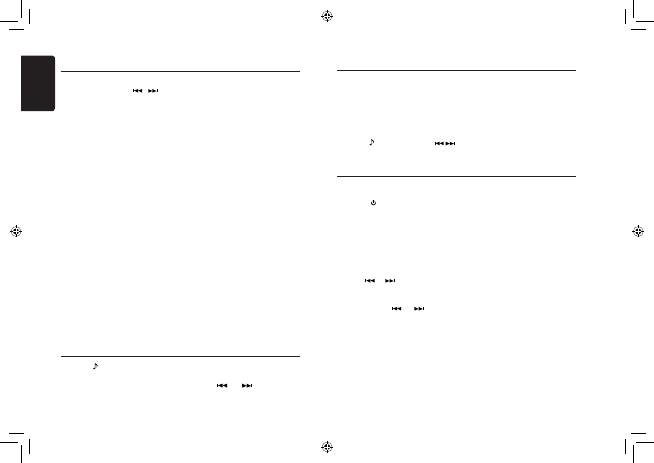
In any mode, press and hold [DISP] button to
enter system setup. Press [
, ] buttons
to select options, rotate the [VOLUME] knob to
adjust.
AF: ON/OFF
Rotate the [VOLUME] knob to choose AF ON or
OFF.
REG: ON/OFF
Rotate the [VOLUME] knob to choose REG ON
or OFF.
DX/LO (RADIO mode)
Rotate the [VOLUME] knob to choose radio
local or distant at RADIO mode.
LO: Only stations with strong signal can be
received.
DX: Stations with strong and weak signals
can be received.
AUX SENS (AUX mode)
Rotate the [VOLUME] knob to choose AUX
Input sensitivity LOW, MID or HIGH at AUX
mode.
SCRN SVR: ON/OFF
Rotate the [VOLUME] knob to choose SCRN
SVR (screen saver) ON or OFF.
SCROLL: ON/OFF
For track information that is longer than the
display panel:
When SCROLL is ON, the LCD will display
ID3 TAG information cyclely, e.g: TRACK-
>FOLDER->FILE->ALBUM->TITLE->ARTIST-
>TRACK->...
When SCOLL is OFF, the LCD will scroll the ID3
TAG information across the display, the default
System Setup
is TRACK, but user can adjust it to other ID3
TAG information by press [BAND] button.
REAR/S-W
Rotate the [VOLUME] knob to choose REAR
or S-WOOFER (SUB-WOOFER).
TEL-SW
Rotate the [VOLUME] knob to choose
MUTE, ON or OFF.
MUTE:
The sound from this unit is muted during
telephone calls.
OFF:
This unit continues normal operation even
when the cellular phone is used.
ON:
You can listen to your telephone calls from
the speakers connected to this unit.
*When listening to your calls on your car
speakers, you can adjust the volume by
turning the [VOLUME] knob.
BEEP: ON/OFF
Rotate the [VOLUME] knob to choose button
beep sound ON or OFF.
RESET (ALL):
1. Select ”RESET”.
2. Press and hold the [VOLUME] knob to
reset.
3. Settings will be set to the default value.
4. The unit will be turned off automatically.
Note:
When the [RESET] is selected and you
press and hold the [VOLUME] knob,
radio station frequencies, titles, and
other data stored in memory are cleared.
Press the [ ] button to enter sound effect
setting mode. First press shows current EQ.
Rotate the [VOLUME] knob to change the BEAT
EQ in this order:
OFF -> B-BOOST -> IMPACT -> EXCITE ->
CUSTOM
Audio Setup
Audio Setup
Rotate the [VOLUME] knob to change the
CUSTOM setting, and press the [VOLUME]
knob,
the press [
] or [ ] button to select
it including: BAS-G -> BAS-F -> BAS-Q
-> MID-G -> MID-F -> MID-Q -> TRE-G ->
Select tuner as playing source
Press [SRC / ] button once or more to enter
RADIO mode.
Select the radio band
Press the [BAND] button on the panel to select
one radio band among FM1, FM2, FM3, MW
and LW.
Manual tuning
During manual tuning, the frequency will be
changed in steps.
Press the [
] / [ ] buttons on the panel to
select a higher / lower station.
Auto tuning
Press and hold the [ ] / [ ] buttons on
the panel to seek a higher / lower station.
To stop searching, repeat the operation above
or press other buttons having radio functions.
Note:
When a station is received, searching stops and
the station is played.
Preset scan
Preset scan receives the stations stored in
preset memory in order. This function is useful
when searching for a desired station in memory.
Radio Operations
1. Press the [PS/AS] button.
2. When a desired station is tuned in,
press the [PS/AS] button again to
continue receiving that station.
Note:
Be careful not to press and hold the
[PS/AS] button for 1 second or longer,
otherwise the auto store function will
begin and the unit starts storing stations.
Auto store
Only stations with sufcient signal strength
will be detected and stored in the memory.
Press and hold the [PS/AS] button (1 sec.)
to start automatic station search.
To stop auto store, press other buttons
having radio functions.
Notes:
1. After auto store, the previous stored
stations will be overwritten.
2. The unit has 5 bands, such as FM1, FM2,
FM3, MW, LW. FM3 and MW, LW can
store by AS function. Each bands can
store 6 stations, CZ102E/CZ102ER/
CZ102EG/CZ102EA can store 30
stations in total.
TRE-F, rotate the [VOLUME] knob to select a
value.
BAS-G / MID-G / TRE-G: (-7)- (+7)
BAS-F: 60 / 80 / 100 / 200
BAS-Q: 1.0 / 1.25 / 1.5 / 2.0
MID-F: 500 / 1K / 1.5K / 2.5K
MID-Q: 0.5 / 0.75 / 1.00 / 1.25
TRE-F: 10.0K / 12.5K / 15.0K / 17.5K
Press the [
] button, then press [ , ]
buttons to select USER preset including:
BALANCE -> FADER -> M-B EX -> LPF(low
pass lter) -> S-W VOL (Subwoofer Volume),
rotate the [VOLUME] knob to select a value.
BALANCE:LEFT 1-7->CENTER->RIGHT 1-7
FADER:FRONT 1-7->CENTER->REAR 1-7
M-BEX: ON/OFF
LPF: THROUGH/80/120/160
SUBW VOL: (-6)-(+6)
Ladda ner bruksanvisning i Svenska (PDF, 4.57 MB)
(Tänk på miljön och skriv endast ut denna bruksanvisning om det verkligen är nödvändigt)

Loading…

Betyg

Berätta vad du tycker om Clarion CZ102ER Bilradio genom att betygsätta den. Vill du dela med dig av dina åsikter om denna produkt eller ställa en fråga? Lämna en kommentar nederst på sidan.
Är du nöjd med Clarion CZ102ER Bilradio?
Ja Nej
Bli den första personen som betygsätter denna produkt
0 röster

Delta i konversationen om denna produkt

Här kan du dela vad du tycker om Clarion CZ102ER Bilradio. Om du har en fråga, läs först noggrant igenom manualen. Att begära en manual kan göras genom att använda vårt kontaktformulär.

Mer om denna bruksanvisning

Vi förstår att det är trevligt att ha en pappersbruksanvisning för din Clarion CZ102ER Bilradio. Du kan alltid ladda ner bruksanvisningen från vår hemsida och skriva ut den själv. Om du vill ha en originalbruksanvisning rekommenderar vi att du kontaktar Clarion. De kanske kan tillhandahålla en originalbruksanvisning. Letar du efter bruksanvisningen för din Clarion CZ102ER Bilradio på ett annat språk? Välj ditt föredragna språk på vår hemsida och sök efter modellnumret för att se om vi har det tillgängligt.

Specifikationer

Märke Clarion
Modell CZ102ER
Kategori Bilradio
Filtyp PDF
Filstorlek 4.57 MB

Alla bruksanvisningar för Clarion Bilradio
Fler bruksanvisningar för Bilradio

Vanliga frågor om Clarion CZ102ER Bilradio

Vårt supportteam söker efter användbar produktinformation och svar på vanliga frågor. Om du hittar en felaktighet bland våra vanliga frågor uppskattar vi om du meddelar oss detta via vårt kontaktformulär.

Vad är DAB+? Verifierad

DAB+ är uppföljaren till FM-signalen och förkortningen står för Digital Audio Broadcasting. Det är en digital signal som möjliggör fler kanaler inom samma bandbredd och enklare växling mellan kanaler.

Detta hjälpte (640) Läs mer

Vad är det för skillnad mellan FM och AM? Verifierad

FM och AM är båda former av modulering som används för att överföra en signal. FM står för Frekvensmodulering och AM står för Amplitudmodulering. AM är den äldsta formen. Den största skillnaden är att FM-signalen är mycket starkare än AM-signalen.

Detta hjälpte (411) Läs mer

Det finns en CD fast i min bilradio, vad ska jag göra? Verifierad

Vissa bilradioer har en funktion för att mata ut fasta CD-skivor. Stäng av bilen och tryck samtidigt på '' på '' och '' mata ut '' i 10 sekunder. Om detta inte fungerar startar du bilen och försöker igen.

Detta hjälpte (392) Läs mer

Vilken bilradio passar min bil? Verifierad

Det finns två standardstorlekar för bilradio, 1-DIN och 2-DIN. 1-DIN är den vanliga tunna versionen och 2-DIN är dubbelt så hög. 2-DIN bilradio har ofta plats för en skärm för att visa navigationsinformation eller spela filmer.

Detta hjälpte (330) Läs mer
Bruksanvisning Clarion CZ102ER Bilradio

Relaterade produkter

Relaterade kategorier

×
Download