
Operation Guide 3283
MO1806-EC
E
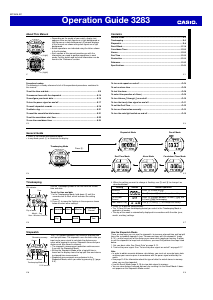
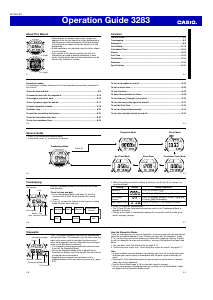
About This Manual
• Depending on the model of your watch, display text
appears either as dark figures on a light background or
light figures on a dark background. All sample displays
in this manual are shown using dark figures on a light
background.
• Button operations are indicated using the letters shown
in the illustration.
• Each section of this manual provides you with the
information you need to perform operations in each
mode. Further details and technical information can be
found in the “Reference” section.
(Light)
(Light)
E-1
Contents
General Guide ......................................................................................................... E-4
Timekeeping ............................................................................................................ E-6
Stopwatch ................................................................................................................ E-8
Recall Mode ........................................................................................................... E-18
Countdown Timer .................................................................................................. E-22
Alarms .................................................................................................................... E-25
Dual Time ............................................................................................................... E-32
Illumination ............................................................................................................ E-33
Reference .............................................................................................................. E-36
Specifications ....................................................................................................... E-43
E-2
Procedure Lookup
The following is a handy reference list of all the operational procedures contained in
this manual.
To set the time and date ......................................................................................... E-6
To measure times with the stopwatch ................................................................ E-10
To configure your basic data ............................................................................... E-15
To turn the pacer signal on and off ..................................................................... E-17
To recall stopwatch records ................................................................................ E-18
To delete a log ....................................................................................................... E-21
To reset the cumulative total screen ................................................................... E-21
To set the countdown start time .......................................................................... E-22
To use the countdown timer ................................................................................ E-23
E-3
To turn auto-repeat on and off ............................................................................. E-24
To set an alarm time ............................................................................................. E-26
To test the alarm ................................................................................................... E-28
To select the operation of Alarm
1
....................................................................... E-29
To turn Alarms
2
through
5
on and off .............................................................. E-30
To turn the hourly time signal on and off ........................................................... E-31
To set the Dual Time ............................................................................................. E-32
To turn on illumination manually ......................................................................... E-33
To turn the auto light switch on and off .............................................................. E-35
E-4
Press C.
General Guide
• Press C to change from mode to mode.
• In any mode, press L to illuminate the display.
Timekeeping Mode
▲
E-5
Stopwatch Mode
Dual Time Mode
Alarm Mode
Countdown Timer Mode
Recall Mode
▲
▲
▲
▲
▲
E-6
Timekeeping
Use the Timekeeping Mode to set and view the current
time and date.
To set the time and date
1. In the Timekeeping Mode, hold down A until the
seconds start to flash, which indicates the setting
screen.
2. Press C to move the flashing in the sequence shown
below to select other settings.
Day of week
Month – Day
HourSeconds
12/24-Hour
Format
Day Month
Year
Minutes
Hour : Minutes Seconds
PM indicator
Year
E-7
4. Press A to exit the setting screen.
• The 12-hour/24-hour timekeeping format you select in the Timekeeping Mode is
applied in all modes.
• The day of the week is automatically displayed in accordance with the date (year,
month, and day) settings.
Setting
Seconds
Hour, Minutes
12/24-Hour
Format
Year, Month, Day
Button Operation
Press D to reset to 00.
Use D (+) and B (–) to change the setting.
Press D to toggle between 12-hour (12H) and
24-hour (24H) timekeeping.
Use D (+) and B (–) to change the setting.
Screen
3. When the setting you want to change is flashing, use D and B to change it as
described below.
E-8
Stopwatch
The 1/100-second stopwatch can measure elapsed time
and lap/split times. The stopwatch uses the basic data you
input and a pacer signal to calculate the distance you
cover while jogging or running. Stopwatch times and your
distance are also stored in memory.
• The stopwatch measurement operation continues even
if you exit the Stopwatch Mode.
• Exiting the Stopwatch Mode while a lap/split time is
frozen on the display clears the lap/split time and returns
to elapsed time measurement.
• Stopwatch measurements are performed in the
Stopwatch Mode, which you enter by pressing C (page
E-5).
Timekeeping Mode time
1/100 second
Seconds
Hours
Minutes
Remaining memory
E-9
How the Stopwatch Works
There are two ways you can use the stopwatch: to measure elapsed time and lap/split
times like a standard stopwatch (see “To measure times with the stopwatch” (page
E-10)), and to keep track of the distance you cover while jogging or running. In order
to use the stopwatch to keep track of distance, you must first perform the steps listed
below.
1. Set your basic data. See “Basic Data” on page E-12.
2. Turn on the pacer signal. See “To turn the pacer signal on and off” on page E-17.
Note
• In order to obtain accurate distance calculations, you must set accurate basic data
and keep your exercise pace in accordance with the pacer signal emitted by the
watch.
• See page E-40 for information about the type of data the watch stores in memory
when you use the stopwatch.
• Use the Recall Mode (page E-18) to view data stored in memory.
• You can view distance covered data only by recalling it in the Recall Mode. It does
not appear on the Stopwatch Mode screen.


Delta i konversationen om denna produkt
Här kan du dela vad du tycker om Casio W-734-2AVEF Sportklocka. Om du har en fråga, läs först noggrant igenom manualen. Att begära en manual kan göras genom att använda vårt kontaktformulär.