Bruksanvisning Canon EF28mm F2.8 Objektiv

Behöver du en bruksanvisning för din Canon EF28mm F2.8 Objektiv? Nedan kan du se och ladda ner PDF-bruksanvisningen gratis på svenska. Den här produkten har för närvarande 1 vanliga frågor, 0 kommentarer och har 0 röster. Om det här inte är bruksanvisningen du vill ha, vänligen kontakta oss.

Är produkten defekt och erbjuder bruksanvisningen ingen lösning? Gå till ett Repair Café för gratis reparationstjänster.

Bruksanvisning

Loading…
❷-
❷-
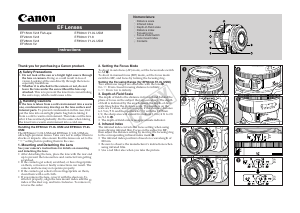
Thank you for purchasing a Canon product.
Safety Precautions
1.
Do not look at the sun or a bright light source through
the lens or camera.
Doing so could result in loss of
vision. Looking at the sun directly through the lens is
especially hazardous.
2.
Whether it is attached to the camera or not, do not
leave the lens under the sun without the lens cap
attached.
This is to prevent the lens from concentrating
the sun’s rays, which could cause a fire.
Handling Cautions
If the lens is taken from a cold environment into a warm
one, condensation may develop on the lens surface and
internal parts.
To prevent condensation in this case, first
put the lens into an airtight plastic bag before taking it
from a cold to warm environment. Then take out the lens
after it has warmed gradually. Do the same when taking
the lens from a warm environment into a cold one.
Handling the EF50mm f/1.0L USM and EF85mm f/1.2L
USM
The EF50mm f/1.0L USM and EF85mm f/1.2L USM are
ultra-high-precision lenses. Take care not to subject them to
shocks or impacts. Also ensure that the lenses are set to the
” setting before putting them in the case.
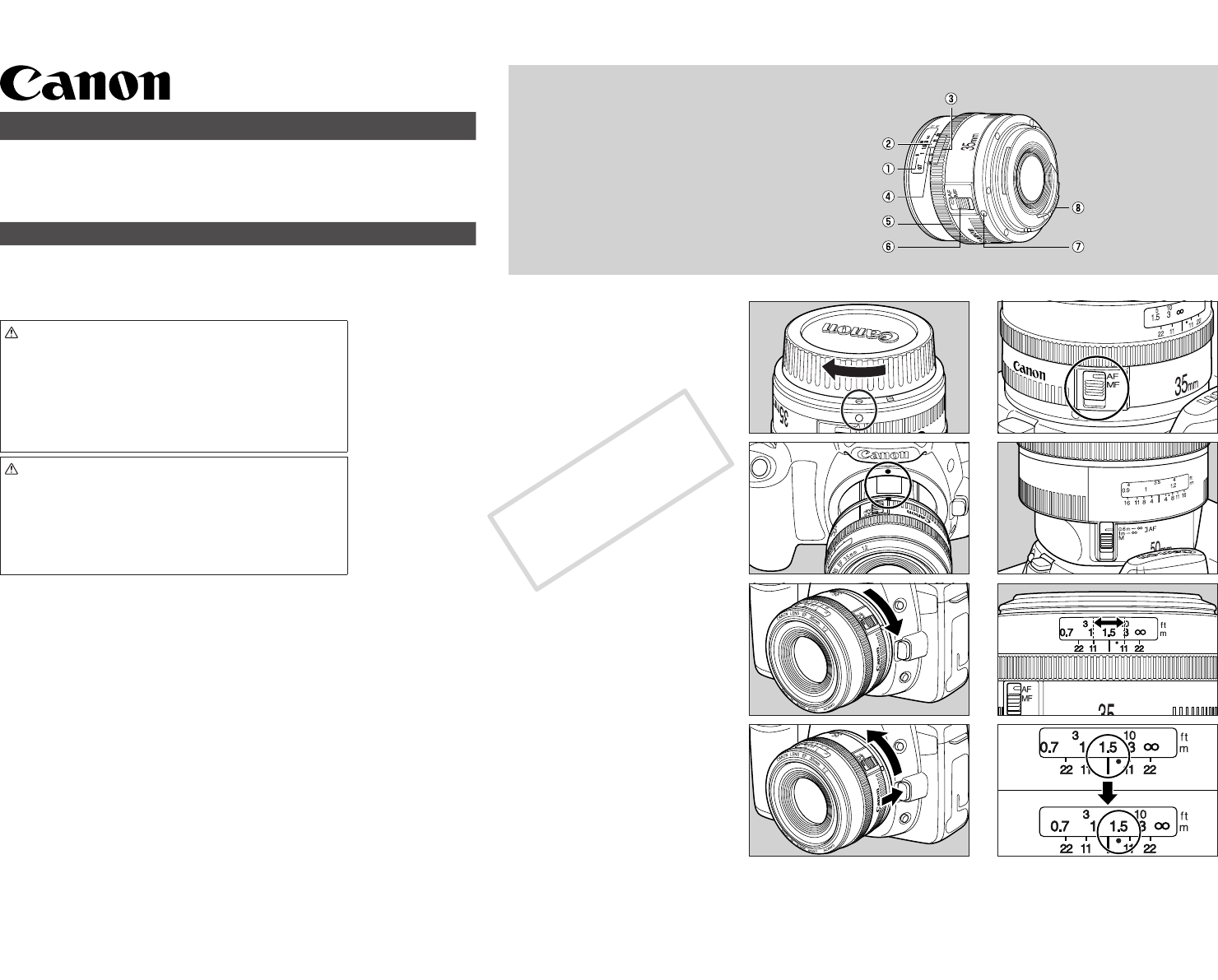
1. Mounting and Detaching the Lens
See your camera’s instructions for details on mounting
and detaching the lens.
After detaching the lens, place the lens with the rear end
up to prevent the lens surface and contacts from getting
scratched.
If the contacts get soiled, scratched, or have fingerprints
on them, corrosion or faulty connections can result. The
camera and lens may not operate properly.
If the contacts get soiled or have fingerprints on them,
clean them with a soft cloth.
If you remove the lens, cover it with the dust cap. To
attach it properly, align the lens mount index and the
index of the dust cap, and turn clockwise. To remove it,
reverse the order.
2. Setting the Focus Mode
To shoot in autofocus (AF) mode, set the focus mode switch
to AF
.
To shoot in manual focus (MF) mode, set the focus mode
switch to MF, and focus by turning the focusing ring.
Setting the Focusing Range (for EF50mm f/1.0L USM)
Two autofocus ranges are selectable with the lens
.
0.6-
: From closest focusing distance to infinity.
1-
: From 1 m to infinity.
3. Depth-of-Field Scale
The depth of field is the distance in front of and behind the
plane of focus on the subject that appears sharp. The depth
of field is indicated by the area between the depth-of-field
scale lines below the distance scale. The numbers on the
scale are F values, and for example, if the shooting distance
is 1.5 m/5 ft. and the aperture is f/11 with the EF35mm
f/2, the sharp area will extend from about 1.2 m/4 ft. to 2.8
m/9.3 ft.
.
• The depth-of-field scale is an approximate indicator.
4. Infrared Index
The infrared index corrects the focus setting when using
monochrome infrared film. Focus on the subject in MF,
then adjust the distance setting by moving the focusing ring
to the corresponding infrared index mark
.
The infrared index position is based on a wavelength of
800 nm.
Be sure to observe the manufacturer’s instructions when
using infrared film.
Use a red filter also when you take the picture.
Nomenclature
Distance scale
Infrared index
Depth-of-Field scale
Distance index
Focusing ring
Focus mode switch
Lens mount index
Contacts
EF Lenses
EF15mm f/2.8 Fish-eye
EF24mm f/2.8
EF28mm f/2.8
EF35mm f/2
EF50mm f/1.0L USM
EF50mm f/1.8
EF85mm f/1.2L USM
Instructions
COPY
Ladda ner bruksanvisning i Engelska (PDF, 0.34 MB)
(Tänk på miljön och skriv endast ut denna bruksanvisning om det verkligen är nödvändigt)

Loading…

Betyg

Berätta vad du tycker om Canon EF28mm F2.8 Objektiv genom att betygsätta den. Vill du dela med dig av dina åsikter om denna produkt eller ställa en fråga? Lämna en kommentar nederst på sidan.
Är du nöjd med Canon EF28mm F2.8 Objektiv?
Ja Nej
Bli den första personen som betygsätter denna produkt
0 röster

Delta i konversationen om denna produkt

Här kan du dela vad du tycker om Canon EF28mm F2.8 Objektiv. Om du har en fråga, läs först noggrant igenom manualen. Att begära en manual kan göras genom att använda vårt kontaktformulär.

Mer om denna bruksanvisning

Vi förstår att det är trevligt att ha en pappersbruksanvisning för din Canon EF28mm F2.8 Objektiv. Du kan alltid ladda ner bruksanvisningen från vår hemsida och skriva ut den själv. Om du vill ha en originalbruksanvisning rekommenderar vi att du kontaktar Canon. De kanske kan tillhandahålla en originalbruksanvisning. Letar du efter bruksanvisningen för din Canon EF28mm F2.8 Objektiv på ett annat språk? Välj ditt föredragna språk på vår hemsida och sök efter modellnumret för att se om vi har det tillgängligt.

Specifikationer

Märke Canon
Modell EF28mm F2.8
Kategori Objektiven
Filtyp PDF
Filstorlek 0.34 MB

Alla bruksanvisningar för Canon Objektiven
Fler bruksanvisningar för Objektiven

Vanliga frågor om Canon EF28mm F2.8 Objektiv

Vårt supportteam söker efter användbar produktinformation och svar på vanliga frågor. Om du hittar en felaktighet bland våra vanliga frågor uppskattar vi om du meddelar oss detta via vårt kontaktformulär.

Vad står ”f” för på kameraobjektivet? Verifierad

F-värdet används för att säga hur stor ett objektivs bländare är i förhållande till brännvidden. Bländaren är ett hål i kamerans objektiv. Genom att bestämma storleken på hålet påverkar du hur mycket ljus som når sensorn. Ju större bländare, desto mer ljus.

Detta hjälpte (30) Läs mer
Bruksanvisning Canon EF28mm F2.8 Objektiv

Relaterade produkter

Relaterade kategorier

×
Download