ENGLISH
3
ENGLISH
2
DISC PLAY
PRECAUTIONS
• Use only in a 12-volt DC negative-ground electrical system.
• Disconnect the vehicle's negative battery terminal while mounting and connecting the
unit.
• When replacing the fuse, be sure to use one with an identical amperage rating.
•Using a fuse with a higher amperage rating may cause serious damage to the unit.
•DO NOT attempt to disassemble the unit. Laser beams from the optical pickup are dan-
gerous to the eyes.
• Make sure that pins or other objects do not get inside the unit; they may cause mal-
functions, or create safety hazards such as electrical shock or laser beam exposure.
• If you have parked the car for a long time in hot or cold weather, wait until the tem-
perature in the car become normal before operating the unit.
• Keep the volume at a level at which you can hear outside warning sounds (horns
sirens, etc.).
CD NOTES
• Playing a defective or dusty CD can cause dropouts in sound.
• Hold CDs as illustrated.
• DO NOT touch the unlabeled side.
• DO NOT attach any seal, label or data protection sheet to either side of a disc.
• DO NOT expose a CD to direct sunlight or excessive heat.
• Wipe a dirty CD from the center outward with a cleaning cloth.
•Never use solvents such as benzine or alcohol.
• This unit cannot play 3-inch ( 8cm ) CDs.
• NEVER insert a 3-inch CD contained in the adapter
or an irregularly shaped CD.
• The unit may not be able to eject it, resulting in a
malfunction.
BEFORE OPERATION
•DO NOT raise the volume level too much, as this
will block outside sounds, making driving dangerous.
• Stop the car before performing any complicated
operation.
CAUTION
DO NOT open covers and do not repair by yourself.
Consult the dealer or an experienced technician for help.
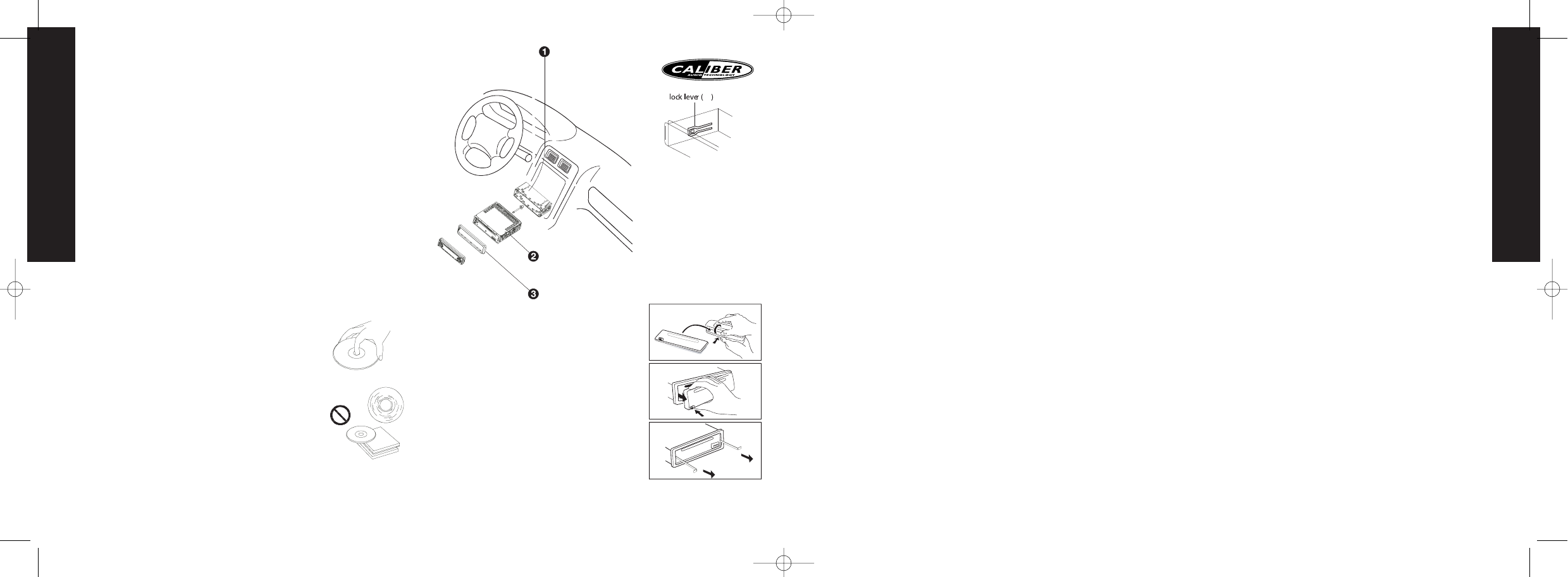
Installation procedures
First complete the electrical connections, and then
check them for correctness.
Anti-Theft System
This unit is equipped with a detachable panel.
Removing this panel makes the radio totally inoperable.
Removing the panel
1. Press power button more than 2 seconds to switch off
the power of the unit.
2. Remove the detachable panel (REL button).
3. Press the button of the case and open the cover. Place
the panel into the case and take it with you when you
leave the car.
Install detachable panel
1.Fix right part of face panel in the right part of panel slot
of the unit.
2.Press down the left side of the face panel until it clicks
into the panel slot of the unit.
Remove the unit
Switch of the power of the unit.
1. Remove the panel and the trim plate.
2. Insert both T-Keys into hole in front of the set until they lock.
3. Pull out the unit.
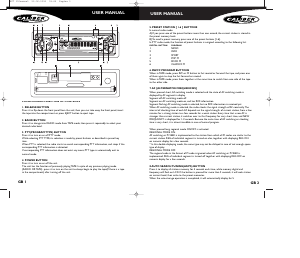
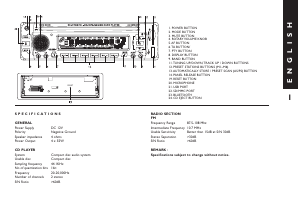
5. BASIC OPERATIONS
14) PANEL RELEASE BUTTON (REL)
Press this button to remove the face panel.
1) POWER ON/OFF BUTTON
Press POWER button or any other button on the front of the radio (except
Open/Eject)to turn the unit on. Press POWER button again to turn the unit off.
2) MODE BUTTON (MODE)
Press MODE button to select a different mode of operation as indicated on the display
panel.Available modes include Tuner, CD, MP3/WMA and in Aux mode .
3) MUTE BUTTON (MUTE)
Press the mute button momentarily to mute the audio volume, and "Mute" will flash in
the display. Press the mute button again to restore volume to the previous setting.
4) VOLUME KNOB
To increase the volume rotate the volume knob clockwise, to decrease the volume rota-
te the volume knob counterclockwise.
10) AUDIO BUTTON (AUDIO/ENTER)
Press the AUDIO button , the display will be displayed first option is Volume, followed
by Subwoofer (only if the Subwoofer feature is currently activated), Bass( only if EQ5 is
currently deactivated),Treble( only if EQ5 is currently deactivated), Balance, Fader and
back to Volume.
When adjusting audio functions, the unit will automatically exit audio control mode
after 5 seconds of inactivity. Use the volume knob to adjust the settings.
7) IX-BASS BUTTON (iX-BASS)
Press PTY button more than 3 seconds to activate the iX-BASS feature.This feature will
boost the bass and treble ranges. Press PTY button again to select "iX-BASS Off".
6) PRESET EQUALIZER BUTTON (iEQ5)
Press TA button more than 3 seconds to activate the IEQ5 feature.
The equalizer function applies preset sound effects to the unit's audio output signal.
Press EQUALIZER button repeatedly to step through the following equalizer options:
Off, Pop, Jazz, Classical, Beat and Rock.
8) DISPLAY (DISP)
Press DISPLAY/MENU momentarily to navigate through the following animation
options: EQ animation,Animation Display , PTM (personal text message) and back to the
default display.
MENU FUNCTION LIST (MENU)
Press DISPLAY/ MENU for more than 3 seconds to access the menu.Navigate the menu
by pressing DISPLAY/ MENU momentarily to
move forward to the next option.The menu can also be navigated by using the Tuning
Up or Tuning Down Button to move to the next or previous option. The following
options are adjusted through this menu feature.
• CONTRAST
• DIMMER
• CLOCK FORMAT
• TIME SET
• LOCAL / DISTANCE SELECTOR
• AREA (TUNER FREQUENCY SPACING)
• PROGRAMMABLE TURN-ON VOLUME (VOL PGM)
• BEEP TONE ON/OFF
• ILLUMINATION COLOR (COLOR)
This option allows selection between two colors for the backlight illumination of the
unit; "COLOR 1" blue backlight. "COLOR 2” red backlight.
• SELECTABLE CLOCK DISPLAY (CLK ON LCD)
To select the clock and greeting not to be displayed when the unit is powered off, use
volume knob to select "CLK ON LCD Off".
• KEY ILLUMINATION ON/OFF (KEY LIGHT)
When the Key Light feature is deactivated with the unit turned off and the ignition
switch turned on, the front panel buttons will not illuminate.
• PERSONAL TEXT MESSAGE
Press the MENU button repeatedly until you see the “PTM” on the display,this will allow
the user to input his favor greeting note on the display.The “INPUT MESSAGE” will be
displayed by default. User is allowed to input max. 20 characters or symbols for the
“PTM” to be displayed on the LCD.
When “PTM” is displayed on the display, Press “ENTER” button to start up the “PTM”
enter process. Use the volume up/down button to input A & Z 0-9, +/- ! etc. Press
“ENTER” button to confirm the first letter input. Repeat the procedure and enter the
rest of the others letter input. If you want to change the inputted letters , you can press
Tuning up /down button to move, the cursor backwards to change the inputted letters.
If no more button pressing after 7 seconds the inputted letters will be automatically set
as PTM.The previous PTM will be erased automatically once a new PTM is inputted.


Delta i konversationen om denna produkt
Här kan du dela vad du tycker om Caliber MCD560M Bilradio. Om du har en fråga, läs först noggrant igenom manualen. Att begära en manual kan göras genom att använda vårt kontaktformulär.