Bruksanvisning Aube TH106 Thermostat

Behöver du en bruksanvisning för din Aube TH106 Thermostat? Nedan kan du se och ladda ner PDF-bruksanvisningen gratis på svenska. Den här produkten har för närvarande 2 vanliga frågor, 0 kommentarer och har 0 röster. Om det här inte är bruksanvisningen du vill ha, vänligen kontakta oss.

Är produkten defekt och erbjuder bruksanvisningen ingen lösning? Gå till ett Repair Café för gratis reparationstjänster.

Bruksanvisning

Loading…
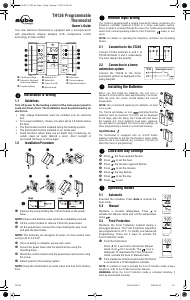
TH106 400-106-001-D 12/8/05 2/3
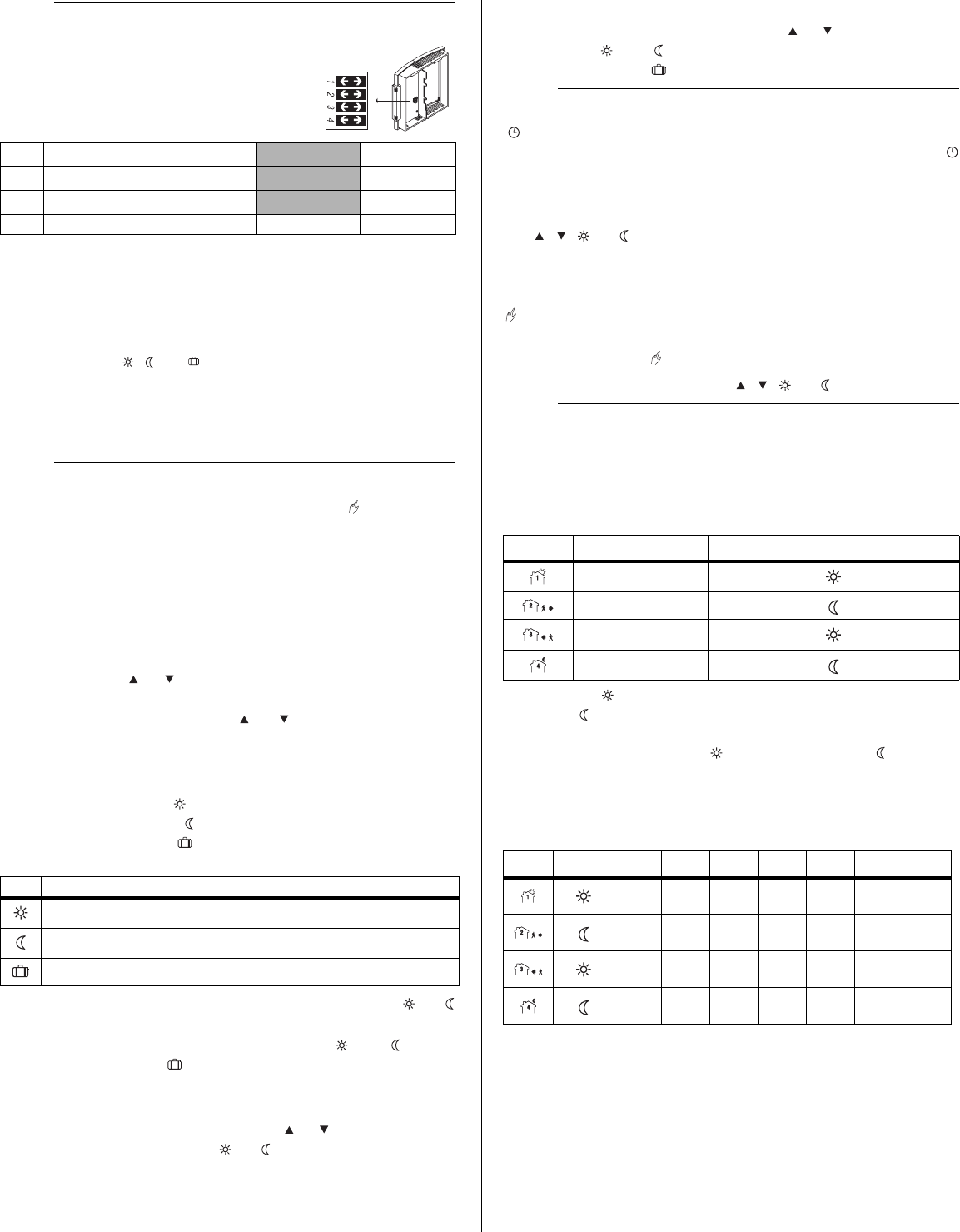
The configuration switches are on the back of
the thermostat. The factory settings are indi-
cated by the gray cells in the following table.
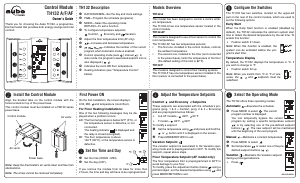
Upon power-up, the thermostat is in manual mode ( ) and displays
the actual (ambient) temperature.
n Press the Hour and Min buttons to set the thermostat’s clock.
o Press the Day button to set the day.
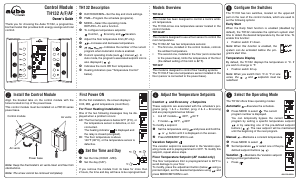
Setpoint
The thermostat normally displays the actual temperature. To view the
setpoint, press the or button briefly. The setpoint will appear for
the next 5 seconds.
To change the setpoint, press the or button until the desired
temperature is displayed. To scroll faster, hold the button.
Using a preset temperature
The thermostat has 3 preset temperatures:
Comfort temperature
Economy temperature
Vacation temperature
To use the Comfort or Economy temperature, press the or
button respectively. The corresponding icon will be displayed.
To use the Vacation temperature, press both and buttons
simultaneously. The icon will be displayed.
Storing a preset temperature
To store the Comfort or Economy temperature:
Set the desired temperature using the or button. Press and
hold the appropriate button ( or ) for approximately 3 sec-
onds until the corresponding icon is displayed. Press the Mode
button.
To store the Vacation temperature:
Set the desired temperature using the or button. Press and
hold both and buttons simultaneously for approximately 3
seconds until the icon is displayed. Press the Mode button.
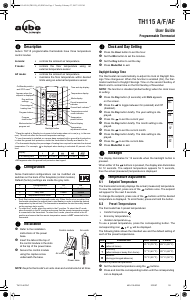
Automatic - The temperature is set according to the programmed
schedule. To place the thermostat in this mode, press Mode until
is displayed. The icons of the current period and preset temperature
are also displayed.
Temporary Bypass: If you modify the setpoint (by pressing the
, , or button) when the thermostat is in automatic
mode, the new setpoint will be used until the end of the current
period. When the next period starts, the temperature set for that
period becomes the new setpoint.
Manual - The programmed schedule is not used. The temperature
must be set manually. To place the thermostat in this mode:
n Press Mode until is displayed.
o Set the temperature using the , , or button.
The schedule consists of 4 periods per day which represents a typi-
cal weekday. You can program the thermostat to skip the periods that
do not apply to your situation. For example, you can skip periods 2
and 3 for the weekend.
The Comfort ( ) temperature is used in periods 1 and 3 and the
Economy ( ) temperature is used in periods 2 and 4. For example,
when the period changes from 1 to 2, the setpoint automatically
changes from Comfort setting ( ) to Economy setting ( ).
You can have a different program for each day of the week; i.e., each
period can start at different time for each day of the week. The
thermostat has been programmed with the following schedule.
To modify the schedule:
n Press Pgm to access the programming mode. Period 1 is
selected.
o Press Day to select the day to program (hold for 3 seconds to
select the entire week).
p Press Hour and Min to set the start time of the selected period,
or press Clear if you want to skip the period (--:-- is displayed).
q Press Pgm to select another period, or press Day to select
another day. Then repeat step 3.
p
Configuration
3.
SW1
Early Start
a
a. Early Start can be used in Automatic mode only. When this func-
tion is enabled, the thermostat calculates the optimal time to start
heating in order to obtain the desired temperature by the set time.
The thermostat re-assesses the start time daily based on the pre-
vious day’s performance.
Off On
SW2
Temperature / time format
b
b. If you change the temperature display format, the preset
temperatures ( , and ) will return to their default settings.
°C / 24-hour °F / 12-hour
SW3
Cycle length
c
c. 15-second cycles should be selected in most cases as it provides
better temperature control. 15-minute cycles must be selected if
you have a fan-equipped heater or if 15-second cycles causes
light flickering (especially in rural regions).
15 seconds 15 minutes
SW4 Not used - -
q
Power-up
4.
r
Temperature Setting
5.
Icon Intended use Factory setting
Comfort (when at home) 21°C (70°F)
Economy (when asleep or away from home) 16.5°C (62°F)
Vacation (during prolonged absence) 10°C (50°F)
s
Operating Modes
6.
t
Schedule
7.
Period Description Associated temperature preset
Wake
Leave
Return
Sleep
Period Setting
MO TU WE TH FR SA SU
6:00
AM
6:00
AM
6:00
AM
6:00
AM
6:00
AM
6:00
AM
6:00
AM
8:00
AM
8:00
AM
8:00
AM
8:00
AM
8:00
AM
--:-- --:--
6:00
PM
6:00
PM
6:00
PM
6:00
PM
6:00
PM
--:-- --:--
10:00
PM
10:00
PM
10:00
PM
10:00
PM
10:00
PM
10:00
PM
10:00
PM
Ladda ner bruksanvisning i Engelska (PDF, 0.53 MB)
(Tänk på miljön och skriv endast ut denna bruksanvisning om det verkligen är nödvändigt)

Loading…

Betyg

Berätta vad du tycker om Aube TH106 Thermostat genom att betygsätta den. Vill du dela med dig av dina åsikter om denna produkt eller ställa en fråga? Lämna en kommentar nederst på sidan.
Är du nöjd med Aube TH106 Thermostat?
Ja Nej
Bli den första personen som betygsätter denna produkt
0 röster

Delta i konversationen om denna produkt

Här kan du dela vad du tycker om Aube TH106 Thermostat. Om du har en fråga, läs först noggrant igenom manualen. Att begära en manual kan göras genom att använda vårt kontaktformulär.

Mer om denna bruksanvisning

Vi förstår att det är trevligt att ha en pappersbruksanvisning för din Aube TH106 Thermostat. Du kan alltid ladda ner bruksanvisningen från vår hemsida och skriva ut den själv. Om du vill ha en originalbruksanvisning rekommenderar vi att du kontaktar Aube. De kanske kan tillhandahålla en originalbruksanvisning. Letar du efter bruksanvisningen för din Aube TH106 Thermostat på ett annat språk? Välj ditt föredragna språk på vår hemsida och sök efter modellnumret för att se om vi har det tillgängligt.

Specifikationer

Märke Aube
Modell TH106
Kategori Thermostater
Filtyp PDF
Filstorlek 0.53 MB

Alla bruksanvisningar för Aube Thermostater
Fler bruksanvisningar för Thermostater

Vanliga frågor om Aube TH106 Thermostat

Vårt supportteam söker efter användbar produktinformation och svar på vanliga frågor. Om du hittar en felaktighet bland våra vanliga frågor uppskattar vi om du meddelar oss detta via vårt kontaktformulär.

Vad är en termostats döda zon? Verifierad

Många moderna termostater har en död zon. Om temperaturen avviker från mindre än 4 ° C från den inställda temperaturen värms eller svalnar systemet inte. Denna så kallade termostats döda zon förhindrar att systemet slås på och av för ofta, vilket sparar energi.

Detta hjälpte (1756) Läs mer

Vad är det bästa stället att montera en termostat på? Verifierad

Det bästa stället för en termostat är cirka 1,5 meter över marken. Placera aldrig termostaten i en radiator eller annan värmeavgivande utrustning eller i direkt solljus. Välj ett rum som används ofta. I de flesta fall är detta vardagsrummet.

Detta hjälpte (1128) Läs mer
Bruksanvisning Aube TH106 Thermostat

Relaterade produkter

Relaterade kategorier

×
Download