Bruksanvisning Vivanco UR 850 LCD Fjärrkontroll

Behöver du en bruksanvisning för din Vivanco UR 850 LCD Fjärrkontroll? Nedan kan du se och ladda ner PDF-bruksanvisningen gratis på svenska. Den här produkten har för närvarande 6 vanliga frågor, 2 kommentarer och har 1 röst med ett genomsnittligt produktbetyg på 100/100. Om det här inte är bruksanvisningen du vill ha, vänligen kontakta oss.

Är produkten defekt och erbjuder bruksanvisningen ingen lösning? Gå till ett Repair Café för gratis reparationstjänster.

Bruksanvisning

Loading…
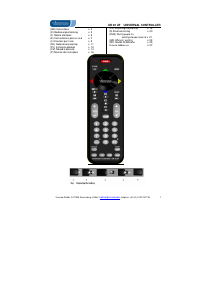
UR 850 LCD Universal Controller
Vivanco GmbH, Ewige Weide 15, D-22926 Ahrensburg, e-Mail: [email protected] 1
(GB) Operating Instructions
Vivanco UR 850 LCD remote control for
practically all TV, audio, video and other
infrared-controllable devices
Inserting the batteries
Open the battery compartment on the back of the
device, push the flap down lightly and insert 2 AA
alkaline batteries. Make sure that the polarity on the
batteries and in the battery compartment correspond
(thick spring = cell at bottom = -) and then close the
lid carefully. – Use undamaged batteries only.
Adapting to devices
In order to control your devices you must adapt or
set the remote control to them. There are two ways
of doing so: direct control code entry or code
search.
If the UR 850 LCD does not understand you it
displays ERROR and you can then repeat the entry.
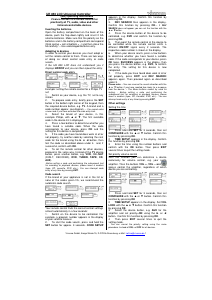
Direct control code entry
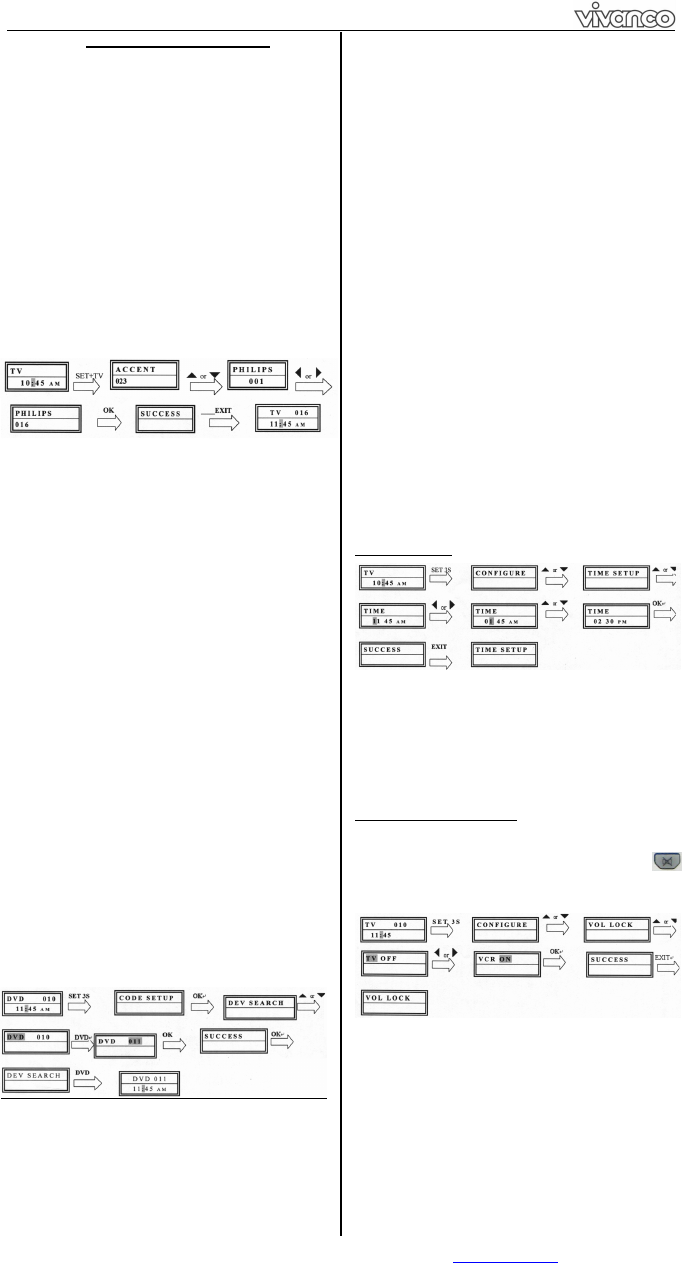
Example: setting the remote control for a Philips TV
set:
1. Switch on your device, e.g. the TV, set to any
station.
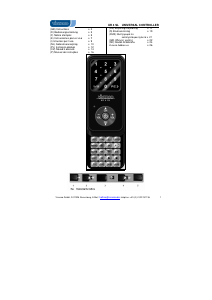
2. To prepare code entry, briefly press the SET
button in the bottom right corner of the keypad, then
the required device button, e.g. TV. A brand and a
code number appear, see diagram.
– You cannot enter
a new code if you have activated the code entry lock.
3. Select the brand of your device, in this
example Philips, with or . The first available
code in the device list is displayed.
4. Press a few buttons to determine whether you
have found a suitable code. When the code
corresponds to your device, press OK and the
setting for this device is completed.
5. If the code you have found does work at all or
not properly, try another code by selecting the next
code for the brand using the or button, then
test the code as described above under 4. and, if
successful, confirm with OK.
6. To set the remote control for other devices,
proceed in the same way. Instead of the TV device
button, press another button, e.g. VCR, CBL/SAT
(DVB-T, DECODER), DVD, TUNER, TAPE, CD,
AUX).
-Before setting a code and performing the subsequent test
for recording or playback devices, please insert a medium
(tape, CD, cassette, DVD, etc.).- You can interrupt code
entry at any time by pressing EXIT.
Code search
If the brand of your appliance is not in the list or
none of the codes given fits, we recommend the
automatic code search.
Your remote control finds the correct control settings
almost automatically in a few seconds:
1. Switch on the device to be controlled. For
example, a program number appears in the display
of your satellite receiver.
2. To start the code search, press and hold the
SET button for approx. 3 seconds. CODE SETUP
appears in the display. Confirm this function by
pressing OK.
3. DEV SEARCH then appears in the display.
Confirm this function by pressing OK.
If DEV
SEARCH does not appear you can set the function with the
or button.
4. Press the device button of the device to be
controlled, e.g. DVD and confirm the function by
pressing OK.
5. Then point the remote control at the device to
be controlled while the remote control emits a
different ON/OFF signal every 2 seconds. The
respective code number is shown in the display.
6. When your device reacts, press a few buttons
to determine whether you have found a suitable
code. If the code corresponds to your device, press
OK twice. SUCCESS appears in the display, then
you press the device button, e.g. DVD, to confirm
the entry. The setting for this device is now
completed.
7. If the code you have found does work at all or
not properly, press EXIT and DEV SEARCH
appears again. Then proceed again as described
under 3.
Please note: - You can reverse the search direction with the
or button if you have reacted too slowly to a response
from the device. – The Menu buttons cannot by used for
testing. - Before setting a code and performing the
subsequent test for recording or playback devices, please
insert a medium (tape, CD, cassette, DVD, etc.).- You can
interrupt code entry at any time by pressing EXIT.
Other settings
Setting the time
1 Press and hold SET for 3 seconds, then set
CONFIGURE with the or button. Confirm this
function by pressing OK.
2 TIME SETUP appears in the display. Confirm
this function by pressing OK.
3 Enter the time using the number buttons and
confirm with the OK button. Then press EXIT
several times to quit the setting mode.
Set priority volume control
With this function you can determine a device
exclusively for volume control, e.g. your audio
amplifier. Then the buttons VOL +, VOL and
always control the amplifier, regardless of which
device you are controlling.
1 Press and hold SET for 3 seconds, then set
CONFIGURE with the or button. Confirm this
function by pressing OK
2 TIME SETUP appears in the display. Set VOL
LOCK with the or button. Confirm this function
by pressing OK.
3 Select the device button, e.g. AUX for the
amplifier and set priority=ON using the or
button. Confirm this function by pressing OK.
4 Then press EXIT several times to quit the
setting mode.
- You can cancel the priority setting using the same
procedure. Instead of ON, set OFF for all devices.
Ladda ner bruksanvisning i Engelska (PDF, 2.71 MB)
(Tänk på miljön och skriv endast ut denna bruksanvisning om det verkligen är nödvändigt)

Loading…

Betyg

Berätta vad du tycker om Vivanco UR 850 LCD Fjärrkontroll genom att betygsätta den. Vill du dela med dig av dina åsikter om denna produkt eller ställa en fråga? Lämna en kommentar nederst på sidan.
Är du nöjd med Vivanco UR 850 LCD Fjärrkontroll?
Ja Nej
100%
0%
1 röst

Delta i konversationen om denna produkt

Här kan du dela vad du tycker om Vivanco UR 850 LCD Fjärrkontroll. Om du har en fråga, läs först noggrant igenom manualen. Att begära en manual kan göras genom att använda vårt kontaktformulär.

Mer om denna bruksanvisning

Vi förstår att det är trevligt att ha en pappersbruksanvisning för din Vivanco UR 850 LCD Fjärrkontroll. Du kan alltid ladda ner bruksanvisningen från vår hemsida och skriva ut den själv. Om du vill ha en originalbruksanvisning rekommenderar vi att du kontaktar Vivanco. De kanske kan tillhandahålla en originalbruksanvisning. Letar du efter bruksanvisningen för din Vivanco UR 850 LCD Fjärrkontroll på ett annat språk? Välj ditt föredragna språk på vår hemsida och sök efter modellnumret för att se om vi har det tillgängligt.

Specifikationer

Märke Vivanco
Modell UR 850 LCD
Kategori Fjärrkontroller
Filtyp PDF
Filstorlek 2.71 MB

Alla bruksanvisningar för Vivanco Fjärrkontroller
Fler bruksanvisningar för Fjärrkontroller

Vanliga frågor om Vivanco UR 850 LCD Fjärrkontroll

Vårt supportteam söker efter användbar produktinformation och svar på vanliga frågor. Om du hittar en felaktighet bland våra vanliga frågor uppskattar vi om du meddelar oss detta via vårt kontaktformulär.

Hur ansluter jag en universell fjärrkontroll till min TV? Verifierad

För att ansluta din universella fjärrkontroll behöver du modellnummer och varumärke för både fjärrkontrollen och TV: n. Det finns en lista med koder för märken och modellnummer i fjärrkontrollens manual.

Detta hjälpte (7989) Läs mer

Varför finns det bokstäver bredvid siffrorna på fjärrkontrollen? Verifierad

Vissa TV-inställningar kan kräva att du anger bokstäver. Det finns vanligtvis tre bokstäver eller andra tecken på en knapp. När bokstavsinmatning krävs kan du trycka på den knappen en gång för den första bokstaven, trycka två gånger på den andra bokstaven och trycka tre gånger på den tredje bokstaven. På så sätt kan text skrivas med ett minimum antal knappar.

Detta hjälpte (682) Läs mer

Fungerar min fjärrkontroll också på andra TV-modeller av samma märke? Verifierad

Ofta fungerar en fjärrkontroll av en TV också på liknande modeller av samma märke. Det är dock ovanligt att det fungerar på alla modeller av det märket. Universella fjärrkontroller är mer lämpade för att göra detta.

Detta hjälpte (524) Läs mer

Vad är det genomsnittliga intervallet för en infraröd fjärrkontroll? Verifierad

En genomsnittlig infraröd fjärrkontroll hade en räckvidd på cirka 3 till 6 meter. Ju längre bort enheten är, desto svårare blir det att sikta.

Detta hjälpte (412) Läs mer

Ett batteri i min enhet är oxiderat, kan jag fortfarande använda det säkert? Verifierad

Ja, enheten kan fortfarande användas säkert. Ta först bort det oxiderade batteriet. Använd aldrig bara händer för att göra detta. Rengör sedan batterifacket med en bomullspinne doppad i ättika eller citronsaft. Låt det torka och sätt i nya batterier.

Detta hjälpte (371) Läs mer

Kan jag lämna ett utbytbart batteri i en enhet under lång tid? Verifierad

Utbytbara batterier kan stanna kvar i en enhet under lång tid om enheten används. När en enhet lagras under lång tid är det lämpligt att ta bort batterierna för att förhindra oxidation.

Detta hjälpte (271) Läs mer
Bruksanvisning Vivanco UR 850 LCD Fjärrkontroll

Relaterade produkter

Relaterade kategorier

×
Download