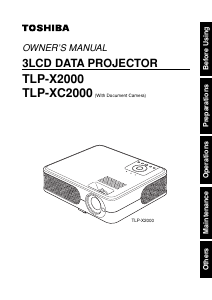
Bruksanvisning Toshiba TLP-XC2000 Projektor

Behöver du en bruksanvisning för din Toshiba TLP-XC2000 Projektor? Nedan kan du se och ladda ner PDF-bruksanvisningen gratis på svenska. Den här produkten har för närvarande 3 vanliga frågor, 0 kommentarer och har 0 röster. Om det här inte är bruksanvisningen du vill ha, vänligen kontakta oss.

Är produkten defekt och erbjuder bruksanvisningen ingen lösning? Gå till ett Repair Café för gratis reparationstjänster.

Bruksanvisning

Loading…
Before Using
8 9
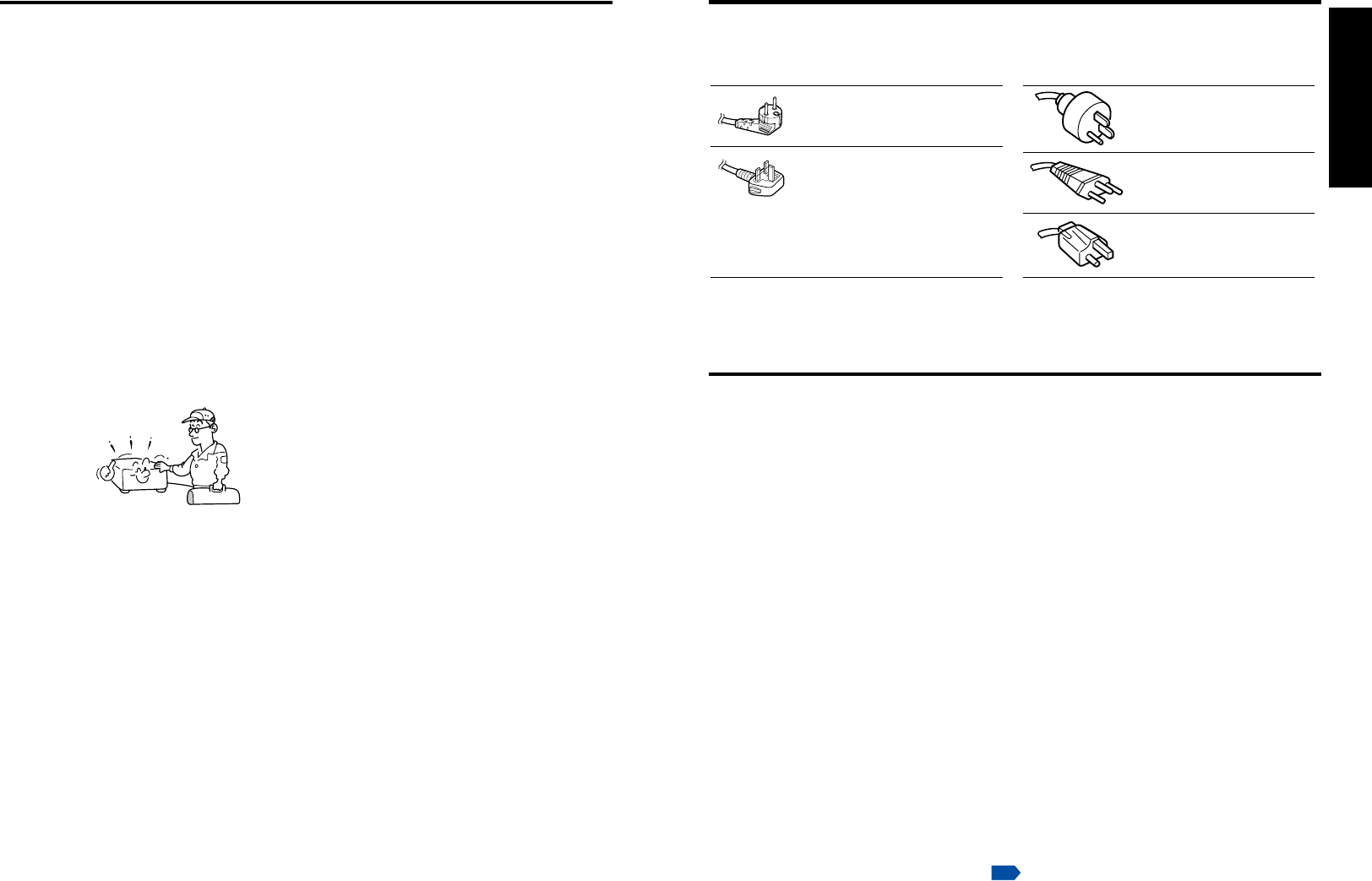
If your line voltage is 220 to 240V, use one of the following types of cable.
Plug
configuration
Plug type
Australian
240V
10A
North American
240V
15A
Switzerland
240V
6A
Line voltage
EURO
UK
220 – 240V
220 – 240V
200 – 240V
200 – 240V
200 – 240V
Plug
configuration
Plug type Line voltage
Use a 5A fuse which is approved by ASTA
or BSI to BSI362.
Always replace the fuse cover after
changing the fuse.
IMPORTANT PRECAUTIONS
Save Original Packing Materials
The original shipping carton and packing materials will come in handy if you ever have to
ship your projector. For maximum protection, repack the set as it was originally packed at
the factory.
Moisture Condensation
Never operate this unit immediately after moving it from a cold location to a warm location.
When the unit is exposed to such a change in temperature, moisture may condense on
the lens and the crucial internal parts. To prevent the unit from possible damage, do not
use the unit for at least 2 hours when there is an extreme or sudden change in tempera-
ture
.
Place and Manner of Installation
Do not place in hot locations, such as near heating equipment. Doing so could cause
malfunction, and shorten the life of the projector.
•Avoid locations with oil or cigarette smoke. Doing so will dirty the optical parts,
shortening their lives, and darkening the screen.
Do not use this product in the upright position or tilt it up or down by more than 20° from
level. Doing so may cause a failure or shorten the life of the product.
Using this instrument near a TV or radio may cause interference to the images or audio
sound. If this happens, move it away from the TV or radio.
•Moving the projector from a low-temperature room to a high-temperature room may
cause condensation on the lens or internal parts in the instrument. If you continue to use
it in that situation, the malfunction may result. Ensure to wait until the condensation
naturally disappears.
In a high altitude location where air is thin, cooling efficiency is reduced so use the
projector with [Fan mode] set to [High].
p.43
POWER SUPPLY CORD SELECTION
19. Replacement Parts
When replacement parts are
required, be sure the service
technician has used replacement
parts specified by the
manufacturer or have the same
characteristics as the original part.
Unauthorized substitutions may
result in fire, electric shock, or
other hazards.
(Replacement of the lamp only
should be made by users.)
20. Safety Check
Upon completion of any service or
repairs to this product, ask the
service technician to perform
safety checks to determine that
the product is in proper operating
condition.
21. Do not leave thermal-
paper documents or easily
deformed items on top of
the unit or near the air
exhaust for long periods
of time.
The heat from the unit could erase
the information on the thermal
paper, or cause deformation or
warping.
22. Do not use the product in
a closed installation state.
Do not place the product in a box
or in any other closed installation
state. Otherwise it may overheat.
This could result in a risk of fire.
IMPORTANT SAFETY INSTRUCTIONS (Continued)
23. Do not look into the laser
light source of the remote
control or direct the laser
pointer toward a person or
a mirror.
The laser beam may cause
damage to the eyes or sight.
24. Do not get your hands
between the camera arm
and the main unit when
setting the camera arm
back in its original
position.
(Models equipped
with document camera)
To avoid injury, be careful not to
get your hands caught when
setting the camera arm back in its
original position.
Families with children should be
particularly careful.
25. Do not carry by the
camera arm.
(Models
equipped with document
camera)
Do not carry the projector by the
camera arm. Doing so can result
in damage or injury.
26. Do not move the projector
while the arm is still erect.
(Models equipped with
document camera)
Always store the arm back in
position when moving the
projector. Otherwise injury or
damage may result.
Ladda ner bruksanvisning i Engelska (PDF, 5.9 MB)
(Tänk på miljön och skriv endast ut denna bruksanvisning om det verkligen är nödvändigt)

Loading…

Betyg

Berätta vad du tycker om Toshiba TLP-XC2000 Projektor genom att betygsätta den. Vill du dela med dig av dina åsikter om denna produkt eller ställa en fråga? Lämna en kommentar nederst på sidan.
Är du nöjd med Toshiba TLP-XC2000 Projektor?
Ja Nej
Bli den första personen som betygsätter denna produkt
0 röster

Delta i konversationen om denna produkt

Här kan du dela vad du tycker om Toshiba TLP-XC2000 Projektor. Om du har en fråga, läs först noggrant igenom manualen. Att begära en manual kan göras genom att använda vårt kontaktformulär.

Mer om denna bruksanvisning

Vi förstår att det är trevligt att ha en pappersbruksanvisning för din Toshiba TLP-XC2000 Projektor. Du kan alltid ladda ner bruksanvisningen från vår hemsida och skriva ut den själv. Om du vill ha en originalbruksanvisning rekommenderar vi att du kontaktar Toshiba. De kanske kan tillhandahålla en originalbruksanvisning. Letar du efter bruksanvisningen för din Toshiba TLP-XC2000 Projektor på ett annat språk? Välj ditt föredragna språk på vår hemsida och sök efter modellnumret för att se om vi har det tillgängligt.

Specifikationer

Märke Toshiba
Modell TLP-XC2000
Kategori Projektorer
Filtyp PDF
Filstorlek 5.9 MB

Alla bruksanvisningar för Toshiba Projektorer
Fler bruksanvisningar för Projektorer

Vanliga frågor om Toshiba TLP-XC2000 Projektor

Vårt supportteam söker efter användbar produktinformation och svar på vanliga frågor. Om du hittar en felaktighet bland våra vanliga frågor uppskattar vi om du meddelar oss detta via vårt kontaktformulär.

Kan jag stänga av projektorn omedelbart efter användning? Verifierad

När projektorn har använts är lampan väldigt het. Det rekommenderas att lämna projektorn på efter användning och låta lampan svalna med hjälp av den inbyggda fläkten. Det förlänger lampans livslängd.

Detta hjälpte (214) Läs mer

Vad är keystone-korrigering? Verifierad

En projektor kan ofta inte placeras rakt framför en skärm eller vägg. Den projicerade bilden kan bli förvrängd på grund av detta. Detta är keystone-effekten. Keystone-korrigering är en funktion som hanterar denna snedvridning. Inte alla projektorer erbjuder keystone-korrigering.

Detta hjälpte (158) Läs mer

Vad är kontrastförhållandet? Verifierad

Kontrastförhållandet berättar hur långt den vitaste vita är från den svartaste. Ett kontrastförhållande på exempelvis 400: 1 betyder att den svartaste på skärmen är 400 gånger mörkare än den vitaste vita. Ett högt kontrastförhållande bidrar till bildens skärpa.

Detta hjälpte (103) Läs mer
Bruksanvisning Toshiba TLP-XC2000 Projektor

Relaterade produkter

Relaterade kategorier

×
Download