
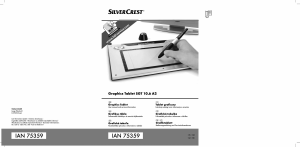
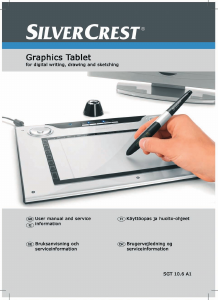
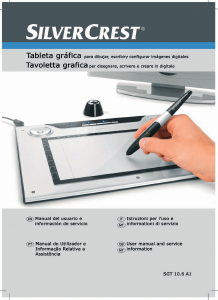
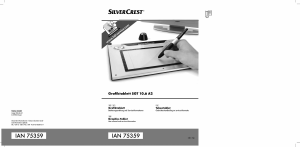
SilverCrest graphics tablet SGT 10.6 A2
2 - English
Contents
Registered trademarks ....................................................................................... 3
Introduction ........................................................................................................ 3
Intended use ....................................................................................................... 3
Supplied items .................................................................................................... 4
Supplied software ............................................................................................................................. 5
Licence terms – licence agreement ...................................................................... 5
Operating elements and connections .................................................................. 6
Technical data ..................................................................................................... 8
Minimum system requirements ......................................................................................................... 8
Safety instructions .............................................................................................. 9
General precautions ......................................................................................................................... 9
EMC and safety precautions ............................................................................................................ 9
Operating environment/Environmental conditions ......................................................................... 9
Operational safety ............................................................................................................................ 9
Prior to use ....................................................................................................... 10
Step 1: Inserting the battery into the digital pen .......................................................................... 10
Step 2: Installing the graphics tablet driver and Macro Key Manager ..................................... 11
Step 3: Connecting the graphics tablet ........................................................................................ 12
Step 4: Adjusting the active area to the screen format ............................................................... 13
Step 5: Installing "Free Notes / Office Ink" ................................................................................. 14
Step 6: Installing "Power Presenter RE II" ..................................................................................... 15
Step 7: Installing "CorelDRAW
®
Essentials OEM" ...................................................................... 16
First use ............................................................................................................ 19
Working with the function keys and the control button ............................................................... 19
Working with the digital pen (for example when using "Free Notes") ...................................... 21
Configuration ................................................................................................... 23
Programming macro keys .............................................................................................................. 23
Customising the digital pen ........................................................................................................... 27
Troubleshooting ................................................................................................ 29
Replacing the battery ..................................................................................................................... 30
Replacing the pen nib .................................................................................................................... 30
Cleaning / maintenance .................................................................................... 31
Disposal of old devices ................................................................................................................. 31
Conformity information .................................................................................... 31
Warranty and servicing information ................................................................. 32


Delta i konversationen om denna produkt
Här kan du dela vad du tycker om SilverCrest IAN 75359 Ritplatta. Om du har en fråga, läs först noggrant igenom manualen. Att begära en manual kan göras genom att använda vårt kontaktformulär.