Bruksanvisning Ruwido Alveus Linum 8 Fjärrkontroll

Behöver du en bruksanvisning för din Ruwido Alveus Linum 8 Fjärrkontroll? Nedan kan du se och ladda ner PDF-bruksanvisningen gratis på svenska. Den här produkten har för närvarande 6 vanliga frågor, 0 kommentarer och har 0 röster. Om det här inte är bruksanvisningen du vill ha, vänligen kontakta oss.

Är produkten defekt och erbjuder bruksanvisningen ingen lösning? Gå till ett Repair Café för gratis reparationstjänster.

Bruksanvisning

Loading…
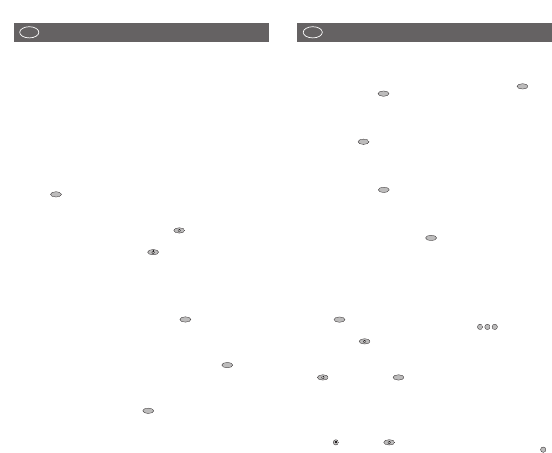
Easy programming for the control of your CD PLAYER (not for 5 in
1 model)
To programme the remote control to operate your CD PLAYER, proceed as described for the
television set. Complete steps 1 to 10 except you must first press and release the key
followed by holding down the key. Please ensure that you refer to the codes listed under
the CD section and not the TV section.
Easy programming for the control of your TUNER (RADIO) (not for
5 in 1 model)
To programme the remote control to operate your TUNER, proceed as described for the CD
PLAYER but using the key instead of the CD key. Please ensure that you refer to the
codes listed under the TUNER section and not the CD PLAYER section.
Easy programming for the control of your TAPE RECORDER (TAPE
DESK) (not for 5 in 1 model)
To programme the remote control to operate your TAPE RECORDER, proceed as described for
the CD PLAYER but using the key instead of the CD key. Please ensure that you refer to
the codes listed under the TAPE section and not the CD PLAYER section.
Easy programming for the control of your AMPLIFIER (not for 5 in
1 model)
To programme the remote control to operate your AMPLIFIER, proceed as described for the
CD PLAYER. Complete steps 1 to 10, using the key on your remote control. Please ensure
that you refer to the codes listed under the AMPLIFIER section and not CD PLAYER section.
Code scan
If programming using the codes in the enclosed list failed to work then you must next try the
automatic code scan.
A. Ensure that the remote control is equipped with 2 new batteries (see step one of easy
programming procedure).
B. Switch on your TV SET. When using the automatic scan function for the VCR, DVD, CD or
TAPE, switch on your device, insert a video tape, DVD, CD or tape cassette and put the unit
into ‘Play mode’ i.e, the VCR tape etc is running.
C. Press the key of your remote control for approx. 4 seconds until the LED flashes twice.
D. After seeing the 2 flashes and within 5 seconds, enter the code . After entering the
code the LED will flash twice indicating that the code has been accepted
E. Press and hold the key until your TV switches off. Please note that this process might
take up to 15 minutes. During the automatic scanning you can remove your finger or
change hands provided it is replaced within 8 seconds. If left off of the key for more than 8
seconds then the remote will revert back to its normal mode. If your TV switches into
Stand-By mode during the automatic process then immediately remove your finger from
the key and then press the key until the LED flashes twice, this will then store the
code that the remote control has found.
F. In some cases during the automatic scanning search the remote control might find several
codes that appear to operate your TV etc, however, if some of the buttons fail to work
properly then it’s possible the remote has found a partially compatible code. In such cases
you will need to restart the automatic scanning process (steps B. to F.) until a better code is
found. Please note that once the automatic process is restarted, the remote continues from
the last stored code and not at the beginning of code database.
• To complete a code scan for the VCR, DVD, CD or TAPE, follow the procedure above but
use the key and not the key
• To complete a code scan for the TUNER, follow the procedure above but use the key
2
TV
1
0
0
TV
AMP
TAPE
CD
SHIFT
3
UNIVERSAL REMOTE CONTROL
Thank you for purchasing this universal remote control. Before using the remote you will need
to insert two type "CR2025" batteries (for all Linum models) or two AAA "LR03" batteries (for
AlveusLux 10 and 5 in 1 models) in the battery compartment ensuring that you follow the
polarity shown on the inside. You can now use your remote control to operate up to 10 different
devices including a TV, video recorder, DVD player, satellite or cable receiver, CD player, tuner
(radio), tape recorder and amplifier. If your remote control is equipped with an AUX key then
you can also use it to control a second TV set, video recorded, satellite receiver and/or cable
box, CD player, tuner, tape recorder or amplifier!
Easy programming for the control of your TV SET
1. Insert 2 new batteries of type "CR2025" or "AAA/LR03" (depending on your model).
Observe battery polarity as indicated in the battery compartment.
2. Switch on your TV SET.
3. In the enclosed code list, find your TV brand or manufacturer (e.g. Sony).
4. Beside the manufacturer's name, you will find one or more 3-digit codes. These codes
must be entered into the remote to enable it to work with your particular TV set.
5. Press the key on the remote control for approximately 4 seconds until the LED flashes
twice.
6. After seeing the 2 flashes and within 5 seconds, enter the 3-digit numerical code from the
list.
7. After entering the code the LED will flash twice indicating that the code has been accepted.
8. Point the remote control towards your TV and press the key. If your TV does not
respond by going into Stand-By mode then repeat steps 3 to 8 and enter the next code in
the list.
9. If your TV goes into Stand-By mode when the key pressed then your remote control
has found a compatible code. Next test all of the other function buttons. If certain functions
are not working correctly then restart the process moving onto the next code number as
this may well improve the situation.
10. If the codes in the list fail to operate your TV then next move onto the automatic code scan
function (see below).
Easy programming for the control of your VIDEO RECORDER
To programme the remote control to operate your VIDEO RECORDER, proceed as described
above for the television set. Complete steps 1 to 10 using the key on your remote control.
Please ensure that you refer to the codes listed under the VIDEO RECORDER section and not
the TV section.
Easy programming for the control of your SATELLITE RECEIVER
To programme the remote control to operate your SATELLITE RECEIVER or CABLE BOX,
proceed as described for the television set. Complete steps 1 to 10 using the key on your
remote control. Please ensure that you refer to the codes listed under the SATELLITE section
and not the TV section.
Easy programming for the control of your DVD PLAYER
To programme the remote control to operate your DVD PLAYER, proceed as described for the
television set. Complete steps 1 to 10 using the key on your remote control. Please ensure
that you refer to the codes listed under the DVD section and not the TV section.
DVD
SAT
VCR
TV
2
USER MANUAL
GB
USER MANUAL
GB
Ladda ner bruksanvisning i Engelska (PDF, 0.64 MB)
(Tänk på miljön och skriv endast ut denna bruksanvisning om det verkligen är nödvändigt)

Loading…

Betyg

Berätta vad du tycker om Ruwido Alveus Linum 8 Fjärrkontroll genom att betygsätta den. Vill du dela med dig av dina åsikter om denna produkt eller ställa en fråga? Lämna en kommentar nederst på sidan.
Är du nöjd med Ruwido Alveus Linum 8 Fjärrkontroll?
Ja Nej
Bli den första personen som betygsätter denna produkt
0 röster

Delta i konversationen om denna produkt

Här kan du dela vad du tycker om Ruwido Alveus Linum 8 Fjärrkontroll. Om du har en fråga, läs först noggrant igenom manualen. Att begära en manual kan göras genom att använda vårt kontaktformulär.

Mer om denna bruksanvisning

Vi förstår att det är trevligt att ha en pappersbruksanvisning för din Ruwido Alveus Linum 8 Fjärrkontroll. Du kan alltid ladda ner bruksanvisningen från vår hemsida och skriva ut den själv. Om du vill ha en originalbruksanvisning rekommenderar vi att du kontaktar Ruwido. De kanske kan tillhandahålla en originalbruksanvisning. Letar du efter bruksanvisningen för din Ruwido Alveus Linum 8 Fjärrkontroll på ett annat språk? Välj ditt föredragna språk på vår hemsida och sök efter modellnumret för att se om vi har det tillgängligt.

Specifikationer

Märke Ruwido
Modell Alveus Linum 8
Kategori Fjärrkontroller
Filtyp PDF
Filstorlek 0.64 MB

Alla bruksanvisningar för Ruwido Fjärrkontroller
Fler bruksanvisningar för Fjärrkontroller

Vanliga frågor om Ruwido Alveus Linum 8 Fjärrkontroll

Vårt supportteam söker efter användbar produktinformation och svar på vanliga frågor. Om du hittar en felaktighet bland våra vanliga frågor uppskattar vi om du meddelar oss detta via vårt kontaktformulär.

Hur ansluter jag en universell fjärrkontroll till min TV? Verifierad

För att ansluta din universella fjärrkontroll behöver du modellnummer och varumärke för både fjärrkontrollen och TV: n. Det finns en lista med koder för märken och modellnummer i fjärrkontrollens manual.

Detta hjälpte (7981) Läs mer

Varför finns det bokstäver bredvid siffrorna på fjärrkontrollen? Verifierad

Vissa TV-inställningar kan kräva att du anger bokstäver. Det finns vanligtvis tre bokstäver eller andra tecken på en knapp. När bokstavsinmatning krävs kan du trycka på den knappen en gång för den första bokstaven, trycka två gånger på den andra bokstaven och trycka tre gånger på den tredje bokstaven. På så sätt kan text skrivas med ett minimum antal knappar.

Detta hjälpte (681) Läs mer

Fungerar min fjärrkontroll också på andra TV-modeller av samma märke? Verifierad

Ofta fungerar en fjärrkontroll av en TV också på liknande modeller av samma märke. Det är dock ovanligt att det fungerar på alla modeller av det märket. Universella fjärrkontroller är mer lämpade för att göra detta.

Detta hjälpte (524) Läs mer

Vad är det genomsnittliga intervallet för en infraröd fjärrkontroll? Verifierad

En genomsnittlig infraröd fjärrkontroll hade en räckvidd på cirka 3 till 6 meter. Ju längre bort enheten är, desto svårare blir det att sikta.

Detta hjälpte (412) Läs mer

Ett batteri i min enhet är oxiderat, kan jag fortfarande använda det säkert? Verifierad

Ja, enheten kan fortfarande användas säkert. Ta först bort det oxiderade batteriet. Använd aldrig bara händer för att göra detta. Rengör sedan batterifacket med en bomullspinne doppad i ättika eller citronsaft. Låt det torka och sätt i nya batterier.

Detta hjälpte (370) Läs mer

Kan jag lämna ett utbytbart batteri i en enhet under lång tid? Verifierad

Utbytbara batterier kan stanna kvar i en enhet under lång tid om enheten används. När en enhet lagras under lång tid är det lämpligt att ta bort batterierna för att förhindra oxidation.

Detta hjälpte (271) Läs mer
Bruksanvisning Ruwido Alveus Linum 8 Fjärrkontroll

Relaterade produkter

Relaterade kategorier

×
Download