Introduction ................................................................................2-9
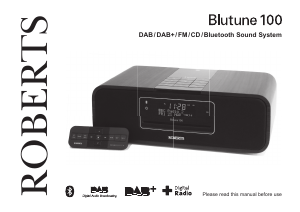
Blutune 100 Sound System features ...........................................3
Controls and connections .........................................................4-5
Remote control .........................................................................6-7
Display icons ...............................................................................8
Accessing the menu system ........................................................8
Using the sound system for the fi rst time ....................................9
DAB radio ...............................................................................10-16
Operating your sound system - DAB .........................................10
Selecting a station - DAB........................................................... 11
Secondary services - DAB......................................................... 11
Display options - DAB...........................................................12-13
Finding new stations - DAB .......................................................13
Manual tuning - DAB .................................................................14
Dynamic range control - DAB ....................................................15
Station order setup - DAB..........................................................16
FM radio ..................................................................................17-24
Operating your sound system - search tuning FM.....................17
Manual tuning - FM....................................................................18
Display options - FM ..................................................................19
FM stereo / mono ......................................................................20
Scan sensitivity setting - FM ......................................................21
Presetting stations - DAB and FM ........................................22-23
Language function - DAB and FM .............................................24
Bluetooth mode .....................................................................25-28
Connecting Bluetooth devices ...................................................26
Playing audio fi les in Bluetooth mode........................................27
Connecting and reconnecting a Bluetooth device .....................28
CD / MP3 / WMA .....................................................................29-36
Contents
Compact discs ...........................................................................29
Playing a CD.........................................................................30-31
Repeat and shuffl e options ...................................................32-33
MP3 / WMA CD mode ...............................................................34
MP3 / WMA fi le and folder selection .....................................35-36
Clock and Alarms ..................................................................37-43
Alarms ..................................................................................37-40
Cancelling alarms ......................................................................39
Snooze ......................................................................................40
Sleep function ............................................................................41
Setting the clock manually ....................................................42-43
To return to auto clock set mode ...............................................43
Audio and Setup ....................................................................44-51
Equalizer function .................................................................44-45
Treble and Bass settings ...........................................................45
Mute function .............................................................................46
Auxiliary input socket .................................................................47
Headphone socket.....................................................................47
Standby brightness control ........................................................48
System reset..............................................................................49
Software version displays ..........................................................50
Aerial removal ............................................................................51
USB socket for smart phone charging .......................................51
USB socket for software upgrades ............................................51
Information .............................................................................52-55
Cautions ....................................................................................52
Specifi cations ............................................................................52
Mains supply..............................................................................53
Guarantee..................................................................................54
1


Delta i konversationen om denna produkt
Här kan du dela vad du tycker om Roberts Blutune 100 Radio. Om du har en fråga, läs först noggrant igenom manualen. Att begära en manual kan göras genom att använda vårt kontaktformulär.