
1
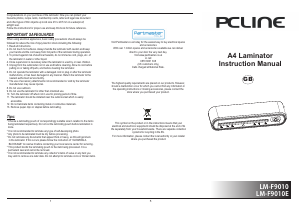
A4 Laminator
Instruction Manual
5
LM-F9010
LM-F9010E
When using electrical appliances, basic safety precautions should always be
followed to reduce the risk of injury/electric shock including the following:
1. Read all instructions.
2. Do not touch hot surfaces. Always handle the laminator with caution and k
3. To protect against risk of electrical hazards, do not immerse cord, plugs, etc. of
the laminator in water or other liquid.
4. Close supervision is necessary when the laminator is used by or near children.
5. Unplug from the outlet when not in use and before cleaning. Allow to cool before
putting on or taking off parts, and before cleaning the laminator.
6. Do not operate the laminator with a damaged cord or plug or after the laminator
malfunctions, or has been damaged in any manner. Return the laminator to the
nearest authorised service facility.
7. The use of accessory attachments not recommended or sold by the laminator
manufacturer may cause injuries.
8. Do not use outdoors.
9. Do not use the laminator for other than intended use.
10. Turn the laminator off when not in use for prolong period of time.
11. The laminator should be installed near the outlet socket which is easily
accessible.
12. Do not laminate items containing metal or conductive materials.
13. Remove paper clips or staples before laminating.
eep
your hands and the cord away from hot parts of the laminator during operation.
Congratulations on your purchase of the laminator. Now you can protect your
favourite photos, recipe cards, membership cards, letter and legal size document
and other types of thin objects up to A4 size 210 x 297 mm in a waterproof,
airtight seal.
Follow the instructions for proper use and keep this book for future reference.
Tips:
* Choose a
being laminated respectively. Do not cut the laminsting pouch before lamination is
done.
* It is not recommended to laminate any type of self-developing photo.
* Any photo to be laminated must be dry before processing.
* Do not laminate any documents that appear thick or heavy, as this will get stuck
in the laminator. If this occurs please follow the instruction of “CLEARING A
BLOCKAGE” to resolve it before contacting your local service center for servicing.
* This product bonds the laminating pouch to the item being processed. It is a
permanent seal and cannot be removed.
* It is not recommended to laminate any collector's items of value or any item you
may wish to remove at a later date. Do not attempt to laminate coins or thicker items.
laminating pouch of correspondingly suitable size in relation to the items
This symbol on the product or in the instructions means that your
electrical and electronic equipment should be disposed at the end of its
life separately from your household waste. There are separate collection
systems for recycling in the EU.
For more information, please contact the local authority or your retailer
where you purchased the product.
and accessories.
With over 1 million spares and accessories available we can deliver
direct to your door the very next day.
Visit www.partmaster.co.uk
or call
0870 6001 338
(UK customers only)
Calls charged at National Rate.
The highest quality requirements are placed on our products. However,
should a malfunction occur for which you cannot find any information in
the operating instructions or missing accessories, please contact the
store where you purchased your product.
Visit Partmaster.co.uk today for the easiest way to buy electrical spares
IMPORTANT SAFEGUARDS
GB


Delta i konversationen om denna produkt
Här kan du dela vad du tycker om PC Line LM-F9010E Lamineringsmaskin. Om du har en fråga, läs först noggrant igenom manualen. Att begära en manual kan göras genom att använda vårt kontaktformulär.