1. Do not attempt to disassemble the camera.
To prevent electric shock, do not remove
screws or covers.
There are no user serviceable parts inside.
Ask a qualified service person for servicing.
2. Handle the camera with care.
Do not abuse the camera. Avoid striking,
shaking, etc. The camera could be damaged
by improper handling or storage.
3. Do not expose the camera to rain or
moisture, or try to operate it in wet areas.
Turn the power off immediately and ask a
qualified service person for servicing.
Moisture can damage the camera and also
create the danger of electric shock.
4. Do not use strong or abrasive detergents
when cleaning the camera body.
Use a dry cloth to clean the camera when
dirty.
In case the dirt is hard to remove, use a mild
detergent and wipe gently. Afterwards, wipe
off the remained part of the detergent in it
with a dry cloth.
5. Clean the CCD faceplate with care.
Do not clean the CCD with strong or abrasive
detergents. Use lens tissue or a cotton tipped
applicator and ethanol.
6. Never face the camera towards the sun.
Do not aim the camera at bright objects.
Whether the camera is in use or not, never
aim it at the sun or other extremely bright
objects. Otherwise, blooming or smear may
be caused.
7. Do not operate the camera beyond the
specified temperature, humidity or power
source ratings.
Use the camera under conditions where tem-
perature is between –10°C - +50°C (14°F -
122°F), and humidity is below 90 %. The
input power source is 220 V - 240 V AC 50 Hz
for WV-BP140, 12 V DC for WV-BP142, and
24 V AC 50 Hz for WV-BP144.
PRECAUTIONS
MAJOR OPERATING CONTROLS AND THEIR FUNCTIONS
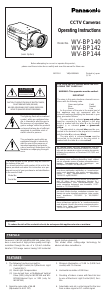
q Auto Iris Lens Connector
Supplies power and control signals to an auto
iris lens (not supplied).
w Flange-back Adjusting Ring
This ring adjusts the back-focal distance or
picture focus. Rotate this ring clockwise for a
C-mount lens or counterclockwise for a CS-
mount lens.
e Lens (option)
r Mount Adapter
The camera mounting screw hole is for
mounting the camera onto a mounting brack-
et. The camera is originally designed to be
mounted from the bottom, however, a top-
mounting type is also available. To mount
from the top, remove the mount adapter from
the bottom of the camera by removing two
fixing screws. Attach the mount adapter to
the top as shown in the diagram, then mount
the camera on the mounting bracket. Make
sure that two original screws are used when
mounting the mount adapter; longer type
screws may damage inner components, too
shorter type screws may cause the camera
drop.
t Focus Fixing Screw
y Power Cord (only for WV-BP140)
Connect this power cord to an electrical out-
let of 220 V - 240 V AC 50 Hz.
u DC 12 V Input Terminal
[DC 12V IN (only for WV-BP142)]
This terminal is for connecting the 12 V DC
power supply cord.
i AC 24 V Input Terminal
[AC 24V IN (only for WV-BP144)]
This terminal is for connecting the 24 V AC
50 Hz power supply cord.
o Automatic Light Control/Electronic Light
Control Selector (ALC, ELC)
Lets you select the mode according to the
lens type used.
ALC: Select this mode when an auto iris lens
(ALC lens) is used with this camera.
ELC: Select this mode when a fixed iris lens
or manual iris lens is used with this cam-
era.
!0 Back Light Compensation Mode Selector
[BLC ON, OFF (ALC, ELC)]
Lets you select BLC ON or OFF according to
the position of the object and light conditions
on the screen.
BLC ON: Select this mode when a strong
light such as a spotlight is in the back-
ground.
OFF: Normal picture.
1. Confirm the position of the lens type and
the lens drive signal selector.
2. If you have selected ALC, use the selec-
tor (ALC) to select the mode.
If ELC is selected, select the mode by
selector (ELC).
Caution: To use in ALC mode, make sure to
set the selector (ELC) to OFF position.
To use in ELC mode, make sure to set
the selector (ALC) to OFF position.
!1 Lens Drive Signal Selector (VIDEO, DC)
Lets you select the mode according to the
type of auto iris lens drive signal to be sup-
plied to the lens from the auto iris lens con-
nector.
VIDEO: Select this mode if you are using the
auto iris lens that requires a video drive
signal.
DC: Select this mode if you are using the
auto iris lens that requires a DC drive
signal.



Delta i konversationen om denna produkt
Här kan du dela vad du tycker om Panasonic WV-BP140 Övervakningskamera. Om du har en fråga, läs först noggrant igenom manualen. Att begära en manual kan göras genom att använda vårt kontaktformulär.