2
1. Do not block any ventilation openings.
To ensure reliable operation of the
projector and to protect from over
heating, it is recommended to install
the projector in a location that does not
block ventilation. As an example, do not
place the projector on a crowded coffee
table, sofa, bed, etc. Do not put the
projector in an enclosure such as a book
FDVHRUDFDELQHWWKDWUHVWULFWVDLUÁRZ
2. Do not use the projector near water or
PRLVWXUH7RUHGXFHWKHULVNRIÀUHDQG
or electric shock, do not expose the
projector to rain or moisture.
3. Do not install near heat sources such as
radiators, heaters, stoves or any other
DSSDUDWXVVXFKDVDPSOLÀHUVWKDWHPLWV
heat.
4. Do not use the projector in direct
sunlight.
5. Do not use near any appliance
JHQHUDWLQJDVWURQJPDJQHWLFÀHOG
6. Do not use the projector in areas
susceptible to excessive dust and dirt.
7. Turn off the product before cleaning.
8. Disconnect the power cord if the
product is not being used for a long
period of time.
9. Ensure that the ambient room
temperature is within 5- 35°C.
10. Relative Humidity is 5 - 35°C, 80%
(Max.), non-condensing.
11. Do not drop, throw or try to bend your
product.
0D\H[SORGHLIGLVSRVHGRILQÀUH
13. Clean only with dry cloth.
2QO\XVHDWWDFKPHQWVDFFHVVRULes
VSHFLÀHGE\WKHPDQXIDFWXUHU
15. Do not use the unit if it has been
physically damaged or abused. Physical
GDPDJHDEXVHZRXOGEHEXWQRW
limited to):
ɼʄUnit has been dropped.
ɼʄCharger or plug has been damaged.
ɼʄLiquid has been spilled on to the
projector.
ɼʄProjector has been exposed to rain or
moisture.
ɼʄSomething has fallen in the projector
or something is loose inside.
Do not attempt to service the unit
yourself. Opening or removing covers
may expose you to dangerous voltages
or other hazards. Please contact your
local reseller or service center before you
send the unit for repair.
16. Do not let objects or liquids enter the
projector. They may touch dangerous
voltage points and short out parts that
FRXOGUHVXOWLQÀUHRUHOHFWULFVKRFN
17. See projector enclosure for safety related
markings.
18. The unit should only be repaired by
appropriate service personnel.
19. Do not touch the projector for a long
time while the projector is used.
IMPORTANT SAFETY INSTRUCTION
EYE SAFETY WARNINGS
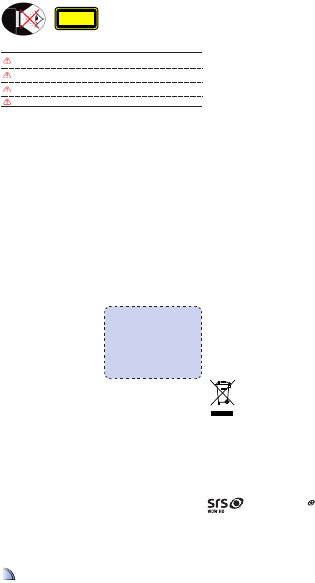
$YRLGVWDULQJIDFLQJGLUHFWO\LQWRWKHSURMHFWRUEHDPDWDOOWLPHV.HHS\RXUEDFN
to the beam as much as possible.
A stick or laser pointer is recommended to avoid the need for the user to enter
the beam.
When projector is used in a classroom, adequately supervise students when they
are asked to point out something on the screen.
In order to minimize power, use room blinds to reduce ambient light levels.
CLASS 1 LED PRODUCT
This appendix lists the general notices of
your Projector.
FCC notice
This device has been tested and found to
comply with the limits for a Class B digital
device pursuant to Part 15 of the FCC
rules. These limits are designed to provide
reasonable protection against harmful
interference in a residential installation.
This device generates, uses, and can radiate
radio frequency energy and, if not installed
and used in accordance with the instruc-
tions, may cause harmful interference to
radio communications.
However, there is no guarantee that inter-
ference will not occur in a particular instal-
lation. If this device does cause harmful
interference to radio or television reception,
which can be determined by turning the
device off and on, the user is encouraged
to try to correct the interference by one or
more of the following measures:
5HRULHQWRUUHORFDWHWKHUHFHLYLQJ
antenna.
,QFUHDVHWKHVHSDUDWLRQEHWZHHQWKH
device and receiver.
&RQQHFWWKHGHYLFHLQWRDQRXWOHWRQ
a circuit different from that to which
the receiver is connected.
&RQVXOWWKHGHDOHURUDQH[SHULHQFHG
UDGLRWHOHYLVLRQWHFKQLFLDQIRUKHOS
Notice: Shielded cables
All connections to other computing
devices must be made using shielded
cables to maintain compliance with
FCC regulations.
Caution
&KDQJHVRUPRGLÀFDWLRQVQRW
expressly approved by the manufac-
turer could void the user’s authority,
which is granted by the Federal
Communications Commission, to
operate this device.
Operation conditions
This device complies with Part 15 of the
FCC Rules. Operation is subject to the fol-
lowing two conditions:
1. this device may not cause harmful
interference, and
2. this device must accept any interfer-
ence received, including interference
that may cause undesired operation.
Notice: Canadian users
This Class B digital apparatus complies with Canadian
ICES-003.
Remarque à l’intention des utilisateurs canadiens
Cet appareil numerique de la classe B est conforme a la
norme NMB-003 du Canada.
Declaration of Conformity for EU countries
(0&'LUHFWLYH(&LQFOXGLQJ
amendments)
/RZ9ROWDJH'LUHFWLYH(&
577('LUHFWLYH(&LISURGXFWKDV
RF function)
REGULATION & SAFETY NOTICES
DISPOSAL OF OLD ELECTRICAL & ELECTRONIC
EQUIPMENT
(Applicable throughout the European Union and other European countries with
separate collection programs)
This symbol found on your product or on its packaging, indicates that this product should
not be treated as household waste when you wish to dispose of it. Instead, it should be
handed over to an applicable collection point for the recycling of electrical and electronic
equipment. By ensuring this product is disposed of correctly, you will help prevent
potential negative consequences to the environment and human health, which could
otherwise be caused by inappropriate disposal of this product. The recycling of materials
will help to conserve natural resources.
This symbol is only valid in the European Union.
If you wish to discard this product, please contact your local authorities or
dealer and ask for the correct method of disposal.
The requirements for the gloss of housing apply to peripheral devices used
DWWKHYLVXDOGLVSOD\ZRUNSODFHDFFRUGLQJWR%LOGVFKDUE93HULSKHUDOGHYLFHV
intended for use outside the visual display workplace can receive a GS-Mark
LIWKHVFRSHLVLQGLFDWHGLQWKH8VHU·V0DQXDODVZHOODVWKHFHUWLÀFDWH
That means the following wording is possible in situations where the use
ZLWKLQWKHÀHOGRIYLHZLVQRWLQWHQGHGDQGZKHUHVXIÀFLHQWKLQWVDUHJLYHQ
in the User’s Manual for the avoidance of such situations to ensure that
display work is not affected.
:RUGLQJLQWKHFHUWLÀFDWH´7KLVGHYLFHLVQRWLQWHQGHGIRUXVHLQWKHGLUHFW
ÀHOGRIYLHZDWYLVXDOGLVSOD\ZRUNSODFHV7RDYRLGLQFRPPRGLQJUHÁH[LRQV
at visual display workplaces this device must not be placed in the direct
ÀHOGRIYLHZµ
A.2.9.31 GLOSS OF HOUSING OF PERIPHERAL
DEVICES (15
TH
/ 22 MEETING AG1 EK1):
TRADEMARKS
:2:+'656DQGWKH symbol are trademarks of SRS Labs,
Inc. WOW HD technology is incorporated under license from SRS
Labs, Inc.
:2:+'VLJQLÀFDQWO\LPSURYHVWKHSOD\EDFNTXDOLW\RIDXGLR
delivering a dynamic 3D entertainment experience with deep, rich
bass and high frequency clarity for crisp detail.
2


Delta i konversationen om denna produkt
Här kan du dela vad du tycker om Optoma ML800 Projektor. Om du har en fråga, läs först noggrant igenom manualen. Att begära en manual kan göras genom att använda vårt kontaktformulär.