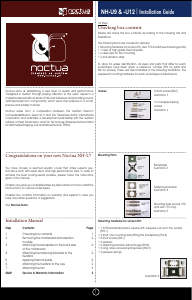
For all enquiries concerning your Noctua cooler, both your
retailer and the international Noctua support team at
Please also consult the FAQ section on our website
www.noctua.at.
Support & FAQs
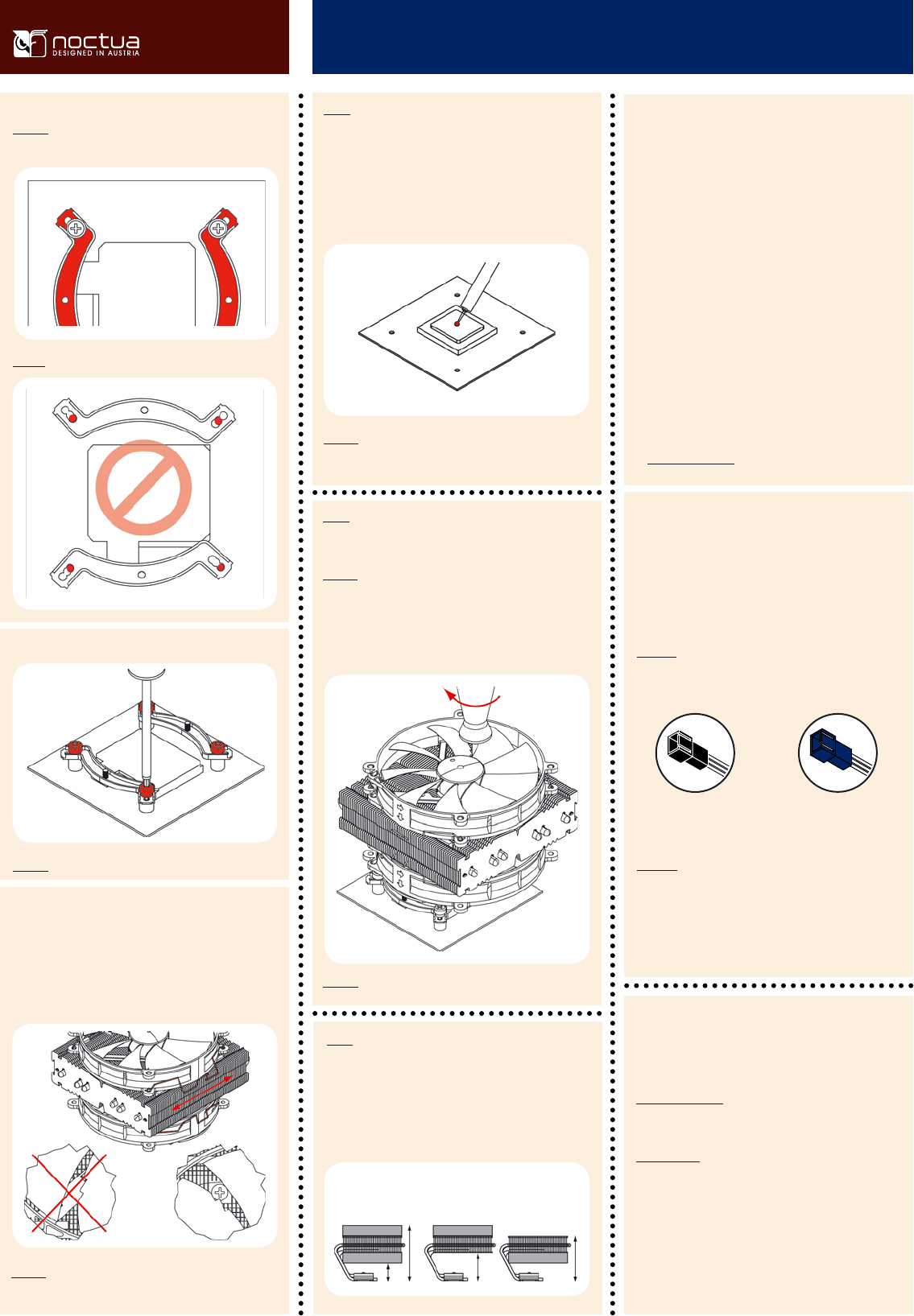
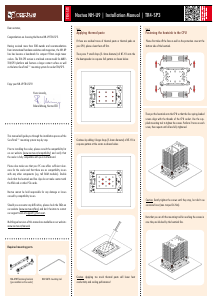
Caution: Tighten the screws until they stop.
Caution: Make sure to use the correct holes on the mounting bars.
Fix the mounting bars using the 4 thumb screws.
Caution: Please be careful when reaching through the fan blades
with the screwdriver to avoid damaging the fan blades.
Step 6:
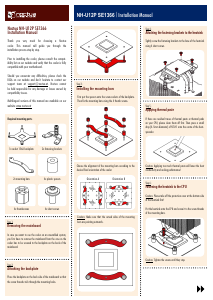
Fastening the heatsink to the CPU
Caution: Please take off the protection cover at the bottom side
of the heatsink first!
Put the heatsink onto the CPU and screw it to the screw threads
of the mounting bars.
Caution: Tighten the screws until they stop.
Caution: Make sure that the curved sides of the mounting bars
are pointing outwards.
Fan Setup
Step 7:
The NH-C14 can be used with both fans for maximum per-
formance or only one fan to allow for lower height or more
clearance:
NH-C14
|
Installation Manual INTEL
Ultra-Low-Noise Adapter
(U.L.N.A.), 750 RPM, 10.1 dB/A
Low-Noise Adapter (L.N.A.)
900 RPM, 13.2 dB/A
Step 5:
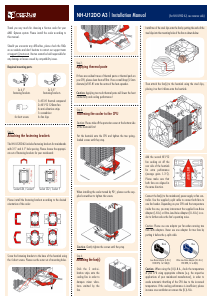
Applying thermal paste
If there are residual traces of thermal paste or thermal pads
on your CPU, please clean them off first. Then press a small
drop (4-5mm diameter) of NT-H1 onto the centre of the heat-
spreader.
Caution: Applying too much thermal paste will lower the heat
conductivity and cooling performance!
Please choose the appropriate configuration according to your
requirements. If you’re using only one fan, you can use the
supplied fan screws or silicone Vibration-Compensators to in-
stall the second fan inside your case.
We recommend using both fans blowing downwards onto the
mainboard in dual fan configuration in order to achieve opti-
mal CPU and component cooling.
In single fan configuration, we generally recommend installing
the fans so that they blow towards the fin-stack, but the fans
can be reversed in order to better align them with the air-
flow inside your case or to have more airflow over near-socket
mainboard components.
If you’d like to use 140mm fans with standard 140mm mount-
ings (124.5mm hole spacing), please contact our support team
Before proceeding with the installation, please verify carefully
that you can reach through the fan blades with the screwdriver.
If the access to the screws is blocked by the fan blades or frame
struts, please open the fan clips, adjust the position of the fans
and then put the fan clips back on. If necessary, you can read-
just the position of the fans after the installation is completed.
Dual Fan
Mode
High Clearance
Mode
Low Profile
Mode
130mm
105mm
38mm
65mm
Connect the fan(s) to the mainboard, power supply or fan
controller. Use the supplied y-split cable to connect both fans
to one fan header. Depending on your CPU and the tempera-
ture inside the case, you may interconnect the supplied Low-
Noise Adapter (L.N.A.) or Ultra-Low-Noise Adapter (U.L.N.A.)
in order to further reduce the fan’s operating noise.
Caution: Please use one adaptor per fan when running two
fans with adaptors. Never use one adaptor for two fans by
putting it before the y-split cable.
Caution: When using the (U.)L.N.A., check the temperature
of your CPU using appropriate software (e.g. the respective
applications of your mainboard manufacturer), in order to
evade automatic throttling of the CPU due to the increased
temperature. If the cooling performance is insufficient, please
increase case ventilation or remove the (U.)L.N.A.


Delta i konversationen om denna produkt
Här kan du dela vad du tycker om Noctua NH-C14 CPU kylare. Om du har en fråga, läs först noggrant igenom manualen. Att begära en manual kan göras genom att använda vårt kontaktformulär.