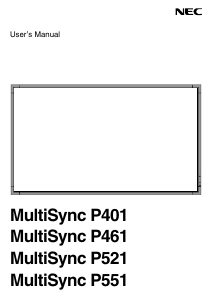
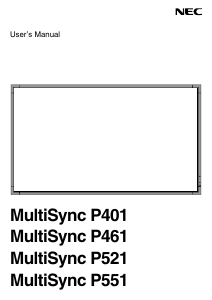
Bruksanvisning NEC MultiSync P521 LCD skärm

Behöver du en bruksanvisning för din NEC MultiSync P521 LCD skärm? Nedan kan du se och ladda ner PDF-bruksanvisningen gratis på svenska. Den här produkten har för närvarande 7 vanliga frågor, 0 kommentarer och har 0 röster. Om det här inte är bruksanvisningen du vill ha, vänligen kontakta oss.

Är produkten defekt och erbjuder bruksanvisningen ingen lösning? Gå till ett Repair Café för gratis reparationstjänster.

Bruksanvisning

Loading…

English-3
English
FOR OPTIMUM PERFORMANCE, PLEASE NOTE THE
FOLLOWING WHEN SETTING UP AND USING
THE MULTI-FUNCTION MONITOR:
DO NOT OPEN THE MONITOR. There are no user
serviceable parts inside and opening or removing covers
may expose you to dangerous shock hazards or other risks.
Refer all servicing to qualified service personnel.
Do not spill any liquids into the cabinet or use your monitor
near water.
Do not insert objects of any kind into the cabinet slots, as
they may touch dangerous voltage points, which can be
harmful or fatal or may cause electric shock, fire or
equipment failure.
Do not place any heavy objects on the power cord.
Damage to the cord may cause shock or fire.
Do not place this product on a sloping or unstable cart,
stand or table, as the monitor may fall, causing serious
damage to the monitor.
Do not mount this product face up, face down or upside
down for an extended period of time as it may cause
permanent damage to the screen.
The power supply cord you use must have been approved
by and comply with the safety standards of your country.
(Type H05VV-F 3G 1mm
2
should be used in Europe)
In UK, use a BS-approved power cord with molded plug
having a black (13A) fuse installed for use with this monitor.
Do not place any objects onto the monitor and do not use
the monitor outdoors.
The lamps in this product contain mercury. Please
dispose according to state, local or federal law.
Do not bend, crimp or otherwise damage the power cord.
If glass is broken, handle with care.
Do not cover vent on monitor.
Do not use monitor in high temperature, humid, dusty, or
oily areas.
If monitor or glass is broken, do not come in contact with the
liquid crystal and handle with care.
Allow adequate ventilation around the monitor, so that heat
can properly dissipate. Do not block ventilated openings or
place the monitor near a radiator or other heat sources.
Do not put anything on top of the monitor.
The power cable connector is the primary means of detaching
the system from the power supply. The monitor should be
installed close to a power outlet, which is easily accessible.
Do not move or mount this product by hanging a rope or wire
to the backside handle.
Do not mount or secure this product by using the backside
handle. It may fall and cause personal injury.
Handle with care when transporting. Save packaging for
transporting.
If using the cooling fan continuously, it is recommended to
wipe holes clean a minimum of once a month.
Please clean the holes of back cabinet to reject dirt and
dust at least once a year because of set reliability.
When using a LAN cable, do not connect to a peripheral
device with wiring that might have excessive voltage.
Connecting to a TV*
Cable distribution system should be grounded (earthed) in
accordance with ANSI/NFPA 70, the National Electrical
Code (NEC), in particular Section 820.93, Grounding of
Outer Conductive Shield of a Coaxial Cable.
The screen of the coaxial cable is intended to be connected
to earth in the building installation.
Immediately unplug your monitor from the wall outlet and refer
servicing to qualified service personnel under the following
conditions:
When the power supply cord or plug is damaged.
If liquid has been spilled, or objects have fallen into the monitor.
If the monitor has been exposed to rain or water.
If the monitor has been dropped or the cabinet damaged.
If you notice any structural damage such as cracks or
unnatural wobbling.
If the monitor does not operate normally by following
operating instructions.
Recommended Use
For optimum performance, allow 20 minutes for warm-up.
Rest your eyes periodically by focusing on an object at least
5 feet away. Blink often.
Position the monitor at a 90° angle to windows and other
light sources to minimize glare and reflections.
Clean the LCD monitor surface with a lint-free, non-abrasive
cloth. Avoid using any cleaning solution or glass cleaner!
Adjust the monitor’s brightness, contrast and sharpness
controls to enhance readability.
Avoid displaying fixed patterns on the monitor for long
periods of time to avoid image persistence (after image
effects).
Get regular eye checkups.
Ergonomics
To realize the maximum ergonomic benefits, we recommend
the following:
Use the preset Size and Position controls with standard
signals.
Use the preset Color Setting.
Use non-interlaced signals.
Do not use primary color blue on a dark background, as it is
difficult to see and may produce eye fatigue due to
insufficient contrast.
Cleaning the LCD Panel
When the liquid crystal panel is dusty, please gently wipe
with a soft cloth.
Please do not rub the LCD panel with hard material.
Please do not apply pressure to the LCD surface.
Please do not use OA cleaner as it will cause deterioration
or discolor on the LCD surface.
Cleaning the Cabinet
Unplug the power supply
Gently wipe the cabinet with a soft cloth
To clean the cabinet, dampen the cloth with a neutral
detergent and water, wipe the cabinet and follow with a dry
cloth.
NOTE: DO NOT clean with benzene thinner, alkaline detergent,
alcoholic system detergent, glass cleaner, wax, polish
cleaner, soap powder, or insecticide. Rubber or vinyl
should not be in contact with the cabinet for an
extended period of time. These types of fluids and
materials can cause the paint to deteriorate, crack or
peel.
Safety Precautions, Maintenance & Recommended Use
* The product you purchased may not have this feature.
Ladda ner bruksanvisning i Engelska (PDF, 2.41 MB)
(Tänk på miljön och skriv endast ut denna bruksanvisning om det verkligen är nödvändigt)

Loading…

Betyg

Berätta vad du tycker om NEC MultiSync P521 LCD skärm genom att betygsätta den. Vill du dela med dig av dina åsikter om denna produkt eller ställa en fråga? Lämna en kommentar nederst på sidan.
Är du nöjd med NEC MultiSync P521 LCD skärm?
Ja Nej
Bli den första personen som betygsätter denna produkt
0 röster

Delta i konversationen om denna produkt

Här kan du dela vad du tycker om NEC MultiSync P521 LCD skärm. Om du har en fråga, läs först noggrant igenom manualen. Att begära en manual kan göras genom att använda vårt kontaktformulär.

Mer om denna bruksanvisning

Vi förstår att det är trevligt att ha en pappersbruksanvisning för din NEC MultiSync P521 LCD skärm. Du kan alltid ladda ner bruksanvisningen från vår hemsida och skriva ut den själv. Om du vill ha en originalbruksanvisning rekommenderar vi att du kontaktar NEC. De kanske kan tillhandahålla en originalbruksanvisning. Letar du efter bruksanvisningen för din NEC MultiSync P521 LCD skärm på ett annat språk? Välj ditt föredragna språk på vår hemsida och sök efter modellnumret för att se om vi har det tillgängligt.

Specifikationer

Märke NEC
Modell MultiSync P521
Kategori LCD skärmar
Filtyp PDF
Filstorlek 2.41 MB

Alla bruksanvisningar för NEC LCD skärmar
Fler bruksanvisningar för LCD skärmar

Vanliga frågor om NEC MultiSync P521 LCD skärm

Vårt supportteam söker efter användbar produktinformation och svar på vanliga frågor. Om du hittar en felaktighet bland våra vanliga frågor uppskattar vi om du meddelar oss detta via vårt kontaktformulär.

Kan jag reparera en död pixel själv? Verifierad

Det finns en skillnad mellan en död pixel och en fast pixel. En fast pixel är fortfarande färgad och kan fixeras genom att applicera lätt tryck exakt på pixeln tills den återställer sig själv. En död pixel är alltid svart eller vit och kan inte repareras själv.

Detta hjälpte (78) Läs mer

Vad står HDMI för? Verifierad

HDMI står för High-Definition Multimedia Interface. HDMI är en anslutning för att skicka video och ljud av hög kvalitet från en enhet till en annan.

Detta hjälpte (73) Läs mer

Hur mäter jag antal tum på min LCD skärm? Verifierad

Mätning av antal tum på din LCD skärm görs genom mätning av det diagonala avståndet mellan till exempel det övre vänstra hörnet och skärmens nedre högra hörn (inte kanten). En tum motsvarar 2,54 centimeter, så när du mäter 99 centimeter betyder det att din LCD skärm är 39 tum.

Detta hjälpte (39) Läs mer

Vad är kontrastförhållandet? Verifierad

Kontrastförhållandet visar hur långt den vitaste vita är från den svartaste. Ett kontrastförhållande på exempelvis 400: 1 betyder att den svartaste svart på skärmen är 400 gånger mörkare än den vitaste vita. Ett högt kontrastförhållande bidrar till bildens skärpa.

Detta hjälpte (29) Läs mer

Vad är det för skillnad mellan LCD och LED? Verifierad

Båda teknikerna använder en LCD-skärm som inte avger något ljus i sig. Skillnaden beror på belysningen bakom skärmen. En LCD-skärm använder sig av CCFL-tekniken (kall katod bakgrundsbelysning) och LED använder sig av LED-lampor.

Detta hjälpte (27) Läs mer

Hur kan jag rengöra LCD-skärmen ordentligt? Verifierad

Stäng av TV: n och torka av damm och smuts från skärmen med en mikrofiberduk. Använd inte papper, det kan orsaka repor. Använd inte för mycket tryck annars kan du skada pixlar. Använd ett specialtvättmedel eller gör ett genom att blanda 1 del vinäger med 1 del vatten. Fukta trasan med tvättmedlet och rengör skärmen. Se till att duken inte är för våt. Ta bort fläckar genom att göra roterande rörelser. Torka skärmen med en andra mikrofiberduk för att förhindra ränder.

Detta hjälpte (25) Läs mer

Vad står LCD för? Verifierad

LCD står för Liquid Crystal Display och är en teknik som gör att flytande kristaller polariserar ljus för att generera färger.

Detta hjälpte (20) Läs mer
Bruksanvisning NEC MultiSync P521 LCD skärm

Relaterade produkter

Relaterade kategorier

×
Download