
GB
4
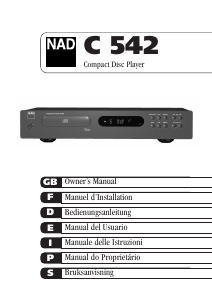
NAD C 542 Compact Disc Player
REAR PANEL CONNECTIONS
1. LINE OUTPUT
Connect a cable from these jacks to your amplifier. Plug one end
of a twin RCA-to-RCA lead into the L (upper) and R (lower) output
jacks. Connect the other end of the cable to your stereo amplifier’s
CD input, or to any other “line-level” input jacks (such as the
AUXiliary inputs). Do NOT connect this cable to the amplifier’s
PHONO input jacks. The RCA sockets on your NAD C 542 are
colour coded for convenience. Red and white are Right and Left
audio respectively, and yellow for NAD Link and Digital Out.
Ensure that leads and sockets are not damaged in any way and all
sockets are firmly pushed home.
2. DIGITAL OPTICAL & COAXIAL OUTPUT
The digital playback signal is available at this output jack. The
serial data output is taken after the error correction but before the
digital-to-analogue conversion and filtering. The output is
transformer-isolated from the built-in D-to-A circuits. It may be
connected to any digital signal processor that conforms to the
Sony/Philips (SPDIF) standard.
To use the digital output, connect a cable from this jack to the “CD
Digital” or equivalent input on a digital processor or recorder. For
QUICK START
best results, the cable should be a 75 ohm coaxial cable of the
type used for video signals, with an RCA phono plug at each end
or the cable should be an optical cable terminated with a TOS
Link connector. ( T o d istinguish them from similar phono-plug
c a b l e s u s e d f o r analogue audio signals, video and digital signal
cables often are colour-coded with yellow plugs.)
3. NAD LINK IN/OUT
The NAD-Link connector is used to pass commands from other units
fitted with NAD-Link connectors. This allows centralised control of a
complete system, and also allows some of the basic functions of
other NAD components (such as a tuner, or cassette-deck) also
equipped with NAD-Link to be controlled with an NAD system remote
control. To function with such other units, connect the C 542's NAD-
Link Out to the NAD-Link In on the other unit. NAD-Link connectors
can be daisy-chained, IN to OUT, so that a whole system can be
controlled from the remote control facilities of one unit.
NOTES: It is advisable not to connect NAD-Link if these units that
have their own built-in remote control command receiver and are
positioned together, in direct view from the remote control
handset. If you are unsure, try operating the products without
NAD-Link first; If the unit responds to the remote control
command, it will not be necessary to connect NAD-Link.
Never loop the last unit back to the first NAD unit in the NAD-Link
chain. Unplug all units from the mains before connecting or
disconnecting NAD-Link.
4. IR IN
This input is connected to the output of an IR (infrared)
repeater (Xantech or similar), or the IR output of another
component to allow control of the C 542 from a remote location.
Ask your dealer or custom installer for further details.
The 12V trigger Input allows the C 542 to be switched remotely
from STANDBY to ON and vice-versa by ancillary equipment such
as a pre-amp, AV processor etc. The controlling device must be
equipped with a 12V trigger output to use this feature.
7. AC LINE CORD
Connect this power cord to an AC mains wall outlet or to an AC
convenience outlet at the rear of your amplifier
A.
B.
When the switch is set to the OFF position, the unit ignores
any trigger In command. The front panel buttons and Power
On/Off buttons on remote control toggles between Power On
and Standby Mode. This is the correct setting for most
installations.
For control by an external 12V trigger signal, set the switch
to AUTO position, and the C 542 will Power On when the
trigger Input is high (12V present). In this setting, the front
panel and the remote control ON/STANDBY controls are
defeated; only the 12V Trigger Input can turn the C 542 ON.
The unit will go to Standby mode if the trigger goes from
high to low (no 12V present). The unit will not go to
standby mode using any button on front panel and remote
control. When the external power is first applied to the unit,
the unit will go to the status directed by Trigger input when
the switch is set to AUTO.
NOTE ON INSTALLATION
5. +12V TRIGGER IN
6. +12V TRIGGER SWITCH
Install the NAD C 542 Compact Disc player on a level, vibration-
free surface. (Severe vibration, or operation in a tilted position,
may cause the player to mis-track.) The player may be stacked
with other stereo components, as long as there is adequate
ventilation around it. If the player is placed in close proximity to
a radio tuner (AM or FM), a VCR, or a television set, the operation
of its digital circuits may produce static that would interfere with
reception of weak broadcast signals. If this occurs, move the CD
player away from other devices or switch it off when viewing or
listening to broadcasts.
Connect a twin RCA-to-RCA lead from the L (left) and R (right)
Line Output jacks to the corresponding CD inputs on your
amplifier.
Plug in the AC power cord.
Press the green POWER button to turn on the player.
Press OPEN to open the disc drawer.
Place a CD, label side up, in the tray’s circular recess. Be
certain that the disc is centred within the recess.
Press PLAY/PAUSE. The drawer closes automatically, and the
disc begins to play.
At any time you may press SKIP or to select different tracks on
the disc.
Press PLAY/PAUSE if you want to stop play temporarily while
keeping the pickup at its current position on the disc. Press
PLAY/PAUSE again when you want to resume playback. Press
STOP if you want to end play and reset the pickup to the
beginning of the disc.
1.
2.
3.
4.
5.
6.
7.
8.


Delta i konversationen om denna produkt
Här kan du dela vad du tycker om NAD C 542 CD-spelare. Om du har en fråga, läs först noggrant igenom manualen. Att begära en manual kan göras genom att använda vårt kontaktformulär.