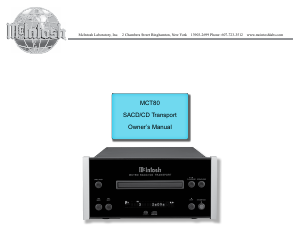
Bruksanvisning McIntosh MCT80 CD-spelare

Behöver du en bruksanvisning för din McIntosh MCT80 CD-spelare? Nedan kan du se och ladda ner PDF-bruksanvisningen gratis på svenska. Den här produkten har för närvarande 1 vanliga frågor, 0 kommentarer och har 0 röster. Om det här inte är bruksanvisningen du vill ha, vänligen kontakta oss.

Är produkten defekt och erbjuder bruksanvisningen ingen lösning? Gå till ett Repair Café för gratis reparationstjänster.

Bruksanvisning

Loading…
4
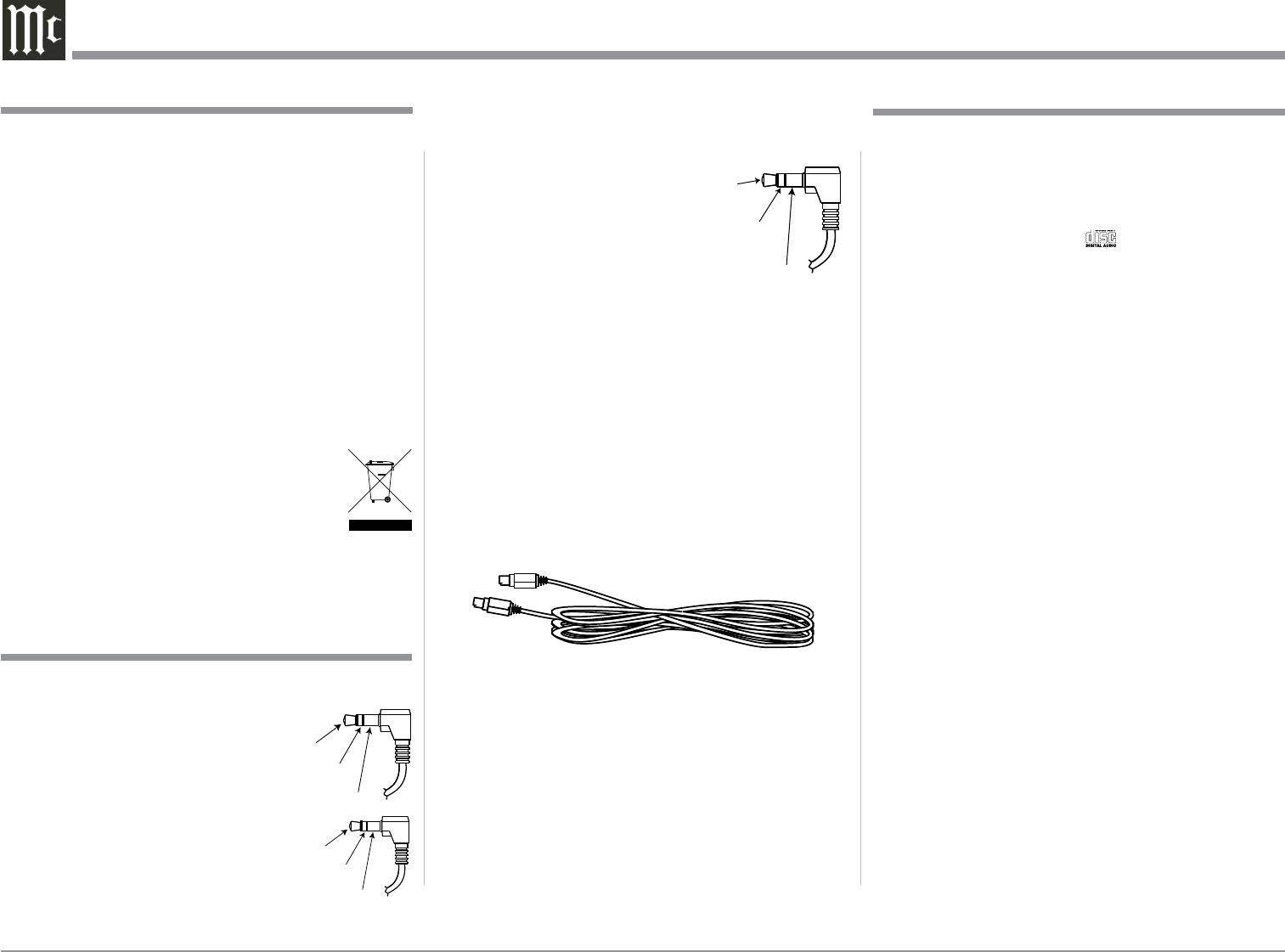
Power Control Connector
The MCT80 Power Control Input receives an On/Off
signal from +5 to +12 volts.
The Power Control Output will
then send out a +12 volt Output
Signal with a total current up
to 50mA. An additional con-
nection is for controlling the
illumination of the Power Output Meters. The 3.5mm
stereo mini phone plug connects to a McIntosh Pream-
plifier or A/V Control Center Power Control Output.
Digital MCT Cable
The Digital MCT Cable supplied with the MCT80 is a
McIntosh Designed Custom Cable. A substitute cable
will not work with the MCT80 and McIntosh Inte-
grated Amplifier or Preamplifier with a Digital MCT
Connector. If it should become necessary to replace
the supplied Digital MCT cable, order part number
171923 from the McIntosh Parts Department.
1. For additional connection information, refer to the
owner’s manual(s) for any component(s) connected
to the MCT80 SACD/CD Transport.
2. The Super Audio Compact Discs Audio Signals are
available at the Digital Audio Output MCT Con-
nector. Compact Discs Audio Signals are available
at the Digital Audio Output XRL, Optical, Coaxial
and MCT Connectors.
3. The IR Input, with a 3.5mm mini phone jack, is
configured for non-McIntosh IR sensors such as
a Xantech Model HL85BK Kit. Use a Connection
Block such as a Xantech Model ZC21 when two
or more IR sensors need to be connected to the
MCT80.
5. When discarding the unit, comply with local rules
or regulations. Batteries should never be
thrown away or incinerated but disposed
of in accordance with the local regulations
concerning battery disposal.
6. For additional information on the MCT80 and other
McIntosh Products please visit the McIntosh Web
Site at www.mcintoshlabs.com.
General Information
Connector and Cable Information
Data and IR Input Port Connectors
The MCT80 Data In Port receives Remote Control
Signals. A 1/8 inch stereo mini
phone plug is used for connection.
The IR Ports also use a 3.5mm stereo
mini phone plug and allow the con-
nection of other brand IR Receivers
to the MCT80.
Data
Signal
N/C
Data
Ground
IR Data
Control
Ground
N/C
1. The MCT80 is designed to play round Compact
Discs; do not try other shapes or possible damage
may occur.
2. The MCT80 SACD/CD Transport is designed to
play all industry standard “Redbook” CD Audio
Discs as indicated by the Symbol. It will also
play most CD-R, CD-RW and Dual Discs, however
some recorded discs may not be able to play due to
the condition of the recording or manufacturing.
3. Disc with tracks recorded with MP3 and WMA
Formats will playback on the MCT80 when the
writing software used to create them conforms to
the ISO9660 Level 1 standard.
4. The PCM (Pulse Code Modulation) Digital Signal,
is the standard for Audio CD Discs and is avail-
able at all Digital Audio Output Connectors on the
MCT80. Discs with WAV and MP3 file formats are
converted internally to a PCM Digital Signal.
5. Several of the SACD performance features avail-
able on the MCT80 are active only if the SACD
Disc includes the supporting encoded information.
6. Playing back Audio from a CD Disc and a SACD
Disc (CD Layer) is available at the MCT, Optical
and Coaxial Digital Outputs. When a SACD Disc is
playing back a 2 Channel or a Multichannel Layer,
the Digital Audio is only available at the MCT
Digital Audio Output, with the Optical and Coaxial
Outputs muted.
7. The MCT80 has the ability to playback a user
created DVD Data Disc. When a disc has Audio
Tracks up to DSD128 and PCM up to 96Khz/24Bit,
the Digital Audio Signal is available at the MCT
Digital Audio Output. PCM Audio Tracks up to
192kHz-24Bit are available at the Optical and Co-
axial Digital Outputs.
Disc Information
Power
Control
Ground
Meter
Illumination
Control
Pass Thru
Ladda ner bruksanvisning i Engelska (PDF, 7.22 MB)
(Tänk på miljön och skriv endast ut denna bruksanvisning om det verkligen är nödvändigt)

Loading…

Betyg

Berätta vad du tycker om McIntosh MCT80 CD-spelare genom att betygsätta den. Vill du dela med dig av dina åsikter om denna produkt eller ställa en fråga? Lämna en kommentar nederst på sidan.
Är du nöjd med McIntosh MCT80 CD-spelare?
Ja Nej
Bli den första personen som betygsätter denna produkt
0 röster

Delta i konversationen om denna produkt

Här kan du dela vad du tycker om McIntosh MCT80 CD-spelare. Om du har en fråga, läs först noggrant igenom manualen. Att begära en manual kan göras genom att använda vårt kontaktformulär.

Mer om denna bruksanvisning

Vi förstår att det är trevligt att ha en pappersbruksanvisning för din McIntosh MCT80 CD-spelare. Du kan alltid ladda ner bruksanvisningen från vår hemsida och skriva ut den själv. Om du vill ha en originalbruksanvisning rekommenderar vi att du kontaktar McIntosh. De kanske kan tillhandahålla en originalbruksanvisning. Letar du efter bruksanvisningen för din McIntosh MCT80 CD-spelare på ett annat språk? Välj ditt föredragna språk på vår hemsida och sök efter modellnumret för att se om vi har det tillgängligt.

Specifikationer

Märke McIntosh
Modell MCT80
Kategori CD-spelare
Filtyp PDF
Filstorlek 7.22 MB

Alla bruksanvisningar för McIntosh CD-spelare
Fler bruksanvisningar för CD-spelare

Vanliga frågor om McIntosh MCT80 CD-spelare

Vårt supportteam söker efter användbar produktinformation och svar på vanliga frågor. Om du hittar en felaktighet bland våra vanliga frågor uppskattar vi om du meddelar oss detta via vårt kontaktformulär.

Kan jag reparera repor på en CD själv? Verifierad

Repor förhindrar att lasern läser skivan korrekt. När reporna bara är ytliga är det möjligt att reparera dem själv genom att polera skivan med en lätt slipande förening. Helst använder du en professionell slipmedel men det är också möjligt att använda vanlig tandkräm. Efter att du har polerat skivan måste den tvättas och torka. Det finns specialiserade företag som kan göra detta.

Detta hjälpte (42) Läs mer
Bruksanvisning McIntosh MCT80 CD-spelare

Relaterade produkter

Relaterade kategorier

×
Download