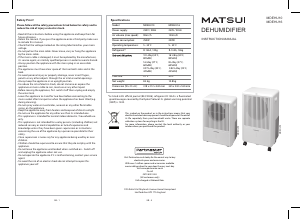
MDEHUE20EU
Safety
Know your dehumidifier
Benefits and Cleaning
Suitable for use in:
Troubleshooting
Specifications
www.partmaster.co.uk
0870 6001 338
Note:
The dehumidifying function does not work
Excessive noise
The unit does not operate
Protect moisture
sensitive items, eg
Exterior surfaces of the
unit
Capacity
The air filters located on the back
of the unit collect dust contained
in the air. To keep the dust from
clogging up the unit, your unit
must always be used with its air filter.
Using your dehumidifier
Please read these instructions before using your dehumidifier.
Dehumidifier
Supply Cord
Stand Upright Moisture
Heat and Light
Position
Moving
Leave to Stand
Turning off
Foreign Objects
If the supply cord is
damaged, it must be
replaced by the
manufacturer or a similarly
qualified person.
Always keep the unit in an
upright position.
Do not allow your unit to be
exposed to rain or moisture.
Do not spray water or
insecticides,aerosols or any
other flammable sprays on
the machine.
Keep the unit away from
heaters and keep out of
direct sunlight.
Allow a free space of 15cm
around the unit.
Before moving the unit, first
switch off then unplug and
empty the water tank.
Leave the unit to stand for
one hour before connecting
to the mains supply after
transport or when the unit
has been tilted (e.g. during
cleaning).
Never use the plug to start
and stop the unit. Always
use the control panel.
lf not using for a long
period of time, always
unplug at the mains socke.
Before Use
Continuous Drainage
Start operation
1.Place on a stable, flat floor
If the floor surface is not even:
vibration and noise will occur.
water may leak from the water tank
If desired, it possible to connect with permanent drainage hose.
Simply connect the hose one end to the drain tap and one end to a water outlet.
Ensure that the end of the hose is lower than the drain opening and the hose is
not blended. Otherwise, the water will not flow out continuously and flooding
may occur.
Please see the Partmaster Direct details on the back cover to order one – for UK
only.
This unit has a 3-min lag when starting up in order to prolong the compressor’s
working life, the compressor will not start until the unit has run for 3 minutes.
Do not use the extension cord or the same socket with other electric applianc-
es.
Desired humidity indicator
Water full indicator
Operation indicator
Defrost indicator
Display
window
Power On / Off
Humidity setting
2.Make sure the suction and exhaust openings are clear
and free from blockage
1. Connect to the power socket. The display window will blinks for 1 second and
the buzzer will sound ‘beep’ 3 times. That verify the unit is ready for operation.
2. Make sure the water tank is correctly positioned. (If the bucket is full or not in
position, the alarm will sound ‘beep beep beep ......’ that last for 3 seconds)
3. Press the power ON/OFF button. The display window shows the ambient hu-
midity.
4. Press humidity setting button to choose desired humidity or continuous working.
The indicator will light on correspondingly.
5. If the ambient humidity is lower than desired humidity, the operation indicator
will come off.
Note: Hold on pressing the humidity setting button for 2 seconds, the ambient te-
mperature will show on the display window. And it will retum to ambient humidity if
release.
If the ambient temperature is too low the unit will automatically start to
defrost and the green light will illuminate.
When the bucket is full, the alarm will sound ‘beep beep beep ......’that
last for 3 seconds. The compressor will also switch off automatically.
To empty the unit, first unplug from power source then carefully remove
the bucket and empty the collected water.
Replace the bucket carefully before switching the unit back on.
Prevent clothes and leather products
from moulding.
The build up of dust reduces the efficiency
of the dehumidifier. Therefore, the air filters
must be cleaned every two weeks,and more
often if the machine operates in a dusty
atmosphere.
If the filters are obstructed, the dehumidifier
will be less efficient.
To remove the filter, pull up the plastic lip
from above the vents as shown.
Has the power supply cord been disconnected?
Is the alarm sound ‘beep’ last for 3 seconds?
The bucket is full or in an incorrect position.
ls the temperature of the room above 35˚C or below 5˚C?
Model:
Power supply:
Air volume (max speed):
Power consumption:
Operating temperature:
Refrigerant *:
Dehumidification:
* As listed in EU official journal (842/2006), refrigerant R-134a is a fluorinated
greenhouse gas covered by the Kyoto Protocol. lts global warming potential
(GWP) is 1300.
Visit Partmaster.co.uk today for the easiest way to buy electrical spares and accessories.
With over 1 million spares and accessories available we can deliver direct to your door the
(UK customers only)
Calls charged at National Rate.
very next day.
Visit
or call
Tank size:
Net weight:
Dimension:
(W x D x H)
MDEHUE20EU
230V / 50Hz
120m3/h
375W
5 - 35˚C
R-134a, 160g
20 L/day (30˚C, 80%RH)
10 L/day (27˚C, 60%RH)
2.05L/day (25˚C, 42%RH)
3.9L
10.8kg
335 x 230 x 530mm
Plug the power supply cord into the outlet.
Discard the water in the bucket, and then reposition the bucket.
The protection device is activated and the unit can not be started in
case operation is under the bad environment (ln that case, please do
not use the dehumidifier.)
ls the air filter clogged?
ls air intake port or discharge port obstructed?
Has the unit been poorly installed so it is tilted or unsteady?
Is the air filter clogged?
Clean the filter with a vacuum cleaner. lf the
filters is very dirty, you can wash them in
warm water (never use hot or soapy water)
Make sure that the air filter is completely dry
before putting then back on the unit.
Do not bend the filter.
This symbol on the product or in the instructions means that your electrical and electronic
equipment should be disposed at the end of its life separately from your household waste.
For more information, please contact the local authority or your retailer where you purchased
We continually strive to improve our products. specifications may change without prior waming
66126679
the product.
There are separate collection systems for recycling in the EU.
Dehumidifies flooring and carpets.
Prevent ceiling and windows from
condensation.
Clean the dehumidifier by
using a damp sponge, and
dry it with a clean, soft cloth.
Water tank = 3.9 liters
Maximum capacity 20 liters per day
(30˚C, 80%RH) =
Never use alcohol or any
product containing solvents.
Do not immerse unit in water.
bedrooms
studies
cellars/basements
kitchens
storage rooms
libraries
galleries
computer rooms
musical instruments
cameras
computers
clothes
To obtain best results, try to avoid
opening and closing windows and
doors.
Defrost indicator
Full Bucket indicator
1. Control panel
2. Handle
3. Air outlet
4. Bucket
5. Air inlet
6. Air filter
7. Drain tap
8. Castor
9. Permanent drainage
hose
Keep the input and output
openings free from
obstruction and never push
objects into these openings.
ATTENTION
Your dehumidifier must be stand upright for at least 2 hours prior use.
Troubleshooting and specifcations
2
2
3
5
4
1
1
3
Information
Note: This dehumidifier's ability to remove moisture is dependent firstly on the amount of moisture
in the Air. If dehumidification has reduced the humidity to a low level, less moisture can be removed
from the air. It is also more difficult to remove moisture from cold air than warm air.


Delta i konversationen om denna produkt
Här kan du dela vad du tycker om Matsui MDEHUE20 Avfuktare. Om du har en fråga, läs först noggrant igenom manualen. Att begära en manual kan göras genom att använda vårt kontaktformulär.