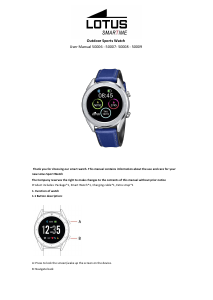
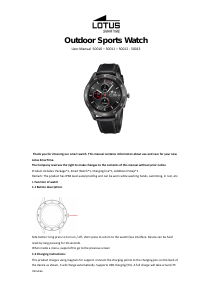
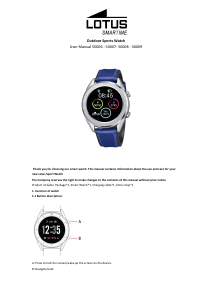
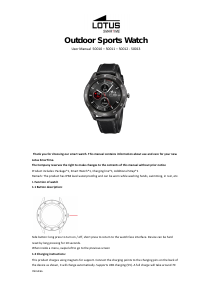
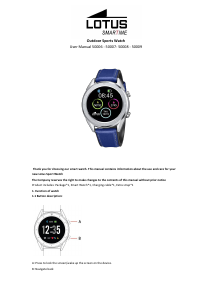
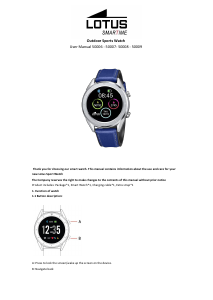
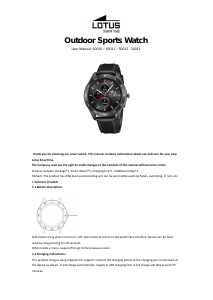
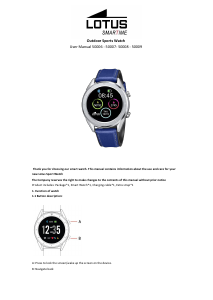
Bruksanvisning Lotus 50009 Smart klocka

Behöver du en bruksanvisning för din Lotus 50009 Smart klocka? Nedan kan du se och ladda ner PDF-bruksanvisningen gratis på svenska. Den här produkten har för närvarande 0 vanliga frågor, 0 kommentarer och har 1 röst med ett genomsnittligt produktbetyg på 0/100. Om det här inte är bruksanvisningen du vill ha, vänligen kontakta oss.

Är produkten defekt och erbjuder bruksanvisningen ingen lösning? Gå till ett Repair Café för gratis reparationstjänster.

Bruksanvisning

Loading…
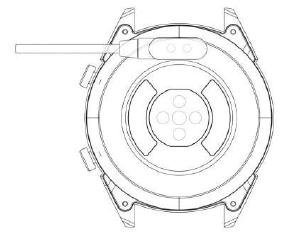
1.2 Charging instructions:
Magnetic charging is as shown below.
*Only charge the watch in the way shown. Incorrect charging may damage the watch.
1.3 Watch Face in standby mode:
1) Swipe right to open Notifications
2) Swipe down to open the drop-down menu to control brightness, enter settings, and Do not Disturb function.
3) Swipe up to open the main menu.
4) Press and hold the screen while in standby mode to change the watch face design. Select by tapping the
screen.
5) Tap once to display data on heart beats per minute, steps and calories.
1.4 Messages
Swipe right on the main screen to open Notifications. To enable notifications, connect the watch with the Lotus
SmarTime app and enable the relevant permissions. In the app, you can enable App notifications, Call
notifications and SMS notifications. When notifications are received on your phone, they will show up on the
watch, which can display up to 8 notifications.
1.5 Drop-down menu
Swipe down screen interface to open the drop-down menu.
1) The left icon shows Bluetooth connection status
2) Tap the middle icon to toggle Do Not Disturb mode. When Do Not Disturb mode is on, the device only vibrates
for the Find device and Alarms functions.
3) The right icon can be used to adjust the screen brightness.
4) Battery level is shown in the upper part of the screen.
1.6 Step count
The step counter is on by default. This interface displays the current number of steps on the watch. Steps are
counted starting from midnight. Swiping left you can find the data regarding distance covered and calories
burned.
1.7 Sleep
The sleep monitoring time period is from 21:00 to 9:00 the next day. After the sleep pattern has been recorded
on the device, sleep data is sent to the Lotus SmarTime app. Swiping left you can find data on the hours of light
and deep sleep.
1.8 Bluetooth music
Android: after connecting the watch via the phone settings, open the music player, play/pause and switch songs;
(no need to bind in the app, if it is already bound, please unbind it and connect in the phone settings)
IOS: When connected to your phone you can play, pause and switch songs directly via the watch.
1.9 Exercise tracking (walking, running, cycling, hiking, swimming, football, basketball, table tennis, badminton)
1.9.1 Select the exercise and tap the screen to start. After a brief countdown, activity tracking will start. You can
pause the exercise when needed. When you press the "□" icon, the exercise will be stopped and the activity data
is saved.
Ladda ner bruksanvisning i Engelska (PDF, 1.41 MB)
(Tänk på miljön och skriv endast ut denna bruksanvisning om det verkligen är nödvändigt)

Loading…

Betyg

Berätta vad du tycker om Lotus 50009 Smart klocka genom att betygsätta den. Vill du dela med dig av dina åsikter om denna produkt eller ställa en fråga? Lämna en kommentar nederst på sidan.
Är du nöjd med Lotus 50009 Smart klocka?
Ja Nej
0%
100%
1 röst

Delta i konversationen om denna produkt

Här kan du dela vad du tycker om Lotus 50009 Smart klocka. Om du har en fråga, läs först noggrant igenom manualen. Att begära en manual kan göras genom att använda vårt kontaktformulär.

Mer om denna bruksanvisning

Vi förstår att det är trevligt att ha en pappersbruksanvisning för din Lotus 50009 Smart klocka. Du kan alltid ladda ner bruksanvisningen från vår hemsida och skriva ut den själv. Om du vill ha en originalbruksanvisning rekommenderar vi att du kontaktar Lotus. De kanske kan tillhandahålla en originalbruksanvisning. Letar du efter bruksanvisningen för din Lotus 50009 Smart klocka på ett annat språk? Välj ditt föredragna språk på vår hemsida och sök efter modellnumret för att se om vi har det tillgängligt.

Specifikationer

Märke Lotus
Modell 50009
Kategori Smarta klockor
Filtyp PDF
Filstorlek 1.41 MB

Alla bruksanvisningar för Lotus Smarta klockor
Fler bruksanvisningar för Smarta klockor
Bruksanvisning Lotus 50009 Smart klocka

Relaterade produkter

Relaterade kategorier

×
Download