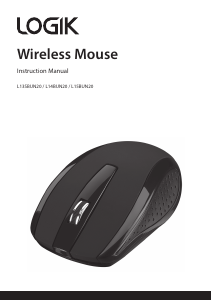
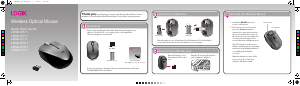
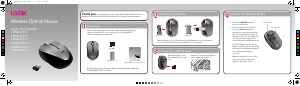
Bruksanvisning Logik LMWLOR11 Mus

Behöver du en bruksanvisning för din Logik LMWLOR11 Mus? Nedan kan du se och ladda ner PDF-bruksanvisningen gratis på svenska. Den här produkten har för närvarande 4 vanliga frågor, 0 kommentarer och har 0 röster. Om det här inte är bruksanvisningen du vill ha, vänligen kontakta oss.

Är produkten defekt och erbjuder bruksanvisningen ingen lösning? Gå till ett Repair Café för gratis reparationstjänster.

Bruksanvisning

Loading…
55
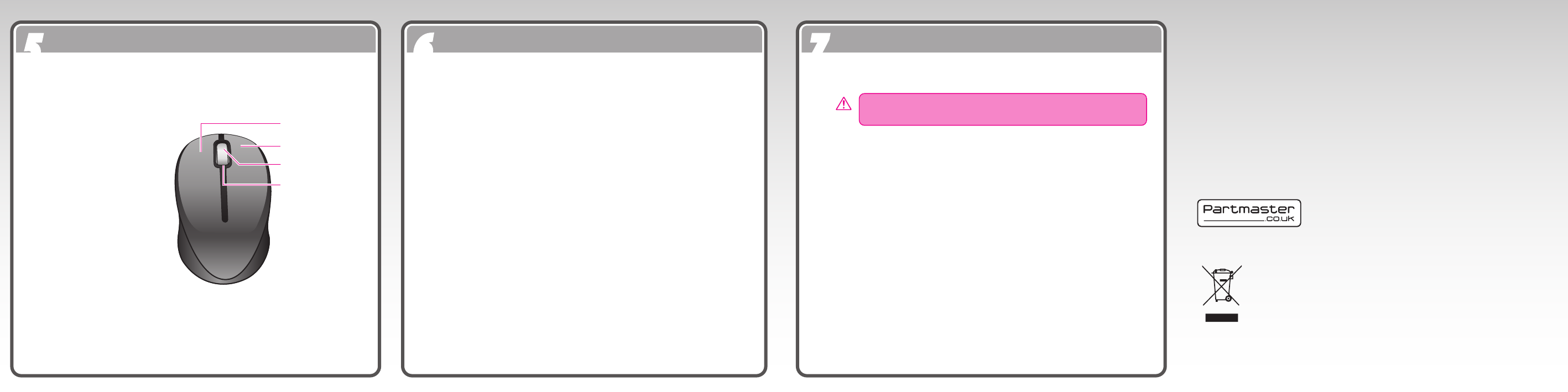
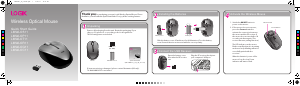
Product Overview
66
Troubleshooting
77
Safety Warnings
Scroll Wheel
LED Indicator
Left Mouse Button
Mouse Indicator :
LED is on for 10 sec
- Power ON
LED ashes for sec.
- Low Battery Warning.
LED Blinking
Pairing (LED OFF when
paired or failed after 10 sec.)
Right Mouse Button
Visit Partmaster.co.uk today for the easiest way to
buy electrical spares and accessories. With over 1
million spares and accessories available we can
deliver direct to your door the very next day. Visit www.partmaster.co.uk or
call 0844 800 3456 (UK customers only) Calls charged at National Rate.
DSG Retail Ltd. • Maylands Avenue • Hemel Hempstead
Herts • HP2 7TG • England
(P.N.: LMWLOS_P_T_R_G_C11-001)
This symbol on the product or in the instructions means that
your electrical and electronic equipment should be disposed at
the end of its life separately from your household waste. There
are separate collection systems for recycling in the EU.
For more information, please contact the local authority or your
retailer where you purchased the product.
Mouse or Keyboard Not Working:
1. Check that the power switch is in the on position.
2. Make sure the Nano Receiver is plugged into a USB port and the
computer is on or try the Nano Receiver in a dierent USB port.
3. Check battery installation. Replace battery if needed.
4. If mouse performance is slow or intermittent around a wireless
network, unplug the Nano Receiver from the USB port and then
reinsert it. Switch the ON/OFF button again on the bottom of the
mouse to reactivate it. Repeat the connection procedure. You can also
try moving the mouse closer to the Nano Receiver.
5. If the mouse is moving erratically change the working surface within
the mouse is operating on.
To reduce the risk of injury :
Keep batteries out of the reach of children.
Do not heat, open, puncture, mutilate, or dispose of batteries in re.
Do not mix new and old batteries or batteries of different types
Do not allow metal objects to touch the battery terminals on the
device; they can become hot and cause burns.
Battery-Powered Devices :
Improper use of batteries may result in battery uid leakage, overheating, or explosion. Released
battery uid is corrosive and may be toxic. It can cause skin and eye burns, and is harmful if
swallowed.
Optical :
Never point the optical sensor towards the face, particularly the ey es, to avoid possible injury.
Wireless Devices :
Before boarding any aircraft or packing a wireless device in luggage that will be checked, remove
the batteries from the wireless device.
Wireless devices can transmit radio frequency (RF) energy, whenever batteries are installed and
the wireless device is turn on.
Features and specications are subject to change without prior notice.
Windows is a registered trademark of Microsoft Corporation in the United States and other
countries.
While the mouse is functioning, the optical light is visible to the naked eye. Be
careful not to look directly into the emitter hole while the mouse is active.
Features and specications are subject to change without prior notice.
Windows is a registered trademark of Microsoft Corporation in the United States
and other countries.
DSG International Sourcing declares that the wireless keyborad and mouse comply
with the essential requirements and other relevant provisions of Directive
1999/5/EC.
C
M
Y
CM
MY
CY
CMY
K
LMWLOS11_IB_110520.pdf 2 5/20/11 10:12 AM
Ladda ner bruksanvisning i Engelska (PDF, 1.46 MB)
(Tänk på miljön och skriv endast ut denna bruksanvisning om det verkligen är nödvändigt)

Loading…

Betyg

Berätta vad du tycker om Logik LMWLOR11 Mus genom att betygsätta den. Vill du dela med dig av dina åsikter om denna produkt eller ställa en fråga? Lämna en kommentar nederst på sidan.
Är du nöjd med Logik LMWLOR11 Mus?
Ja Nej
Bli den första personen som betygsätter denna produkt
0 röster

Delta i konversationen om denna produkt

Här kan du dela vad du tycker om Logik LMWLOR11 Mus. Om du har en fråga, läs först noggrant igenom manualen. Att begära en manual kan göras genom att använda vårt kontaktformulär.

Mer om denna bruksanvisning

Vi förstår att det är trevligt att ha en pappersbruksanvisning för din Logik LMWLOR11 Mus. Du kan alltid ladda ner bruksanvisningen från vår hemsida och skriva ut den själv. Om du vill ha en originalbruksanvisning rekommenderar vi att du kontaktar Logik. De kanske kan tillhandahålla en originalbruksanvisning. Letar du efter bruksanvisningen för din Logik LMWLOR11 Mus på ett annat språk? Välj ditt föredragna språk på vår hemsida och sök efter modellnumret för att se om vi har det tillgängligt.

Specifikationer

Märke Logik
Modell LMWLOR11
Kategori Musar
Filtyp PDF
Filstorlek 1.46 MB

Alla bruksanvisningar för Logik Musar
Fler bruksanvisningar för Musar

Vanliga frågor om Logik LMWLOR11 Mus

Vårt supportteam söker efter användbar produktinformation och svar på vanliga frågor. Om du hittar en felaktighet bland våra vanliga frågor uppskattar vi om du meddelar oss detta via vårt kontaktformulär.

Vilken yta passar bäst att använda musen på? Verifierad

En traditionell mus med styrkula fungerar bäst på en vadderad yta, till exempel en musmatta. En optisk mus fungerar på nästan alla typer av plana ytor, utom genomskinliga eller reflekterande ytor. Ytor med ett tryckt återkommande mönster kan störa musens funktion.

Detta hjälpte (127) Läs mer

Vad är en ergonomisk mus? Verifierad

Daglig användning av en vanlig mus under långa perioder kan leda till smärta i armen och handleden. Detta kallas också RSI (Repetitive Strain Injury). En ergonomisk mus är formad för att minska dessa problem eller förhindra dem.

Detta hjälpte (59) Läs mer

Vad är skillnaden mellan en vanlig mus och en spelmus? Verifierad

Varje spelmus kan användas som en vanlig mus. En spelmus har dock ofta ytterligare knappar på specifika platser för att göra spelet enklare. Det finns till och med spelmöss som har knappar som är avsedda att bättre spela ett specifikt spel.

Detta hjälpte (58) Läs mer

Vilken storlek mus passar bäst för min hand? Verifierad

Detta beror delvis på personlig preferens och nödvändighet, men i allmänhet bör en mus vara cirka 60% av storleken på din hand. Detta är det mest bekväma och mest ergononiska.

Detta hjälpte (54) Läs mer
Bruksanvisning Logik LMWLOR11 Mus

Relaterade produkter

Relaterade kategorier

×
Download