
Contents
GB
Unpacking .......................................................................................9
Product Overview ..........................................................................10
Front View (DVD Players A & B)................................................10
Inner & Side View (DVD Players A & B).....................................10
Remote Controls A & B ..................................................................11
Battery Installation for the Remote Control ...................................12
Remote Control Operation Range ..................................................13
Using in a Car ................................................................................13
Connecting for in-car Use ........................................................13
– For watching 2 separate discs in a car ............................13
– For watching 1 disc on both DVD player in a car .............14
Installing in a Car.....................................................................15
Installation Guide ....................................................................15
Charging the Battery .....................................................................16
Power Source ................................................................................17
Mains Power............................................................................17
Turning on the Power ..............................................................17
DVD Playback ................................................................................18
Basic DVD Playback .................................................................18
Playing a Title ..........................................................................19
Stop Playback ..........................................................................19
Goto ........................................................................................19
Previous and Next ...................................................................19
Fast Forward and Fast Reverse .................................................19
Slow Playback .........................................................................19
Pause Playback ........................................................................19
Menu .......................................................................................20
Volume Adjustment ................................................................20
Repeat All ................................................................................20
Repeat A-B ..............................................................................20
Audio Channel .........................................................................20
Subtitle Language ...................................................................20
Zoom .......................................................................................20
Angle Selection .......................................................................21
Compatible Disc Types ...................................................................21
Region Code ............................................................................21
Audio CD, JPEG Picture CD Playback...............................................22
Loading a disc .........................................................................22
Playing an Audio CD ................................................................22
Playing JPEG Picture CD ...........................................................23
The Playback Navigator and Settings ............................................24
Program Playback .........................................................................25
Adding les to the Program List ..............................................25
Deleting les to the Program List ............................................26
To Return to Program List ........................................................26
Customising the Language Settings ..............................................27
OSD Language .........................................................................27
Subtitle ...................................................................................27
Audio ......................................................................................27
DVD menu ...............................................................................27
Customising the Video Settings .....................................................28
TV Shape (Aspect Ratio) ..........................................................28
View Mode ..............................................................................28
TV System ...............................................................................28
Picture Mode ...........................................................................28
Customising the Rating Settings ...................................................29
Parental control .......................................................................29
Set Password ...........................................................................30
Customising the Miscellaneous Settings .......................................30
Use Default Settings ................................................................31
Screen Saver ............................................................................31
Screen Format Setup .....................................................................31
Aspect Ratio Setting ................................................................31
Back Light Setting ...................................................................31
Other Connections.........................................................................32
Connecting for Indoor Use .......................................................32
– For watching 2 separate discs. .......................................32
– For watching 1 disc on both DVD player. ........................33
Connecting to a TV ..................................................................34
– Watching a DVD on your TV ...........................................34
Watching a Video Recording from your Camcorder ..................35
Playing Musics or Videos from a Memory Card ........................35
Listening on an External Audio Device.....................................36
Using Earphones .....................................................................36
Maintenance .................................................................................37
Hints and Tips ................................................................................38
Specications ................................................................................39
Safety Warnings ..........................................................................178
L72PDT11E_IB_final110307.indb 4 07/03/2011 6:06 PM


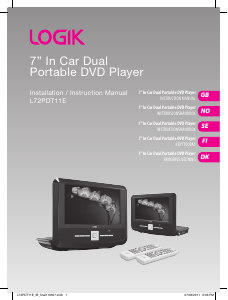
Delta i konversationen om denna produkt
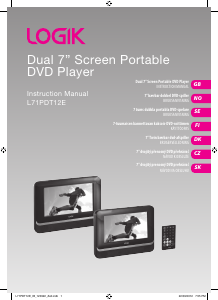
Här kan du dela vad du tycker om Logik L72PDT11E DVD spelare. Om du har en fråga, läs först noggrant igenom manualen. Att begära en manual kan göras genom att använda vårt kontaktformulär.