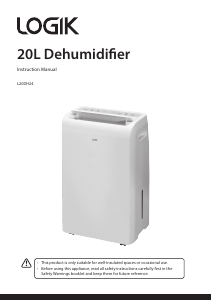
Bruksanvisning Logik L20DHW12 Avfuktare

Behöver du en bruksanvisning för din Logik L20DHW12 Avfuktare? Nedan kan du se och ladda ner PDF-bruksanvisningen gratis på svenska. Den här produkten har för närvarande 3 vanliga frågor, 0 kommentarer och har 1 röst med ett genomsnittligt produktbetyg på 100/100. Om det här inte är bruksanvisningen du vill ha, vänligen kontakta oss.

Är produkten defekt och erbjuder bruksanvisningen ingen lösning? Gå till ett Repair Café för gratis reparationstjänster.

Bruksanvisning

Loading…
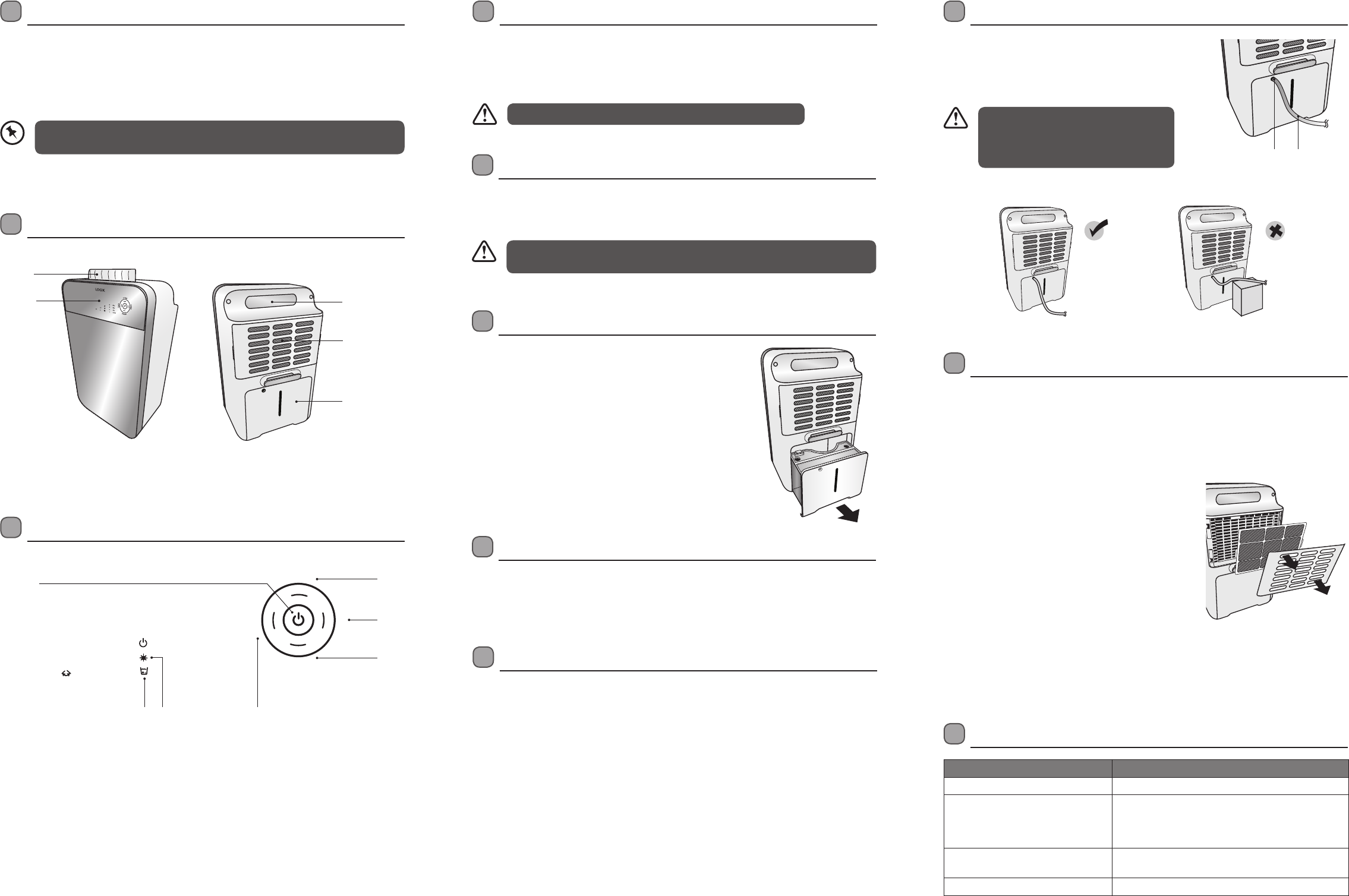
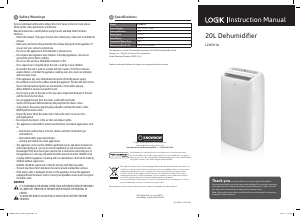
Product Overview
Unpacking
Remove all items from the packaging. Retain the packaging. If you dispose of it please do so
according to local regulations.
The following items are included:
• Main Unit
• Instruction Manual
Heater Controls
Water Tank Full Indicator
When the water tank is full, the WATER FULL indicator will
illuminate and beep. The unit will automatically stop. Turn o
the unit and remove the water tank. Empty the water and then
ret the water tank. Turn the unit on again and it will continue
operation after 3 minutes.
Operation
1. Connect to the mains socket.
2. Press the ON/OFF button to turn the unit on.
3. Press the ON/OFF button to turn the unit o.
Cleaning & Maintenance
Maintenance of your air lter
The air lter located inside the air inlet of the unit collects dust contained in the air. The build-up
of dust reduces the eciency of the unit. To prevent dust from clogging up the unit, always use
it with the air lter in place.
Always clean the air lter every 2 weeks. If the unit is used in a dusty atmosphere, clean the air
lter more often.
• To remove the lter: Press down on the unit’s top
to steady it, then gently but rmly pull out the grill
from the centre. While still steadying the unit, gently
push the lter’s side tab towards the centre and
remove the lter.
• Clean the air lter with a vacuum cleaner. lf the air
lter is very dirty, you can wash it in warm water
(never use hot or soapy water). Make sure that the
air lter is retted correctly to the unit. Do not bend
the lter and ensure it is tted before operating the
unit.
Cleaning the unit
• Clean the unit by using a damp sponge, and dry it with a clean, soft cloth.
• Never use alcohol or any product containing solvents.
• Do not immerse the unit in water.
Hints & Tips
Problem Solution
The WATER FULL indicator is lit up. Empty the water tank. Refit the water tank.
Dehumidifying function does not
work.
The humidity level is too low or the room temperature
is too low. The unit will enter Defrost Mode.
Clean the air filter. Make sure that the air inlet and the
air outlet are not blocked.
Excessive noise. Ensure the unit is on a stable flat surface.
Clean the air filter.
No air coming out from the air outlet. Clean the air filter.
Features and specications are subject to change without prior notice.
Continuous Draining
Water can be automatically emptied into a oor drain by
attaching a water hose (12mm) (hose not included) to the unit.
• Insert the water hose (not included) into the drain outlet
as shown. Place or connect the other end of the hose to a
suitable drainage facility.
• If items are missing or damaged, please contact Partmaster (UK only).
• Tel: 0844 800 3456 for assistance.
If the unit has been switched o and needs to be switched on again quickly, allow
approximately 3 minutes for the normal operations to resume.
The hose level must be lower than the
drain outlet (as shown below). When the
hose is not being used, remove the hose
from the drain outlet.
Front View Rear View
Recessed
Handle
Air Intake Grill
and Filter
Water Tank
Louvre
Control
Panel
S
W
I
N
G
S
P
E
E
D
H
U
M
I
D
T
I
M
E
R
80%
60%
40%
CON
8
4
2
1
H
L
1
5 76
2
4
3
1 ON/OFF Button: Press to turn the unit on and o.
2 Speed: Press to select H(High) or L (Low) speed.
3 Humid: Press to select dehumidication level: con > 40% > 60% > 80%.
4 Swing: Press to set the Louvre to swinging back and forth,
or return it to a stationary position.
5 Water Tank Full: The indicator will light up and the unit will beep.
6 Auto Defrost: The indicator will light up when the unit enters Defrost Mode.
7 Timer: Press to set or cancel hour settings: 1hr > 2hrs > 4hrs > 8hrs.
Before Use
1. Place on a stable, at oor. If the oor surface is not even:
• Vibration and noise will occur.
• Water may leak from the water tank.
2. Make sure the air inlet and air outlet openings are clear and free from blockage.
The unit must stand upright for at least 4 hours prior to use.
Auto-Defrost
When using the appliance in low ambient conditions, frost will build-up inside the unit. The
unit will automatically enter Defrost Mode. The Defrost Indicator will illuminate. The unit will
automatically start after the defrost has completed.
Suitable Uses
This unit is designed to operate in the following ambient room conditions:
•Minimum:5ºC,40%RH •Maximum:35ºC,90%RH
This unit is suitable for use in:
•Bedrooms •Studies
•Cellars/Basements •Kitchens
•Storagerooms •Libraries
•Galleries •Computerrooms
Protects moisture sensitive items, such as:
•Mostmusicalinstruments •Cameras
•Computers
Benets:
•Preventsclothesandleatherproductsfrombecomingmouldy.
•Dehumidiesooringandcarpets.
•Protectsceilingandwindowsfromcondensation.
•Toobtainbestresults,trytoavoidopeningandclosingwindowsanddoors.
Drain Outlet Water Hose
(not included)
L20DHW12_IB_RC_141003_grace.indd 4-6 3/10/14 4:47 pm
Ladda ner bruksanvisning i Engelska (PDF, 0.63 MB)
(Tänk på miljön och skriv endast ut denna bruksanvisning om det verkligen är nödvändigt)

Loading…

Betyg

Berätta vad du tycker om Logik L20DHW12 Avfuktare genom att betygsätta den. Vill du dela med dig av dina åsikter om denna produkt eller ställa en fråga? Lämna en kommentar nederst på sidan.
Är du nöjd med Logik L20DHW12 Avfuktare?
Ja Nej
100%
0%
1 röst

Delta i konversationen om denna produkt

Här kan du dela vad du tycker om Logik L20DHW12 Avfuktare. Om du har en fråga, läs först noggrant igenom manualen. Att begära en manual kan göras genom att använda vårt kontaktformulär.

Mer om denna bruksanvisning

Vi förstår att det är trevligt att ha en pappersbruksanvisning för din Logik L20DHW12 Avfuktare. Du kan alltid ladda ner bruksanvisningen från vår hemsida och skriva ut den själv. Om du vill ha en originalbruksanvisning rekommenderar vi att du kontaktar Logik. De kanske kan tillhandahålla en originalbruksanvisning. Letar du efter bruksanvisningen för din Logik L20DHW12 Avfuktare på ett annat språk? Välj ditt föredragna språk på vår hemsida och sök efter modellnumret för att se om vi har det tillgängligt.

Specifikationer

Märke Logik
Modell L20DHW12
Kategori Avfuktare
Filtyp PDF
Filstorlek 0.63 MB

Alla bruksanvisningar för Logik Avfuktare
Fler bruksanvisningar för Avfuktare

Vanliga frågor om Logik L20DHW12 Avfuktare

Vårt supportteam söker efter användbar produktinformation och svar på vanliga frågor. Om du hittar en felaktighet bland våra vanliga frågor uppskattar vi om du meddelar oss detta via vårt kontaktformulär.

Kan jag sätta på en avfuktare omedelbart efter inköpet? Verifierad

Nej, precis som ett kylskåp eller en frys ska avfuktaren stå upprätt i minst 2 timmar, men helst 24 timmar, innan du sätter på den för första gången.

Detta hjälpte (803) Läs mer

Vad är den idealiska fuktigheten för ett bostadsutrymme? Verifierad

Den idealiska luftfuktigheten i ett hus är mellan 40-60%. Vid högre eller lägre luftfuktighet är svampar, bakterier och virus mer benägna att utvecklas och du kan uppleva personligt obehag.

Detta hjälpte (619) Läs mer

Hur ska jag transportera en avfuktare? Verifierad

Avfuktare ska alltid transporteras upprätt och väl skyddade. Alla andra transportsätt kan orsaka skada på avfuktaren.

Detta hjälpte (534) Läs mer
Bruksanvisning Logik L20DHW12 Avfuktare

Relaterade produkter

Relaterade kategorier

×
Download