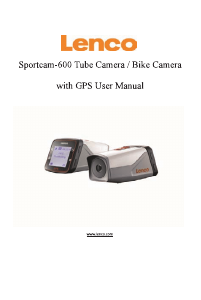
Bruksanvisning Lenco Sportcam 500 Actionkamera

Behöver du en bruksanvisning för din Lenco Sportcam 500 Actionkamera? Nedan kan du se och ladda ner PDF-bruksanvisningen gratis på svenska. Den här produkten har för närvarande 1 vanliga frågor, 0 kommentarer och har 0 röster. Om det här inte är bruksanvisningen du vill ha, vänligen kontakta oss.

Är produkten defekt och erbjuder bruksanvisningen ingen lösning? Gå till ett Repair Café för gratis reparationstjänster.

Bruksanvisning

Loading…
5
2. Assemble the Battery
Please firstly press the “PUSH Key” of the external screen on the two sides at the same time, and
then take down the external screen.
Step 1: Remove the battery cover to the unlocking position, and then take down it;
Step 2: Please insert the battery into the case towards the indicated direction;
Step 3: Assemble the battery cover in its original position to fasten the battery.
3. Charge the Battery
The rechargeable lithium battery is removable. When the Camera is powered off, it can be charged
through connecting it with the computer via the USB cable; during the charging process, the
Indicator Light will turn red, and it will be off when the Camera is fully charged. The charging
process may last for 2 to 4 hours.
II. Video Mode:
1. Start-up: press the Power key for 3s and then release it; LCD (Black & White Screen)will
show “ON”. The Buzzer will sound for once.
2. V i deo Recording
Before you conduct video recording, please verify whether the Camera is under the Video Mode; if
the icon does not show itself on the screen, please keep pressing the icon till it appears on
the screen.
Start: Press and release the Shutter Button, and the icon
will appear on the screen; the Icon
REC and the green indicator light will flicker, meaning that video recording begins;
Stop: Press and release the Shutter Button, and t he icon will appear on the screen; the indicator
light will be off, and video recording stops.
Note: Above icons will change according to your Camera’s status.
The maximum size for a video is about 4GB.
III. Video Mode and Photo Mode of the External Screen
1. Under the Video Mode, press the Shutter Button to start recording, and the LED Light will turn
green and flicker; press the Shutter Button again to stop recording;
Under the Photo Mode, press the Shutter Button to start taking photos.
2. Advanced Operation
Video Mode and Photo Mode
Press the Shutter Button to start recording, and press it again to stop;
Press the Shutter Button to take a photo;
When an external screen has been connected, press the Up Key and Down Key to conduct digital
zoom under the Video Mode and the Photo Mode.
Ladda ner bruksanvisning i Engelska (PDF, 5.12 MB)
(Tänk på miljön och skriv endast ut denna bruksanvisning om det verkligen är nödvändigt)

Loading…

Betyg

Berätta vad du tycker om Lenco Sportcam 500 Actionkamera genom att betygsätta den. Vill du dela med dig av dina åsikter om denna produkt eller ställa en fråga? Lämna en kommentar nederst på sidan.
Är du nöjd med Lenco Sportcam 500 Actionkamera?
Ja Nej
Bli den första personen som betygsätter denna produkt
0 röster

Delta i konversationen om denna produkt

Här kan du dela vad du tycker om Lenco Sportcam 500 Actionkamera. Om du har en fråga, läs först noggrant igenom manualen. Att begära en manual kan göras genom att använda vårt kontaktformulär.

Mer om denna bruksanvisning

Vi förstår att det är trevligt att ha en pappersbruksanvisning för din Lenco Sportcam 500 Actionkamera. Du kan alltid ladda ner bruksanvisningen från vår hemsida och skriva ut den själv. Om du vill ha en originalbruksanvisning rekommenderar vi att du kontaktar Lenco. De kanske kan tillhandahålla en originalbruksanvisning. Letar du efter bruksanvisningen för din Lenco Sportcam 500 Actionkamera på ett annat språk? Välj ditt föredragna språk på vår hemsida och sök efter modellnumret för att se om vi har det tillgängligt.

Specifikationer

Märke Lenco
Modell Sportcam 500
Kategori Actionkameror
Filtyp PDF
Filstorlek 5.12 MB

Alla bruksanvisningar för Lenco Actionkameror
Fler bruksanvisningar för Actionkameror

Vanliga frågor om Lenco Sportcam 500 Actionkamera

Vårt supportteam söker efter användbar produktinformation och svar på vanliga frågor. Om du hittar en felaktighet bland våra vanliga frågor uppskattar vi om du meddelar oss detta via vårt kontaktformulär.

Vad är en megapixel? Verifierad

En megapixel (MP) motsvarar en miljon pixlar Megapixlar används bland annat för att indikera upplösningen hos digitalkameror och videokameror. En kamera som producerar bilder på 1280x960 pixlar har till exempel en upplösning på cirka 1,3 MP. Även om det finns många faktorer som påverkar bildkvaliteten kan det sägas att fler megapixlar ger en en bättre bild.

Detta hjälpte (233) Läs mer
Bruksanvisning Lenco Sportcam 500 Actionkamera

Relaterade produkter

Relaterade kategorier

×
Download