Karlsson is een handelsmerk van Present
Time®
Televisieweg 16, 1322 AL, Almere
www.heden.com
GEBRUIKSAANWIJZING WEKKER KA6035
Karlsson is a trademark of Present Time®
Televisieweg 16, 1322 AL, Almere
www.presenttime.com
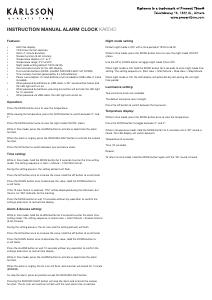
Functions:
• Display time, alarm with snooze, and dimmer.
• Two groups of alarms.
• Snooze time: 5 minutes.
• 12-hour display with PM/AM.
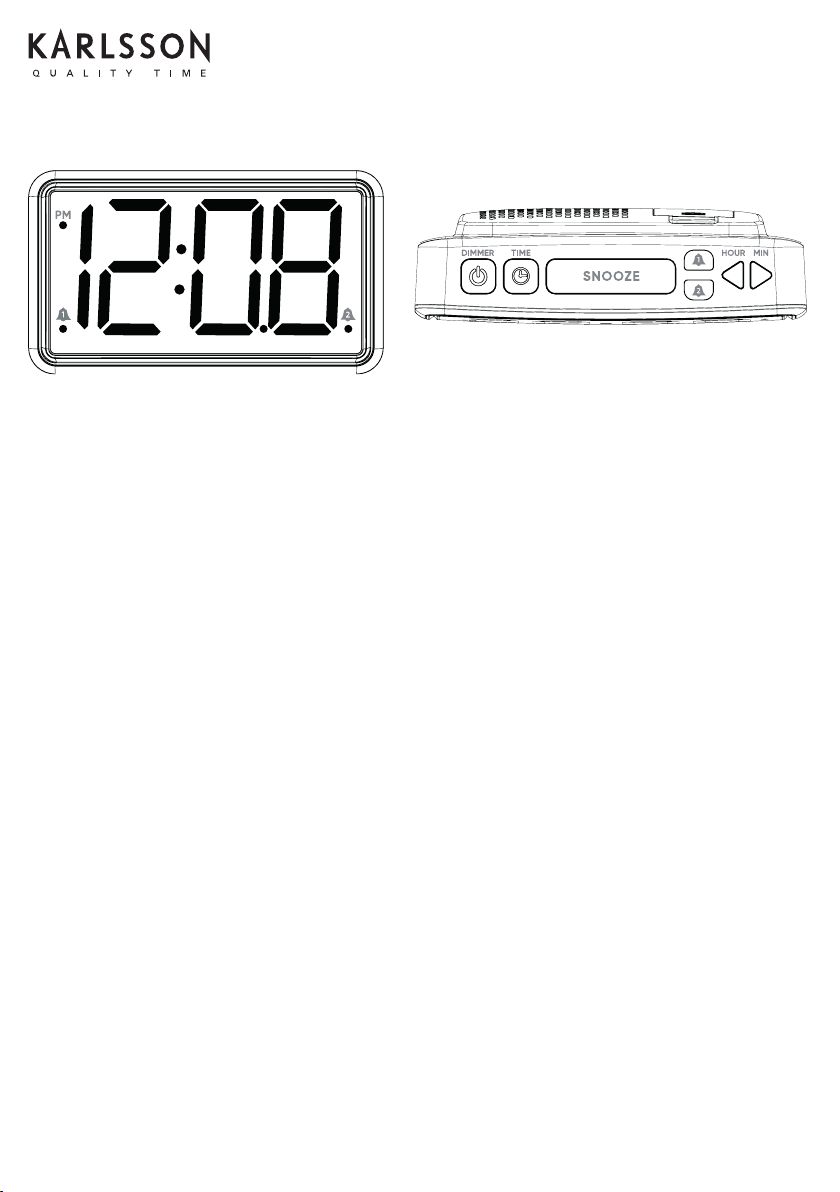
• Buttons: DIMMER, TIME SET, SNOOZE, AL1, AL2, HOUR, MIN.
• Power: 2 x AAA batteries (only for time memory, not included). Includes a DC 5V 1A USB cable.
• USB phone charging.
Setting the Time:
• Hold the TIME SET button and press the HOUR button to set the desired hour.
• Hold the TIME SET button and press the MIN button to set the desired minute.
• Release all buttons to save and exit the setting.
• To rapidly adjust the hour or minute, hold the TIME SET button and long-press the HOUR or MIN button.
Setting the Alarm:
• Hold the AL1 button and press the HOUR button to set the desired alarm hour.
• Hold the AL1 button and press the MIN button to set the desired alarm minute.
• Release all buttons to save and exit the alarm setting.
• Long-press AL1 for 2 seconds to display the AL1 time.
• Follow the same steps for AL2.
Using the Snooze Function:
• When the alarm sounds, press the SNOOZE button. The alarm will temporarily stop and resume after 5 minutes.
• To stop the alarm completely, press any button except the SNOOZE button. The alarm will stop but remain active for the next day.
Alarm On/Off:
• To turn the alarm on or off, press the AL1 or AL2 buttons.
• When the alarm is on, the alarm icon will appear on the screen.
Dimmer Function:
Press the DIMMER button to adjust the screen brightness. There are ve levels of brightness available.
INSTRUCTION MANUAL ALARM CLOCK KA6035
Functies:
• Weergave van tijd, alarm met snooze-functie en dimmer.
• Twee groepen alarmen.
• Snoozetijd: 5 minuten.
• 12-uursweergave met PM/AM.
• Knoppen: DIMMER, TIJDINSTELLING, SNOOZE, AL1, AL2, UUR, MIN.
• Voeding: 2 x AAA batterijen (alleen voor tijdgeheugen, niet inbegrepen). Inclusief een DC 5V 1A USB-kabel.
• Telefoon opladen via USB.
De tijd instellen:
• Houd de TIME SET-knop ingedrukt en druk op de HOUR-knop om het gewenste uur in te stellen.
• Houd de TIME SET-knop ingedrukt en druk op de MIN-knop om de gewenste minuten in te stellen.
• Laat alle knoppen los om de instellingen op te slaan en af te sluiten.
• Om snel het uur of de minuut aan te passen, houdt u de knop TIME SET ingedrukt en drukt u lang op de knop HOUR of MIN.
Het alarm instellen:
• Houd de AL1-knop ingedrukt en druk op de HOUR-knop om het gewenste alarmuur in te stellen.
• Houd de AL1-knop ingedrukt en druk op de MIN-knop om de gewenste alarmminuten in te stellen.
• Laat alle knoppen los om de instellingen op te slaan en de alarminstellingen te verlaten.
• Houd AL1 2 seconden ingedrukt om de AL1-tijd weer te geven.
• Volg dezelfde stappen voor AL2.
De snooze-functie gebruiken:
• Wanneer het alarm afgaat, druk op de SNOOZE-knop. Het alarm stopt tijdelijk en gaat na 5 minuten weer verder.
• Om het alarm volledig te stoppen, drukt u op een willekeurige knop behalve de SNOOZE-knop. Het alarm stopt, maar blijft de volgende dag
actief.
Alarm aan/uit:
• Om het alarm in of uit te schakelen, drukt u op de knoppen AL1 of AL2.
• Wanneer het alarm is ingeschakeld, verschijnt het alarmpictogram op het scherm.
Dimmerfunctie:
Druk op de DIMMER-knop om de helderheid van het scherm aan te passen. Er zijn vijf helderheidsniveaus beschikbaar.


Delta i konversationen om denna produkt
Här kan du dela vad du tycker om Karlsson KA6035BK Väckarklocka. Om du har en fråga, läs först noggrant igenom manualen. Att begära en manual kan göras genom att använda vårt kontaktformulär.