Bruksanvisning Hotpoint NLLCD 1044 WD AW UK N Tvättmaskin

Behöver du en bruksanvisning för din Hotpoint NLLCD 1044 WD AW UK N Tvättmaskin? Nedan kan du se och ladda ner PDF-bruksanvisningen gratis på svenska. Den här produkten har för närvarande 12 vanliga frågor, 2 kommentarer och har 0 röster. Om det här inte är bruksanvisningen du vill ha, vänligen kontakta oss.

Är produkten defekt och erbjuder bruksanvisningen ingen lösning? Gå till ett Repair Café för gratis reparationstjänster.

Bruksanvisning

Loading…
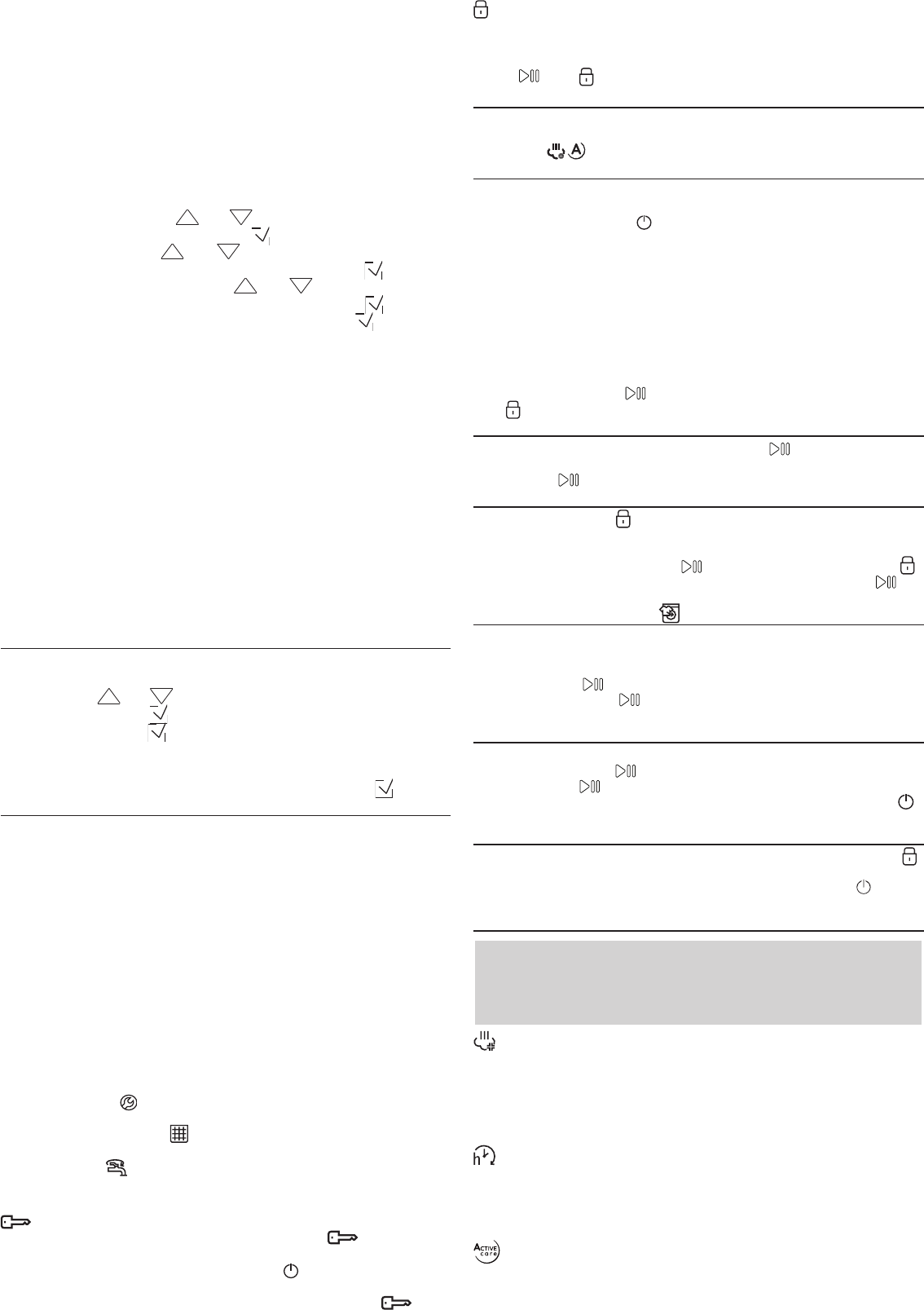
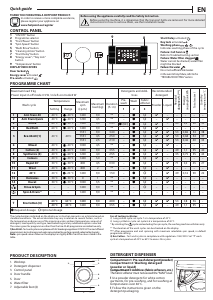
temperature, the area will display the -- ° symbol.
Area D will display the default spin cycle speed on the basis of the set
programme; if the programme does not include the setting of the spin
cycle, the area will display the -- symbol.
Area E will display the time remaining to the start of the selected
programme if the DELAYED START function was set.
Pressing and holding button F for 3 seconds allows for memorising one or
more preferred wash cycles.
To use the memorised cycles, turn the knob to position 13.
Pressing button G allows for accessing the menu from which to set
additional washing options.
Pressing and holding button G for 3 seconds allows for accessing the
settings menu:
- Language: by pressing the and buttons, the user can select the
desired language and conrm it with the button.
- Sound: by pressing the and buttons, the user can activate or
deactivate the sound of the buttons and conrm it with the button.
- Display brightness: by pressing the and buttons, the user can
select the type of display brightness and conrm it with the button.
- Restoring the factory settings: pressing and holding the button for 5
seconds restores the factory settings.
! During a wash cycle if the user does not interact with the display for 5
minutes, the SCREEN SAVER will activate. To return to the previous window,
simply press any button.
Pressing button H allows for accessing the menu from which to set the
washing machine remotely by external device.
Wi Setup (not applicable in Russia)
To enable the appliance to be remotely controlled, you rst have to
complete successfully the connectivity set up process. This process is
necessary to register your appliance and connect to your home network.
The setup procedure has to be carried out only once. You have to carry it
out again only if you change your router setup properties (network name
and password).
Minimum requirements
Smart device: Android with a 1280x720 (or higher) screen or iOS.
See on App store the App compatibility with Android or iOS versions.
Wireless router: 2.4Ghz WiFi b/g/n.
RESET TO FACTORY DEFAULT OPERATION
For restoring the factory settings press and hold the button G, select the
menu holding the botton for 3 seconds.
By pressing the and buttons, scroll down until “Factory Def. and
select it with the button .
Press again the button for 5 seconds to conrm the reset to factory
default settings.
Note: the appliance should then reset and ask again the language
selection, select the desired language and conrm it with the button.
HOW TO SETUP
To use this feature you need to own: a smart phone or a tablet and a
wireless router connected to internet. Please verify with your smart device
that the signal strength of your home wireless network close to the
appliance is good.
1. Download the Hotpoint Home Net app.
The rst step to get your appliance connected is to download the app for
your mobile device. The Hotpoint Home Net app will be your guide and
walk you through all of the steps listed here. You can download the
Hotpoint Home Net app by visiting either iTunes or Google Play and
follow the instructions from app to create an account, connect and
register your appliance.
The SAID code is used to sync a smart device with your appliance. MAC
Address is displayed for the Wi-Fi module.
The pairing procedure has to carry out again only if you change your
router set up properties (network name or password or data provider).
DISPLAY INDICATORS
Failure: Call Service
Refer to Troubleshooting section
Failure: Water lter clogged
Water cannot be drained; water lter might be blocked
Failure: No water
No or not sucient inlet water.
In the event of any failure, refer to the Troubleshooting” section.
Key Lock
To activate the control panel lock, press and hold the button for
roughly 3 seconds. When the display visualises “KEY LOCK”, the control
panel is locked (except for the ON/OFF button ). This will prevent
accidental modications to wash cycles, especially when children are at
home. To deactivate the control panel lock, press and hold the
button for approximately 3 seconds.
Locked door indicator
When lit, the symbol indicates that the door is locked. To prevent any
damage, wait until the symbol turns o before opening the door.
To open the door while a cycle is in progress, press the START/PAUSE
button ; if the symbol is o, the door can be opened.
FIRSTTIME USE
Once the appliance has been installed, and before you use it for the rst
time, run a wash cycle with detergent and no laundry, using the wash
cycle White (60°).
DAILY USE
Prepare the laundry by following the suggestions appearing under the
TIPS AND SUGGESTIONS” section.
- Press the ON/OFF button ; “HOTPOINT” will appear on the display.
- Open the door. Load the laundry while making sure not to exceed the
maximum load quantity indicated in the wash cycle table.
- Pull out the detergent dispenser drawer and pour the detergent into the
relevant compartments, as described in the DETERGENT DISPENSER
DRAWER section.
- Close the door.
- The machine automatically selects the default temperature and spin
speed set for the selected wash cycle.
- Select the desired wash cycle.
- Select the desired options.
- Press the START/PAUSE button to start the wash cycle; the door will
lock ( symbol on).
PAUSING A CYCLE
To pause the wash cycle, press the START/PAUSE button again. To start
the wash cycle from the point at which it was interrupted, press the
START/PAUSE button again.
OPENING THE DOOR, IF NECESSARY
Once a cycle starts, the symbol turns on to signal that the door cannot
be opened. While a wash cycle is running, the door remains locked. To
open the door while a cycle is under way, for example, to add or remove
garments, press the START/PAUSE button to pause the cycle. If the
symbol is not lit, the door may be opened. Press the START/PAUSE
button again to continue the cycle.
ADDING GARMENTS
An icon on the display will signal when additional garments can be
introduced into the washing machine, without decreasing the washing
performance. To add garments, rst stop the washing machine by pressing
the START/PAUSE button then open the door and insert them.
Press the START/PAUSE button again to restart the wash cycle from
the point at which it was interrupted.
CHANGING A RUNNING WASH CYCLE
To change a wash cycle while it is in progress, pause the washing machine
using the START/PAUSE button, then select the desired cycle and press
the START/PAUSE button again.
! To cancel a cycle that has already begun, press and hold the ON/OFF
button. The cycle will be stopped and the machine will switch o.
AT THE END OF THE WASH CYCLE
This will be indicated by the word “CYCLE END” on the display; when the
symbol switches o, the door may be opened. Open the door, unload the
laundry and switch o the machine. If you do not press “ON/OFF” button,
the washing machine will switch o automatically after about a 10 minutes.
OPTIONS
- If the selected option is incompatible with the set wash cycle or with
another previously selected option, in the menu the name of
incompatible option is represented in grey color and the wording Not
available will appear on the display, accompanied by a buzzer, the
option will not be activated.
Steam Hygiene
This option enhances washing performance by generating steam during
the wash cycle to remove any bacteria from the bres, which are treated
at the same time. Place the laundry in the drum, choose a compatible
programme and select option Steam Hygiene.
! The steam generated during the operation of the washing machine may
cause the porthole door to become hazy.
Start Delay
To set a delayed start for the selected cycle, press the corresponding
button repeatedly until the desired delay period is reached. When this
option has been activated, the selected values of delay start will appear
on the display. To remove the delayed start setting, press the button until
“--:--” appears on the display.
Active Care
The detergent, premixed with water, creates an unique emulsion able
to better penetrate the bers of the garments, cleaning stains at even
low temperatures, preserving both colors and fabrics. These results are
Ladda ner bruksanvisning i Engelska (PDF, 1.84 MB)
(Tänk på miljön och skriv endast ut denna bruksanvisning om det verkligen är nödvändigt)

Loading…

Betyg

Berätta vad du tycker om Hotpoint NLLCD 1044 WD AW UK N Tvättmaskin genom att betygsätta den. Vill du dela med dig av dina åsikter om denna produkt eller ställa en fråga? Lämna en kommentar nederst på sidan.
Är du nöjd med Hotpoint NLLCD 1044 WD AW UK N Tvättmaskin?
Ja Nej
Bli den första personen som betygsätter denna produkt
0 röster

Delta i konversationen om denna produkt

Här kan du dela vad du tycker om Hotpoint NLLCD 1044 WD AW UK N Tvättmaskin. Om du har en fråga, läs först noggrant igenom manualen. Att begära en manual kan göras genom att använda vårt kontaktformulär.

Mer om denna bruksanvisning

Vi förstår att det är trevligt att ha en pappersbruksanvisning för din Hotpoint NLLCD 1044 WD AW UK N Tvättmaskin. Du kan alltid ladda ner bruksanvisningen från vår hemsida och skriva ut den själv. Om du vill ha en originalbruksanvisning rekommenderar vi att du kontaktar Hotpoint. De kanske kan tillhandahålla en originalbruksanvisning. Letar du efter bruksanvisningen för din Hotpoint NLLCD 1044 WD AW UK N Tvättmaskin på ett annat språk? Välj ditt föredragna språk på vår hemsida och sök efter modellnumret för att se om vi har det tillgängligt.

Specifikationer

Märke Hotpoint
Modell NLLCD 1044 WD AW UK N
Kategori Tvättmaskiner
Filtyp PDF
Filstorlek 1.84 MB

Alla bruksanvisningar för Hotpoint Tvättmaskiner
Fler bruksanvisningar för Tvättmaskiner

Vanliga frågor om Hotpoint NLLCD 1044 WD AW UK N Tvättmaskin

Vårt supportteam söker efter användbar produktinformation och svar på vanliga frågor. Om du hittar en felaktighet bland våra vanliga frågor uppskattar vi om du meddelar oss detta via vårt kontaktformulär.

Min tvättmaskin startar inte när jag trycker på startknappen. Vad ska jag göra? Verifierad

Ofta beror det på att luckan på tvättmaskinen inte har stängts ordentligt. Öppna och stäng luckan och försök igen.

Detta hjälpte (25312) Läs mer

Min tvättmaskin töms inte på vatten, vad kan jag göra? Verifierad

Den främsta anledningen till att en tvättmaskin inte töms beror på en blockering i antingen pumpen eller avloppsslangen. Om din tvättmaskin har tillgång till dessa delar, ska du försöka ta bort eventuella blockeringar. Om detta inte löser problemet eller om du inte har tillgång till dessa delar ska du kontakta en mekaniker eller tillverkaren.

Detta hjälpte (24075) Läs mer

Inget vatten kommer in i tvättmaskinen. Vad ska jag göra? Verifierad

Kontrollera att vattenkranen är öppen och att det inte finns några veck i vattenslangen. Om problemet kvarstår ska du kontakta tillverkaren.

Detta hjälpte (9781) Läs mer

Dörren till min tvättmaskin öppnas inte, vad kan jag göra? Verifierad

Det kan finnas flera orsaker. Den vanligaste orsaken är att filtret är igensatt. Koppla ur apparaten och kontrollera filtret. Ta bort eventuella blockeringar vid behov. Filtrets läge skiljer sig åt beroende på modell. Det är också möjligt att det finns en speciell spak för att öppna dörren. Om dessa alternativ inte hjälper är det sista alternativet att koppla ur apparaten under 30-60 minuter och försöka öppna dörren efter det. Om detta inte fungerar, kontakta tillverkaren eller en mekaniker.

Detta hjälpte (8356) Läs mer

Min tvättmaskin avger en massa ljud och/eller vibrerar högt. Vad ska jag göra? Verifierad

Det kan hända att tvättmaskinen inte har installerats plant. Du kan få den att stå plant genom att justera fötterna. Problemet kan också orsakas av att för mycket kläder stoppats in i maskinen. Om dessa anledningar inte är orsaken till ditt problem ska du kontakta tillverkaren.

Detta hjälpte (6961) Läs mer

I vilket fack ska tvättmedlet gå? Verifierad

De flesta tvättmaskiner har 3 fack för tvättmedel. Dessa fack är ofta märkta med I, II och * för att visa vart tvättmedlet går. Fack I används för en tvättcykel, II är för huvudtvättcykeln och * är för sköljmedel. Fack II används oftast.

Detta hjälpte (5114) Läs mer

Min tvättmaskin luktar, vad kan jag göra åt det? Verifierad

Det finns tvättmaskiner med självrensande funktioner. Om dessa funktioner inte är tillgängliga är det möjligt att tillsätta 100 ml vit vinäger eller 100 gram sodakristaller och låta tvättmaskinen köra ett 90 ℃-program.

Detta hjälpte (4270) Läs mer

Kan jag ansluta tvättmaskinen till varmvatten? Verifierad

Även om tvättmaskiner förmodligen kan hantera inkommande vatten på upp till 65 °C rekommenderar de flesta tillverkare att inte göra detta. Det finns tvättcykler som specifikt använder kallvatten. I sådana fall kan varmvatten försämra tvättcykelns resultat. Dessutom är många tvättmaskiner konstruerade att installeras på en kallvattenanslutning.

Detta hjälpte (3048) Läs mer

Vad ska jag vara uppmärksam på när jag flyttar en tvättmaskin? Verifierad

När du flyttar en tvättmaskin bör du säkra trumman. Du kan använda transportbulten som medföljer varje tvättmaskin och förhindrar att trumman rör sig inuti maskinen. Du måste också tömma allt vattnet.

Detta hjälpte (1600) Läs mer

Kan jag ställa min tvättmaskin och torktumlare ovanpå varandra? Verifierad

I princip går det bra att stapla en torktumlare och tvättmaskin. Det fungerar förstås bara med frontladdade modeller. Vi rekommenderar att använda ett speciellt monteringstillbehör. Det förhindrar att maskinerna vibrerar och ramlar ned samt förhindrar skador på den undre maskinen.

Detta hjälpte (1356) Läs mer

Kan jag ansluta en tvättmaskin till en förlängningssladd? Verifierad

Enheter som kräver stora mängder ström, som en tvättmaskin, kan inte anslutas till alla förlängningssladdar. Se vad tvättmaskinens strömförbrukning är, vilket anges i Watt, och kontrollera om förlängningssladden klarar detta. Det finns förlängningssladdar med tjockare kablar som är gjorda för att hantera större apparater.

Detta hjälpte (1323) Läs mer

Vad är skillnaden i användning mellan en tvättmaskin och en separat tvättmaskin och torktumlare? Verifierad

Den största fördelen med en tvättmaskin är att den tar mindre plats. En separat torktumlare kan dock torka mer än en tvättmaskin. En tvättmaskin använder också relativt mer energi och kräver mer tid.

Detta hjälpte (1323) Läs mer
Bruksanvisning Hotpoint NLLCD 1044 WD AW UK N Tvättmaskin

Relaterade produkter

Relaterade kategorier

×
Download