Bruksanvisning Horstmann ChannelPlus H17XL Thermostat

Behöver du en bruksanvisning för din Horstmann ChannelPlus H17XL Thermostat? Nedan kan du se och ladda ner PDF-bruksanvisningen gratis på svenska. Den här produkten har för närvarande 2 vanliga frågor, 2 kommentarer och har 2 röster med ett genomsnittligt produktbetyg på 0/100. Om det här inte är bruksanvisningen du vill ha, vänligen kontakta oss.

Är produkten defekt och erbjuder bruksanvisningen ingen lösning? Gå till ett Repair Café för gratis reparationstjänster.

Bruksanvisning

Loading…
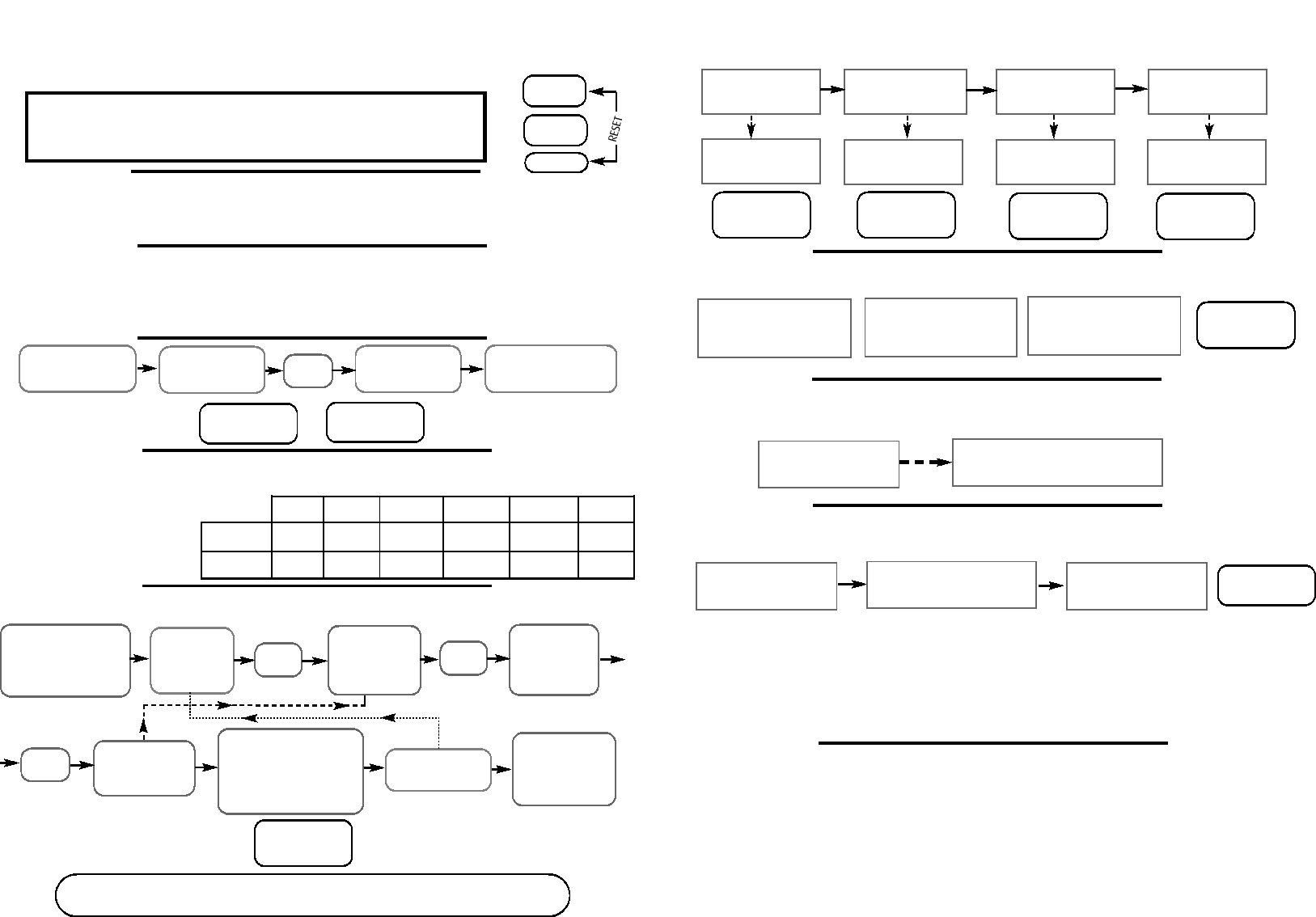
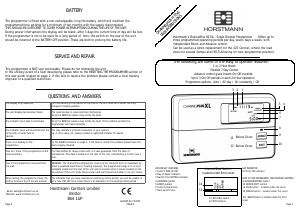
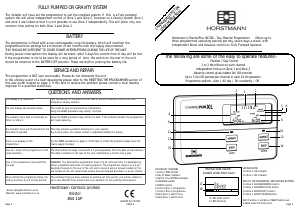
The simple instructions below are designed to help with the programming of the unit. All the following
instructions require the front flap to be lowered. Please replace the flap when normal operation is
required.
Electronic equipment can in some circumstances be affected by electrical interference. If the
programmer’s display becomes frozen or scrambled; or if you wish to revert back to the default time
settings please use the following procedure.
FRONT COVER
SETTING DAY AND TIME OF DAY
SETTING THE ON AND OFF TIMES
Should you encounter any problems, please refer to the
Question and Answer section located on page 4
The normal working position for the SET switch is in the PROG.RUN position. In order to remind the user
of this, the flap is unable to be closed with the switch in any other position.
Move the SET
switch to the CLOCK
position.
Use PLUS and
MINUS buttons to
adjust time
Return SET switch to
PROG.RUN position
Move SET switch to the
ON/OFF TIMES
position
Use PLUS and
MINUS
buttons to adjust
the 1st ON time.
Use the PLUS
and MINUS
buttons to adjust
the 1st OFF time.
Repeat this
process for 2nd and
3rd settings.
Return SET
switch to PROG.RUN
position.
Press
ENTER
Press
ENTER
RESETTING THE PROGRAMMER
The SET slide switch must be in the PROG.RUN position for the following instructions.
Press SELECT once.
Programme goes from
AUTO to ALL DAY
Press SELECT again.
Programme goes from
ALL DAY to ON
Press SELECT again.
Programme goes from
ON to OFF
Press SELECT again.
Programme goes from
OFFto AUTO
Unit will operate from
first ON until last OFF
period
Unit will be
continuously ON
Unit will be
continuously OFF
Programmer will return
to normal ON and OFF
times
BOOST FUNCTION- 1 or 2 hour temporary override
At any time during a BOOST
period press BOOST again to
return to normal programming
ADVANCE FUNCTION
-
Brings forward next on or off operation
Press ADVANCE button once
to move to the next
ON/OFF time
To cancel the advance press the ADVANCE
button again. This will return the unit to
its normal programme
HOLIDAY FUNCTION
-
Allows system to be programmed for up to 32 days
Move SET switch to the
HOLIDAY position
Use the PLUS button to enter the
required number of nights
(MAX OF32NIGHTS)
Return SET switch to the
PROG.RUN position
Whilst the HOLIDAY FUNCTION is in operation the system will remain OFF, the display will show the
number of nights remaining. The HOLIDAY setting is an instant function and cannot be set in advance.
The HOLIDAY FUNCTION can be cancelled at any time by pressing any of the SELECT buttons.
Normal programme functions will resume at the first ON period after the pre-set number of nights has
expired.
INFORMATION AND ADVICE
Programming ON/OFF times
If a period is not required it can be cancelled by setting the ON and OFF settings to the same
time. Example ON 10:00am OFF 10:00am
Your programmer will prevent you from accidentally overlapping ON and OFF times.
Example: If the 2nd ON time is set at 12:00pm and then you try and set the 1st OFF at 12:30 pm the
OFF setting will ‘bounce’ by a 10 minute period until the 2nd ON time has been adjusted.
SETTING
SET
SETTING1ST
ON OFF
6:30AM 8:30AM
08
SETTING
ALL DAY
ON UNTIL
8:30
PM
ON OFF
ADVANCE
SELECT
Lower the front flap of the unit. Press the ADVANCE and SELECT buttons
together then release the buttons and the programmer will return to the
preset factory settings.
Page 2
BOOST
SPECIAL FEATURES
Page 3
Use PLUS and
MINUS buttons to
adjust day
Press
ENTER
Use PLUS
and MINUS
buttons to
adjust day
Press
ENTER
If you require this
programme on any other
day of the week use the
PLUS and MINUS buttons to
select day and press COPY
Programme the
remaining days.
SUN
10:00AM
SUN
SUN
SUN
TUE
MON
12:OOPM
1:45PM
Press BOOST button twice:
Your System will be Boosted
for 2 hours
Press BOOST button once:
Your System will be Boosted
for 1 hour
SUN
BOOST
AUTO
ON UNTIL
11:30
AM
10:30AM
SUN
AUTO
ON UNTIL
10:30
AM
10:00AM
10:00AM 10:00AM
MON-FRI
SAT/SUN
1st ON 1st OFF 2nd ON 2nd OFF 3rd ON 3rd OFF
6:30 AM 8:30 AM 12:00 PM 12:00 PM 4:30 PM 10:30 PM
7:30 AM 10:30 AM 12:00 PM 12:00 PM 5:00 PM 11:00 PM
DEFAULT TIME SETTINGS
The default factory settings
are shown, however if you
wish to change these
proceed as instructed below.
Ladda ner bruksanvisning i Engelska (PDF, 0.32 MB)
(Tänk på miljön och skriv endast ut denna bruksanvisning om det verkligen är nödvändigt)

Loading…

Betyg

Berätta vad du tycker om Horstmann ChannelPlus H17XL Thermostat genom att betygsätta den. Vill du dela med dig av dina åsikter om denna produkt eller ställa en fråga? Lämna en kommentar nederst på sidan.
Är du nöjd med Horstmann ChannelPlus H17XL Thermostat?
Ja Nej
0%
100%
2 röster

Delta i konversationen om denna produkt

Här kan du dela vad du tycker om Horstmann ChannelPlus H17XL Thermostat. Om du har en fråga, läs först noggrant igenom manualen. Att begära en manual kan göras genom att använda vårt kontaktformulär.

Mer om denna bruksanvisning

Vi förstår att det är trevligt att ha en pappersbruksanvisning för din Horstmann ChannelPlus H17XL Thermostat. Du kan alltid ladda ner bruksanvisningen från vår hemsida och skriva ut den själv. Om du vill ha en originalbruksanvisning rekommenderar vi att du kontaktar Horstmann. De kanske kan tillhandahålla en originalbruksanvisning. Letar du efter bruksanvisningen för din Horstmann ChannelPlus H17XL Thermostat på ett annat språk? Välj ditt föredragna språk på vår hemsida och sök efter modellnumret för att se om vi har det tillgängligt.

Specifikationer

Märke Horstmann
Modell ChannelPlus H17XL
Kategori Thermostater
Filtyp PDF
Filstorlek 0.32 MB

Alla bruksanvisningar för Horstmann Thermostater
Fler bruksanvisningar för Thermostater

Vanliga frågor om Horstmann ChannelPlus H17XL Thermostat

Vårt supportteam söker efter användbar produktinformation och svar på vanliga frågor. Om du hittar en felaktighet bland våra vanliga frågor uppskattar vi om du meddelar oss detta via vårt kontaktformulär.

Vad är en termostats döda zon? Verifierad

Många moderna termostater har en död zon. Om temperaturen avviker från mindre än 4 ° C från den inställda temperaturen värms eller svalnar systemet inte. Denna så kallade termostats döda zon förhindrar att systemet slås på och av för ofta, vilket sparar energi.

Detta hjälpte (1756) Läs mer

Vad är det bästa stället att montera en termostat på? Verifierad

Det bästa stället för en termostat är cirka 1,5 meter över marken. Placera aldrig termostaten i en radiator eller annan värmeavgivande utrustning eller i direkt solljus. Välj ett rum som används ofta. I de flesta fall är detta vardagsrummet.

Detta hjälpte (1128) Läs mer
Bruksanvisning Horstmann ChannelPlus H17XL Thermostat

Relaterade produkter

Relaterade kategorier

×
Download