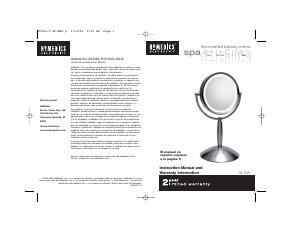
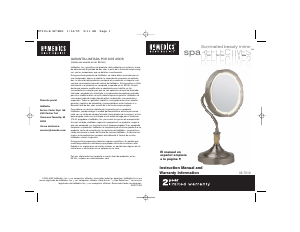
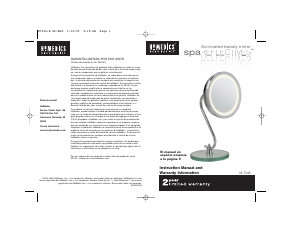
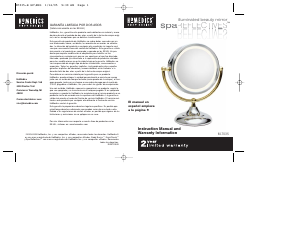
Bruksanvisning Homedics M-7085 Spegel

Behöver du en bruksanvisning för din Homedics M-7085 Spegel? Nedan kan du se och ladda ner PDF-bruksanvisningen gratis på svenska. Den här produkten har för närvarande 1 vanliga frågor, 1 kommentarer och har 0 röster. Om det här inte är bruksanvisningen du vill ha, vänligen kontakta oss.

Är produkten defekt och erbjuder bruksanvisningen ingen lösning? Gå till ett Repair Café för gratis reparationstjänster.

Bruksanvisning

Loading…

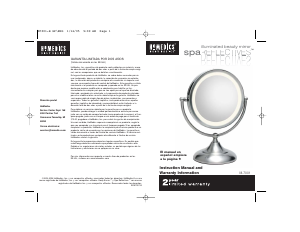
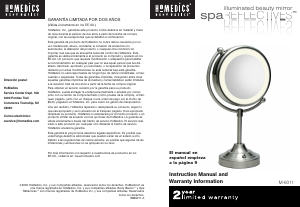
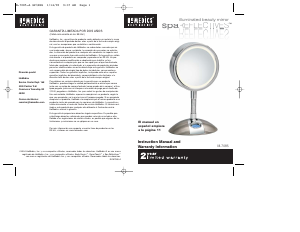
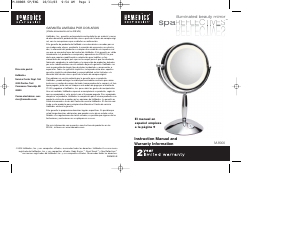
Illuminated Beauty Mirror Features
Illumi-Touch™ Control – Select from 3 light settings with
a gentle touch of the base
Variable Light Setting – Choose from day, office or
evening illumination
Incandescent Light – Soft glare-free & shadow-free viewing
7x/1x Magnification – Two-sided mirror with normal and 7x
magnification
7.5” Diameter
Stable, non-slip base
Fog free
Mirror Measures 8”L x 6”W x 14.25”H
Polished Chrome and Satin Nickel Finish
Digital LCD clock in base
• Convenient built-in outlet
Includes three replacement light bulbs
Instructions for Use
1. Carefully remove all contents from the packaging and
inspect the product to make sure all components have
been received (Fig. 1).
2. Remove protective plastic coating from mirror face.
3. Plug adaptor into AC adaptor receptacle (Fig. 1).
4. Place mirror on an even surface.
5. Adjust the mirror to either normal or magnified viewing.
To do so swivel the mirror to the viewing side of your preference
while firmly holding down the base.
6. Plug unit into a 120V household outlet.
7. Select the light setting of your preference with the Illumi-Touch
control feature. Touch the base of the mirror to activate:
•Touch once for evening (Low)
•Touch a second time for office (Medium)
•Touch a third time for day (High)
•Touch a fourth time to turn off
Note: The mirror casing may be hot after prolonged use.
Be cautious when adjusting the mirror face.
8. To use the extra outlet in the adaptor, plug in the appliance of your
choice (Fig. 1). NOTE: Never leave a plugged in appliance
unattended. Do not exceed 12 amps on the electrical outlet.
Setting the Time & Date
1. Remove the battery cover (Fig. 2) and insert 1 “AAA” battery.
NOTE: The battery power is designed only to provide memory
back-up for the clock in the event of power outages or if the unit is
unplugged.
2. Press TIME MODE button (Fig. 2) once. The hour number will
flash continuously.
3. Continuously press the SET button (Fig. 2) until you reach the
correct hour. NOTE: A PM indicator will appear in the lower
section of the clock face during the PM hours. Be sure to set the
time for the correct 12-hour period - AM (morning) or PM (evening)
(Fig. 3).
4. Press TIME MODE button again and the minute numbers will begin
to flash continuously.
5. Continuously press the SET button until you reach the correct
minute.
6. Press the TIME MODE button. The first digit is continuously
flashing; it is ready to set the date.
7. Press the SET button until you reach the correct month. Numbers
1-12 represent months January - December accordingly.
8. Press TIME MODE button again and the Day numbers will begin to
flash continuously.
9. Press the SET button until you reach the correct day, 1-31
accordingly.
10. Press the TIME MODE button. The time and date are now set.
11. To view the date, press the SET button once. The date will flash
on the screen for a few seconds.
12. To use the Seconds feature press the SET button twice
to enter this mode. The clock will continuously count
in sixty-second increments. To exit this mode press the
SET button a third time, the time will display.
4
5
M-7085-A SP\ENG 1/14/05 9:37 AM Page 5
Ladda ner bruksanvisning i Engelska (PDF, 0.34 MB)
(Tänk på miljön och skriv endast ut denna bruksanvisning om det verkligen är nödvändigt)

Loading…

Betyg

Berätta vad du tycker om Homedics M-7085 Spegel genom att betygsätta den. Vill du dela med dig av dina åsikter om denna produkt eller ställa en fråga? Lämna en kommentar nederst på sidan.
Är du nöjd med Homedics M-7085 Spegel?
Ja Nej
Bli den första personen som betygsätter denna produkt
0 röster

Delta i konversationen om denna produkt

Här kan du dela vad du tycker om Homedics M-7085 Spegel. Om du har en fråga, läs först noggrant igenom manualen. Att begära en manual kan göras genom att använda vårt kontaktformulär.

Mer om denna bruksanvisning

Vi förstår att det är trevligt att ha en pappersbruksanvisning för din Homedics M-7085 Spegel. Du kan alltid ladda ner bruksanvisningen från vår hemsida och skriva ut den själv. Om du vill ha en originalbruksanvisning rekommenderar vi att du kontaktar Homedics. De kanske kan tillhandahålla en originalbruksanvisning. Letar du efter bruksanvisningen för din Homedics M-7085 Spegel på ett annat språk? Välj ditt föredragna språk på vår hemsida och sök efter modellnumret för att se om vi har det tillgängligt.

Specifikationer

Märke Homedics
Modell M-7085
Kategori Speglar
Filtyp PDF
Filstorlek 0.34 MB

Alla bruksanvisningar för Homedics Speglar
Fler bruksanvisningar för Speglar

Vanliga frågor om Homedics M-7085 Spegel

Vårt supportteam söker efter användbar produktinformation och svar på vanliga frågor. Om du hittar en felaktighet bland våra vanliga frågor uppskattar vi om du meddelar oss detta via vårt kontaktformulär.

Kan jag rengöra en spegel med en skurmedel? Verifierad

Nej, använd aldrig en skurmedel eller slipande föreningar på en spegel. Dessa kan orsaka repor.

Detta hjälpte (66) Läs mer
Bruksanvisning Homedics M-7085 Spegel

Relaterade produkter

Relaterade kategorier

×
Download