Bruksanvisning Goodram Iridium Pro SSD

Behöver du en bruksanvisning för din Goodram Iridium Pro SSD? Nedan kan du se och ladda ner PDF-bruksanvisningen gratis på svenska. Den här produkten har för närvarande 2 vanliga frågor, 0 kommentarer och har 0 röster. Om det här inte är bruksanvisningen du vill ha, vänligen kontakta oss.

Är produkten defekt och erbjuder bruksanvisningen ingen lösning? Gå till ett Repair Café för gratis reparationstjänster.

Bruksanvisning

Loading…
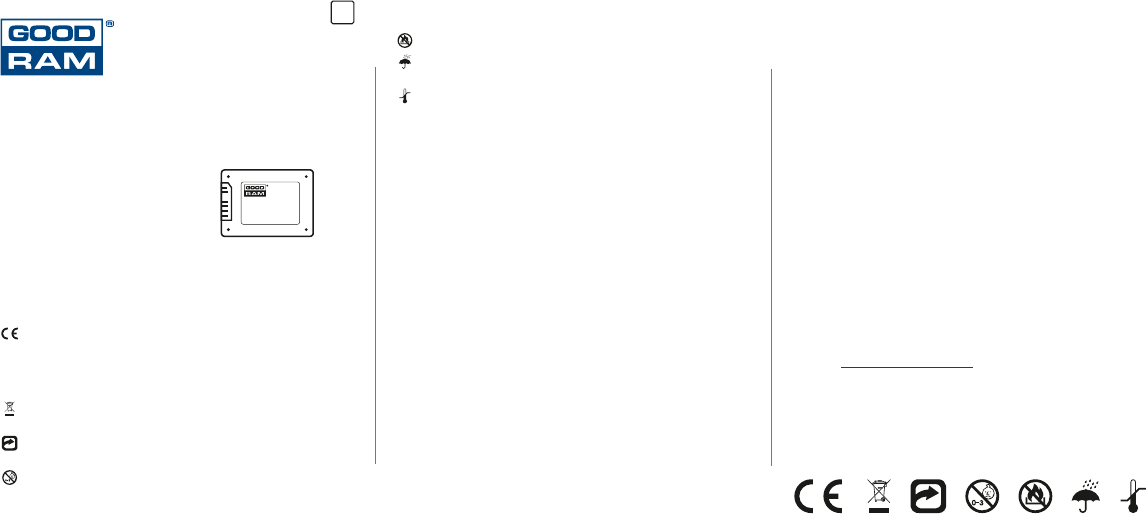
Thank You for choosing GOODRAM product. Before the first use, please read this
user manual to learn about how to use and store this product.
We recommend to retain this manual for future read.
Refers to the following products:
GOODRAM C40
GOODRAM C50
GOODRAM CX100
GOODRAM CX200
GOODRAM CX300
GOODRAM Iridium
GOODRAM Iridium Pro
and future products from the series
Symbol explanation
Below you will find explanation of symbols used in this manual. Please read this
important information before continuing.
Manufacturer declares that this product, marked with CE sign, conforms
with the essential requirements contained in EU directives Responsible for
CE marking is Wilk Elektronik SA, with its registered office in Laziska Gorne
43-173, Mikolowska 42, Poland. Copy of the declaration can be obtained
by contacting Wilk Elektronik SA.
This product may not be treated as a household waste. It should be utilized
in appropriate recycling center
The product can be recycled which means that materials used for its
production can be reused.
The product is not a toy and is not intended for children under
the age of three.
It is forbidden to place the product near the naked flame.
It is forbidden to immerse any part of this product in water or other liquid,
especially when it operates.
It is forbidden to expose this product to potential damage and excess heat
or extremely low temperatures that do not comply with the product
specification.
Usage and compatibility
Mass storage device intended for use as an internal storage device in desktop
and laptop computers.
This product is compatible with the following operating systems:
ź Windows® XP® / Vista / 7 / 8 / 8.1 / 10
ź Mac OS X 10.4 and newer (formatting the drive to a file system other than
NTFS is required)
ź Linux
This product is dedicated for consumer-class applications. This product is not
intended to be used in systems, that require high performance or high reliability
(e.g. servers, industrial applications), unless it is stated that the product
is dedicated for these applications.
To achieve the highest performance, please connect SSD to SATA III interface.
This SSD is also compatible with SATA II and SATA I interfaces, but connecting
it will limit its performance to the level, specified by these interfaces. Please refer
to your computer/motherboard manual to check their compatibility with SSD.
WARNING: Computer configuration and operating system may affect
performance of this SSD.
Installation
Before installing the SSD, please ensure that your computer is turned off,
unplugged from the power source and equipped with a SATA interface.
Otherwise this SSD may be incompatible.
After connecting SSD to the SATA interface, you most format the drive using
operating system tools.
If SSD is mounted into laptop with 9,5 mm drive bay, use the attached spacer by
attaching it to the SSD.
Capacity
Storage capacity for GOODRAM SSD is always expressed in decimal values.
That means, 1GB equals 1 000 000 000 bytes. Operating system that use the
binary conversion eg. 1GB equals 1 073 741 824 bytes may show lower storage
capacity value than advertised. Additionally, a part of the storage is reserved for
files and firmware, managing the drive.
Safety measures
To ensure the best user experience and safe use, please follow the precautions
listed below:
Do not:
ź expose this product to potential damage and excess heat or extremely low
temperatures
ź immerse any part of this product in water or other liquid
ź place the product near the naked flame
Caution:
ź provide accurate heat dissipation
ź this product is not a toy and is not intended for children under
the age of three.
ź use this product only with compatible devices
Manufacturer's warranty
Warranty conditions are listed in separate document, available at product
website at www.goodram.com/warranty
Manufacturer
Wilk Elektronik SA
Mikolowska 42
43-173 Laziska Gorne
Poland
User Manual for internal
Solid State Drives
SATA III „SSD”
EN
Ladda ner bruksanvisning i Engelska (PDF, 1.36 MB)
(Tänk på miljön och skriv endast ut denna bruksanvisning om det verkligen är nödvändigt)

Loading…

Betyg

Berätta vad du tycker om Goodram Iridium Pro SSD genom att betygsätta den. Vill du dela med dig av dina åsikter om denna produkt eller ställa en fråga? Lämna en kommentar nederst på sidan.
Är du nöjd med Goodram Iridium Pro SSD?
Ja Nej
Bli den första personen som betygsätter denna produkt
0 röster

Delta i konversationen om denna produkt

Här kan du dela vad du tycker om Goodram Iridium Pro SSD. Om du har en fråga, läs först noggrant igenom manualen. Att begära en manual kan göras genom att använda vårt kontaktformulär.

Mer om denna bruksanvisning

Vi förstår att det är trevligt att ha en pappersbruksanvisning för din Goodram Iridium Pro SSD. Du kan alltid ladda ner bruksanvisningen från vår hemsida och skriva ut den själv. Om du vill ha en originalbruksanvisning rekommenderar vi att du kontaktar Goodram. De kanske kan tillhandahålla en originalbruksanvisning. Letar du efter bruksanvisningen för din Goodram Iridium Pro SSD på ett annat språk? Välj ditt föredragna språk på vår hemsida och sök efter modellnumret för att se om vi har det tillgängligt.

Specifikationer

Märke Goodram
Modell Iridium Pro
Kategori SSD
Filtyp PDF
Filstorlek 1.36 MB

Alla bruksanvisningar för Goodram SSD
Fler bruksanvisningar för SSD

Vanliga frågor om Goodram Iridium Pro SSD

Vårt supportteam söker efter användbar produktinformation och svar på vanliga frågor. Om du hittar en felaktighet bland våra vanliga frågor uppskattar vi om du meddelar oss detta via vårt kontaktformulär.

Vad är skillnaden mellan en hårddisk och en SSD? Verifierad

En hårddisk har flera skivor som rör sig. Det gör att stora mängder data kan lagras, men använder mycket ström och är sårbar. En SSD har inga rörliga delar, men använder marker som ett USB-minne. Det har fördelen att det är snabbt och lätt, men möjliggör mindre datalagring.

Detta hjälpte (1) Läs mer
Vad står SSD för? Verifierad

SSD står för Solid State Drive.

Detta hjälpte (1) Läs mer
Bruksanvisning Goodram Iridium Pro SSD

Relaterade produkter

Relaterade kategorier

×
Download