set the geographical location of your selected
tide location.
7. Press S3 button, the DST (daylight savings
time) setting will blink. Press S1 button or S2
button to cycle among OFF, ON and AUTO. If
AUTO is selected, the watch will automatically
determine if the selected location is on DST.
When DST is ON, the DST indicator
will be
displayed.
8. Press S3 button, the time offset (in the unit of
minutes) to the tide data for the custom loca-
tion will blink. Press S1 button or S2 button
to increase or decrease respectively the time
offset (the available offsets are -120, -110, …,
-10, 0, +10, …, +110, +120 minutes). The offset
has no impact on the DST status.
9. Press S3 button, the custom location setting
will blink. Press S1 or S2 button to toggle
between YES and NO. If NO is selected, this
would be the last step of setting sequence.
Otherwise, the sequence continues to custom-
ize the 18-character name of the selected tide
location.
10. Press S3 button, the rst character of the
18-character custom location name will blink.
Press S1 button or S2 button to cycle forward
or backward respectively the English letter
of the selected character. Press S3 button to
proceed to the next character.
11. When nished making all the settings, press
S4 button to conrm.
NOTE: For details of the geographical region
and location of a tide location, please refer to the
“LIST OF TIDE LOCATIONS” in the last page of this
instruction manual.
TO USE THE TIDE, SUNRISE AND SUNSET DATA:
1. Press S3 button to select TIDE mode. The cor-
responding number and name of your selected
favorite tide location will be displayed.
2. After approximately 2 seconds, any one of the
three data display modes (TIDE STATUS GRAPH
/ SUNRISE TIME / SUNSET TIME, depends on
the display mode left off during the last brows-
ing) will be displayed.
3. To change from one data display mode to
another, press S4 button once.
TIDE STATUS GRAPH:
In TIDE STATUS GRAPH mode, press S1 button or
S2 button to advance or retreat respectively the tide
status graph at a 30-minute interval to display the
upcoming or previous tide level(s).
NOTE: The tide status graph will be updated every
30 minutes.
SUNRISE TIME:
In SUNRISE TIME mode, press S1 button or S2
button to display the previous and the next sunrise
time respectively.
ENGLISH
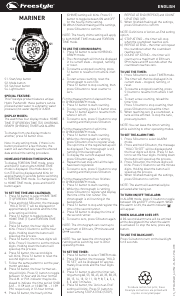
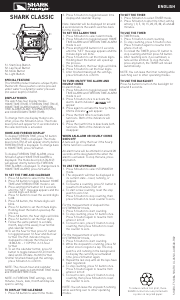
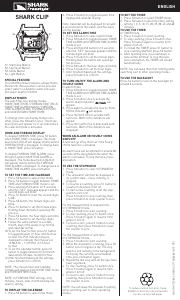
S1: Tide/start Button
S2: Stop/reset Button
S3: Mode Button
S4: Set Button
S5: Light Button
SPECIAL FEATURE:
This SHARK product features unique Hydro
Pushers®: these pushers can be pressed under
water to a dynamic water pressure (not water
depth) of 3 ATM.
DISPLAY MODE:
The watch has seven display modes: NORMAL
TIME (TIME-1), TIDE, CHRONOGRAPH (CHRONO),
TIMER, HEAT TIMER, ALARM and FOREIGN TIME
(TIME-2).
To change from one display mode to another, press
S3 button once.
NOTE: In any setting mode, if there is no button
pressed for approximately 30 seconds, the watch
will automatically save the entered data and exit
the setting procedure.
TO SET THE NORMAL TIME AND CALENDAR:
1. Press S3 button to select NORMAL TIME mode.
2. Press and hold S4 button for approximately 4
seconds, the message “SET TIME-1” will be
displayed and the year digits will blink. Press
S1 button to increase the digits by one unit or
press S2 button to decrease the digits by one
unit. Holding down either button will speed up
the process.
3. Press S3 button, the month digits will blink.
Press S1 button to increase the digits by one
unit or press S2 button to decrease the digits
by one unit. Holding down either button will
speed up the process.
4. Press S3 button, the date digits will blink.
Press S1 button to increase the digits by one
unit or press S2 button to decrease the digits
by one unit. Holding down either button will
speed up the process.
5. Press S3 button, the hour digits (including A.M.
/ P.M. for 12-hour format) will blink. Press S1
button to increase the digits by one unit or
press S2 button to decrease the digits by one
unit. Holding down either button will speed up
the process.
6. Press S3 button, the minute digits will blink.
Press S1 button to increase the digits by one
unit or press S2 button to decrease the digits
by one unit. Holding down either button will
speed up the process.
7. Press S3 button, the second digits will blink.
Press S1 button or S2 button to reset the
second digits to zero.
8. Press S3 button, the time format setting will
blink. Press S1 button or S2 button to toggle
between 12-hour and 24-hour format. The A.M.
or P.M. indicator may be displayed to indicate
the time period 12:00 A.M. – 11:59 A.M. or
12:00 P.M. – 11:59 P.M. respectively in 12-hour
format.
9. Press S3 button, the calendar format setting
will blink. Press S1 button or S2 button to
select among MM-DD-YY (month-date-year),
DD-MM-YY (date-month-year) and YY-MM-DD
(year-month-date).
10. Press S3 button, the day (of the week)
language setting will blink. Press S1 button
or S2 button to select among English, French,
Portuguese and Spanish.
11. Press S3 button, the hourly chime setting will
blink. Press S1 button or S2 button to toggle
between ON and OFF for the hourly chime
setting.
12. Press S3 button, the button beep setting will
blink. Press S1 button or S2 button to toggle
between ON and OFF for button beep setting.
The button beep option will cause the watch to
beep anytime a button is pressed.
13. Press S3 button once, the tide height unit
setting will blink. Press S1 button or S2 button
to toggle between metric (meters) and imperial
(feet) unit.
14. When nished making all the settings, press
S4 button to conrm.
NOTE: The day is automatically calculated in ac-
cordance with the date.
NOTE: The date is displayed in the selected date
format, but its setting sequence shall always be
month, date, and then year, regardless of the date
format selected.
DISPLAY FORMATS IN NORMAL TIME MODE:
There are three display formats in NORMAL TIME
mode: DATE/TIME, TIDE/TIME and BIG TIME.
To change from one display format to another,
press S1 button once.
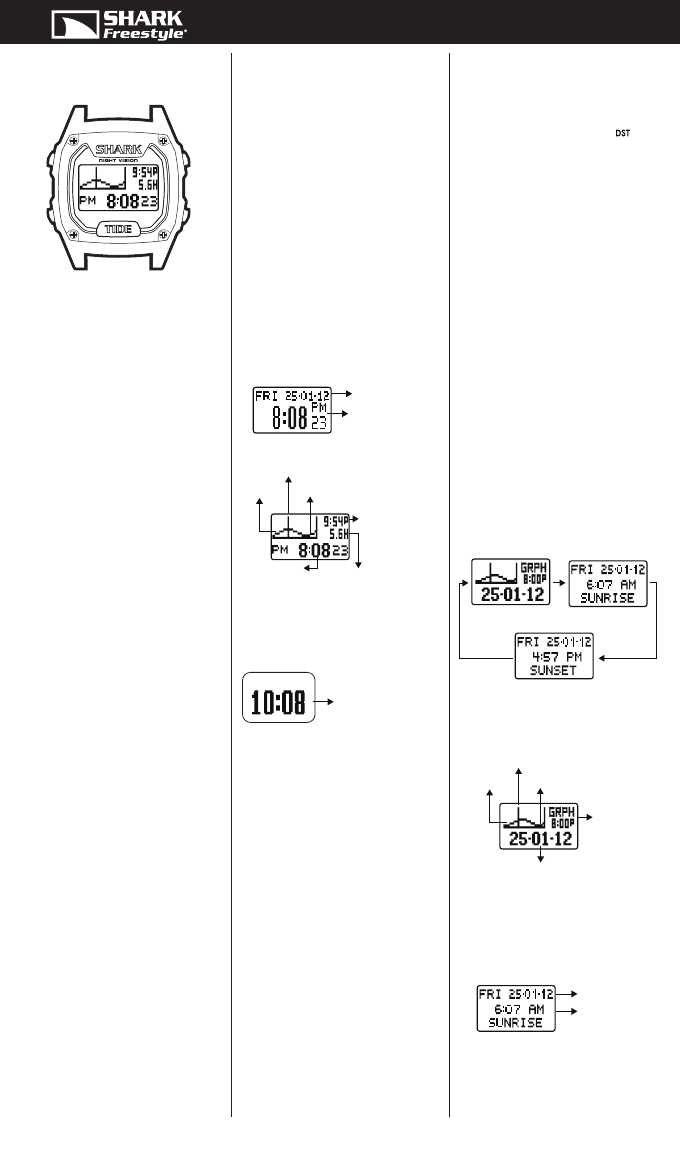
DATE/TIME:
TIDE/TIME:
In TIDE TIME format, the time of the next tide will
come with the letter A/P representing A.M./P.M. in
12-hour format.
BIG TIME:
In BIG TIME format, there is no A.M./P.M. indication
even the time format setting is set to 12-hour
format. A shark n animation shall occur once per
minute. For even minutes, the n shall move from
left to right, and for odd minutes, the n shall move
from right to left.
NOTE: There are only two display formats in
FOREIGN TIME mode: date/time and tide/time.
TO SET THE TIDE MODE:
1. Press S3 button to select TIDE mode. The cor-
responding number and name of your selected
favorite tide location will be displayed.
2. After approximately 2 seconds, any one of
the three data display modes (TIDE STATUS
GRAPH / SUNRISE TIME / SUNSET TIME,
depends on the display mode left off during the
last browsing) will be displayed.
3. In any one of the three data display modes,
press and hold S4 button for approximately 4
seconds. The message “SET TIDE LOCATION”
will be displayed and the corresponding
number of your favorite tide location will blink.
4. Press S1 button or S2 button to cycle forward
or backward respectively the entries of your
favorite tide locations (1-9) and select a tide
location to set.
5. Press S3 button, the region entry will blink.
Press S1 button or S2 button to cycle forward
or backward respectively the region entries to
set the geographical region of your selected
tide location.
6. Press S3 button, the location entry will blink.
Press S1 button or S2 button to cycle forward
or backward respectively the location entries to
CLASSIC TIDE
Current time displayed in
hours and minutes
TIDE STATUS GRAPH
SUNSET TIME
SUNRISE TIME
Current date
Current time
Time of the next tide
Current time
Height of the next
tide with
high (H) / low (L)
tide indicator
Current tide level
Upcoming tide levels
Previous
tide levels
Current date
Current time
interval
Current tide level
Upcoming tide levels
Previous
tide levels
Current date
Time of the
next sunrise
S2
S1
S5S4
S3


Delta i konversationen om denna produkt
Här kan du dela vad du tycker om Freestyle Shark Classic Tide Armbandsur. Om du har en fråga, läs först noggrant igenom manualen. Att begära en manual kan göras genom att använda vårt kontaktformulär.