FEATURES & TIPS
Advanced Pouch Tracking System
This feature will detect and alert the user if there is a mis-feed or the
document has not gone completely through the machine in normal
operating time, and automatically reverse the document until the jam
is cleared.
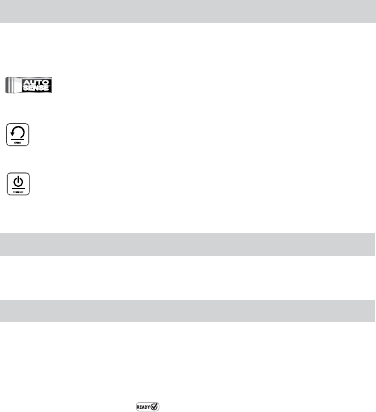
AutoSense
Unique system detects pouch thickness and self-adjusts to optimal
lamination setting.
’Reverse’ function
To eject the laminating pouch during use, press and hold down the
reverse button until the pouch has ejected from the machine.
‘Auto Shut-Off’ function
If the machine is not active for 30 minutes, the ‘Sleep Mode’ function
will place the machine into standby mode. To operate the machine,
press the ‘Power On’ button on the control panel.
• For best results, use Fellowes ® brand thermal pouches:
3, 5, 7 or 10 mil Cold Pouches.
• This machine does not need a carrier to laminate. It is a carrier-
free mechanism.
• Always put the item to be laminated into the appropriate sized
pouch.
• Always test laminate with a similar size and thickness before
final process.
• Prepare pouch and item for lamination. Place item within pouch
centered and touching the leading sealed edge. Ensure the
pouch is not too large for the item.
• If required, trim excess material from around the item after
lamination and cooling.
5
BEFORE LAMINATING
Ensure the machine is on a stable surface.
Check there is enough clear space (min 20”) behind the machine
to allow items to pass through freely.
Plug the machine into an easily accessible main outlet.
Equip the Exit Tray for best laminating results.
STEPS TO LAMINATE
Switch the power on (located at the rear right side of the machine).
The control panel buttons will flash once as part of a check light
system to ensure proper function.
The Standby button will turn on with a soft blue glow. The machine
is automatically warming up to hot lamination. Note: the laminator
features AutoSense which automatically recognizes the pouch
thickness you insert into the laminator.
When the machine is ready, the green “Ready”
LED and
entry tray LED’s will come on and the machine will beep to indicate
that it is ready for lamination.
To toggle between Cold and Hot lamination, press and hold the
“Ready” button for 2 seconds. The Ready icon will blink 3 times in
“Blue” when initially switched to the Cold mode to indicate that the
mode has been switched then the Ready light will turn off until the
machine is ready for cold lamination. Note: to use the cold setting
after hot lamination you may have to wait for the laminator to cool
down for 30 – 60 minutes.
When the machine is ready for Cold Lamination the “Ready” LED will
illuminate “Blue” and the machine will beep.
To switch back to hot pouch laminating after cold laminating, press
and hold the “Ready” LED. Wait until the ready light turns green to
indicate it’s ready for hot lamination before inserting pouch.
Place the pouch, sealed edge rst, into the pouch / document entry.
Keep the pouch straight and centered within the document entry, not
on an angle. Use the entry markings as a guide.
This unit is equipped with an Advanced Pouch Tracking System that
will detect and alert the user if there is a mis-feed. If a jam is detected
the machine will automatically reverse the document to help clear the
jam. The reverse button will come on while auto-reverse is engaged.
After this, if the jam is not completely cleared the Reverse button will
blink/ash. Press and hold the reverse button while pulling on the
pouch to completely remove the laminate from the machine. Once the
jam is cleared the unit will return to normal operation.
Upon exit, the laminated pouch may be hot and soft. For the best
quality and to prevent jamming remove the pouch immediately. Place
the pouch on to a flat surface to cool. Take care when handling a
hot pouch. Always remove laminated document before starting next
laminate. For best performance/results, use the Exit Tray.
Turning off the Machine – If the top power button is pushed, the
machine will go into cool-down mode. The heaters will turn off, but
the rollers will still run until the unit reaches the desired temperature
to turn off completely. This functionality reduces long term wear and
tear to the unit.
1.
2.
3.
5.
6.
7.
8.
9.
11.
12.
10.
4.
13.
14.


Delta i konversationen om denna produkt
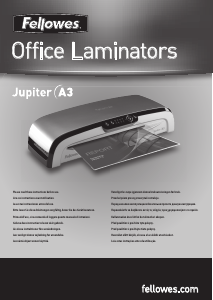
Här kan du dela vad du tycker om Fellowes Jupiter 2 125 Lamineringsmaskin. Om du har en fråga, läs först noggrant igenom manualen. Att begära en manual kan göras genom att använda vårt kontaktformulär.