
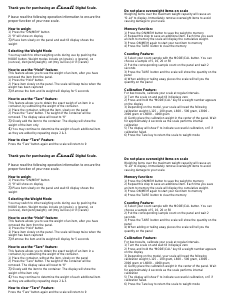
Thank you for purchasing an Escali Digital Scale.
Please read the following operation information to ensure the
proper function of your new scale.
How to weigh:
1) Press the “ON/MEM” button
2) “0” will show on display
3) Place item slowly on the panel and wait till display shows the
weight
Selecting the Weight Mode
You may switch to other weighing units during use by pushing the
MODE button. Weight modes include gn (grains), g (grams), oz
(ounces), dwt (pennyweight), ozt (troy ounces) or ct (carats)
How to use the “Hold” feature:
This feature allows you to see the weight of an item, after you have
removed the item from the panel.
1) Press the “Hold” button.
2) Place item slowly on the panel. The scale will beep twice when the
weight has been captured
3) Remove the item and its weight will display for 5 seconds
How to use the “Tare” feature:
This feature allows you to obtain the exact weigh of an item in a
container, by subtracting the weight of the container.
1) Place the container, without the item, slowly on the panel
2) Press the “Tare” button. The weight of the container will be
removed. The display value will reset to “0”
3) Slowly add the item to the container. The display will show the
weight of the item only
4) You may continue to determine the weight of each additional item
as they are added by repeating steps 2 & 3.
How to clear “Tare” Feature:
Press the “Tare” button again and the scale will return to 0
Thank you for purchasing an Escali Digital Scale.
Please read the following operation information to ensure the
proper function of your new scale.
How to weigh:
1) Press the “ON/MEM” button
2) “0” will show on display
3) Place item slowly on the panel and wait till display shows the
weight
Selecting the Weight Mode
You may switch to other weighing units during use by pushing the
MODE button. Weight modes include gn (grains), g (grams), oz
(ounces), dwt (pennyweight), ozt (troy ounces) or ct (carats)
How to use the “Hold” feature:
This feature allows you to see the weight of an item, after you have
removed the item from the panel.
1) Press the “Hold” button.
2) Place item slowly on the panel. The scale will beep twice when the
weight has been captured
3) Remove the item and its weight will display for 5 seconds
How to use the “Tare” feature:
This feature allows you to obtain the exact weigh of an item in a
container, by subtracting the weight of the container.
1) Place the container, without the item, slowly on the panel
2) Press the “Tare” button. The weight of the container will be
removed. The display value will reset to “0”
3) Slowly add the item to the container. The display will show the
weight of the item only
4) You may continue to determine the weight of each additional item
as they are added by repeating steps 2 & 3.
How to clear “Tare” Feature:
Press the “Tare” button again and the scale will return to 0
Do not place overweight items on scale
Weighing items over the maximum weight capacity will cause an
“O-Ld” to display. Immediately remove overweight items to avoid
causing damage to your scale.
Memory function:
1) Press the ON/MEM button to save the weight to memory
2) Repeat this step to save an additional item. Each time you save
an item to memory the scale will display the cumulative weight.
3) Press ON/MEM again to start your next item to memory
4) Press the TARE button to clear the memory
Counting Feature:
1) Select your count sample with the MODE/CAL button. You can
choose a sample of 5, 10, 20 or 50
2) Put the corresponding sample count on the panel and wait 2
seconds
3) Press the TARE button and the scale will show the quantity on the
panel
4) When adding or taking away pieces the scale will tell you the
quantity on the panel
Calibration Feature:
For best results, calibrate your scale at regular intervals.
1) Turn the scale on and wait till it displays zero
2) Press and hold the “MODE/CAL” key till a weight number appears
on the display
3) Depending on the model, your scale will need the following
calibration weight; L125 – 100 gram, L600 – 500 gram, L3000 –
2000 gram or L6000 – 4000 gram
4) Gently place the calibration weight in the center of the panel. Wait
for approximately 4 seconds as the scale performs internal
calibration
5) The display will show F to indicate successful calibration, or E if
calibration failed.
6) Press the Tare key to return the scale to weight mode
Do not place overweight items on scale
Weighing items over the maximum weight capacity will cause an
“O-Ld” to display. Immediately remove overweight items to avoid
causing damage to your scale.
Memory function:
1) Press the ON/MEM button to save the weight to memory
2) Repeat this step to save an additional item. Each time you save
an item to memory the scale will display the cumulative weight.
3) Press ON/MEM again to start your next item to memory
4) Press the TARE button to clear the memory
Counting Feature:
1) Select your count sample with the MODE/CAL button. You can
choose a sample of 5, 10, 20 or 50
2) Put the corresponding sample count on the panel and wait 2
seconds
3) Press the TARE button and the scale will show the quantity on the
panel
4) When adding or taking away pieces the scale will tell you the
quantity on the panel
Calibration Feature:
For best results, calibrate your scale at regular intervals.
1) Turn the scale on and wait till it displays zero
2) Press and hold the “MODE/CAL” key till a weight number appears
on the display
3) Depending on the model, your scale will need the following
calibration weight; L125 – 100 gram, L600 – 500 gram, L3000 –
2000 gram or L6000 – 4000 gram
4) Gently place the calibration weight in the center of the panel. Wait
for approximately 4 seconds as the scale performs internal
calibration
5) The display will show F to indicate successful calibration, or E if
calibration failed.
6) Press the Tare key to return the scale to weight mode


Delta i konversationen om denna produkt
Här kan du dela vad du tycker om Escali L600 Köksvåg. Om du har en fråga, läs först noggrant igenom manualen. Att begära en manual kan göras genom att använda vårt kontaktformulär.