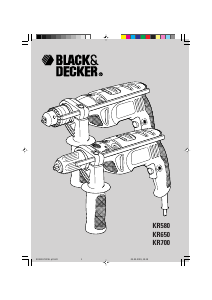
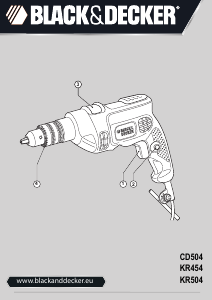
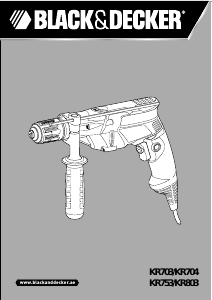
Bruksanvisning Black and Decker KR550K Slagborrmaskin

Behöver du en bruksanvisning för din Black and Decker KR550K Slagborrmaskin? Nedan kan du se och ladda ner PDF-bruksanvisningen gratis på svenska. Den här produkten har för närvarande 3 vanliga frågor, 0 kommentarer och har 0 röster. Om det här inte är bruksanvisningen du vill ha, vänligen kontakta oss.

Är produkten defekt och erbjuder bruksanvisningen ingen lösning? Gå till ett Repair Café för gratis reparationstjänster.

Bruksanvisning

Loading…
4
ENGLISH
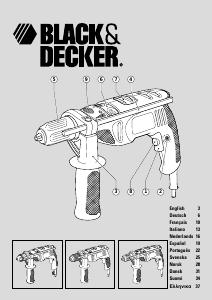
Features
This tool includes some or all of the following features.
1. Variable speed switch
2. Lock-on button
3. Side handle
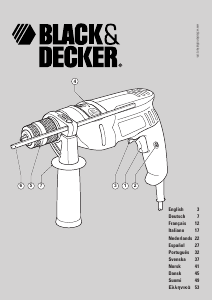
4. Depth stop
5. Chuck
6. Drilling mode selector
7. Forward/reverse switch
8. Variable speed control knob
9. Spindle lock button
Assembly
Warning! Make sure that the tool is switched off and unplugged.
Fitting the side handle and depth stop (fig. A)
Turn the grip (10) counterclockwise until you can slide the
side handle (3) onto the front of the tool as shown.
Rotate the side handle into the desired position.
Insert the depth stop (4) into the mounting hole as shown.
Set the depth stop to the desired position. The maximum
drilling depth is equal to the distance between the tip of
the drill bit and the front end of the depth stop.
Tighten the side handle by turning the grip clockwise.
Fitting a drill bit or screwdriver bit
Keyless chuck with spindle lock (fig. B)
Keep the spindle lock button (9) depressed and open the
chuck.
Insert the bit shaft (11) into the chuck and firmly tighten
the chuck.
Keyless chuck (fig. C)
Open the chuck by turning the front part (12) with one
hand while holding the rear part (13) with the other.
Insert the bit shaft (11) into the chuck and firmly tighten
the chuck.
Keyed chuck (fig. D)
Open the chuck by turning the sleeve (14).
Insert the bit shaft (11) into the chuck.
Insert the chuck key (15) into each hole (16) in the side of
the chuck and turn until tight.
Removing and refitting the chuck (fig. E)
Open the chuck as far as possible.
Remove the chuck retaining screw by turning it clockwise
using a screwdriver.
Tighten an Allen key (17) into the chuck and strike it with
a hammer as shown.
Remove the Allen key.
Remove the chuck by turning it counterclockwise.
To refit the chuck, screw it onto the spindle and secure it
with the chuck retaining screw.
Use
Warning! Before drilling into walls, floors or ceilings,
check for the location of wiring and pipes.
Selecting the direction of rotation
For drilling and for tightening screws, slide the forward/
reverse switch (7) forward.
For loosening screws or removing a jammed drill bit, slide
the forward/reverse switch (7) backward.
Warning! Never change the direction of rotation while the
motor is running.
Selecting the drilling mode
For drilling in masonry, set the drilling mode selector (6) to
the position.
For drilling in other materials and for screwdriving, set the
drilling mode selector (6) to the position.
Switching on and off
To switch the tool on, press the variable speed switch (1).
The tool speed depends on how far you press the switch.
If the tool has a variable speed control knob (8), set it to
the required speed range. As a general rule, use low
speeds for large diameter drill bits and high speeds for
smaller diameter drill bits.
For continuous operation, press the lock-on button (2) and
release the variable speed switch. This option is available
only at full speed.
To switch the tool off, release the variable speed switch.
To switch the tool off when in continuous operation, press
the variable speed switch once more and release it.
Accessories
The performance of your tool depends on the accessory used.
Black & Decker and Piranha accessories are engineered to high
quality standards and designed to enhance the performance of
your tool. By using these accessories you will get the very best
from your tool.
Maintenance
Your tool has been designed to operate over a long period of
time with a minimum of maintenance. Continuous satisfactory
operation depends upon proper tool care and regular cleaning.
Protecting the environment
Black & Decker provides a facility for recycling
Black & Decker products once they have reached the
end of their working life.
Ladda ner bruksanvisning i Svenska (PDF, 0.92 MB)
(Tänk på miljön och skriv endast ut denna bruksanvisning om det verkligen är nödvändigt)

Loading…

Betyg

Berätta vad du tycker om Black and Decker KR550K Slagborrmaskin genom att betygsätta den. Vill du dela med dig av dina åsikter om denna produkt eller ställa en fråga? Lämna en kommentar nederst på sidan.
Är du nöjd med Black and Decker KR550K Slagborrmaskin?
Ja Nej
Bli den första personen som betygsätter denna produkt
0 röster

Delta i konversationen om denna produkt

Här kan du dela vad du tycker om Black and Decker KR550K Slagborrmaskin. Om du har en fråga, läs först noggrant igenom manualen. Att begära en manual kan göras genom att använda vårt kontaktformulär.

Mer om denna bruksanvisning

Vi förstår att det är trevligt att ha en pappersbruksanvisning för din Black and Decker KR550K Slagborrmaskin. Du kan alltid ladda ner bruksanvisningen från vår hemsida och skriva ut den själv. Om du vill ha en originalbruksanvisning rekommenderar vi att du kontaktar Black and Decker. De kanske kan tillhandahålla en originalbruksanvisning. Letar du efter bruksanvisningen för din Black and Decker KR550K Slagborrmaskin på ett annat språk? Välj ditt föredragna språk på vår hemsida och sök efter modellnumret för att se om vi har det tillgängligt.

Specifikationer

Märke Black and Decker
Modell KR550K
Kategori Slagborrmaskiner
Filtyp PDF
Filstorlek 0.92 MB

Alla bruksanvisningar för Black and Decker Slagborrmaskiner
Fler bruksanvisningar för Slagborrmaskiner

Vanliga frågor om Black and Decker KR550K Slagborrmaskin

Vårt supportteam söker efter användbar produktinformation och svar på vanliga frågor. Om du hittar en felaktighet bland våra vanliga frågor uppskattar vi om du meddelar oss detta via vårt kontaktformulär.

Vad är skillnaden mellan en slagborrmaskin och en borrhammare? Verifierad

Slagborrmaskiner kan användas för att borra hål i tegelväggar. För att borra hål i betongväggar krävs en borrhammare.

Detta hjälpte (134) Läs mer

Behöver jag bära hörselskydd när jag använder en borr? Verifierad

Ja det borde du. Även om mängden buller som en borr producerar kan variera mellan märken och modeller, kan långvarig exponering för högt ljud orsaka permanent hörselskada. Det är därför det är en bra idé att använda hörselskydd.

Detta hjälpte (24) Läs mer

Kan jag förvara elverktyg i ett skjul eller garage? Verifierad

Generellt sett kan du förvara elverktyg i ett skjul eller garage, även om det ibland fryser där. Det är dock bättre för elverktygets livslängd att förvara det på en torr plats utan större temperaturfluktuationer. I ett skjul eller garage kan temperaturskillnader orsaka kondens som kan orsaka rost. Dessutom håller verktyg som går på batteri kortare och laddas inte lika bra vid mycket låga temperaturer. För att vara säker på hur ditt elverktyg behöver förvaras, läs alltid bruksanvisningen noggrant.

Detta hjälpte (9) Läs mer
Bruksanvisning Black and Decker KR550K Slagborrmaskin

Relaterade produkter

Relaterade kategorier

×
Download