Bruksanvisning Aiwa XP-R210 Discman

Behöver du en bruksanvisning för din Aiwa XP-R210 Discman? Nedan kan du se och ladda ner PDF-bruksanvisningen gratis på svenska. Den här produkten har för närvarande 1 vanliga frågor, 0 kommentarer och har 0 röster. Om det här inte är bruksanvisningen du vill ha, vänligen kontakta oss.

Är produkten defekt och erbjuder bruksanvisningen ingen lösning? Gå till ett Repair Café för gratis reparationstjänster.

Bruksanvisning

Loading…
A
OWNER’S RECORD
For your convenience, record the model number and the serial number (you will
find it on the bottom of your set) in the space provided below. Please refer to
them when you contact your Aiwa dealer in case of difficulty.
Model No.
Serial No.
NOTE
FOR USE IN THE U.S.A.
This equipment has been tested and found to comply with the limits for a Class
B digital device, pursuant to Part 15 of the FCC Rules. These limits are designed
to provide reasonable protection against harmful interference in a residential
installation.
This equipment generates, uses, and can radiate radio frequency energy and, if
not installed and used in accordance with the instructions, may cause harmful
interference to radio communications. However, there is no guarantee that
interference will not occur in a particular installation. If this equipment does cause
harmful interference to radio or television reception, which can be determined by
turning the equipment off and on, the user is encouraged to try to correct the
interference by one or more of the following measures:
Reorient or relocate the receiving antenna.
Increase the separation between the equipment and receiver.
Connect the equipment into an outlet on circuit different from that to which
the receiver is connected.
Consult the dealer or an experienced radio/TV technician for help.
CAUTION
Modifications or adjustments to this product, which are not expressly approved
by the manufacturer, may void the user’s right or authority to operate this product.
Highlighted letters in the text of this manual correspond to the illustrations.
PRECAUTIONS
To maintain good performance
Do not use the unit in places which are extremely hot, cold, dusty or humid. In
particular, do not use or keep the unit in following places.
in a high humidity area such as a bathroom
near a heater
in an area exposed to direct sunlight (e.g., inside a parked car, where it can
become extremely hot)
near sources of strong magnetism, such as televisions, speakers, or magnets
where there is a lot of movement or vibration, such as on a car dashboard or
an unstable shelf
For safety
Do not attempt to disassemble the unit. Laser rays from the optical pickup are
dangerous to the eyes.
Make sure that pins or other foreign object do not get inside the player.
Take care not to drop the unit or subject it to strong shocks.
To keep dust from the pickup lens, keep the disc compartment lid closed after
use. Never touch the lens.
If you hear no sound when playing a disc, DO NOT turn the volume up high
because music could suddenly start at high volume. Turn the volume control
to the lowest level before starting playback and slowly turn it up to the desired
level.
Note on listening with the headphones
Listen at moderate volumes to avoid hearing damage.
Do not wear the headphones while driving or cycling. It may create a traffic
hazard.
You should use extreme caution or temporarily discontinue use in potentially
hazardous situations, such as walking, jogging, etc.
Wear them properly; L is left, R is right.
Note on condensation
If the unit is suddenly moved from a cold place to a warm one, it may result in
condensation on the pickup lens and malfunction or playback difficulties.
Should this occur, leave the unit for a few hours, then try to playback again.
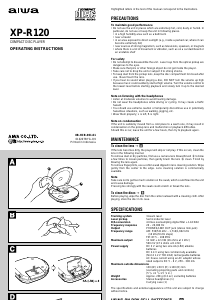
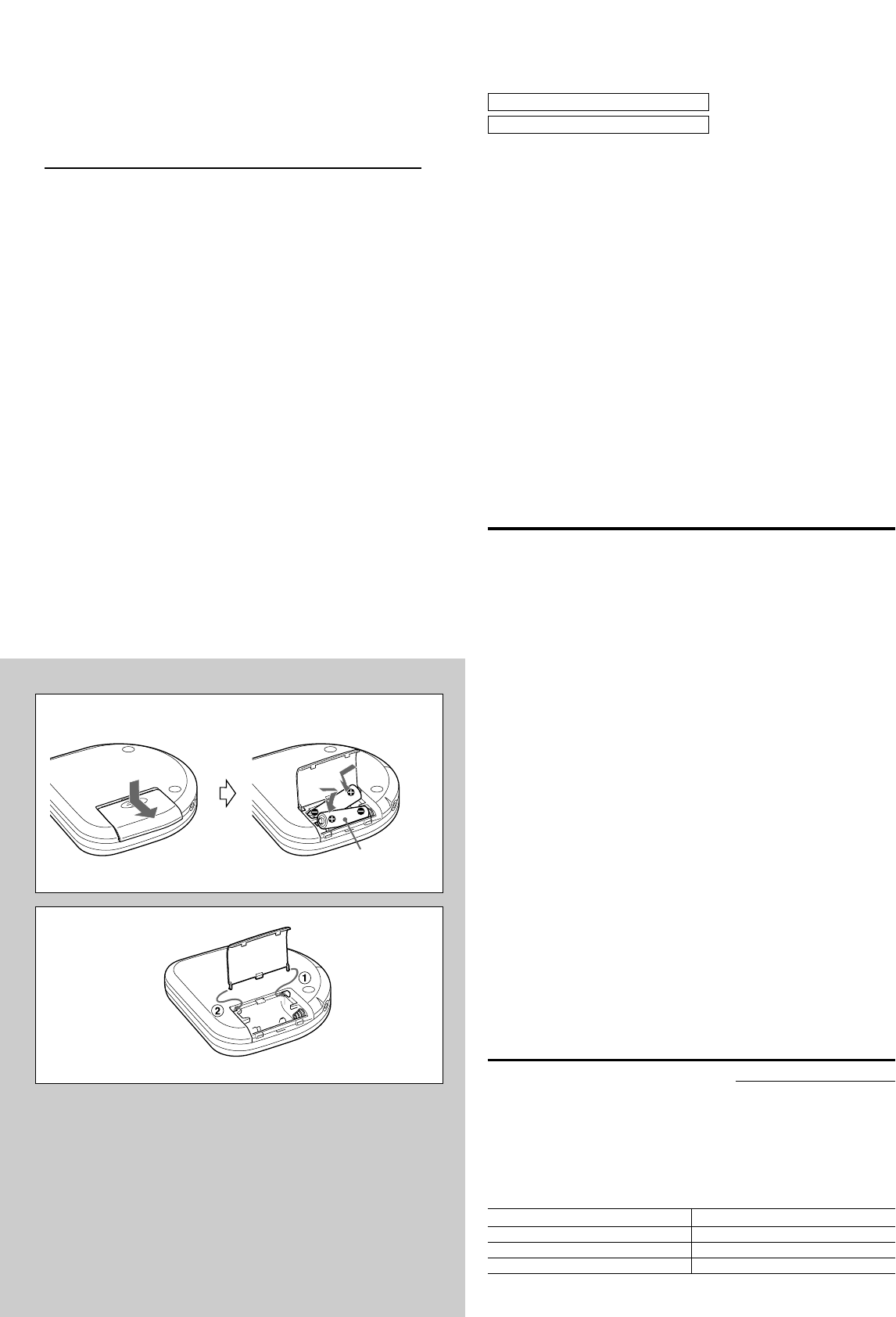
USING ON DRY CELL BATTERIES A
Open the battery compartment and insert two size AA (LR6) alkaline batteries
with the 0 and 9 marks correctly aligned.
Battery replacement
OPE/BATT indicator changes from F (green) to M (orange) to E (red) according
to the remaining power of the batteries. Replace the batteries when E (red) lights.
If the unit remains in use after E (red) lights, “Lo-bAtt” appears and operation
stops.
Battery life (using alkaline batteries LR6)
Battery life may vary depending on conditions of use.
If the cover of the battery compartment comes off B
B
AA (LR6) × 2
A
d
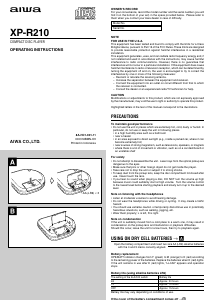
XP-R210
COMPACT DISC PLAYER
OPERATING INSTRUCTIONS
8A-HC1-901-11
000316BMN-O9
Printed in Indonesia
c
The setting of the EASS switch Battery life
48 Approx. 20 hours
12 Approx. 19 hours
OFF Approx. 15 hours
Ladda ner bruksanvisning i Engelska (PDF, 0.73 MB)
(Tänk på miljön och skriv endast ut denna bruksanvisning om det verkligen är nödvändigt)

Loading…

Betyg

Berätta vad du tycker om Aiwa XP-R210 Discman genom att betygsätta den. Vill du dela med dig av dina åsikter om denna produkt eller ställa en fråga? Lämna en kommentar nederst på sidan.
Är du nöjd med Aiwa XP-R210 Discman?
Ja Nej
Bli den första personen som betygsätter denna produkt
0 röster

Delta i konversationen om denna produkt

Här kan du dela vad du tycker om Aiwa XP-R210 Discman. Om du har en fråga, läs först noggrant igenom manualen. Att begära en manual kan göras genom att använda vårt kontaktformulär.

Mer om denna bruksanvisning

Vi förstår att det är trevligt att ha en pappersbruksanvisning för din Aiwa XP-R210 Discman. Du kan alltid ladda ner bruksanvisningen från vår hemsida och skriva ut den själv. Om du vill ha en originalbruksanvisning rekommenderar vi att du kontaktar Aiwa. De kanske kan tillhandahålla en originalbruksanvisning. Letar du efter bruksanvisningen för din Aiwa XP-R210 Discman på ett annat språk? Välj ditt föredragna språk på vår hemsida och sök efter modellnumret för att se om vi har det tillgängligt.

Specifikationer

Märke Aiwa
Modell XP-R210
Kategori Discman
Filtyp PDF
Filstorlek 0.73 MB

Alla bruksanvisningar för Aiwa Discman
Fler bruksanvisningar för Discman

Vanliga frågor om Aiwa XP-R210 Discman

Vårt supportteam söker efter användbar produktinformation och svar på vanliga frågor. Om du hittar en felaktighet bland våra vanliga frågor uppskattar vi om du meddelar oss detta via vårt kontaktformulär.

Kan jag reparera repor på en CD själv? Verifierad

Repor förhindrar att lasern läser skivan korrekt. När reporna bara är ytliga är det möjligt att reparera dem själv genom att polera skivan med en lätt slipande förening. Helst använder du en professionell slipmedel men det är också möjligt att använda vanlig tandkräm. Efter att du har polerat skivan måste den tvättas och torka. Det finns specialiserade företag som kan göra detta.

Detta hjälpte (38) Läs mer
Bruksanvisning Aiwa XP-R210 Discman

Relaterade produkter

Relaterade kategorier

×
Download