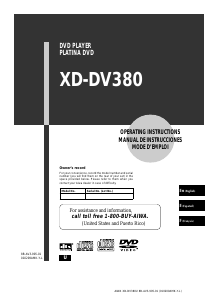
Bruksanvisning Aiwa XD-DV380 DVD spelare

Behöver du en bruksanvisning för din Aiwa XD-DV380 DVD spelare? Nedan kan du se och ladda ner PDF-bruksanvisningen gratis på svenska. Den här produkten har för närvarande 2 vanliga frågor, 0 kommentarer och har 0 röster. Om det här inte är bruksanvisningen du vill ha, vänligen kontakta oss.

Är produkten defekt och erbjuder bruksanvisningen ingen lösning? Gå till ett Repair Café för gratis reparationstjänster.

Bruksanvisning

Loading…
AIWA XD-DV380U 8B-AV3-905-01 (010209AMK-Y-L)
2
ENGLISH
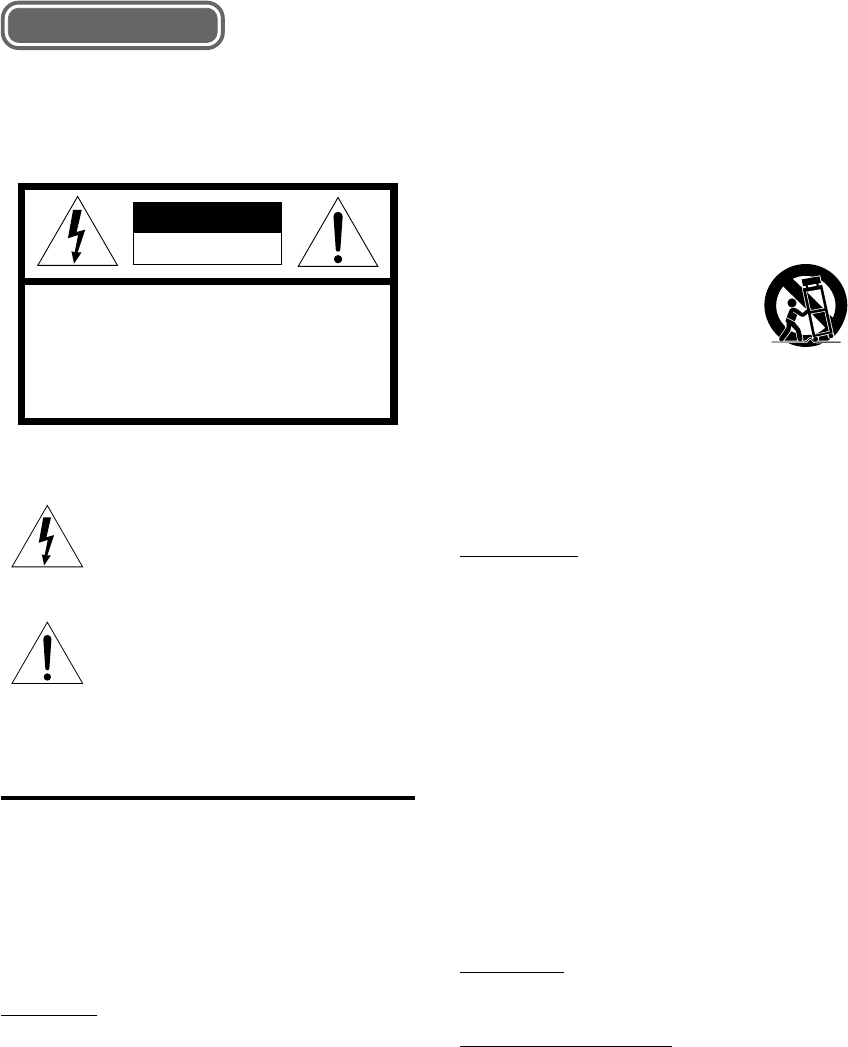
WARNING
TO REDUCE THE RISK OF FIRE OR
ELECTRIC SHOCK, DO NOT EXPOSE THIS
APPLIANCE TO RAIN OR MOISTURE.
“CAUTION:TO REDUCE THE RISK OF
ELECTRIC SHOCK,
DO NOT REMOVE COVER (OR BACK).
NO USER-SERVICEABLE PARTS INSIDE.
REFER SERVICING TO QUALIFIED
SERVICE PERSONNEL.”
CAUTION
RISK OF ELECTRIC SHOCK
DO NOT OPEN
Explanation of Graphical Symbols:
The lightning flash with arrowhead symbol,
within an equilateral triangle, is intended to
alert the user to the presence of uninsulated
"dangerous voltage" within the product’s en-
closure that may be of sufficient magnitude to
constitute a risk of electric shock to persons.
The exclamation point within an equilateral
triangle is intended to alert the user to the
presence of important operating and main-
tenance (servicing) instructions in the
literature accompanying the appliance.
PRECAUTIONS
Read the Operating Instructions carefully and completely
before operating the unit. Be sure to keep the Operating
Instructions for future reference. All warnings and cautions
in the Operating Instructions and on the unit should be
strictly followed, as well as the safety suggestions below.
Important
This unit is designed for the NTSC color systems only.
Installation
1 Water and moisture — Do not use this unit near water,
such as near a bathtub, sink, swimming pool, or the like.
2 Heat — Do not use this unit near sources of heat,
including heating vents, stoves, or other appliances that
generate heat. This unit should not be placed in
temperatures less than 5˚C (41˚F) or greater than 35˚C
(95˚F).
3 Mounting place — Place the unit:
- on a flat , even surface
- away from strong magnetic fields
- at least one meter away from any radios or receivers
Do not place heavy objects on the unit.
4 VentilationThe unit should be situated with adequate
space around it so that proper heat ventilation is
assured. Allow a clearance of 10 cm (4 in.) from the
rear and the top of the unit, and 5 cm (2 in.) from each
side.
- Do not place the unit on a bed, rug, or similar surface
that may block the ventilation openings.
- Do not install the unit in a bookcase, cabinet, or airtight
rack where ventilation may be impeded.
- To avoid internal heat build-up, do not cover the
ventilation openings on the rear panel.
5 Foreign objects and liquid — Be careful that foreign
objects or liquid do not enter the unit through the
ventilation openings.
6 Carts and stands — The unit should
be moved with care when placed or
mounted on a stand or cart.
Sudden stops, excessive force, or an
uneven surface may cause the unit or
cart to fall over.
7 Condensation — Moisture may form on the pickup lens
when:
- This unit is moved from a cold spot to a warm spot
- A heating system has just been turned on
- The unit is used in a very humid room
- The unit is cooled by an air conditioner
When this unit has condensation inside, it may not
function normally. Should this occur, leave the unit
for a few hours, then try to operate again.
Electric power
1 Power sources — Connect this unit only to power
sources specified in the Operating Instructions, and as
marked on the unit.
2 AC power cord
- When disconnecting the AC power cord, pull it out by
the AC power plug. Do not pull the cord itself.
- Never handle the AC power plug with wet hands, as
this could result in fire or electrical shock.
- Power cords should be firmly secured to avoid being
severely bent, pinched, or walked upon. Pay particular
attention to the cord from the unit to the power socket.
- Avoid overloading AC power plugs and extension
cords beyond their capacity, as this could result in
fire or electrical shock.
3 When not in use — Unplug the AC power cord from
the AC outlet if the unit will not be used for several
months or more. When the cord is plugged in, a small
electrical current continues to flow into the unit, even if
the power is turned off.
4 In case of lightning — Immediately disconnect the AC
power cord from the AC outlet.
Maintenance
Clean the unit only as recommended in the Operating
Instructions.
Damage requiring service
Have this unit serviced by a qualified service technician if:
- The AC power cord or plug has been damaged
- A foreign object or liquid has entered the unit
- The unit has been exposed to rain or water
- The unit does not seem to operate normally
- The unit exhibits a marked change in performance
- The unit has been dropped, or the cabinet has been
damaged
DO NOT OPEN THE CABINET AND ATTEMPT TO
SERVICE THE UNIT YOURSELF.
ENGLISH
Ladda ner bruksanvisning i Engelska (PDF, 1.06 MB)
(Tänk på miljön och skriv endast ut denna bruksanvisning om det verkligen är nödvändigt)

Loading…

Betyg

Berätta vad du tycker om Aiwa XD-DV380 DVD spelare genom att betygsätta den. Vill du dela med dig av dina åsikter om denna produkt eller ställa en fråga? Lämna en kommentar nederst på sidan.
Är du nöjd med Aiwa XD-DV380 DVD spelare?
Ja Nej
Bli den första personen som betygsätter denna produkt
0 röster

Delta i konversationen om denna produkt

Här kan du dela vad du tycker om Aiwa XD-DV380 DVD spelare. Om du har en fråga, läs först noggrant igenom manualen. Att begära en manual kan göras genom att använda vårt kontaktformulär.

Mer om denna bruksanvisning

Vi förstår att det är trevligt att ha en pappersbruksanvisning för din Aiwa XD-DV380 DVD spelare. Du kan alltid ladda ner bruksanvisningen från vår hemsida och skriva ut den själv. Om du vill ha en originalbruksanvisning rekommenderar vi att du kontaktar Aiwa. De kanske kan tillhandahålla en originalbruksanvisning. Letar du efter bruksanvisningen för din Aiwa XD-DV380 DVD spelare på ett annat språk? Välj ditt föredragna språk på vår hemsida och sök efter modellnumret för att se om vi har det tillgängligt.

Specifikationer

Märke Aiwa
Modell XD-DV380
Kategori DVD spelare
Filtyp PDF
Filstorlek 1.06 MB

Alla bruksanvisningar för Aiwa DVD spelare
Fler bruksanvisningar för DVD spelare

Vanliga frågor om Aiwa XD-DV380 DVD spelare

Vårt supportteam söker efter användbar produktinformation och svar på vanliga frågor. Om du hittar en felaktighet bland våra vanliga frågor uppskattar vi om du meddelar oss detta via vårt kontaktformulär.

Kan en DVD-spelare spela upp CD-skivor? Verifierad

Ja, nästa alla DVD-spelare kan spela upp CD-skivor.

Detta hjälpte (200) Läs mer

Kan jag reparera repor på en DVD själv? Verifierad

Repor förhindrar att lasern läser skivan korrekt. När reporna bara är ytliga är det möjligt att reparera dem själv genom att polera skivan med en lätt slipande förening. Helst använder du en professionell slipmedel men det är också möjligt att använda vanlig tandkräm. Efter att du har polerat skivan måste den tvättas och torka. Det finns specialiserade företag som kan göra detta.

Detta hjälpte (92) Läs mer
Bruksanvisning Aiwa XD-DV380 DVD spelare

Relaterade produkter

Relaterade kategorier

×
Download