Bruksanvisning Aiwa XD-DV370 DVD spelare

Behöver du en bruksanvisning för din Aiwa XD-DV370 DVD spelare? Nedan kan du se och ladda ner PDF-bruksanvisningen gratis på svenska. Den här produkten har för närvarande 2 vanliga frågor, 0 kommentarer och har 0 röster. Om det här inte är bruksanvisningen du vill ha, vänligen kontakta oss.

Är produkten defekt och erbjuder bruksanvisningen ingen lösning? Gå till ett Repair Café för gratis reparationstjänster.

Bruksanvisning

Loading…
5
INTRODUCTION
Please read the following before operating the DVD player.
Supported disc formats
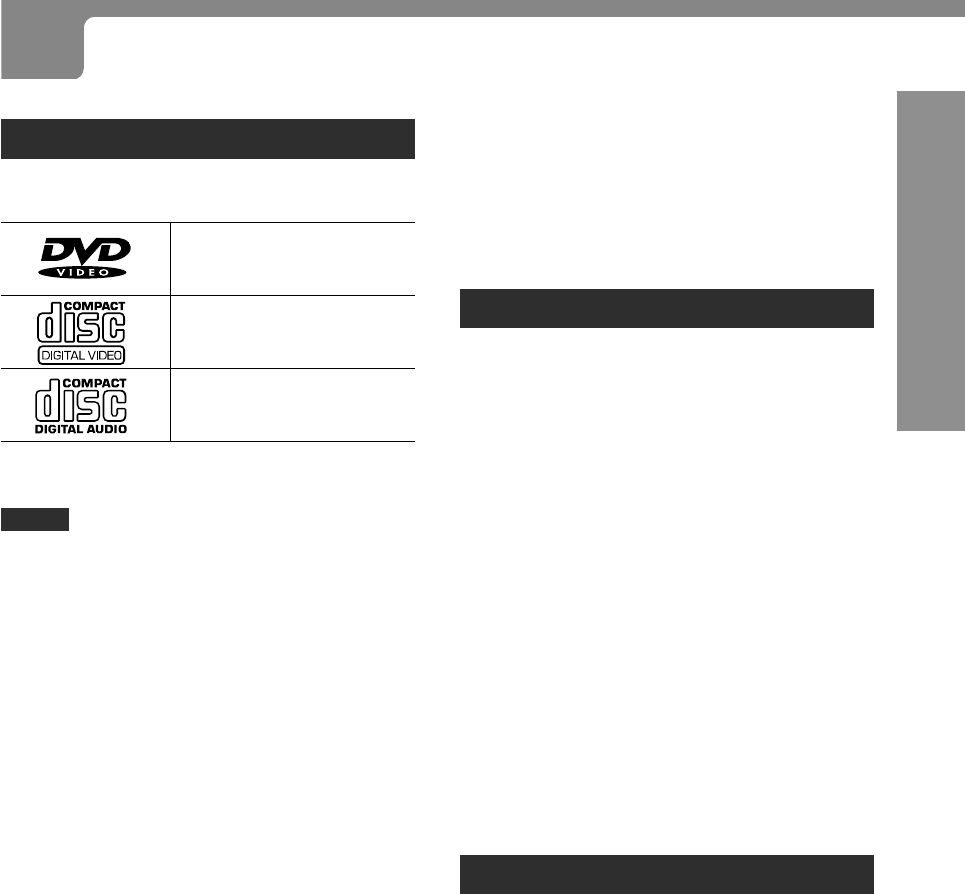
This DVD player can play discs with the following marks
only.
DVDs
(8 cm disc/12 cm disc)
Video CDs (VCDs)
(8 cm disc/12 cm disc)
Audio CDs
(8 cm disc/12 cm disc)
In addition, this unit can play back a CD-R or CD-RW that
contains audio titles or MP3 files.
NOTES
Depending on the condition of the recording equipment
or the CD-R/RW disc itself, some CD-R/RW discs can
not be played on this unit.
The unit can not play back the CD-R/RW discs
that contain no data or different kinds of formatted
data other than MP3.
For more information about MP3, see page 35.
Do not attach any seal or label to either side (the labeled
side or the recorded side) of a disc.
Do not use irregular shape CDs (example: heart-shaped,
octagonal ones). It may result in malfunctions.
Notes on colour system
Although this unit is designed for the PAL,NTSC and Multi
colour system, the default setting sets to the PAL colour
system. When connecting to a TV set which is NTSC or
Multi colour system, you need to change the TV SYSTEM
SELECT switch(see page 10).
Notes on DVDs and video CDs
Some playback operations of DVDs and video CDs may
be intentionally fixed by software manufacturers. As this
player plays DVDs and video CDs according to disc
contents designed by the software manufacturer, some
playback features of this player may not be available, or
other functions may be added.
Also refer to the instructions supplied with the DVDs and
video CDs.
Some DVDs made for business purposes may not be
played on this player.
Region code of the DVD player and DVDs
This DVD player is designed and manufactured for playback
of region 2 encoded DVD software. Region code labels
appear on the labels of some DVD discs to indicate which
type of player can play those discs. Unless 2 is included
in these labels, or ALL appears on the DVD disc labels,
those discs cannot be played on this player. If you try to
play these discs, the message Check Regional Code will
appear on the TV screen. Some DVD discs may not have a
region code label even though their playback is prohibited
by area limits.
Disc-related terms
Title (DVD only)
The longest section of a picture or a musical piece on a DVD;
a movie for a picture piece on video software, or an album for
a musical piece on audio software. Each title is assigned a
title number enabling you to locate the title you want.
Chapter (DVD only)
Sections of a picture or a musical piece that are smaller
than titles.
A title is composed of several chapters. Each chapter is
assigned a chapter number, enabling you to locate the
chapter you want. Depending on the disc, there may be no
chapters recorded.
Track (Video CD and audio CD only)
Sections of a picture or a musical piece on a video CD or
an audio CD. Each track is assigned a track number,
enabling you to locate the track you want.
Scene
On a video CD with PBC (playback control) functions,
moving pictures and still pictures are divided into sections
called Scenes. Each scene is displayed in the menu
screen and assigned a scene number, enabling you to
locate the scene you want.
A scene is composed of one or several tracks.
Types of video CDs
There are two types of video CD (VCD)s.
Video CDs equipped with PBC (Version 2.0)
PBC (playback control) allows you to interact with the
system via menus, search functions or other typical
computer-like operations. Moreover, still pictures of high
resolution can be played, if they are included in the disc.
Video CDs not equipped with PBC (Version 1.1)
Operated in the same way as audio CDs, these discs allow
playback of video pictures as well as sound, but they are
not equipped with PBC.
Note on DTS-encoded CDs
When playing DTS-encoded CDs, excessive noise will be
exhibited from the analogue stereo outputs. To avoid possible
damage to the audio system, the consumer should turn down
the volume before playing back such a disc, adjust the volume
gradually, and keep the volume level low. To enjoy DTS Digital
Surround
TM
playback, an external 5.1 channel DTS Digital
Surround
TM
decoder system must be conneted to the digital
output of this unit.
BEFORE USE
Ladda ner bruksanvisning i Engelska (PDF, 0.86 MB)
(Tänk på miljön och skriv endast ut denna bruksanvisning om det verkligen är nödvändigt)

Loading…

Betyg

Berätta vad du tycker om Aiwa XD-DV370 DVD spelare genom att betygsätta den. Vill du dela med dig av dina åsikter om denna produkt eller ställa en fråga? Lämna en kommentar nederst på sidan.
Är du nöjd med Aiwa XD-DV370 DVD spelare?
Ja Nej
Bli den första personen som betygsätter denna produkt
0 röster

Delta i konversationen om denna produkt

Här kan du dela vad du tycker om Aiwa XD-DV370 DVD spelare. Om du har en fråga, läs först noggrant igenom manualen. Att begära en manual kan göras genom att använda vårt kontaktformulär.

Mer om denna bruksanvisning

Vi förstår att det är trevligt att ha en pappersbruksanvisning för din Aiwa XD-DV370 DVD spelare. Du kan alltid ladda ner bruksanvisningen från vår hemsida och skriva ut den själv. Om du vill ha en originalbruksanvisning rekommenderar vi att du kontaktar Aiwa. De kanske kan tillhandahålla en originalbruksanvisning. Letar du efter bruksanvisningen för din Aiwa XD-DV370 DVD spelare på ett annat språk? Välj ditt föredragna språk på vår hemsida och sök efter modellnumret för att se om vi har det tillgängligt.

Specifikationer

Märke Aiwa
Modell XD-DV370
Kategori DVD spelare
Filtyp PDF
Filstorlek 0.86 MB

Alla bruksanvisningar för Aiwa DVD spelare
Fler bruksanvisningar för DVD spelare

Vanliga frågor om Aiwa XD-DV370 DVD spelare

Vårt supportteam söker efter användbar produktinformation och svar på vanliga frågor. Om du hittar en felaktighet bland våra vanliga frågor uppskattar vi om du meddelar oss detta via vårt kontaktformulär.

Kan en DVD-spelare spela upp CD-skivor? Verifierad

Ja, nästa alla DVD-spelare kan spela upp CD-skivor.

Detta hjälpte (197) Läs mer

Kan jag reparera repor på en DVD själv? Verifierad

Repor förhindrar att lasern läser skivan korrekt. När reporna bara är ytliga är det möjligt att reparera dem själv genom att polera skivan med en lätt slipande förening. Helst använder du en professionell slipmedel men det är också möjligt att använda vanlig tandkräm. Efter att du har polerat skivan måste den tvättas och torka. Det finns specialiserade företag som kan göra detta.

Detta hjälpte (91) Läs mer
Bruksanvisning Aiwa XD-DV370 DVD spelare

Relaterade produkter

Relaterade kategorier

×
Download