
5
IVOLTAGE PROTECTION MODE:
The device has three battery protection functions, which protect the normal operation of the refrigerator and protect the battery of the
vehicle.
The three levels of battery protection are:
H3 - high level:
for voltage 12V: stops at 10.9V and starts operation at 12.2V
for voltage 24V: stops at 23.8V and starts operation at 25.2V
H2 - medium level:
for voltage 12V: stops at 9.7V and starts operation at 11.0V
for voltage 24V: stops at 21.5V and starts operation at 22.9V
H1 - low level:
for voltage 12V: stops at 9.6V and starts operation at 10.9V
for voltage 24V: stops at 21.3V and starts operation at 22.7V
Short press "+" or "-" button to choose the function. The function is set at "H2" medium level when the refrigerator is ready for first use.
NOTE:
It is recommended to set the battery protection at H2 (medium level) when the device is used in the car.
It is recommended to set the battery protection at H2 (medium) or H1 (low) if it is external battery or backup battery.
Because of the difference in voltage output from different vehicle power supply output, if there is voltage protection (LCD display shows
F1), the battery function could be reduced to a lower one (H3 is adjusted to H2 or H1).
* Button “+” (F) is used for increasing the temperature or other settings described above.
* Button “-” (G) is used for decreasing the temperature or other settings described above.
* Power indicator (C):
-- When the refrigerator is switch on, the light is red.
-- When the refrigerator is switched off, the light goes out.
* Error indicator (D):
- If there is a failure, the buzzer will ring continuously.
- At the screen will show the fault codes.
- The error indicator (D) will be on in blue.
* LED display (E): shows
- Display the temperature and other settings.
- At the screen can be shown the fault codes as below:
F1: Voltage failure
F2: Fan current failure
F3: Compressor starting failure
F4: Minimum speed failure of compressor
F5: Controller temperature fault
E0: Broken sensor circuit
E1: Sensor short circuit
The LCD display allows you to set the temperature from -20 ℃ to + 20 ℃. The temperature actually achieved inside the device depends
on the external conditions. For example, at an ambient temperature of + 25 ℃, the lowest temperature reached inside the device is -20
℃. The device does not have a heating function.
NOTE: If the system is abnormal, check first if the battery voltage is right. If the battery voltage is right, then wait 3 minutes before you
switch on the refrigerator. If the system is still abnormal when you restart the device, then call the after service for help.
Common temperature settings for storage of:
• Wine (from +6 to +18℃)
• Vaccines, Insulin (from +2℃ till - 8℃)
• Fruit (from 4℃ till - 6℃)
• Beverage (from 2℃ till - 5℃)
• Meat (-10℃)
• Ice cream (-15℃)
Please be careful if you want to store drugs in the refrigerator. Store food in containers / bags intended for this purpose before putting
into the device.
CLEANING AND MAINTENANCE
Always unplug the device before you start cleaning.
Clean with soft, dry cloth. Do not use chemical solvents because they can cause permanent damage or deformation of the device.
TROUBLESHOOTING
Follow the troubleshooting guide below to resolve common issues.
Problem I: Unit is not functioning at all and shows no signs of power.
Possible Cause 1: Unit is not receiving power.
Solution for possible cause 1: Make sure the unit is plugged in.


Delta i konversationen om denna produkt
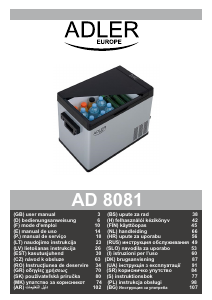
Här kan du dela vad du tycker om Adler AD 8081 Kylbox. Om du har en fråga, läs först noggrant igenom manualen. Att begära en manual kan göras genom att använda vårt kontaktformulär.