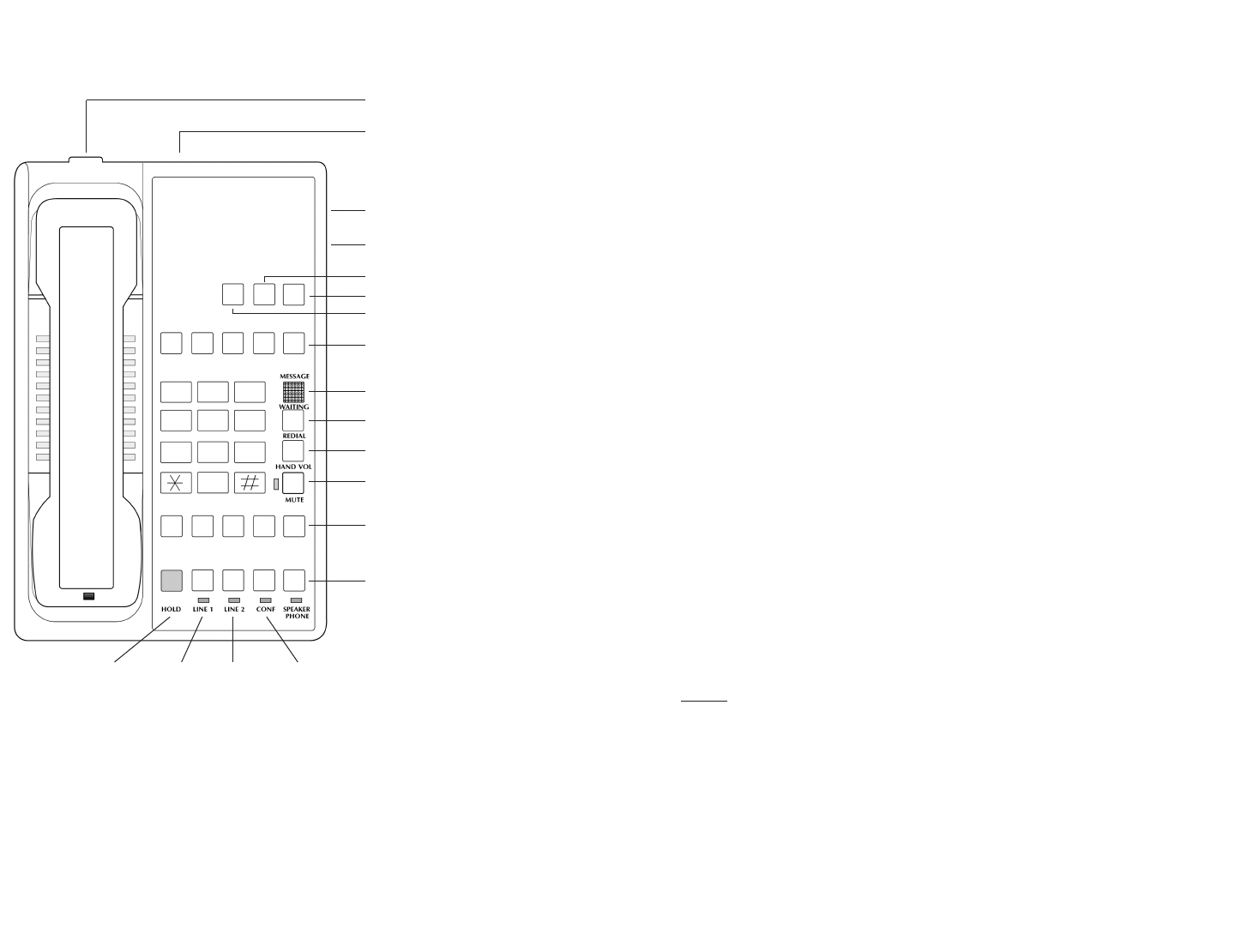
Handset Holder
Ringer Volume Control
Data Port
Speaker Volume Control
(models L2S-E, L2S-5E, L2S-10E only)
Flash Key
(hidden)
Store Key
(hidden)
Pause Key
(hidden)
Auto Dial Keys
(models L2S-10E and L2-10E only)
Message Waiting Lamp
Redial Key
Handset Volume Key
Mute Key
Auto Dial Keys
(models L2-5E, L2-10E, L2S-5E, L2S-10E only)
Speakerphone Key
(models L2S-E, L2S-5E, L2S-10E only)
Hold Key Line 1 Line 2 Conference Key
INCLUDED IN YOUR PACKAGE
Handset Line Cord Coiled Handset Cord
Base Clear Plastic Overlay User Guide
CONNECTING THE DIAMOND ELITE SERIES TELEPHONE
1) Located on the left side of the Diamond Elite is a modular jack labeled TO HANDSET.
Insert one end of the coiled handset cord into this jack (you will hear the coil cord
click when properly inserted.)
2) Insert the other end of the coiled handset cord into the modular jack on the handset.
3) Turn the telephone so the back panel is facing you. Insert either end of the line cord
into the jack on the back of the telephone labeled
TO TEL.
4) Insert the other end of the line cord into a telephone wall jack.
5) Once your telephone is connected, place the paper faceplate over the keys. The plastic
overlay slips into place by hooking the tabs on the overlay into the recessed slots located
on both sides. The overlay is easiest to insert when the left or right side tabs are
inserted first, and the middle of the overlay is slightly bowed to allow for insertion
of the other tabs.
SELECTING LINE 1 AND LINE 2
The Diamond Elite makes selecting the correct line as easy as lifting the handset. This
telephone prioritizes the ringing or idle line, reducing the confusion of line selection.
PLACING A CALL
Using the Handset
1) Lift the handset. The Elite telephone will select the appropriate idle line.
2) Listen for dial tone. Dial the desired number, or press an auto dial key to
automatically dial a number.
3) To end the call, hang up by replacing the handset.
Using the Speakerphone (models L2S-E, L2S-5E and L2S-10E only)
1) With the handset in the cradle, press the LINE 1 or LINE 2 keys. The telephone will
go off hook on the selected line with speakerphone active.
OR
Press the SPEAKER key. The Elite will select the appropriate idle line.
NOTE: The red SPEAKER LED will indicate that the speakerphone is active.
2) Listen for dial tone, dial the desired number, or press an auto dial key to
automatically dial a number.
3) To end call the call, press the
SPEAKER key again.
RECEIVING A CALL
An audible ring and flickering red LED indicate an inbound call.
Using the Handset
1) Lift the handset. The Elite will select the ringing line.
2) To end the call, hang up by replacing the handset.
1
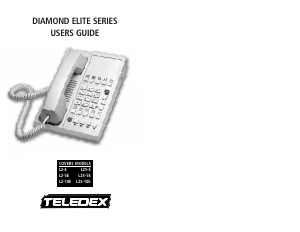
DIAMOND ELITE SERIES TELEPHONE DIAGRAM
CONTACTING TELEDEX
Telephone: (408) 363-3100
Internet: www.teledex.com
Address: 6311 San Ignacio Avenue
San Jose, CA USA
95119
CONGRATULATIONS, AND THANK YOU!
Congratulations on your purchase of this high quality Teledex Diamond Elite telephone.
Teledex is the world's leading hospitality telephone supplier, and backs this telephone with
our exclusive limited lifetime warranty. If you have any questions about this telephone or
the warranty, please contact us via one of the methods below. We appreciate your purchase!


Delta i konversationen om denna produkt
Här kan du dela vad du tycker om Teledex L2S-10E Diamond Elite Telefon. Om du har en fråga, läs först noggrant igenom manualen. Att begära en manual kan göras genom att använda vårt kontaktformulär.