Operation
a) Connection
• Switch your computer on and wait until the operating system has completely started up.
• Connect the card reader to a free USB port of your computer or USB hub using the USB
cable provided.
• The drivers are already included in Windows (minimum requirement Windows XP).
Windows will automatically recognize the card reader and install the necessary drivers.
Additional drive letters are automatically assigned by Windows.
b) Disconnecting the Card Reader
• If there is any read/write access on the memory card, wait until it is nished.
• Carefully remove the memory card from the card reader.
If the memory card is removed during a read/write access, the data on the memory
card can be damaged. It is possible after that the memory card will need to be
formatted again.
• Disconnect the card reader.w
c) Reading / Recording Memory Cards
• The memory card is integrated in the same manner as a conventional replaceable data
carrier drive.
• For example, in the Windows le manager you can readout the data of the memory card (or
le data onto the memory card), just like you use the hard disk or USB stick.
d) Tips and Notes
• Make sure that the possible read-only access of SD/MS cards (slide switch in the memory
card) is switched off when deleting or writing onto memory cards in MS format.
• Use preferably a USB2.0 port to connect the card reader.
• The data signaling rate for USB1.1 operation is only max. 800kByte/s.
• Depending on the speed of your memory card, with USB2.0, several Mbyte/s are possible!
Therefore, for a fast transfer, you should always use a USB2.0 port for the card reader
(tremendous saving of time during data transfer).
Care and Cleaning
• Disconnect the product and remove any cards before cleaning.
• Do not use any aggressive cleaning agents, rubbing alcohol or other chemical solutions as
they can cause damage to the housing and malfunctioning.
• Clean the product with a dry, bre-free cloth.
Disposal
Electronic devices are recyclable waste and must not be disposed of in the
household waste. At the end of its service life, dispose of the product in accordance
with applicable regulatory guidelines. You thus fulll your statutory obligations and
contribute to the protection of the environment.
Technical Data
Interface ........................................ USB 2.0
Supported card types ................... CompactFlash (CF), CF, CF-ultra, CF-pro, CF Extreme,
CF-psp, Microdrive
Memory Stick (MS), Memory Stick Pro (MS Pro), Memory
Stick Pro DUO (MS Pro DUO), Memory Stick DUO (MS
DUO) HS-MS-Pro(Magic Gate), HS-MS-Pro-Duo(Magic
Gate)
XD
Secure Digital (SD), MultiMedia (MMC), RS-MMCT-
Flash,MicroSD
M2
SDHC, Micro SDHC, SDXC, Micro SDXC (≤ 128 GB).
System requirements .................... Windows
®
XP (or higher), Mac OS 10.0 (or higher)
Linux v 2.5 (or higher)
Operating conditions ..................... 0 °C to 50 °C, 0 – 88 % relative humidity
Storage conditions ........................ 20 °C to +60 °C, 0 – 88 % relative humidity
USB cable length .......................... 80 cm (with plugs), 72 cm (without plugs)
Dimensions (W x H x D) ............... 67.5 x 40.2 x 13 mm
Weight .......................................... 23.8 g
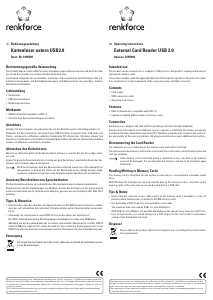
Operating Instructions
Card Reader USB 2.0 Blue
Item No. 1198497
Intended Use
The product connects to a computer USB port. It is designed to read and write to supported
memory card types.
It is intended for indoor use only. Do not use it outdoors. Contact with moisture, e.g. in
bathrooms, must be avoided under all circumstances.
For safety and approval purposes, you must not rebuild and/or modify this product. If you use
the product for purposes other than those described above, the product may be damaged. In
addition, improper use can result in short circuits, res, electric shocks or other hazards. Read
the instructions carefully and store them in a safe place. Make this product available to third
parties only together with its operating instructions.
This product complies with the statutory national and European requirements. All company
names and product names are trademarks of their respective owners. All rights reserved.
Delivery Content
• Card reader
• USB cable
• Operating instructions
Up-to-date Operating Instructions
Download the latest operating instructions at www.conrad.com/downloads or
scan the QR code shown. Follow the instructions on the website.
Explanation of Symbols
The symbol with the exclamation mark in the triangle is used to indicate important
information in these operating instructions. Always read this information carefully.
The arrow symbol indicates special information and advice on operation.
Safety Instructions
Read the operating instructions carefully and especially observe the safety
information. If you do not follow the safety instructions and information
on proper handling in this manual, we assume no liability for any resulting
personal injury or damage to property. Such cases will invalidate the warranty/
guarantee.
• The product is not a toy. Keep it out of the reach of children and pets.
• Do not leave packaging material lying around carelessly. This may become
dangerous playing material for children.
• Protect the product from extreme temperatures, direct sunlight, strong jolts, high
humidity, moisture, ammable gases, steam and solvents.
• Do not place the product under any mechanical stress.
• If it is no longer possible to operate the product safely, take it out of operation and
protect it from any accidental use. Safe operation can no longer be guaranteed
if the product:
- is visibly damaged,
- is no longer working properly,
- has been stored for extended periods in poor ambient conditions or
- has been subjected to any serious transport-related stresses.
• Please handle the product carefully. Jolts, impacts or a fall even from a low height
can damage the product.
• Also observe the safety and operating instructions of any other products which are
connected to the product.
• Consult an expert when in doubt about the operation, safety or connection of the
product.
• Maintenance, modications and repairs must only be completed by a technician
or an authorised repair centre.
• If you have questions which remain unanswered by these operating instructions,
contact our technical support service or other technical personnel.
This is a publication by Conrad Electronic SE, Klaus-Conrad-Str. 1, D-92240 Hirschau (www.conrad.com). All rights
including translation reserved. Reproduction by any method, e.g. photocopy, microlming, or the capture in electronic data
processing systems require the prior written approval by the editor. Reprinting, also in part, is prohibited. This publication
represents the technical status at the time of printing.
Copyright 2019 by Conrad Electronic SE. *1198497_v1_0319_02_dh_m_en



Delta i konversationen om denna produkt
Här kan du dela vad du tycker om Renkforce 1198497 USB 2.0 Kortläsare. Om du har en fråga, läs först noggrant igenom manualen. Att begära en manual kan göras genom att använda vårt kontaktformulär.