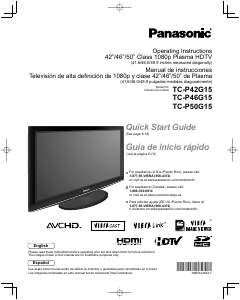
Bruksanvisning Panasonic TC-P50G10 Plasma TV

Behöver du en bruksanvisning för din Panasonic TC-P50G10 Plasma TV? Nedan kan du se och ladda ner PDF-bruksanvisningen gratis på svenska. Den här produkten har för närvarande 12 vanliga frågor, 0 kommentarer och har 0 röster. Om det här inte är bruksanvisningen du vill ha, vänligen kontakta oss.

Är produkten defekt och erbjuder bruksanvisningen ingen lösning? Gå till ett Repair Café för gratis reparationstjänster.

Bruksanvisning

Loading…
4
5
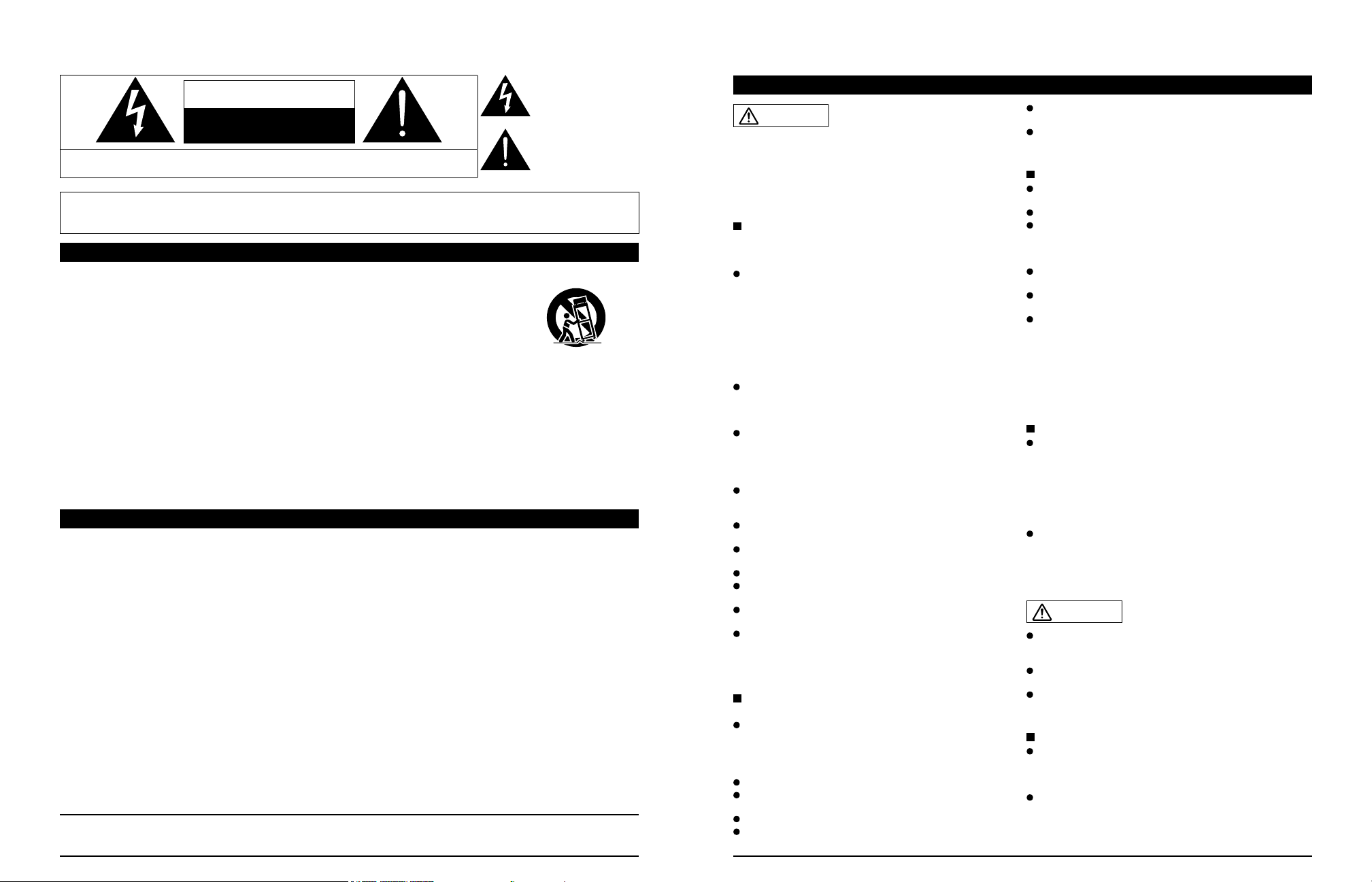
Safety Precautions
WARNING: To reduce the risk of fire or electric shock, do not expose this apparatus to rain or moisture.
Do not place liquid containers (flower vase, cups, cosmetics, etc.) above the set
(including on shelves above, etc.).
Important Safety Instructions
1) Read these instructions.
2) Keep these instructions.
3) Heed all warnings.
4) Follow all instructions.
5) Do not use this apparatus near water.
6) Clean only with dry cloth.
7) Do not block any ventilation openings. Install in
accordance with the manufacturer’s instructions.
8) Do not install near any heat sources such as radiators,
heat registers, stoves, or other apparatus (including
amplifiers) that produce heat.
9) Do not defeat the safety purpose of the polarized or
grounding-type plug. A polarized plug has two blades with
one wider than the other. A grounding type plug has two
blades and a third grounding prong. The wide blade or the
third prong are provided for your safety. If the provided
plug does not fit into your outlet, consult an electrician for
replacement of the obsolete outlet.
10) Protect the power cord from being walked on or pinched
particularly at plugs, convenience receptacles, and the
point where they exit from the apparatus.
11) Only use attachments / accessories specified by the
manufacturer.
12) Use only with the cart, stand, tripod,
bracket, or table specified by the
manufacturer, or sold with the
apparatus. When a cart is used,
use caution when moving the cart /
apparatus combination to avoid injury
from tip-over.
13) Unplug this apparatus during lightning storms or when
unused for long periods of time.
14) Refer all servicing to qualified service personnel. Servicing
is required when the apparatus has been damaged in any
way, such as power-supply cord or plug is damaged, liquid
has been spilled or objects have fallen into the apparatus,
the apparatus has been exposed to rain or moisture, does
not operate normally, or has been dropped.
15) To prevent electric shock, ensure the grounding pin on the
AC cord power plug is securely connected.
FCC STATEMENT
This equipment has been tested and found to comply with the limits for a Class B digital device, pursuant to Part 15 of the FCC
Rules. These limits are designed to provide reasonable protection against harmful interference in a residential installation.
This equipment generates, uses and can radiate radio frequency energy and, if not installed and used in accordance with the
instructions, may cause harmful interference to radio communications. However, there is no guarantee that interference will not occur in
a particular installation. If this equipment does cause harmful interference to radio or television reception, which can be determined by
turning the equipment off and on, the user is encouraged to try to correct the interference by one or more of the following measures:
• Reorient or relocate the receiving antenna.
• Increase the separation between the equipment and receiver.
• Connect the equipment into an outlet on a circuit different from that to which the receiver is connected.
• Consult the dealer or an experienced radio/TV technician for help.
This device complies with Part 15 of the FCC Rules. Operation is subject to the following two conditions: (1) This device may not cause
harmful interference, and (2) this device must accept any interference received, including interference that may cause undesired operation.
FCC Caution:
To assure continued compliance, follow the attached installation instructions and use only shielded interface cables
when connecting to computer or peripheral devices. Any changes or modifications not expressly approved by Panasonic
Corp. of North America could void the users authority to operate this device.
FCC Declaration of Conformity
Model No. TC-P42G10, TC-P46G10, TC-P50G10, TC-P54G10
Responsible Party: Panasonic Corporation of North America
One Panasonic Way, Secaucus, NJ 07094
Contact Source: Panasonic Consumer Electronics Company
1-877-95-VIERA (958-4372)
CANADIAN NOTICE:
For Model TC-P42G10, TC-P46G10, TC-P50G10, TC-P54G10
This Class B digital apparatus complies with Canadian ICES-003.
CAUTION
RISK OF ELECTRIC SHOCK
DO NOT OPEN
WARNING: To reduce the risk of electric shock, do not remove cover or back.
No user-serviceable parts inside. Refer servicing to qualified service personnel.
The lightning flash with
arrowhead within a triangle is
intended to tell the user that
parts inside the product are a
risk of electric shock to persons.
The exclamation point within
a triangle is intended to
tell the user that important
operating and servicing
instructions are in the
papers with the appliance.
WARNING/CAUTION
WARNING
Small parts can present choking hazard if accidentally
swallowed.
Keep small parts away from young children.
Discard unneeded small parts and other objects, including
packaging materials and plastic bags/sheets to prevent
them from being played with by young children, creating
the potential risk of suffocation.
Set up
This Plasma TV may fall and can cause personal injury or
even death if not installed correctly. To prevent personal injury
or death, follow these warnings:
Install the Plasma TV in accordance with the
manufacturers recommended pedestal or stand,
corresponding hardware and installation instructions.
This Plasma TV is for use only with the following optional
accessories. Use with any other type of optional accessories
may cause instability. The following accessories are
manufactured by Panasonic Corporation.
• Wall-hanging bracket (Angled)
TY-WK4P1RW (TC-P42G10, TC-P46G10, TC-P50G10)
TY-WK5P1RW (TC-P54G10)
Be sure to ask a qualified technician to carry out the
installation and set-up.
Two or more people are required to install or remove the
television.
Some wall mounts (wall-hanging brackets) are not
designed to be mounted to walls with steel studs or old
cinder block constructions.
Ask your dealer or licensed contractor to properly secure the
wall-hanging bracket.
Do not place the Plasma TV or its stand on a sloped or
unstable surface.
The Plasma TV may fall or tip over.
Do not support the Plasma TV on a non-specified
pedestal.
Do not place the Plasma TV on furniture that can easily
be used as steps, such as a chest of drawers.
Do not climb or allow children to climb on the Plasma TV
Place or install the Plasma TV where it cannot be pushed,
pulled over or knocked down.
Route all cords and cables such that they cannot be
tripped over or pulled by curious children.
Do not place any objects on top of the Plasma TV.
If water spills onto the Plasma TV or foreign objects get
inside it, a short-circuit may occur which could result in fire
or electric shock. If any foreign objects get inside the Plasma
TV, please consult an Authorized Service Center.
AC Power Supply Cord
To prevent fire or electric shock:
The Plasma TV is designed to operate on a 120 V AC,
60 Hz service. Insert the power cord plug as far as it will
go into the wall socket.
If the plug is not fully inserted, heat may generate, which
could cause a fire.
The included power cord is for use with this unit only.
Do not use any power cord other than that provided with
this TV.
Do not handle the power cord plug with wet hands.
Do not do anything that might damage the power supply
cord.
When disconnecting the power supply cord, hold the
plug, not the cord.
Do not use the power supply cord if the plug or cord is
damaged.
Replace the cord or contact your Authorized Service Center
Handling the power supply cord
Insert the power plug fully into the socket outlet. (If the
power plug is loose, it could generate heat and cause fire.)
Ensure that the power plug is easily accessible.
Ensure the earth pin on the power plug is securely
connected to prevent electrical shock.
An apparatus with CLASS I construction shall be connected to
a power socket outlet with a protective earthing connection.
Do not touch the power plug with a wet hand. (This may
cause electrical shock.)
Do not use any power cord other than that provided with
this TV. (This may cause fire or electrical shock.)
Do not damage the power cord. (A damaged cord may
cause fire or electrical shock.)
Do not move the TV with the cord plugged in the socket outlet.
Do not place a heavy object on the cord or place the cord
near a high-temperature object.
Do not twist the cord, bend it excessively, or stretch it.
Do not pull on the cord. Hold onto the power plug body
when disconnecting cord.
Do not use a damaged power plug or socket outlet.
If Problems Occur During Use
If a problem occurs (such as no picture or no sound),
or if smoke or an abnormal odor is detected from the
Plasma TV, unplug the power supply cord immediately.
Continued use of the TV under these conditions might cause
a fire or permanent damage to the TV. Have the TV evaluated
by an Authorized Service Center. Servicing of the TV by
unauthorized personnel is strongly discouraged due to its
high voltage.
If water or an object gets inside the Plasma TV, if the
Plasma TV is dropped, or if the enclosure becomes
damaged, unplug the power supply cord immediately.
A short-circuit may occur, which could cause a fire. Contact
an Authorized Service Center for an evaluation.
CAUTION
Do not cover the ventilation holes.
Doing so may cause the Plasma TV to overheat, which can
cause a fire or damage to the Plasma TV.
Leave a space of 3 15/16” (10 cm) or more at the top, left
and right, and 2 3/4” (7 cm) or more at the rear.
When using the pedestal, keep the space between the
bottom of the TV and the pedestal or stand surface clear
from objects that may obstruct ventilation.
When Moving the Plasma TV
Be sure to disconnect all cables before moving the
Plasma TV.
Moving the TV with its cables attached might damage the
cables which, in turn, can cause fire or electric shock
To prevent an electric shock, disconnect the power
plug from the wall outlet as a safety precaution before
carrying out any cleaning.
Ladda ner bruksanvisning i Engelska (PDF, 4.61 MB)
(Tänk på miljön och skriv endast ut denna bruksanvisning om det verkligen är nödvändigt)

Loading…

Betyg

Berätta vad du tycker om Panasonic TC-P50G10 Plasma TV genom att betygsätta den. Vill du dela med dig av dina åsikter om denna produkt eller ställa en fråga? Lämna en kommentar nederst på sidan.
Är du nöjd med Panasonic TC-P50G10 Plasma TV?
Ja Nej
Bli den första personen som betygsätter denna produkt
0 röster

Delta i konversationen om denna produkt

Här kan du dela vad du tycker om Panasonic TC-P50G10 Plasma TV. Om du har en fråga, läs först noggrant igenom manualen. Att begära en manual kan göras genom att använda vårt kontaktformulär.

Mer om denna bruksanvisning

Vi förstår att det är trevligt att ha en pappersbruksanvisning för din Panasonic TC-P50G10 Plasma TV. Du kan alltid ladda ner bruksanvisningen från vår hemsida och skriva ut den själv. Om du vill ha en originalbruksanvisning rekommenderar vi att du kontaktar Panasonic. De kanske kan tillhandahålla en originalbruksanvisning. Letar du efter bruksanvisningen för din Panasonic TC-P50G10 Plasma TV på ett annat språk? Välj ditt föredragna språk på vår hemsida och sök efter modellnumret för att se om vi har det tillgängligt.

Specifikationer

Märke Panasonic
Modell TC-P50G10
Kategori Plasma TV
Filtyp PDF
Filstorlek 4.61 MB

Alla bruksanvisningar för Panasonic Plasma TV
Fler bruksanvisningar för Plasma TV

Vanliga frågor om Panasonic TC-P50G10 Plasma TV

Vårt supportteam söker efter användbar produktinformation och svar på vanliga frågor. Om du hittar en felaktighet bland våra vanliga frågor uppskattar vi om du meddelar oss detta via vårt kontaktformulär.

Jag vill ansluta en högtalare till min plasma-TV med HDMI, vilken port ska jag använda? Verifierad

Du måste använda HDMI-ARC-porten, som är speciellt gjord för att ansluta ljudutrustning.

Detta hjälpte (166) Läs mer

Hur ansluter jag en universell fjärrkontroll till min TV? Verifierad

För att ansluta din universella fjärrkontroll behöver du modellnummer och varumärke för både fjärrkontrollen och TV: n. Det finns en lista med koder för märken och modellnummer i fjärrkontrollens manual.

Detta hjälpte (113) Läs mer

Hur kan jag skydda min plasma-tv från inbränning? Verifierad

Inbränning av en plasma-tv äger rum när samma bild stannar kvar på skärmen under en lång tid. För att förhindra inbränning ska du inte låta samma bild stanna kvar på skärmen längre än 2 minuter.

Detta hjälpte (63) Läs mer

Hur mäter jag antal tum på min plasma TV? Verifierad

Mätning av antal tum på din plasma TV görs genom mätning av det diagonala avståndet mellan till exempel det övre vänstra hörnet och skärmens nedre högra hörn (inte kanten). En tum motsvarar 2,54 centimeter, så när du mäter 99 centimeter betyder det att din plasma TV är 39 tum.

Detta hjälpte (48) Läs mer

Spelar det någon roll till vilken HDMI-port jag ansluter min enhet? Verifierad

I allmänhet kan du ansluta en enhet som en blu-ray-spelare eller spelkonsol till vilken HDMI-port som helst. Enheten kan sedan användas genom att välja motsvarande HDMI-kanal på din TV.

Detta hjälpte (47) Läs mer

Kan jag reparera en död pixel själv? Verifierad

Det finns en skillnad mellan en död pixel och en fast pixel. En fast pixel är fortfarande färgad och kan fixeras genom att applicera lätt tryck exakt på pixeln tills den återställer sig själv. En död pixel är alltid svart eller vit och kan inte repareras själv.

Detta hjälpte (27) Läs mer

Vad står HDMI för? Verifierad

HDMI står för High-Definition Multimedia Interface. HDMI är en anslutning för att skicka video och ljud av hög kvalitet från en enhet till en annan.

Detta hjälpte (22) Läs mer

Fungerar min fjärrkontroll också på andra TV-modeller av samma märke? Verifierad

Ofta fungerar en fjärrkontroll av en TV också på liknande modeller av samma märke. Det är dock ovanligt att det fungerar på alla modeller av det märket. Universella fjärrkontroller är mer lämpade för att göra detta.

Detta hjälpte (16) Läs mer

Hur kan jag rengöra min plasma-tv ordentligt? Verifierad

Stäng av TV: n och torka av damm och smuts från skärmen med en mikrofiberduk. Använd inte papper, det kan orsaka repor. Använd inte för mycket tryck annars kan du skada pixlar. Använd ett specialtvättmedel eller gör ett genom att blanda 1 del vinäger med 1 del vatten. Fukta trasan med tvättmedlet och rengör skärmen. Se till att duken inte är för våt. Ta bort fläckar genom att göra roterande rörelser. Torka skärmen med en andra mikrofiberduk för att förhindra ränder.

Detta hjälpte (15) Läs mer

Vad är kontrastförhållandet? Verifierad

Kontrastförhållandet visar hur långt den vitaste vita är från den svartaste. Ett kontrastförhållande på exempelvis 400: 1 betyder att den svartaste svart på skärmen är 400 gånger mörkare än den vitaste vita. Ett högt kontrastförhållande bidrar till bildens skärpa.

Detta hjälpte (15) Läs mer

Vilket är det rekommenderade tittaravståndet för en tv? Verifierad

Det beror delvis på din personliga smak, men en tumregel är att ett lämpligt tittaravstånd är cirka 3 gånger tv:ns diagonala skärmyta. För en tv på 60 inch (152 cm) är alltså ett lämpligt avstånd ca 180 inch (4,5 meter).

Detta hjälpte (11) Läs mer

Varför finns det bokstäver bredvid siffrorna på fjärrkontrollen? Verifierad

Vissa TV-inställningar kan kräva att du anger bokstäver. Det finns vanligtvis tre bokstäver eller andra tecken på en knapp. När bokstavsinmatning krävs kan du trycka på den knappen en gång för den första bokstaven, trycka två gånger på den andra bokstaven och trycka tre gånger på den tredje bokstaven. På så sätt kan text skrivas med ett minimum antal knappar.

Detta hjälpte (11) Läs mer
Bruksanvisning Panasonic TC-P50G10 Plasma TV

Relaterade produkter

Relaterade kategorier

×
Download